
WPF创建程序安装包
·
VS2015 打包安装包
1.安装VS2015打包组件。
打开VS2015 --> 工具 --> 扩展和更新 --> 联机 搜索Microsoft Visual Studio 2015 Installer Projects --> 下载 -->执行exe。
Open VS2015 --> Tools --> Extensions and updates… -> Online --> Search Microsoft Visual Studio 2015 Installer Projects. --> download --> execute exe.

2.打包程序。
新建项目 --> 已安装 --> 模板 --> 其他项目类型 --> Visual Studio Installer --> Setup Project --> 输入项目名称 --> 确定。
New Project --> Installed --> Templates --> Other Project Types --> Visual Studio Installer --> Setup Project --> enter project name --> OK.

Application Folder:用于存放打包程序所包含的所有文件及文件夹。
User’s Desktop:创建桌面快捷方式。右键.exe文件创建快捷方式,并将快捷方式截切到User’s Desktop。

3.指定安装路径。
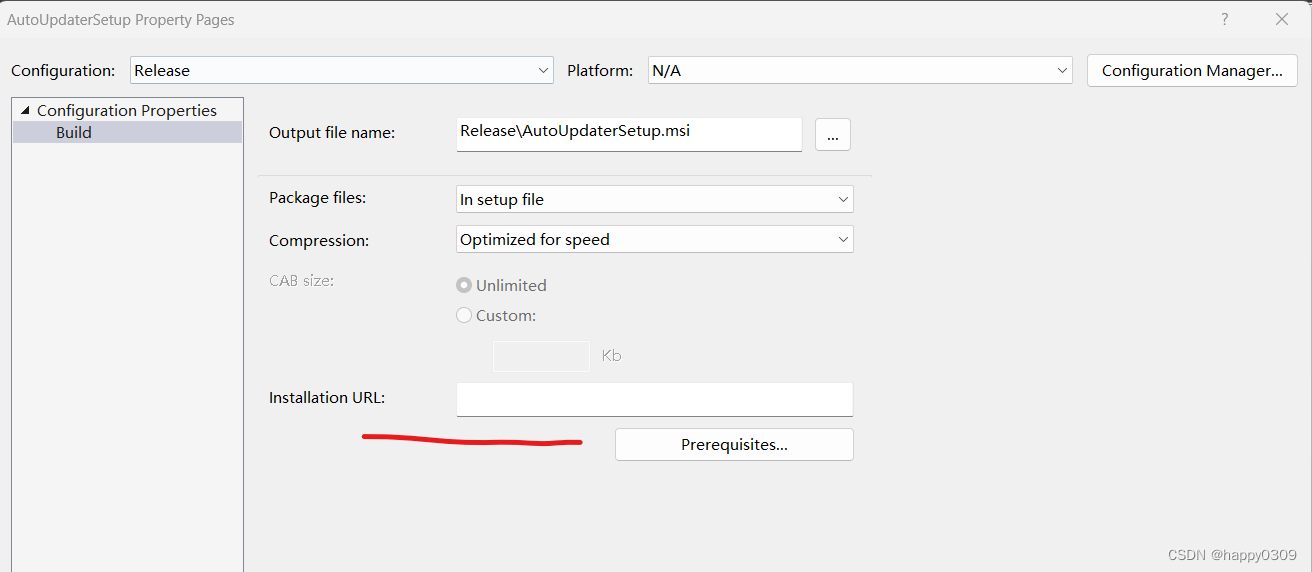
属性->installation URL
更多推荐


 11
 0
- 0


 已为社区贡献1条内容

所有评论(0)