
iptables-restore 命令介绍和使用案例
·
iptables-restore 命令介绍和使用案例
iptables-restore是一个用于还原iptables防火墙规则的命令,它通常与iptables-save命令配合使用。通过iptables-save,用户可以将当前的iptables配置保存到文件中,而使用iptables-restore则可以从该文件中恢复这些配置
命令简介
iptables-restore命令的主要功能是从文件或标准输入中读取iptables规则并应用到当前的iptables配置中。它支持多种Linux发行版,包括RedHat、Ubuntu、CentOS等
语法
iptables-restore [选项] < 文件名
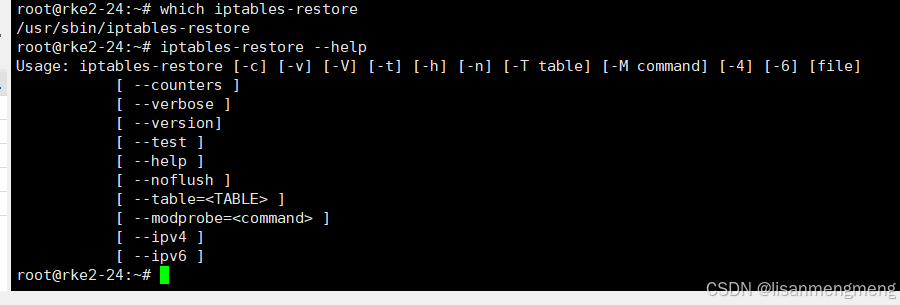
常用选项
- -c, --counters:还原数据包和字节计数器的值。
- -n, --noflush:不清空现有的iptables规则。
- -t, --table <name>:指定要还原的表名(如filter、nat等)。
- -v, --verbose:在处理规则时打印额外的信息。
命令参数
使用案例
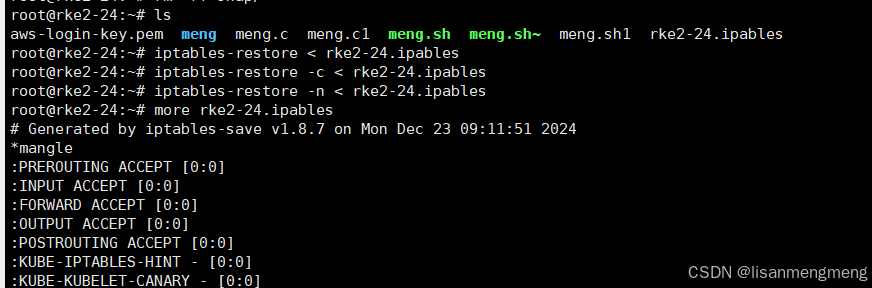
1. 还原基本规则
要还原之前使用iptables-save命令保存的规则,可以使用如下命令:
iptables-restore < /path/to/iptables.bak

这里,/path/to/iptables.bak是包含备份规则的文件。
2. 还原并保留计数器
如果希望在还原时保留数据包和字节计数器,可以使用以下命令:
iptables-restore -c < /path/to/iptables.bak

3. 不清空现有规则
如果需要在还原时不清空现有的防火墙规则,可以使用:
iptables-restore -n < /path/to/iptables.bak
更多推荐

 8
8 0
0- 0


 已为社区贡献3条内容

所有评论(0)