
对于AttributeError:module ‘keras.backend‘ has no attribute ‘clear_session‘问题解决办法
·
1.报错截图:
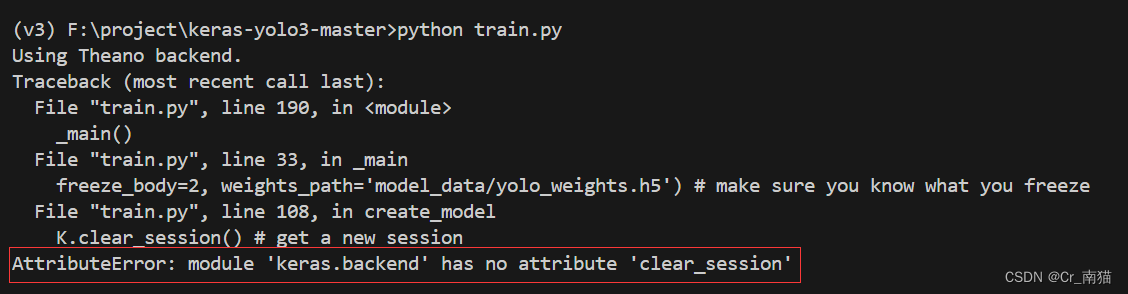
2.问题描述:
在运行旧版本yolov3代码时,所使用的环境版本如下:
- Python 3.5.2
- Keras 2.1.5
- tensorflow 1.6.0
在运行train.py时报出没有找到clear_session方法,于是我前往查看keras包,在__init__.py中设置了默认backend是tensorflow。
from .common import cast_to_floatx
from .common import image_data_format
from .common import set_image_data_format


# Obtain Keras base dir path: either ~/.keras or /tmp.
_keras_base_dir = os.path.expanduser('~')
if not os.access(_keras_base_dir, os.W_OK):
    _keras_base_dir = '/tmp'
_keras_dir = os.path.join(_keras_base_dir, '.keras')

# Default backend: TensorFlow.
_BACKEND = 'tensorflow'


# Attempt to read Keras config file.
_config_path = os.path.expanduser(os.path.join(_keras_dir, 'keras.json'))
if os.path.exists(_config_path):
    try:
        with open(_config_path) as f:
            _config = json.load(f)
    except ValueError:
        _config = {}
    _floatx = _config.get('floatx', floatx())
然后我前往查看tensorflow_backend.py,发现其实已经存在clear_session()方法,但是v3尝试调用keras库中keras_backend的clear_session方法却无法生效。
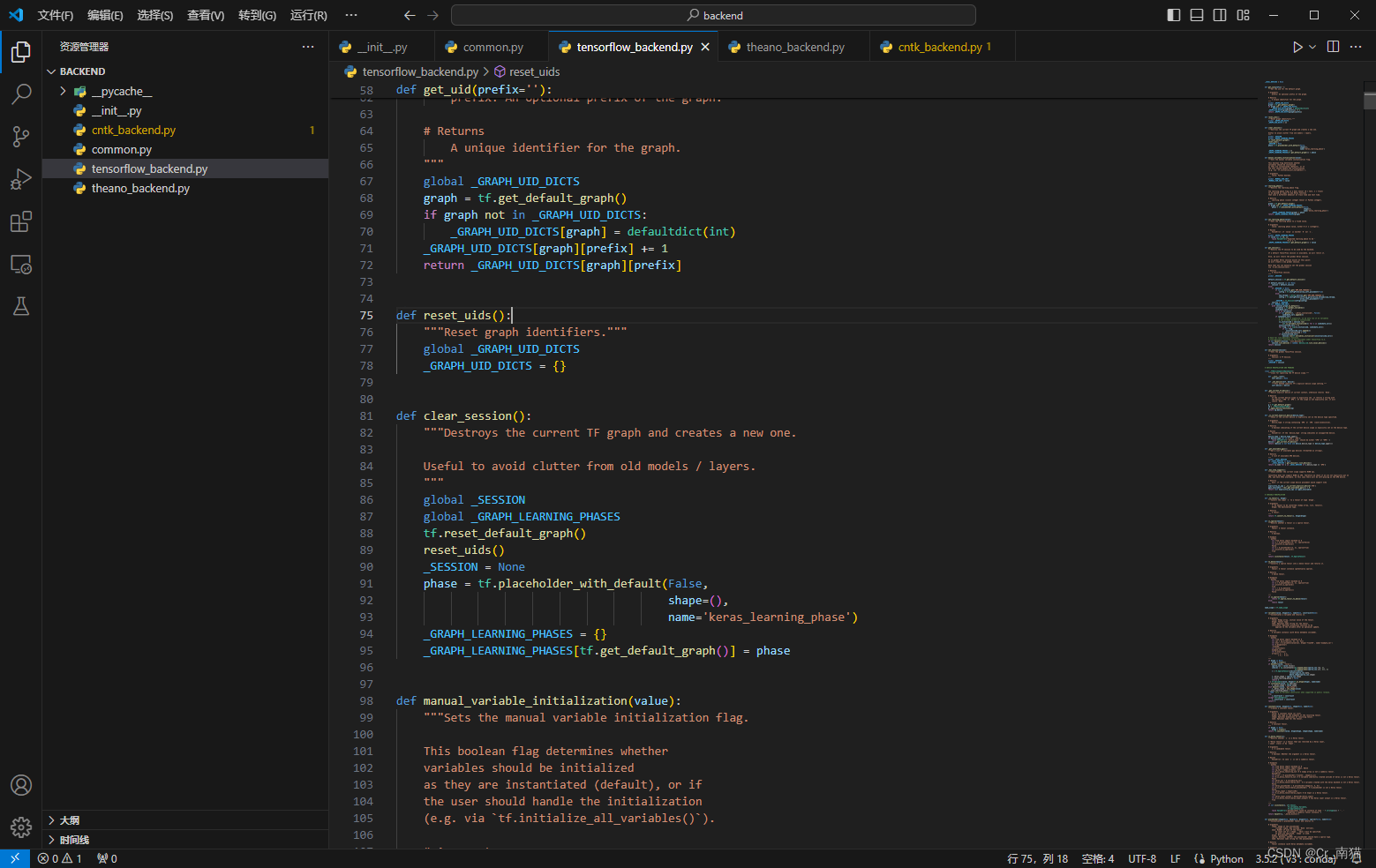
于是我猜想默认设置并没有生效!!
# Default backend: TensorFlow.
_BACKEND = 'tensorflow'
3.解决方法
在C:\Users\abc\.conda\envs\v3\Lib\site-packages\keras\backend\__init__.py中,加上os.environ['KERAS_BACKEND'] = 'tensorflow',以控制keras_backend使用tensorflow。
import os
os.environ['KERAS_BACKEND'] = 'tensorflow'
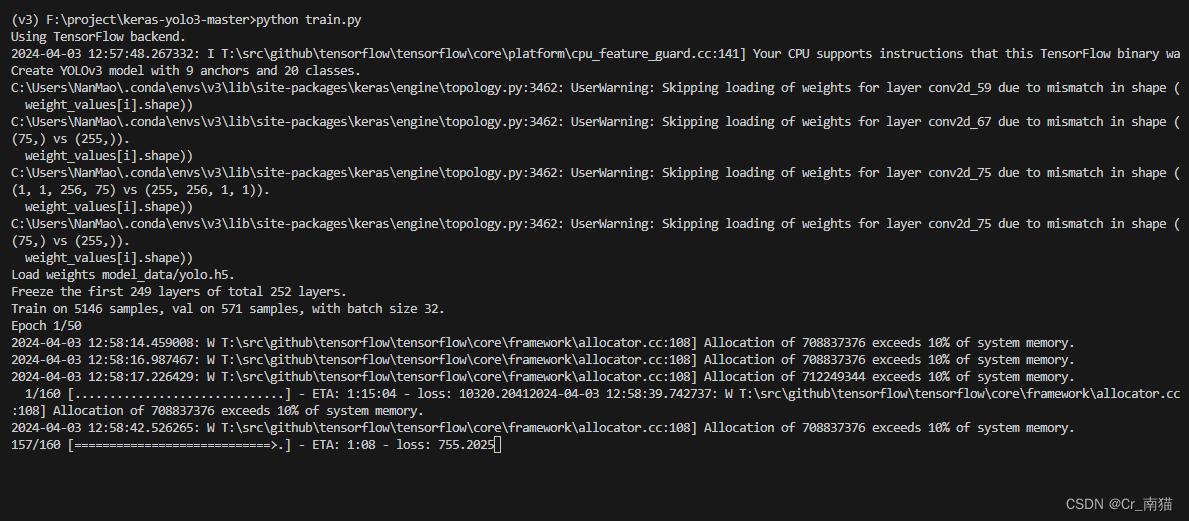
4.演示
解决后的运行展示:
今天不学习,明天变垃圾!
更多推荐

 9
9 0
0- 0


 已为社区贡献2条内容

所有评论(0)