
Centos7安装postgresql14步骤
·
1、进入网址
https://www.postgresql.org/download/
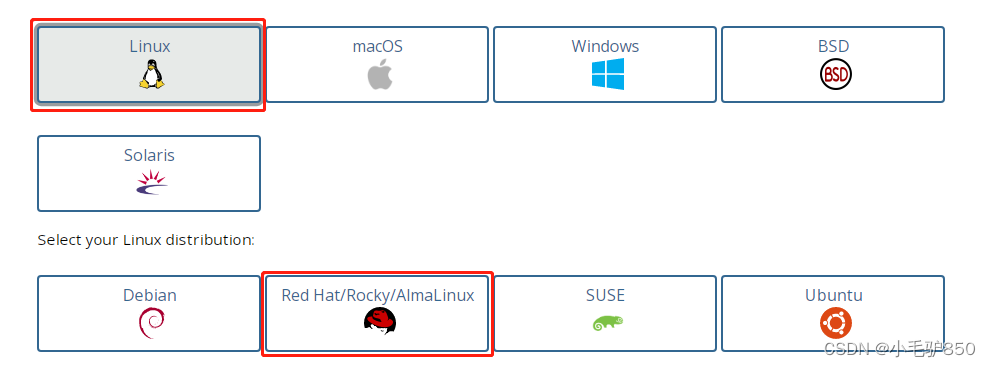

2、按步骤执行
# Install the repository RPM:
sudo yum install -y https://download.postgresql.org/pub/repos/yum/reporpms/EL-7-x86_64/pgdg-redhat-repo-latest.noarch.rpm

# Install PostgreSQL:
sudo yum install -y postgresql14-server

# Optionally initialize the database and enable automatic start:
sudo /usr/pgsql-14/bin/postgresql-14-setup initdb
# 开机启动
sudo systemctl enable postgresql-14
#启动数据库
sudo systemctl start postgresql-14
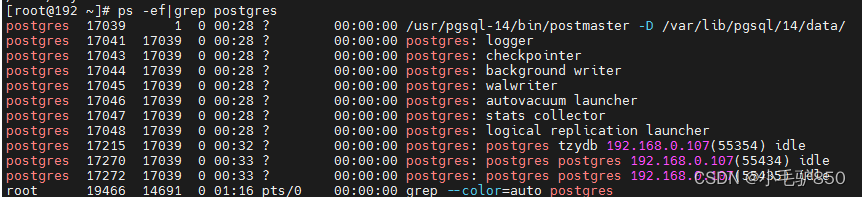
3、查看postgres 进程
ps -ef|grep postgres
4、查看用户,安装postgresql自动创建用户postgres
grep -A 1000 "1000:1000" /etc/passwd

5、修改postgres密码(系统登录密码)
passwd postgres
6、登录postgresql,修改数据库登录密码
# Linux命令:切换用户(一定要加 - ,否则不会用到该用户下环境变量)
su - postgres
# Linux命令:登录postgresql
psql
# SQL语句:修改用户密码
alter user postgres password '[自定义密码]';(这里是数据库的登录密码)
7、数据库常用启停命令
# 启动数据库
systemctl start postgresql-14
# 关闭数据库
systemctl stop postgresql-14
# 重启数据库
systemctl restart postgresql-14
# 连接数据库
psql
# 退出数据库
\q
更多推荐
 9
9 0
0- 0


 已为社区贡献3条内容

所有评论(0)