
arcgis server10.5将https改为http,6443改为6080默认端口
安装完成arcgis server后从以下几个步骤进行修改;
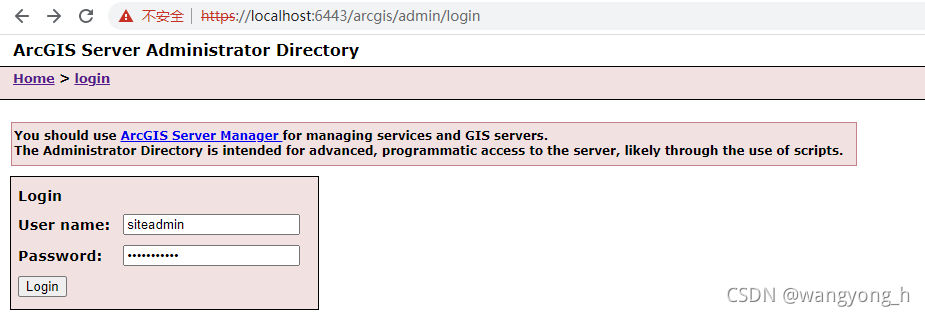
进入arcgisser admin登录
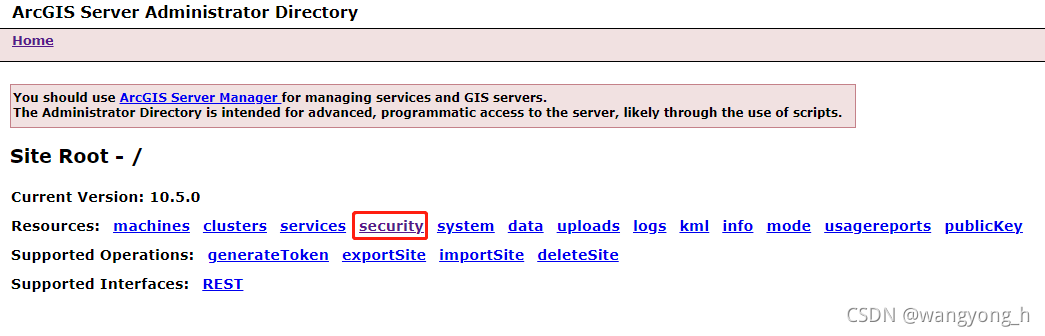
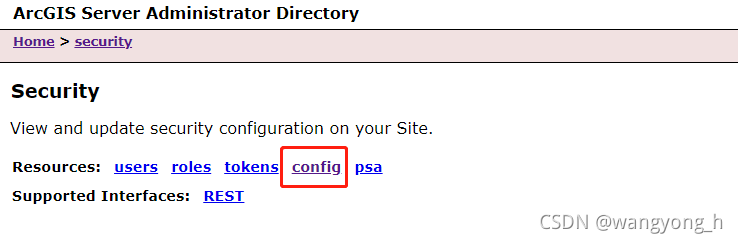
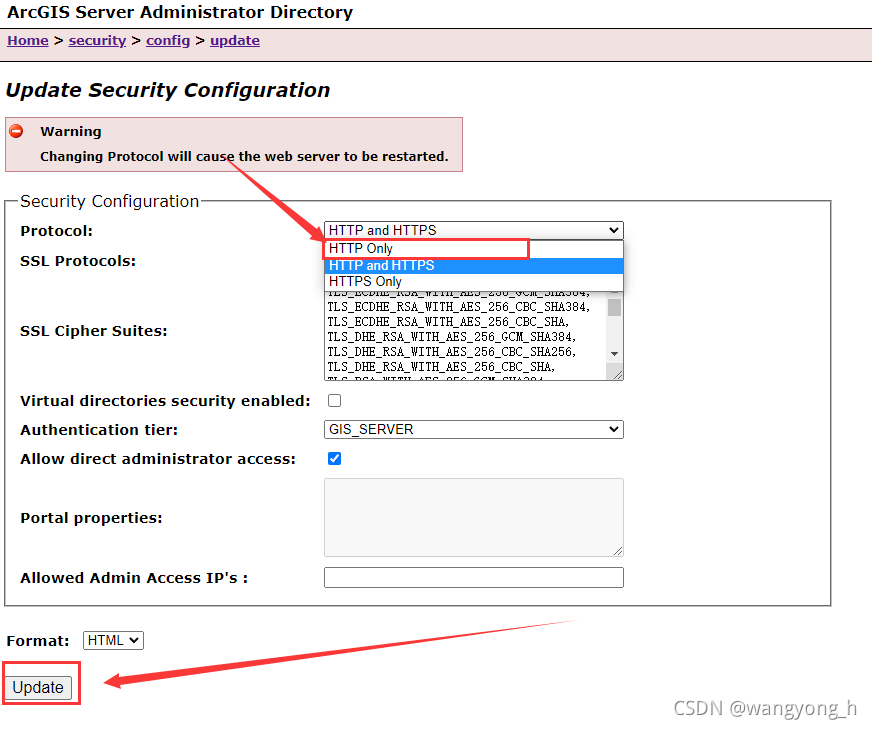
点击config > update,进入如下界面,按指示操作即可
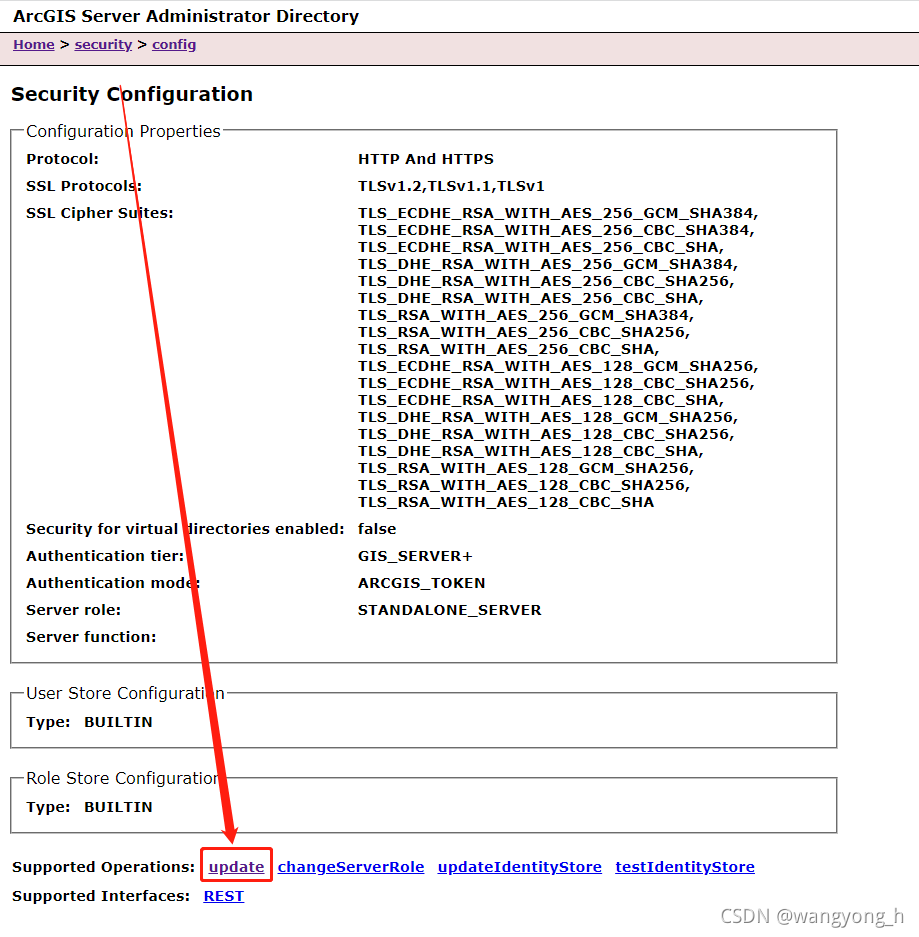 点击update 等待更新
 停止arcgis server服务,检查是否修改完成,按照以下步骤检查
Arcgis sever 10.3以上的安装之后,自带tomcat web服务程序,在安装路径C:\Program Files\ArcGIS\Server\framework\runtime\tomcat里面。若要修改Arcgis sever服务端口号码,需要修改两个文件中的端口设置:
.……\ArcGIS\Server\framework\runtime\tomcat\conf 路径下的server.xml文件中的端口,使用写字板打开该文件:
Java HTTP Connector: /docs/config/http.html (blocking & non-blocking)
Java AJP Connector: /docs/config/ajp.html
APR (HTTP/AJP) Connector: /docs/apr.html
Define a non-SSL HTTP/1.1 Connector on port 6080
-->
<Connector connectionTimeout="20000" maxHttpHeaderSize="65535" maxPostSize="10485760" port="6080" protocol="HTTP/1.1" redirectPort="6443" server=" "/>
<!-- A "Connector" using the shared thread pool-->
<!--
<Connector executor="tomcatThreadPool"
port="6080" protocol="HTTP/1.1"
connectionTimeout="20000"
redirectPort="6443" server=" "/>
-->
<!-- Define a SSL HTTP/1.1 Connector on port 6443
This connector uses the JSSE configuration, when using APR, the
connector should be using the OpenSSL style configuration
described in the APR documentation -->
将以上6443改为6080端口号或自己需要设置的端口号即可;
修改\***\arcgisserver\config-store\machines路径下的ENUINE.MICROSOFT.COM.json文件;
{"machineName":"GENUINE.MICROSOFT.COM","platform":"Windows Server 2008 R2-amd64-6.1","ports":{"JMXPort":4000,"OpenEJBPort":4001,"NamingPort":4002,"DerbyPort":4003,"HTTP":6443},
"ServerStartTime":1457418274918,"webServerMaxHeapSize":-1,"appServerMaxHeapSize":256,
"socMaxHeapSize":64,"webServerSSLEnabled":false,"webServerCertificateAlias":"SelfSignedCertificate",
"adminURL":"http://GENUINE.MICROSOFT.COM:6080/arcgis/admin","configuredState":"STARTED","synchronize":false}
将以上所有的6443改为6080端口号或自己需要设置的端口号即可;
重启arcgis server服务即可。
arcgis10.5全套下载地址:
以上内容如对您有帮助,麻烦您给个关注,非常感谢!!!
更多推荐

 1
1 0
0- 0


 已为社区贡献1条内容

所有评论(0)