
三步完成wordpress子主题修改
·
第一步:
首先在theme下创建子主题文件夹以三个子文件
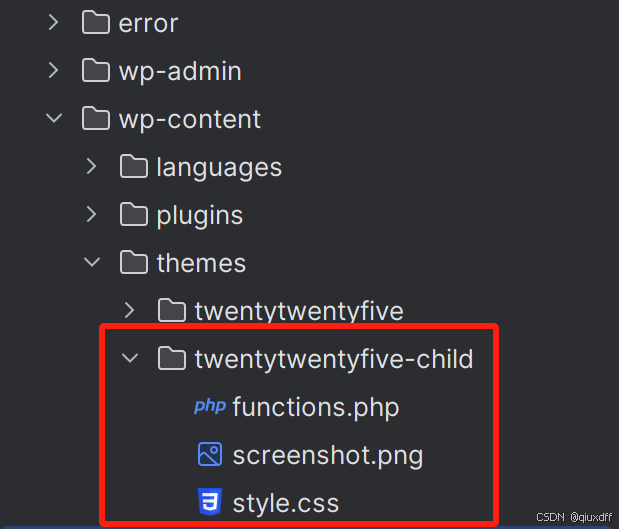
- functions.php,这里可以执行过滤器,钩子,自定义短代码等php逻辑
- screenshot.png,这是一个主题截图,在后台选择主题时会展示
- style.css,这是子主题的配置文件+样式内容
第二步:配置style.css和配置function.php
style.css
/*
Theme Name: Twenty Twenty-Five Child
Theme URI: http://wordpress.org/themes/twentytwentyfive-child
Description: Twenty Twenty-Five Child Theme
Author: Author
Author URI: http://yourwebsite.com
Template: twentytwentyfive
Version: 1.0.0
License: GNU General Public License v2 or later
License URI: http://www.gnu.org/licenses/gpl-2.0.html
Text Domain: twentytwentyfive-child
*/

.home {
    background: rgba(0,0,0,0.5);
}
重点:Template的值是父主题的目录名.
function.php
<?php
if ( ! function_exists('my_child_enqueue_style') ):
    function my_child_enqueue_style()
    {
        $parent_style = 'twentytwentyfive-style';

        wp_enqueue_style($parent_style, get_template_directory_uri() . '/style.css');
        wp_enqueue_style('twentytwentyfive-child-style', get_stylesheet_directory_uri() . '/style.css', array($parent_style), wp_get_theme()->get('Version'));
    }
endif;

add_action('wp_enqueue_scripts', 'my_child_enqueue_style');
就是引入父主题的style.css和子主题的style.css
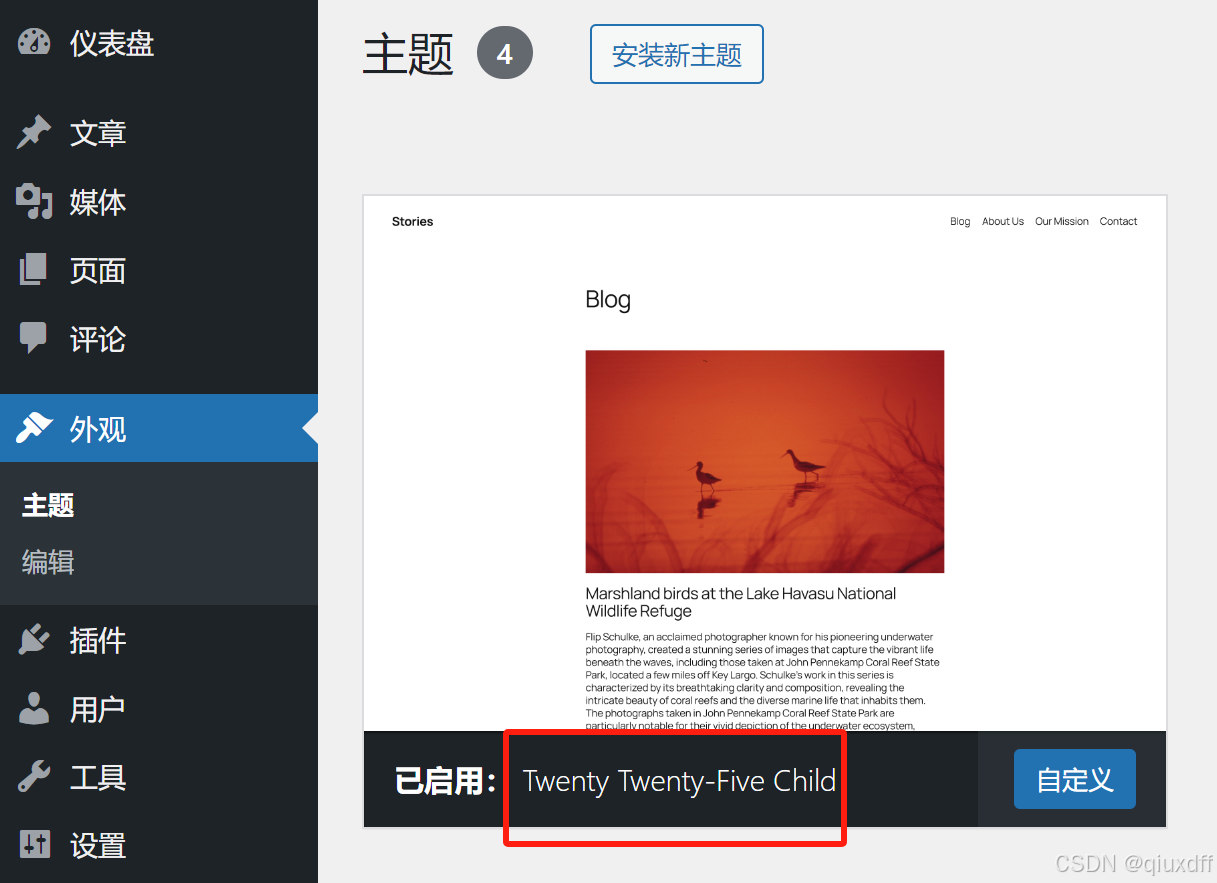
第三步:去后台激活子主题
更多推荐



 1
1 0
0- 0


 已为社区贡献1条内容

所有评论(0)