
Anaconda,pycharm中创建虚拟环境安装pytorch
·
自己安装过程,记录一下方便以后用
1.创建虚拟环境
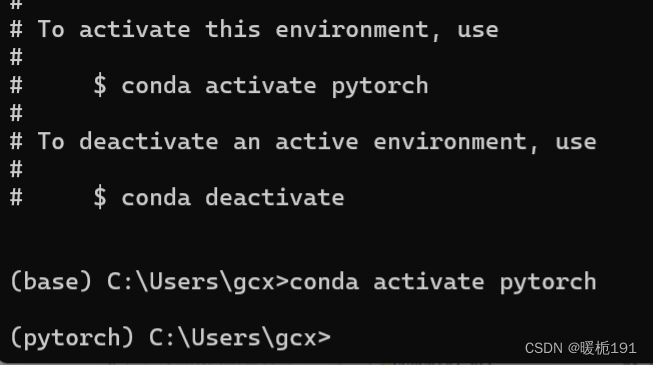
conda create -n pytorch python=3.9激活虚拟环境
2.安装
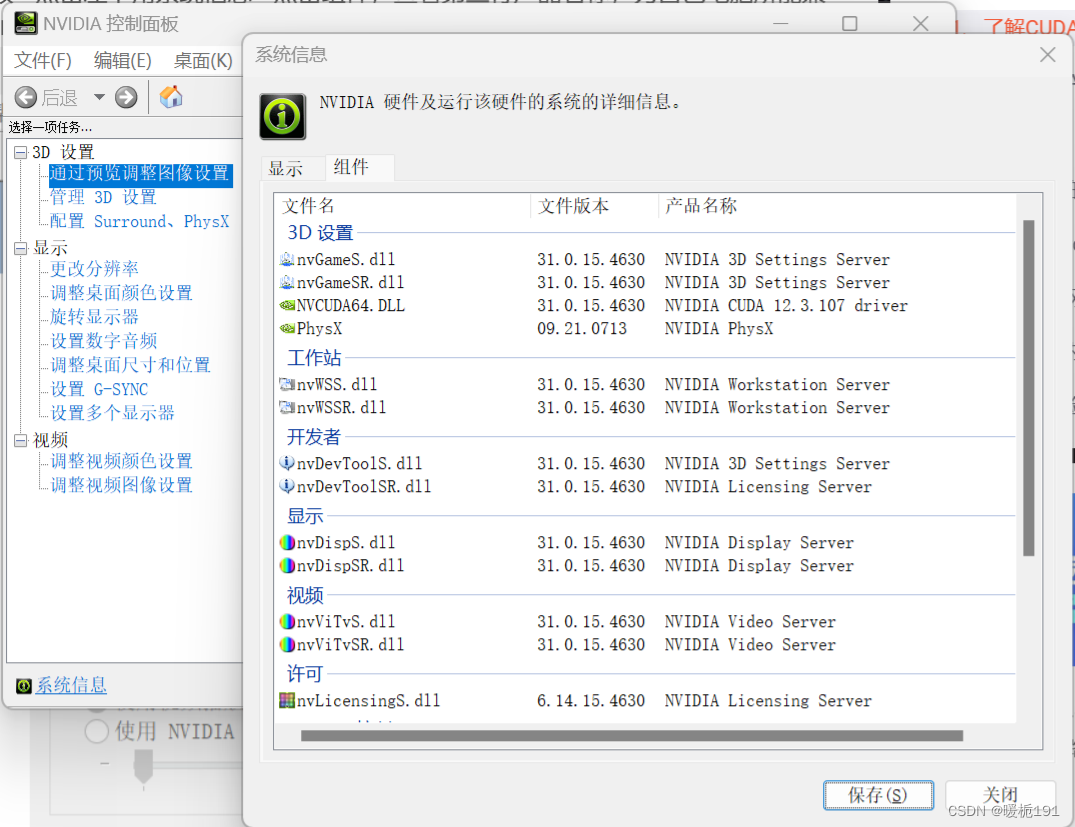
首先看支持的CUDA版本,12.3
CUDA官方的安装文档
Installation Guide Windows :: CUDA Toolkit Documentation (nvidia.com)
不知道CUDA是装在pytorch的虚拟环境中还是直接装?查了帖子发现安装pytorch好像自己自带CUDA,就直接安装吧为什么电脑装了pytorch没有安装cuda,还是能够使用gpu? - 知乎 (zhihu.com)
查找并匹配版本https://pytorch.org/get-started/locally/
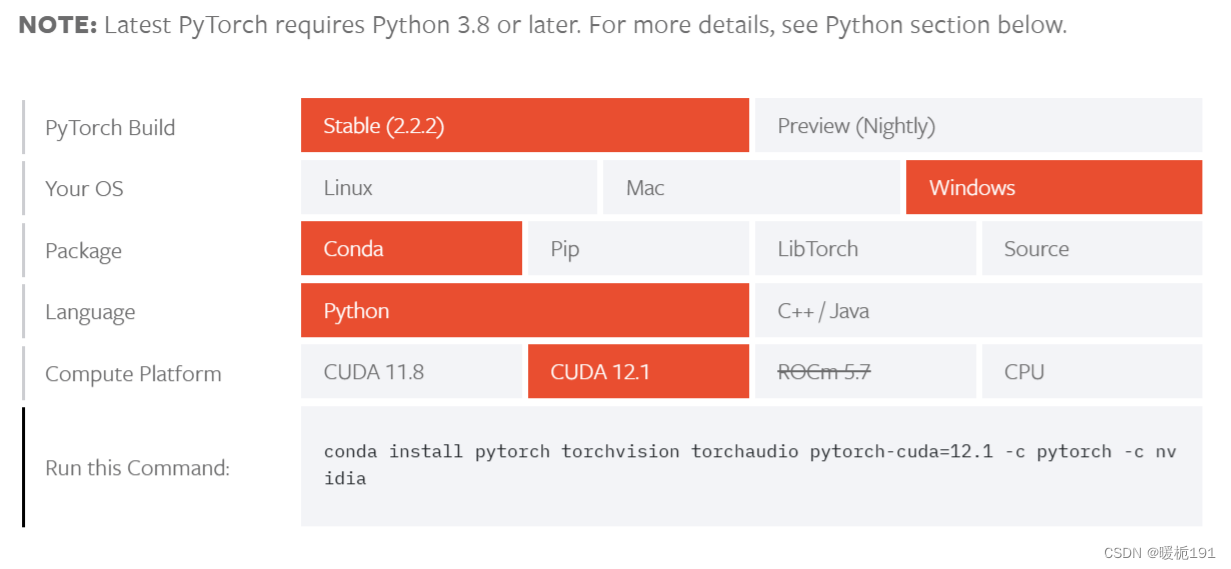
复制下面Run this Command命令
换源安装
# 清华源
conda config --add channels https://mirrors.tuna.tsinghua.edu.cn/anaconda/pkgs/free/
conda config --add channels https://mirrors.tuna.tsinghua.edu.cn/anaconda/pkgs/main/
conda config --add channels https://mirrors.tuna.tsinghua.edu.cn/anaconda/cloud/pytorch/
conda config --set show_channel_urls yes
# 中科大源
conda config --add channels https://mirrors.ustc.edu.cn/anaconda/pkgs/main/
conda config --add channels https://mirrors.ustc.edu.cn/anaconda/pkgs/free/
conda config --add channels https://mirrors.ustc.edu.cn/anaconda/cloud/conda-forge/
conda config --add channels https://mirrors.ustc.edu.cn/anaconda/cloud/msys2/
conda config --add channels https://mirrors.ustc.edu.cn/anaconda/cloud/bioconda/
conda config --add channels https://mirrors.ustc.edu.cn/anaconda/cloud/menpo/
conda config --set show_channel_urls yes
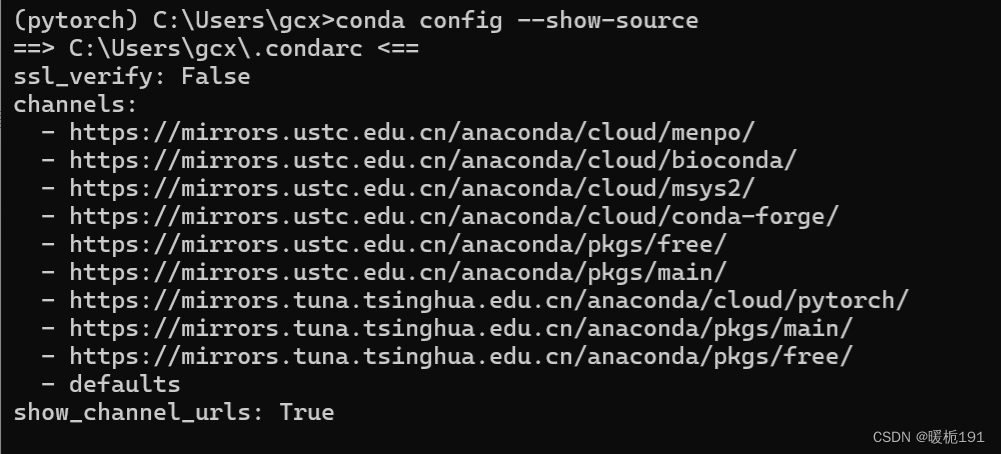
查看源是否添加进去
conda config --show-source
复制安装命令后报错

参考这篇文章修改An HTTP error occurred when trying to retrieve this URL.(解决方案)-CSDN博客
还是有错,最后就只添加了清华源,中科大源没有添加,只清华源下载的也不慢。
中间还出现了断网的情况,有三个包没有下载成功,就把虚拟环境卸载了又重新创建了一边。
最后会出现一个done,然后按照这个步骤检验一下有没有安装成功
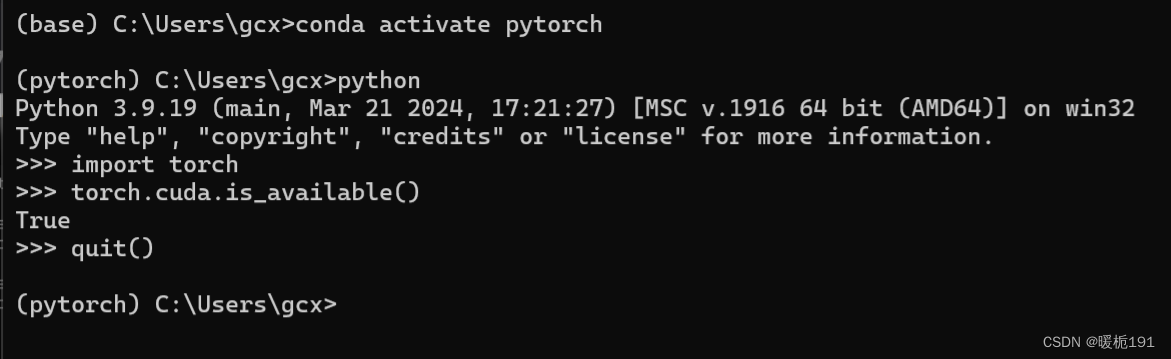
打开pycharm,用的是professional版本
文件-设置-python解释器-添加解释器-添加本地解释器
发现按照一般的方法,找不到python.exe文件,参考了下面这篇文
pycharm使用conda创建的虚拟环境时找不到python.exe_conda环境找不到python.exe-CSDN博客
切换到虚拟环境中之后再次运行一下代码
import torch
print(torch.cuda.is_available())
输出为True,应该算是安装好了吧
更多推荐

 4
4 0
0- 0


 已为社区贡献1条内容

所有评论(0)