
如何安装pytorch3d
·
我的环境:Ubuntu18.04和22.04,torch==1.12.1+cu113 torchvision==0.13.1+cu113 torchaudio==0.12.1 python3.7和3.8都跑过
第一种方法:
一行代码就行,剩下的就是漫长的等待
pip install git+https://github.com/facebookresearch/pytorch3d.git@v0.7.3
# 注意如果需要其他版本,后面的0.7.3可以修改
https://github.com/facebookresearch/pytorch3d
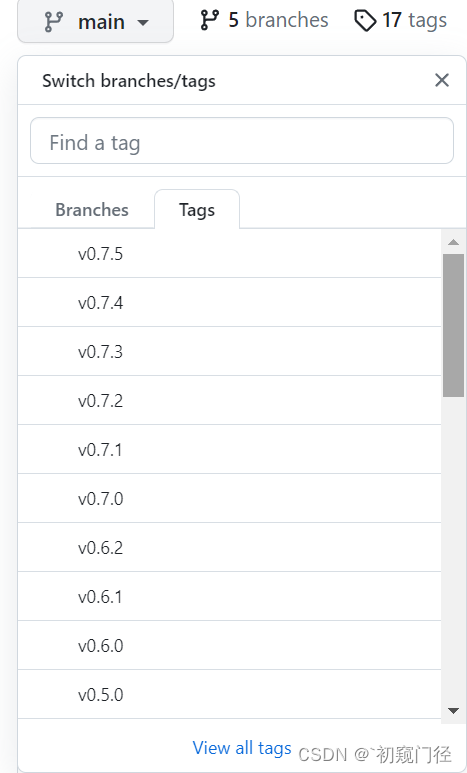 网址里面可以选择自己需要的版本
第二种方法:
这是FFHQ项目中提到的安装pytorch3d和nvdiffrast的方法:
mkdir thirdparty
cd thirdparty
git clone https://github.com/facebookresearch/iopath
git clone https://github.com/facebookresearch/fvcore
git clone https://github.com/facebookresearch/pytorch3d
git clone https://github.com/NVlabs/nvdiffrast
conda install -c bottler nvidiacub
pip install -e iopath
pip install -e fvcore
pip install -e pytorch3d
pip install -e nvdiffrast
第三种方法:
运行以下代码:
import sys
import torch
import subprocess

pyt_version_str=torch.__version__.split("+")[0].replace(".", "")
version_str="".join([
    f"py3{sys.version_info.minor}_cu",
    torch.version.cuda.replace(".",""),
    f"_pyt{pyt_version_str}"
])
subprocess.run(["pip", "install", "fvcore", "iopath"])
subprocess.run(["pip", "install", f"--no-index", f"--no-cache-dir", f"pytorch3d", f"-f", f"https://dl.fbaipublicfiles.com/pytorch3d/packaging/wheels/{version_str}/download.html"])更多推荐


 3
3 0
0- 0


 已为社区贡献3条内容

所有评论(0)