
c#,Powershell,mmsys.cpl,使用Win32 API展示音频设备属性对话框
常识(基础)
众所周知,mmsys.cpl使管理音频设备的控制面板小工具,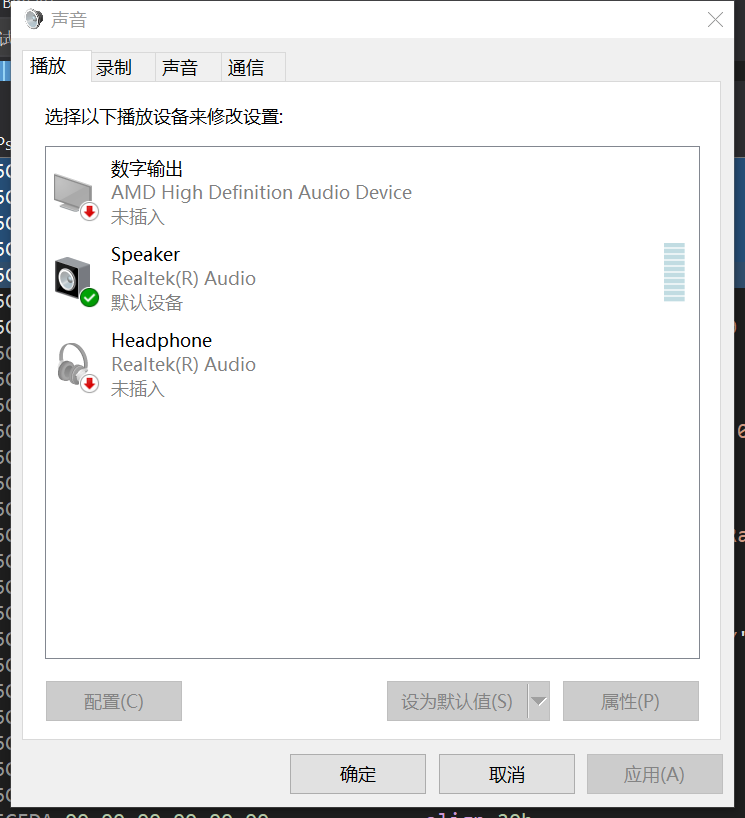
其能产生一个对话框(属性表)让我们查看和修改各设备的详细属性:
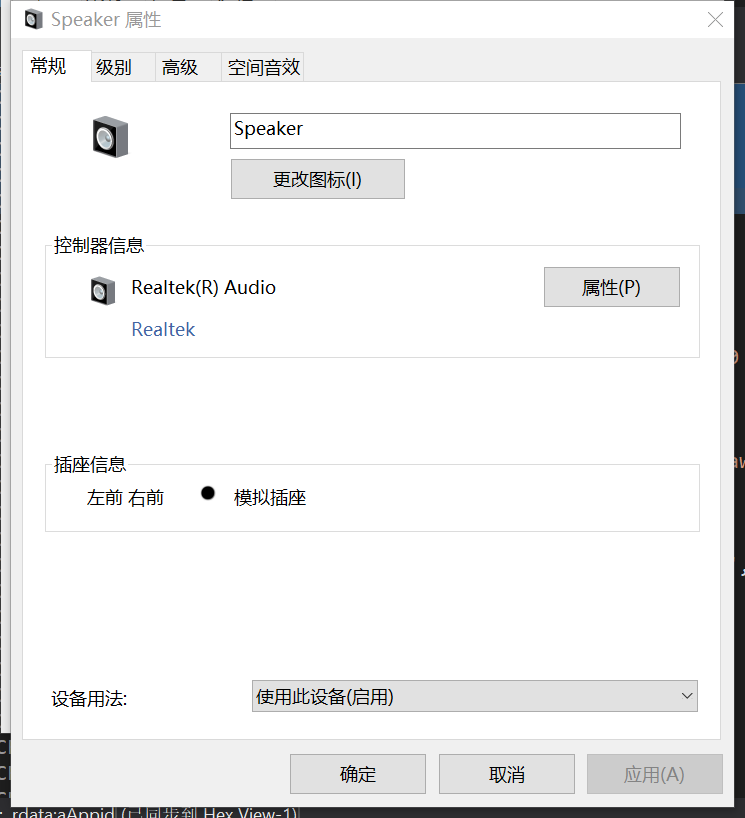
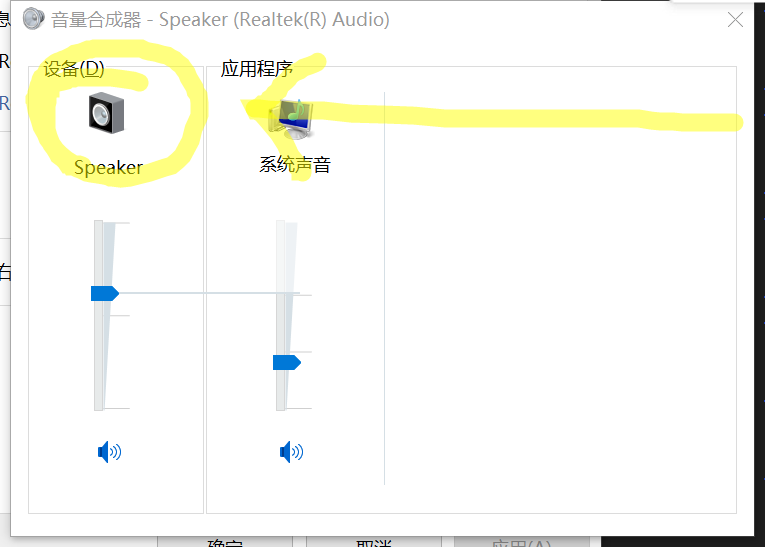
在音量合成器中单击音频输出设备的小图标也能实现这个效果:
分析
查看进程后发现,其原来调用了RunDll32.exe
"C:\Windows\system32\rundll32.exe" shell32.dll,Control_RunDLL mmsys.cpl,,{0.0.0.00000000}.{46f5d09f-309e-4ec5-8919-4a881d3fc9e1},general
那我们是不是可以试着调用一下呢?
本质上,rundll调用了mmsys.cpl中的一个函数,但是,mmsys.cpl中只有CPlApplet一个函数
怎么办?
观察:{0.0.0.00000000}.{46f5d09f-309e-4ec5-8919-4a881d3fc9e1},general
提供数据字符串由两组构成,分别为前面的ID与后面的??!!general组成
这是一个很迷惑人的字符串,实际上,他们应作为一组字符串输入
进阶
那怎样获取ID呢,根据DEEPSEEK帮忙,我编制了一个小C#
using System;
using System.Collections.Generic;
using System.Runtime.InteropServices;

namespace AudioDeviceEnumerator
{
    public static class Win32AudioAPI
    {
        // 常量定义
        public const int DEVICE_STATE_ACTIVE = 0x00000001;

        // 枚举定义
        public enum EDataFlow
        {
            eRender = 0,
            eCapture = 1,
            eAll = 2
        }

        public enum ERole
        {
            eConsole = 0,
            eMultimedia = 1,
            eCommunications = 2
        }

        // COM 接口定义
        [ComImport, Guid("A95664D2-9614-4F35-A746-DE8DB63617E6"), InterfaceType(ComInterfaceType.InterfaceIsIUnknown)]
        public interface IMMDeviceEnumerator
        {
            int EnumAudioEndpoints(EDataFlow dataFlow, int stateMask, out IMMDeviceCollection devices);
            int GetDefaultAudioEndpoint(EDataFlow dataFlow, ERole role, out IMMDevice endpoint);
            int GetDevice(string id, out IMMDevice device);
            int RegisterEndpointNotificationCallback([MarshalAs(UnmanagedType.Interface)] object handler);
            int UnregisterEndpointNotificationCallback([MarshalAs(UnmanagedType.Interface)] object handler);
        }

        [ComImport, Guid("0BD7A1BE-7A1A-44DB-8397-CC5392387B5E"), InterfaceType(ComInterfaceType.InterfaceIsIUnknown)]
        public interface IMMDeviceCollection
        {
            int GetCount(out int numDevices);
            int Item(int index, out IMMDevice device);
        }

        [ComImport, Guid("D666063F-1587-4E43-81F1-B948E807363F"), InterfaceType(ComInterfaceType.InterfaceIsIUnknown)]
        public interface IMMDevice
        {
            int Activate([MarshalAs(UnmanagedType.LPStruct)] Guid iid, int clsCtx, IntPtr activationParams, [MarshalAs(UnmanagedType.IUnknown)] out object interfacePtr);
            int OpenPropertyStore(int access, out IPropertyStore properties);
            int GetId([MarshalAs(UnmanagedType.LPWStr)] out string id);
            int GetState(out int state);
        }

        [ComImport, Guid("886D8EEB-8CF2-4446-8D02-CDBA1DBDCF99"), InterfaceType(ComInterfaceType.InterfaceIsIUnknown)]
        public interface IPropertyStore
        {
            int GetCount(out int count);
            int GetAt(int index, out PropertyKey key);
            int GetValue(ref PropertyKey key, out PropVariant value);
            int SetValue(ref PropertyKey key, ref PropVariant value);
            int Commit();
        }

        [StructLayout(LayoutKind.Sequential)]
        public struct PropertyKey
        {
            public Guid fmtid;
            public int pid;
        }
        [StructLayout(LayoutKind.Sequential)]
        public struct CNM
        {
            public string Name;
            public string ID;
        }

        [StructLayout(LayoutKind.Sequential)]
        public struct PropVariant
        {
            public short vt;
            public short wReserved1;
            public short wReserved2;
            public short wReserved3;
            public IntPtr pointerValue;
            public int intValue;
        }

        // COM 类标识
        [ComImport, Guid("BCDE0395-E52F-467C-8E3D-C4579291692E")]
        public class MMDeviceEnumerator { }

        // 辅助函数:获取设备友好名称
        public static string GetDeviceFriendlyName(IMMDevice device)
        {
            IPropertyStore propStore;
            device.OpenPropertyStore(0, out propStore);

            PropertyKey key = new PropertyKey
            {
                fmtid = new Guid("A45C254E-DF1C-4EFD-8020-67D146A850E0"),
                pid = 14
            };

            PropVariant value;
            propStore.GetValue(ref key, out value);

            return Marshal.PtrToStringUni(value.pointerValue);
        }

        // 枚举音频设备并返回设备信息
        public static List<CNM> EnumerateAudioDevices(EDataFlow dataFlow)
        {
            var enumerator = (IMMDeviceEnumerator)new MMDeviceEnumerator();
            IMMDeviceCollection devices;
            enumerator.EnumAudioEndpoints(dataFlow, DEVICE_STATE_ACTIVE, out devices);
            List<CNM> L = new List<CNM>();
            int count;
            devices.GetCount(out count);

            for (int i = 0; i < count; i++)
            {
                IMMDevice device;
                devices.Item(i, out device);

                string id;
                device.GetId(out id);

                string name = GetDeviceFriendlyName(device);
                CNM c = new CNM();
                c.Name = name;
                c.ID = id;
                L.Add(c);
            }
            return L;
        }
    }
}
在Powershell中,我们只需要使用ADd-type加载一下,然后调用[AudioDeviceEnumerator.Win32AudioAPI]::EnumerateAudioDevices(
[AudioDeviceEnumerator.Win32AudioAPI+EDataFlow]::eAll
)即可获取名称和ID
熟悉WIN32编程的同学都知道,CPlApplet函数的标准声明为CPlApplet(IntPtr,int,ver,ver)
而要得到对话框,我们就需要将第二个参数设置为10
        [DllImport("mmsys.cpl", SetLastError = true, CharSet = CharSet.Unicode)]
        public static extern int CPlApplet(
  IntPtr hwndCpl,
  int msg,
  string lParam1,
  string lParam2
);
简单一调用
CPlApplet(0,10,null,"{0.0.0.00000000}.{46f5d09f-309e-4ec5-8919-4a881d3fc9e1},general")
成功;
拓展
然而
"{0.0.0.00000000}.{46f5d09f-309e-4ec5-8919-4a881d3fc9e1},general"中,前面ID已经明白,后面的general是什么意思呢?
用IDA逆向一下,得到了以下字符串
playback
recording
sounds
spatial
listento
custom
vendor
sysfx
advanced
levels
tone
hdmi
spdif
general
communications
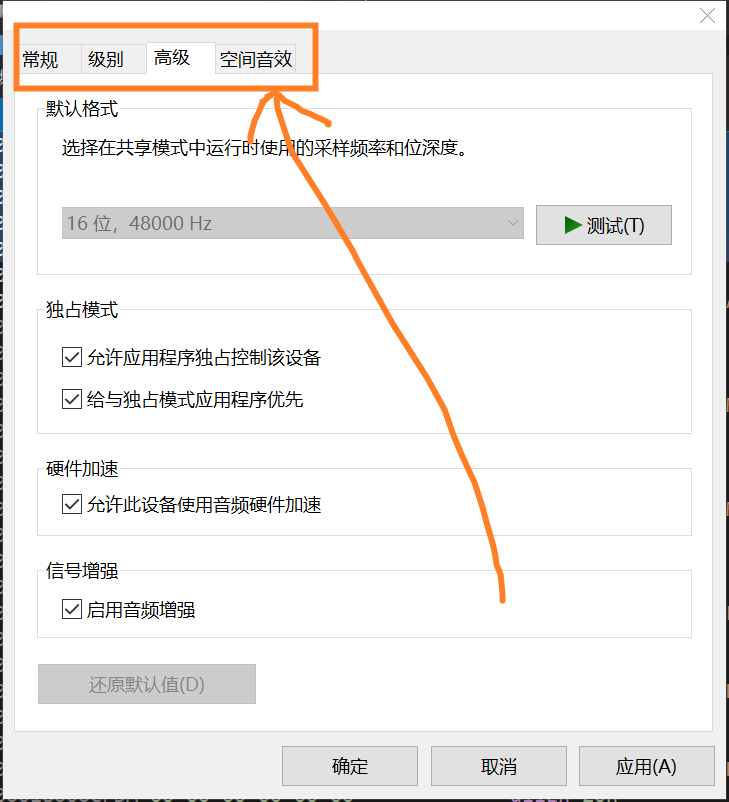
所以说,这写字符串对应的是选项卡的默认起始位置
结束。(备注:下期更精彩)
更多推荐

 6
6 0
0- 0


 已为社区贡献4条内容

所有评论(0)