
ubuntu22安装IC618报错sysname returned an error status: unknown
WARNING: HOST DOES NOT APPEAR TO BE A CADENCE SUPPORTED LINUX CONFIGURATION.
For More Info, Please Run ‘/tools.lnx86/bin/checkSysConf’ .
virtuoso: ERROR: The command /opt/cadence/IC617/share/oa/bin/sysname returned an error status:
unknown
virtuoso: INFO: Note that OpenAccess (OA) requires running the Configure phase.
virtuoso: See the “OpenAccess Installation and Configuration Guide” before
virtuoso: you complete the configuration step. This manual is included with
virtuoso: the Cadence product documentation.
-
warning解决办法在配置bashrc中添加
export W3264_NO_HOST_CHECK=1
有兴趣可以自己查一下 -
uname -r查看内核发行版本号(我的是5.15.0-125-generic)
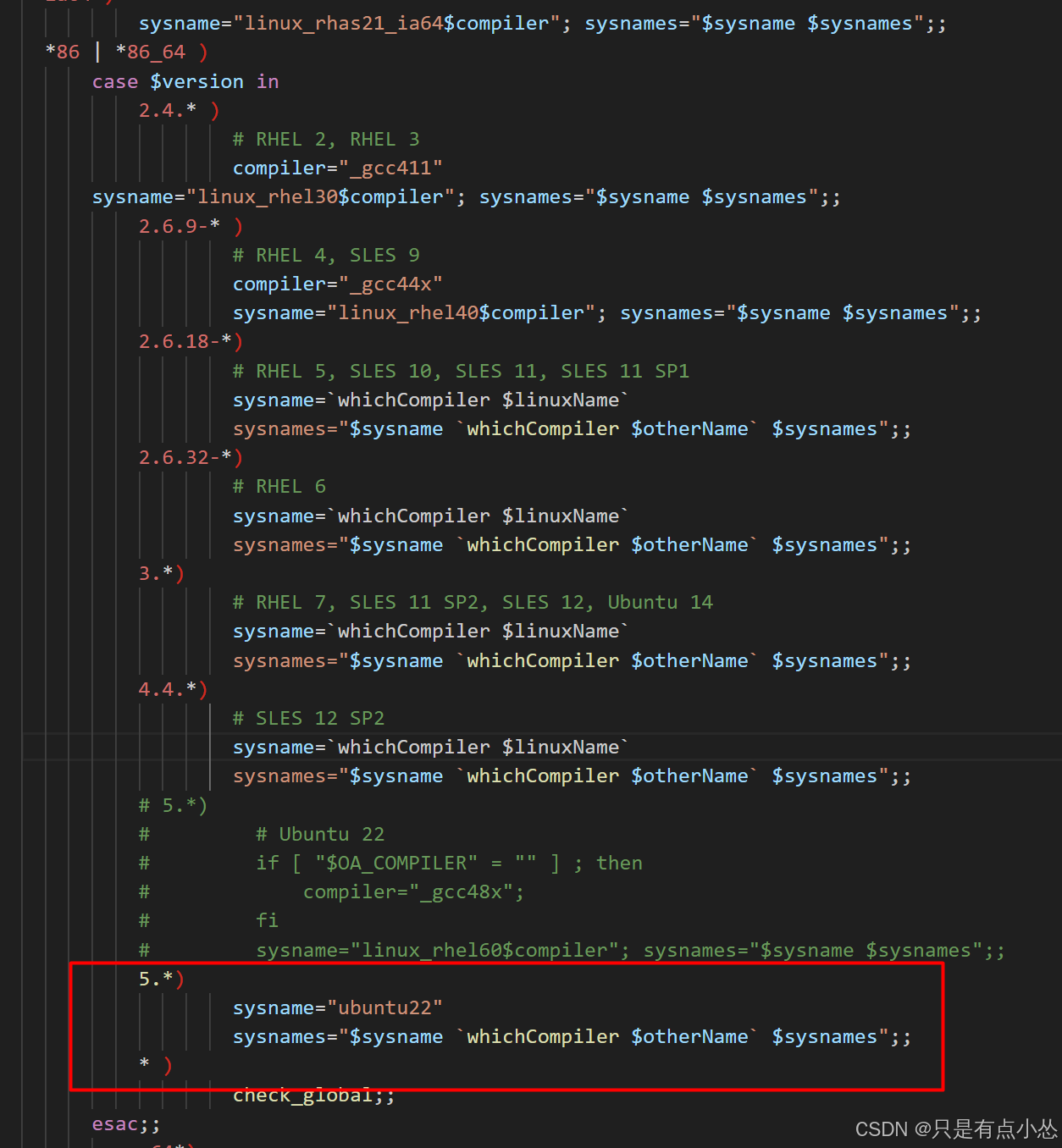
所以修改为5
打开IC618安装路径share/oa/bin/sysname,保险可以先备份一下
gedit /tools/cadence/IC618/share/oa/bin/sysname
找到check_linux()函数
5.*)
                  # ubuntu22
                  sysname=`whichCompiler $linuxName`
                  sysnames="$sysname `whichCompiler $otherName` $sysnames";;
参考办法 Ubuntu22安装IC618、spectre21、innovus211、calibre2022
错误示例:Ubuntu16.04安装IC617,使用virtuoso &命令时出现错误HOST <eda> DOES NOT APPEAR TO BE A CADENCE SUPPORTED LINUX,我猜是版本太老了
Ubuntu20安装IC617,使用virtuoso &命令时出现错误ERROR: The command /opt/cadence/IC618/share/oa/bin/sysname retur
在linux_rhel50_gcc48x_64上报错,实际上已经是rhel60了,也没有gcc48x
更多推荐


 5
 0
- 0


 已为社区贡献29条内容

所有评论(0)