
【nginx】Nginx中location路径匹配无效问题 如“ location /app“
·
一、问题描述
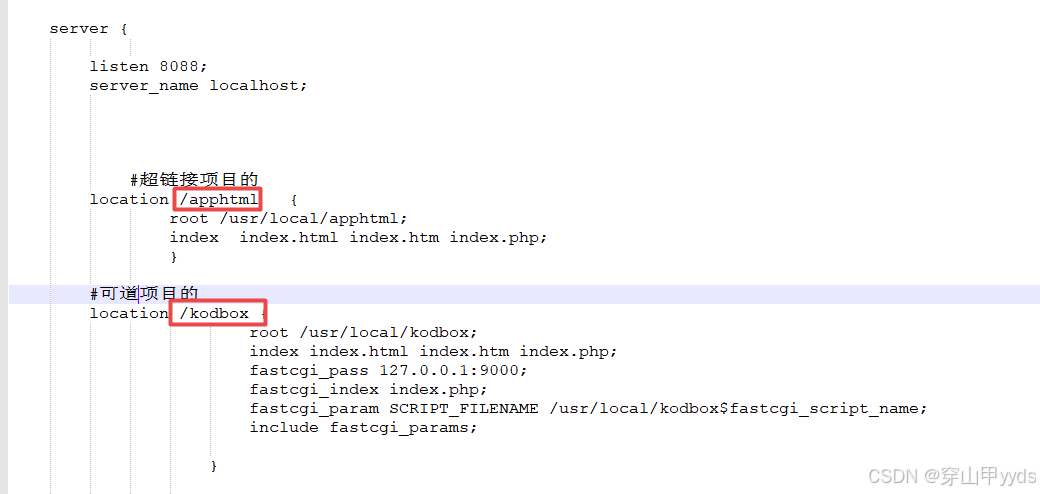
无论如何配置,location 的路径,就是访问该路径不生效。

二、原因是对location 执行逻辑不理解
比如你的配置是:
location /apphtml   {
				root /usr/local/apphtml;
				index  index.html index.htm index.php;
                }
则实际上访问/apphtml/的时候,nginx会在/usr/local/apphtml/apphtml/下查找资源,所以导致路径是有问题的,而改为如下即可:
location /apphtml   {
				root /usr/local;
				index  index.html index.htm index.php;
                }
三、location里的root和alias区别
使用alias ,例如
location /app1/ {
  alias /usr/share/nginx;
}
则访问/app1/的时候,会在/usr/share/nginx/目录下查找资源。
四、关于nginx的其他内容
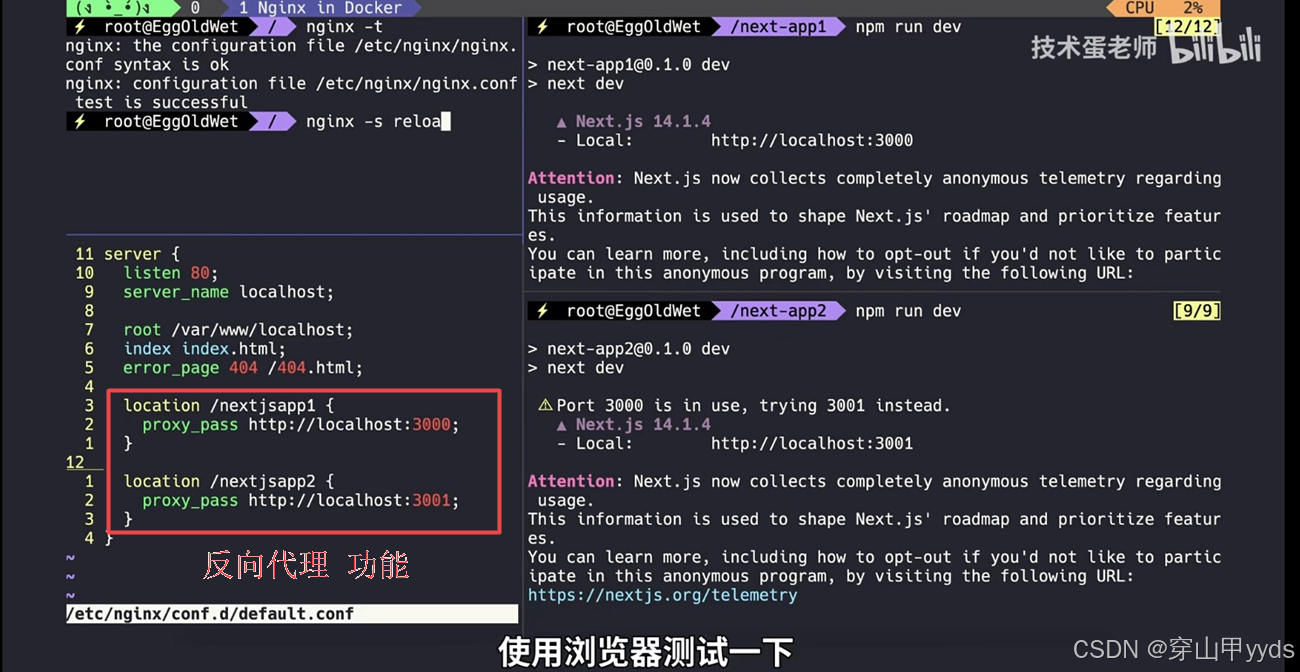
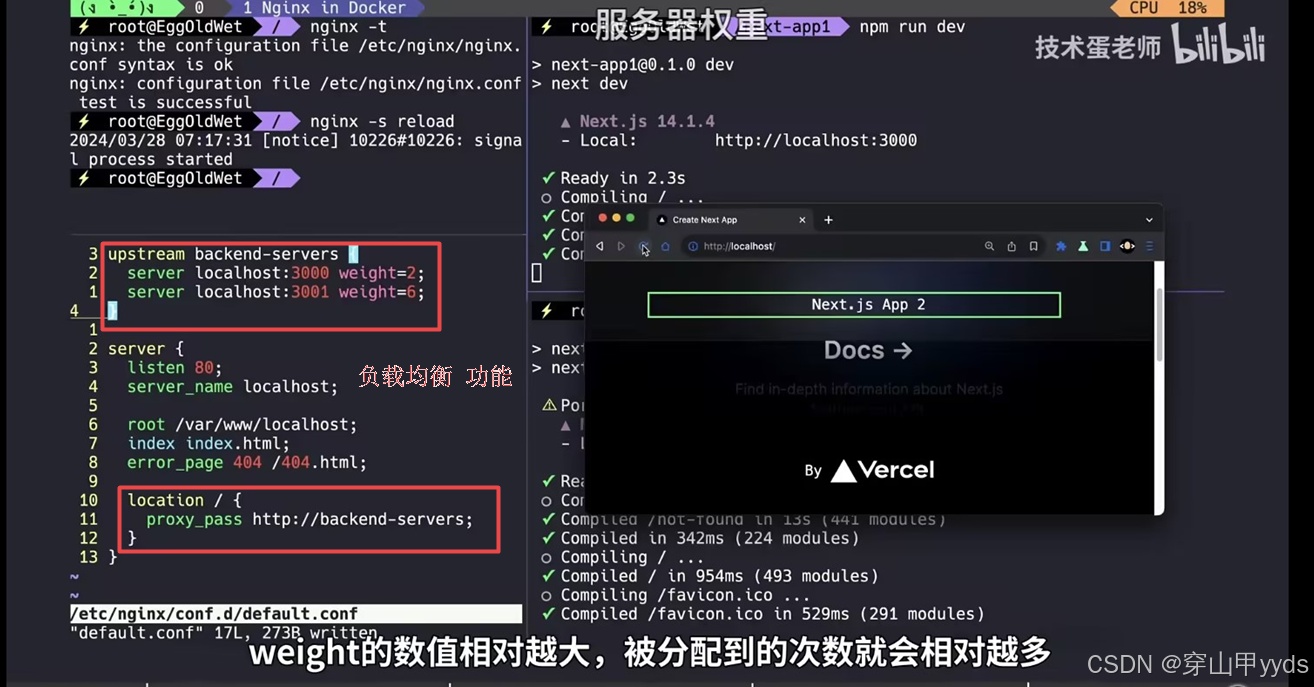
- nginx 的作用: 1.WEB服务器 2.反向代理 3.负载均衡
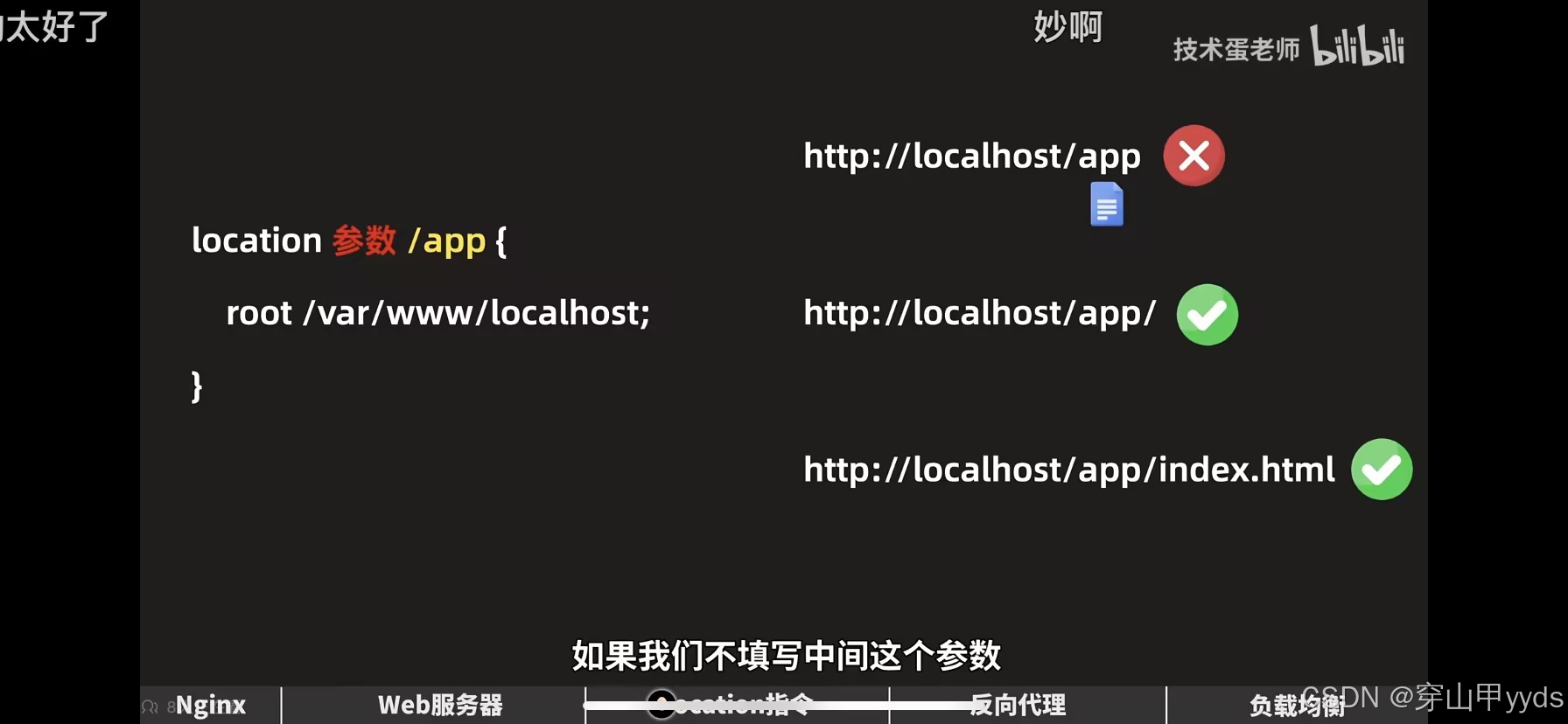
- nginx:location指令不单要匹配URL,还要匹配对应路劲的此文件,比如 /app 就会找app这个文件,再尝试去找app文件夹里的index.html
加 = 做完全匹配, location = /app/index.html { }
加 ~ 启用正则表达式, location ~ /video/video[6-9].avi { }
加* 不区分大小写 location~* /video/
加 ^~ 优先前缀匹配
url 临时重定向; location /temp { return 307 /app/index.html; }
url 临时重定向; location /temp { return 307 /app/index.html; } 会改变URL地址,用户是可以察觉到的,
url 重写替换 重定向: rewrite /temp /app/index.html;
先访问 对应的文件 再尝试访问对应的文件夹;
index index.html;
location /app { try_file $url $url/ =404; }

更多推荐


 3
3 0
0- 0


 已为社区贡献6条内容

所有评论(0)