
windows11在 PowerShell 或 CMD 中使用 tree 命令获取详细的目录结构
·
命令
进入项目目录
cd D:\mycode\wylims-jm\lims-client输出简单目录结构(排除 node_modules 等)
Get-ChildItem -Path .\src -Recurse -Name -Exclude node_modules,dist,.git | Sort-Object
输出完整目录结构
function tree {
    param($Path = '.', $Indent = '')
    $items = Get-ChildItem $Path
    for ($i=0; $i -lt $items.Count; $i++) {
        $item = $items[$i]
        $isLast = ($i -eq $items.Count - 1)
        $prefix = if ($isLast) { '└── ' } else { '├── ' }
        Write-Host "$Indent$prefix$($item.Name)"
        if ($item.PSIsContainer) {
            $newIndent = $Indent + $(if ($isLast) { '    ' } else { '│   ' })
            tree $item.FullName $newIndent
        }
    }
}
tree .\src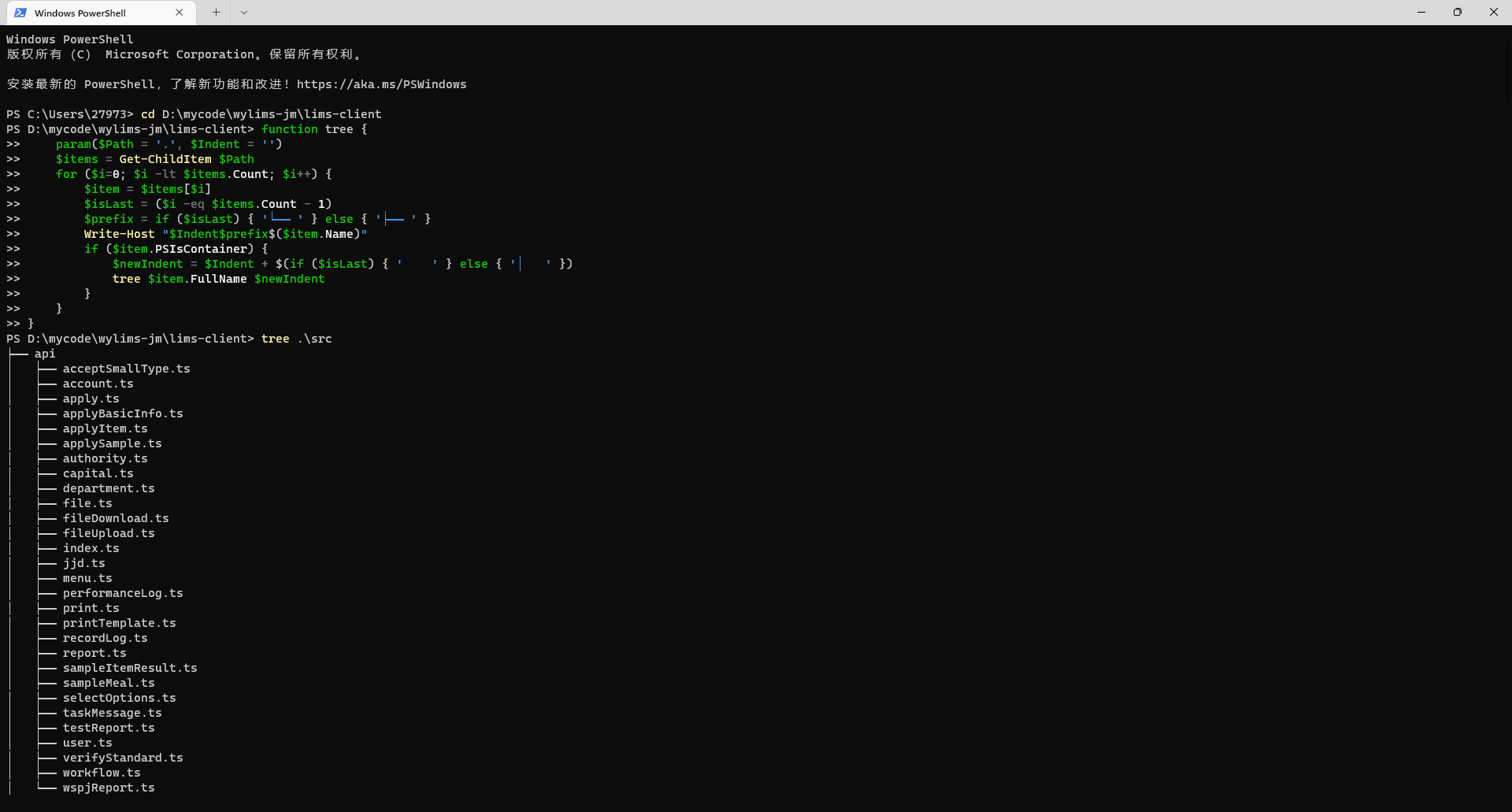
在 Windows 中安装 tree 命令有两种常用方法:
方法一:通过 Chocolatey 安装(推荐)
-
安装 Chocolatey(如果未安装)
以管理员身份打开 PowerShell,执行:powershell
Set-ExecutionPolicy Bypass -Scope Process -Force; [System.Net.ServicePointManager]::SecurityProtocol = [System.Net.ServicePointManager]::SecurityProtocol -bor 3072; iex ((New-Object System.Net.WebClient).DownloadString('https://community.chocolatey.org/install.ps1')) -
安装 tree
powershell
choco install tree
-
安装后即可在任意 PowerShell 或 CMD 中使用
tree。
方法二:直接下载 tree.exe 并添加 PATH
-
访问 tree 官方下载页 或直接从 GitHub 镜像 下载
tree.exe。 -
将
tree.exe放在一个方便的位置,例如C:\Windows\System32或自建目录如C:\tools。 -
如果放在非系统目录,需要将该目录添加到系统环境变量
PATH中:-
右键“此电脑” → 属性 → 高级系统设置 → 环境变量 → 在“系统变量”中找到
Path→ 编辑 → 新增路径 → 确定。
-
方法三:使用 PowerShell 原生命令替代(无需安装)
如果不想安装外部工具,可直接用 PowerShell 生成目录树:
powershell
# 进入项目目录
cd D:\mycode\wylims-jm\lims-client

# 输出 src 目录结构(排除 node_modules 等)
Get-ChildItem -Path .\src -Recurse -Name -Exclude node_modules,dist,.git | Sort-Object
或者使用更详细的格式:
powershell
# 显示完整树形结构(需安装 PS 模块,但可借助以下简单函数)
function tree {
    param($Path = '.', $Indent = '')
    $items = Get-ChildItem $Path
    for ($i=0; $i -lt $items.Count; $i++) {
        $item = $items[$i]
        $isLast = ($i -eq $items.Count - 1)
        $prefix = if ($isLast) { '└── ' } else { '├── ' }
        Write-Host "$Indent$prefix$($item.Name)"
        if ($item.PSIsContainer) {
            $newIndent = $Indent + $(if ($isLast) { '    ' } else { '│   ' })
            tree $item.FullName $newIndent
        }
    }
}
tree .\src
将以上函数粘贴到 PowerShell 中执行即可。
选择其中一种方式,您就能轻松获取项目目录结构了。
更多推荐

 10
10 0
0- 0


 已为社区贡献7条内容

所有评论(0)