
Android13解决android_app_import内置第三方APK安装失败问题
问题
adb install TestBuildApk.apk
Performing Streamed Install
adb: failed to install TestBuildApk/TestBuildApk.apk: Failure [INSTALL_PARSE_FAILED_NO_CERTIFICATES: Failed to collect certificates from /data/app/vmdl841664980.tmp/base.apk: META-INF/IFLYTEKI.SF indicates /data/app/vmdl841664980.tmp/base.apk is signed using APK Signature Scheme v2, but no such signature was found. Signature stripped?]
从log看,因为APK文件是用V2证书签名的,但是APK文件内没有找到证书文件,所以解析失败。
查看apk文件签名情况:
xxx@xxx:~$ apksigner verify -v TestBuildApk.apk
DOES NOT VERIFY
ERROR: JAR signer IFLYTEKI.RSA: JAR signature META-INF/IFLYTEKI.SF indicates the APK is signed using APK Signature Scheme v2 but no such signature was found. Signature stripped?
确实是没有签名,我们接下来看看为什么会这样。
先说下需求,产品要求这个APP内置到系统,并且不可卸载,并且APP可以自己升级。因此最好的做法是把APP内置到系统分区,并且保持它原本的证书。
实现
1.配置Android.bp文件:
android_app_import {

    name: "TestBuildApk",
    dex_preopt: {
        enabled: false,
    },

    product_specific: true,
    apk: "TestBuildApk.apk",
    presigned: true,
}
使用“presigned: true”保持原来的证书,这样应该完美了!但是,意外总是比明天来的快!编完系统结果启机后发现系统中并没有安装这个APP,于是手动安装APK报上面的错,还是太年轻了,Android真是渣。我们来看看soong源码看看发生了什么。
位置:build/soong/java/app_import.go
方法:
func (a *AndroidAppImport) generateAndroidBuildActions(ctx android.ModuleContext) {
	...
    ...
    ...

	// Sign or align the package if package has not been preprocessed

	if a.isPrebuiltFrameworkRes() {
		a.outputFile = srcApk
		certificates = processMainCert(a.ModuleBase, String(a.properties.Certificate), certificates, ctx)
		if len(certificates) != 1 {
			ctx.ModuleErrorf("Unexpected number of certificates were extracted: %q", certificates)
		}
		a.certificate = certificates[0]
	} else if a.preprocessed {
		a.outputFile = srcApk
		a.certificate = PresignedCertificate
	} else if !Bool(a.properties.Presigned) {
		// If the certificate property is empty at this point, default_dev_cert must be set to true.
		// Which makes processMainCert's behavior for the empty cert string WAI.
		certificates = processMainCert(a.ModuleBase, String(a.properties.Certificate), certificates, ctx)
		a.certificate = certificates[0]
		signed := android.PathForModuleOut(ctx, "signed", apkFilename)
		var lineageFile android.Path
		if lineage := String(a.properties.Lineage); lineage != "" {
			lineageFile = android.PathForModuleSrc(ctx, lineage)
		}

		rotationMinSdkVersion := String(a.properties.RotationMinSdkVersion)

		SignAppPackage(ctx, signed, jnisUncompressed, certificates, nil, lineageFile, rotationMinSdkVersion)
		a.outputFile = signed
	} else {
		alignedApk := android.PathForModuleOut(ctx, "zip-aligned", apkFilename)
		TransformZipAlign(ctx, alignedApk, jnisUncompressed)
		a.outputFile = alignedApk
		a.certificate = PresignedCertificate
	}

	...
}
从上面代码逻辑看,前面Android.bp配置了"presigned: true"会走到最后一个else中:
		alignedApk := android.PathForModuleOut(ctx, "zip-aligned", apkFilename)
		TransformZipAlign(ctx, alignedApk, jnisUncompressed)
		a.outputFile = alignedApk
a.certificate = PresignedCertificate编译器会对presigned的APK文件做zip-aligned操作,参考https://developer.android.com/tools/zipalign?hl=zh-cn
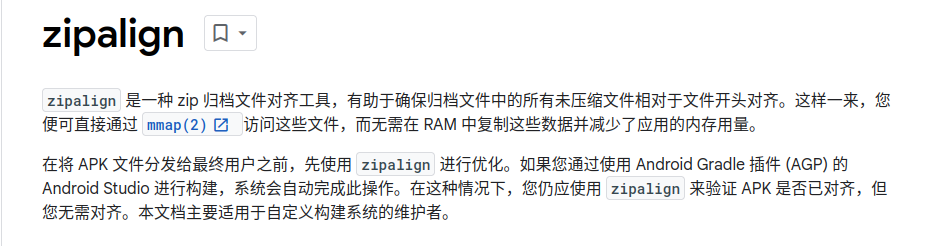
也就是说它会对原本的APK文件解压,如果是使用Android V2证书签名的apk文件被做任何修改后,签名文件会作废,无法被重新使用的:
https://source.android.com/docs/security/features/apksigning?hl=zh-cn

先来看看我们的apk文件的签名信息:
xxx@xxxx:~/TestBuildApk$ apksigner verify -v TestBuildApk.apk
Verifies
Verified using v1 scheme (JAR signing): true
Verified using v2 scheme (APK Signature Scheme v2): true
Verified using v3 scheme (APK Signature Scheme v3): false
Verified using v3.1 scheme (APK Signature Scheme v3.1): false
Verified using v4 scheme (APK Signature Scheme v4): false
Verified for SourceStamp: false
Number of signers: 1
我们可以看到apk文件使用了v2签名,到这就了然于众了,编译系统修改了apk文件,证书作废了,编出来的apk没有签名,系统不让安装。那么我们解决问题就好办了。
解决问题
修改编译框架build/soong/java/app_import.go文件中的generateAndroidBuildActions函数,添加白名单,让它走到下面的条件语句:
    else if a.preprocessed {
		a.outputFile = srcApk
		a.certificate = PresignedCertificate
	}
这样就OK了,修改后:
func (a *AndroidAppImport) generateAndroidBuildActions(ctx android.ModuleContext) {

    isNoVerify := false
    //当编译模块的 name为目标模块就设置a.preprocessed为true就行。
    if ctx.ModuleName() == "TestBuildApk" {
        a.preprocessed = true
        isNoVerify = true
    }
   ...
   ...
    //这里也需要排除,编译会报错,我们只需要它把apk文件拷贝到目标路径就行,什么操作都不需要做
	if a.usesLibrary.enforceUsesLibraries() && !isNoVerify {
		srcApk = a.usesLibrary.verifyUsesLibrariesAPK(ctx, srcApk)
	}

	...
	...
}
OK,到这里问题解决了。
当然你还可以用别的方式,在Android.mk中使用宏“LOCAL_POST_PROCESS_COMMAND”执行mkdir,cp等shell命令也可以把apk文件拷贝到系统分区,但是Android高版本推荐使用prebuild的方式。
更多推荐


 13
 0
- 0


 已为社区贡献1条内容

所有评论(0)