
脚手架vue-cli创建vue项目时提示“Failed to check for updates”
·
在我使用npm创建项目时,选择了自定义配置,但是提示“Failed to check for updates”,项目过了十几二十几分创建不起
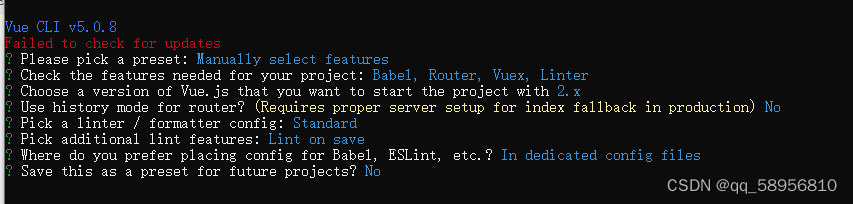
通过一番搜索查找之后,发现出现这个提示是因为淘宝源证书过期的问题,而npm默认对淘宝源证书是严格检查的,然后我就重新安装了一下淘宝镜像
npm config set registry http://registry.npm.taobao.org/
//官方淘宝镜像,上面下面安装其中一个即可
npm config set registry https://registry.npmjs.org/
由于npm默认对淘宝源证书是严格检查的,所以也可以关闭npm的证书检查,不过我没试过以下步骤,直接安装项目也成功了
npm cache clean --force

npm config set strict-ssl false

npm install
在安装项目的时候还发现了这一个警告:“Skipped git commit due to missing username and email in git config, or failed to sign commit.You will need to perform the initial commit yourself.”
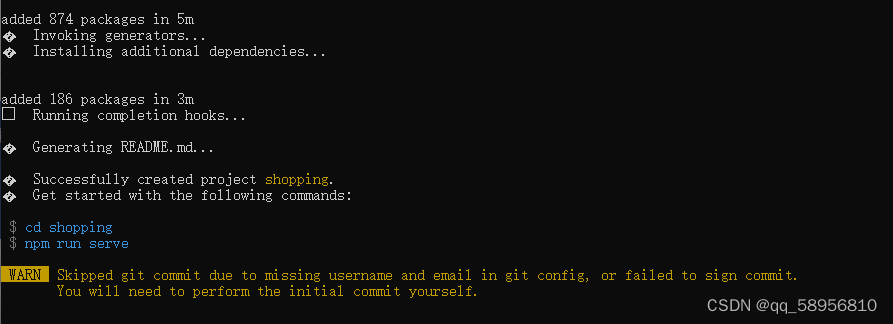 这句话的意思是:“由于git配置中缺少用户名和电子邮件,已跳过git提交,或者未能对提交进行签名。您将需要自己执行初始提交。”
执行以下命令,给git配置用户名和email就不会出现这个警告了,用户名(username)和邮件(email)自己确定即可
git config --global user.name "username"
git config --global user.email "email"更多推荐
 17
17 0
0- 0


 已为社区贡献3条内容

所有评论(0)