
编译生成动态链接库pdfium.dll
·
1)git clone 源码
PDFium源码托管在https://pdfium.googlesource.com/pdfium/。
所以先得有个访问谷歌的工具吧。这个得自己找。
2)
https://pdfium.googlesource.com/pdfium/+/80aa8c26887d98f654a9eecf7298663656cfc40f/README.md
3)编译参数配置
# 进入pdfium根目录
cd pdfium
# 使用VistulStudio编译必要项
set DEPOT_TOOLS_WIN_TOOLCHAIN=0
# 利用GN来生成构建文件  gn args <directory>
gn args out/Release64
use_goma = false
is_debug = false
pdf_use_skia = false
pdf_use_skia_paths = false
pdf_enable_xfa = false
pdf_enable_v8 = false
pdf_is_standalone = true
is_component_build = true
clang_use_chrome_plugins = false
target_cpu="x64"4)用ninja执行编译
ninja -C out\Release64 pdfium
5)生成pdfium.dll
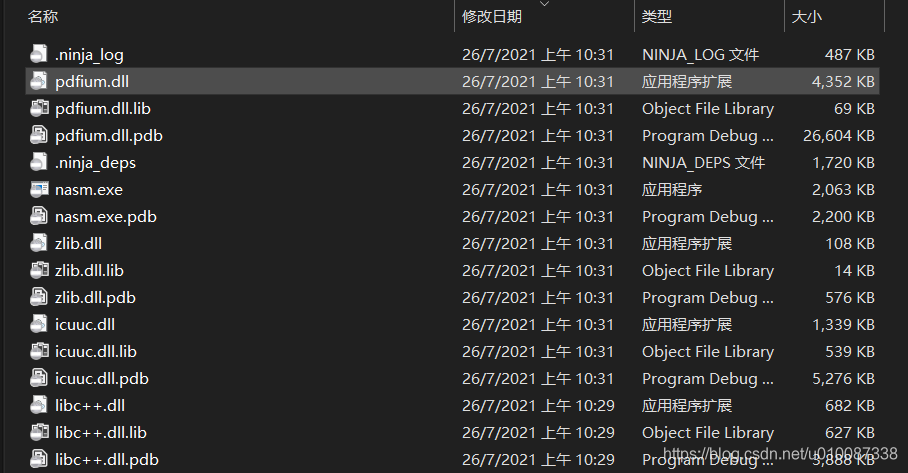
自行根据文档,写测试程序测试即可。
6)如果懒得自己编译可以直接下载
https://github.com/houlin/pdfium-binaries
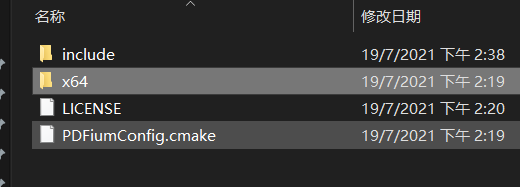
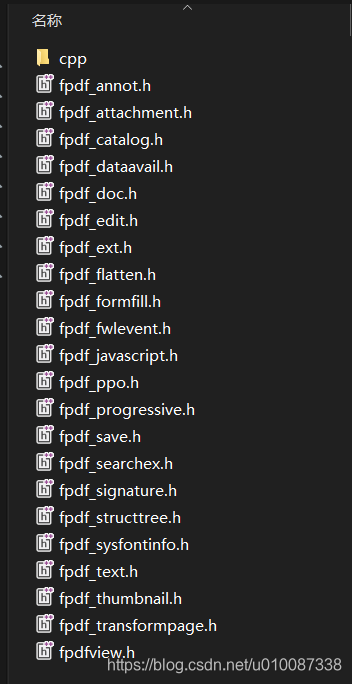
其中 include如下:
更多推荐
 1
1 0
0- 0


 已为社区贡献17条内容

所有评论(0)