
Source code does not match the bytecode
·
使用模拟器调试的时候android studio提示“Source code does not match the bytecode ”,这说明源码和编译的的模块不匹配。根据网上操作clear,rebuild都不行。有可能是sdk版本不同导致的。
1.查看编译的版本

2.查看模拟器的版本Tools->AVD Manager

如果这个版本和上面编译的SDK版本不一致,请编辑AVD Manager。

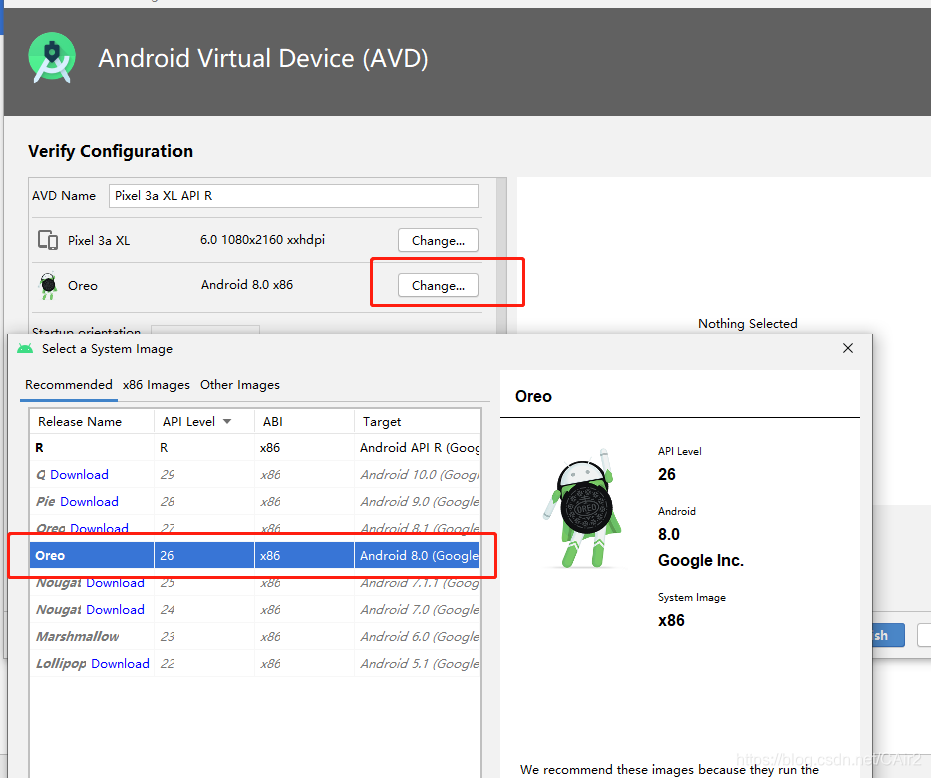
配置好了记得重启Android Studio
更多推荐


 2
 0
- 0


 已为社区贡献4条内容

所有评论(0)