
解决uniapp中showLoading与showToast相互覆盖问题
·
问题描述
用uniapp开发微信小程序时,如果uni.showLoading与uni.showToast混合使用,会彼此覆盖对方,原因是小程序将Toast与Loading放在同一层渲染引起的,且没有判断彼此是否正在显示。
解决方案一、
简单粗暴,用showToast代替showLoading,将icon值设为:“loading”;并且将duration的值设置足够大,接口成功响应后调用uni.hideToast隐藏
uni.showToast({
  title: "加载中...",
  icon: "loading",
  duration: 2 * 60 * 1000,
});
解决方案二(推荐)、
重写toast相关方法,从根本上解决问题,一劳永逸。新建toast.js文件,内容如下:
// 非ts版本,如需在ts项目中使用请自行解决类型报错问题

const showToast = uni.showToast;
const hideToast = uni.hideToast;
const showLoading = uni.showLoading;
const hideLoading = uni.hideLoading;
const baseConfig = {
  icon: 'none',
  duration: 1500,
  mask: false,
  title: '',
}
let isShowLoading = false;
let isShowToast = false;

uni.showToast = (config) => {
  if (isShowLoading) {
    uni.hideLoading();//保证toast优先级更高
  }
  isShowToast = true;
  const obj = { ...baseConfig };
  if (Object.prototype.toString.call(config) === '[object Object]') {
    Object.assign(obj, config);
  } else {
    obj.title = config || '';
  }
  showToast.call(uni, obj);
  setTimeout(() => {
    isShowToast = false;
  }, obj.duration);
};

uni.hideToast = () => {
  isShowToast = false;
  hideToast.call(uni);
};

uni.showLoading = (config) => {
  if (isShowToast) return; //优先保证tosast显示
  isShowLoading = true;
  const obj = { ...baseConfig };
  if (Object.prototype.toString.call(config) === '[object Object]') {
    Object.assign(obj, config);
  } else {
    obj.title = config || '';
  }
  showLoading.call(uni, obj);
};

uni.hideLoading = () => {
  if (isShowToast) return;
  isShowLoading = false;
  hideLoading.call(uni);
};

/**toast扩展函数**/
uni.showSuccess = (title, duration) => {
  uni.showToast({
    icon: 'success',
    title,
    duration: duration || baseConfig.duration,
  });
};

uni.showError = (title, duration) => {
  uni.showToast({
    icon: 'error',
    title,
    duration: duration || baseConfig.duration,
  });
};

uni.showFail = (title, duration) => {
  uni.showToast({
    icon: 'fail',
    title,
    duration: duration || baseConfig.duration,
  });
};
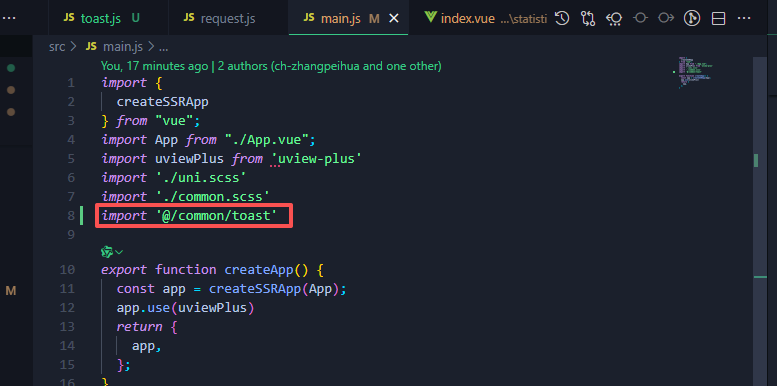
最后在main.js中引入即可:
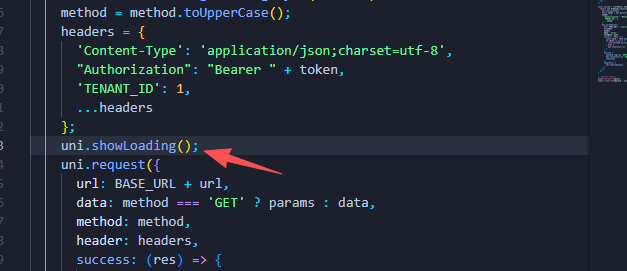
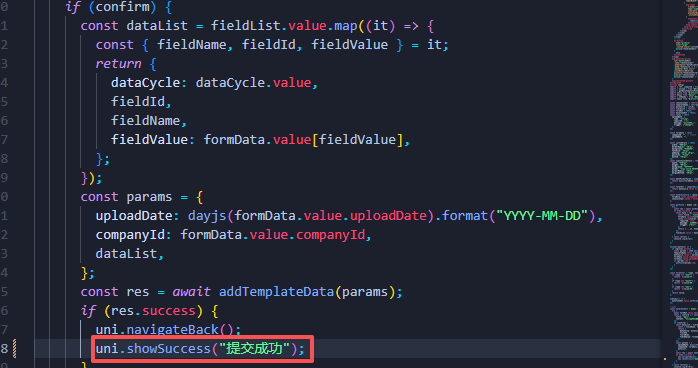
使用方法与原生api一样
更多推荐


 1
 0
- 0


 已为社区贡献1条内容

所有评论(0)