
微信小程序-隐藏自定义 tabbar
·
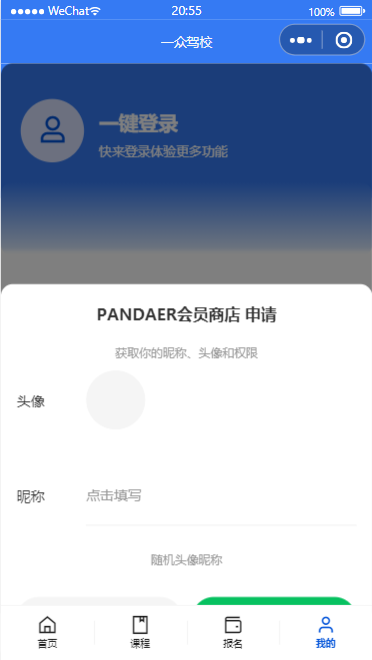
背景:写了一个授权弹窗组件,但是由于自定义 tabbar,导致弹窗出现时总是被覆盖
封装的组件指引:https://blog.csdn.net/ioncannontic/article/details/151873968?spm=1001.2014.3001.5501
参考官方文档:
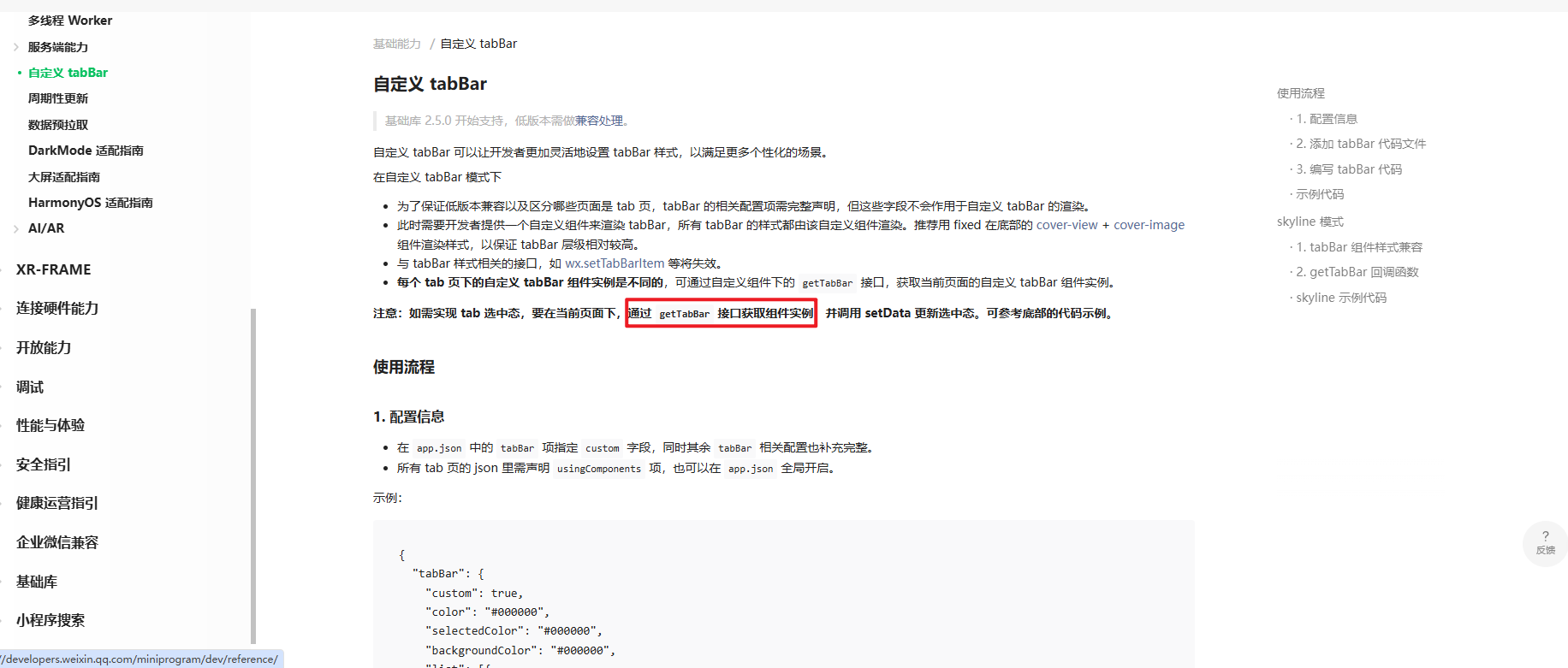
https://developers.weixin.qq.com/miniprogram/dev/framework/ability/custom-tabbar.html
主要是这段代码:
if (typeof this.getTabBar === 'function') {
      this.getTabBar((tabBar) => {
        tabBar.setData({
          isShow: true
        })
      })
    }
demo:
个人中心页面 js
// pages/usercenter/usercenter.js
const app = getApp()

Page({

  /**
   * 页面的初始数据
   */
  data: {
    showAuthModal: false
  },

  // 显示授权弹窗
  showAuthModal() {
    this.setData({ showAuthModal: true });
    // 显示授权弹窗时隐藏自定义 tabbar
    this.isShowTabBar(false)
  },

  // 授权成功回调
  onAuthSuccess(e) {
    const { avatarUrl, nickName } = e.detail;
    console.log('授权成功', avatarUrl, nickName);
    // 隐藏授权弹窗时显示自定义 tabbar
    this.isShowTabBar(true)

    // 这里可以调用登录接口,上传头像和昵称到服务器
    this.login(avatarUrl, nickName);

    this.setData({
      showAuthModal: false,
      userInfo: {
        ...this.data.userInfo,
        avatarUrl,
        nickName
      }
    });
  },

  // 授权取消回调
  onAuthCancel() {
    this.setData({ showAuthModal: false });
    // 隐藏授权弹窗时显示自定义 tabbar
    this.isShowTabBar(true)
  },

  // 是否显示 tabbar
  isShowTabBar(flag) {
    if (typeof this.getTabBar === 'function') {
      this.getTabBar((tabBar) => {
        tabBar.setData({
          isShow: flag
        })
      })
    }
  },
})
自定义弹窗组件 wxml
<!--custom-tab-bar/index.wxml-->
<view class="wrapper" wx:if="{{isShow}}">
	<t-tab-bar t-class="t-tab-bar" value="{{activeTabBarIndex}}" bindchange="onChange">
		<t-tab-bar-item wx:for="{{list}}" wx:key="index" icon="{{item.icon}}">
			{{item.text}}
		</t-tab-bar-item>
	</t-tab-bar>
</view>
自定义弹窗组件 js
// custom-tab-bar/index.js
Component({
  /**
   * 组件的初始数据
   */
  data: {
    isShow: true
  },
})
更多推荐


 9
9 0
0- 0


 已为社区贡献3条内容

所有评论(0)