
在虚拟机上安装paddle ocr的全过程
·
需要安装anaconda,该文章前面一篇文章有提及,这里就不多说了
接下来打开终端:
conda create -n paddle python=3.9-n表示环境的名字是paddle ,python安装3.9版本的
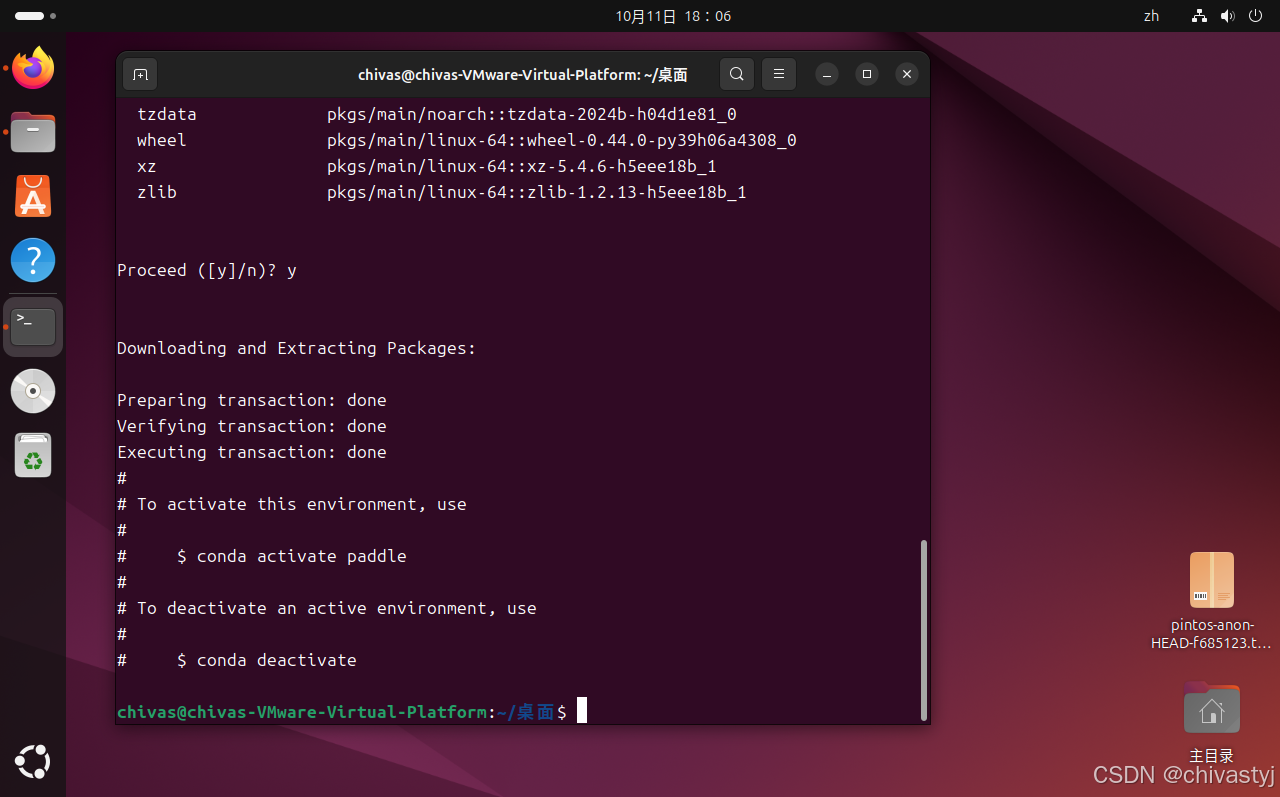
有这个就是环境创建好了
创建好之后,激活这个环境,在终端输入:
conda activate paddle会显示
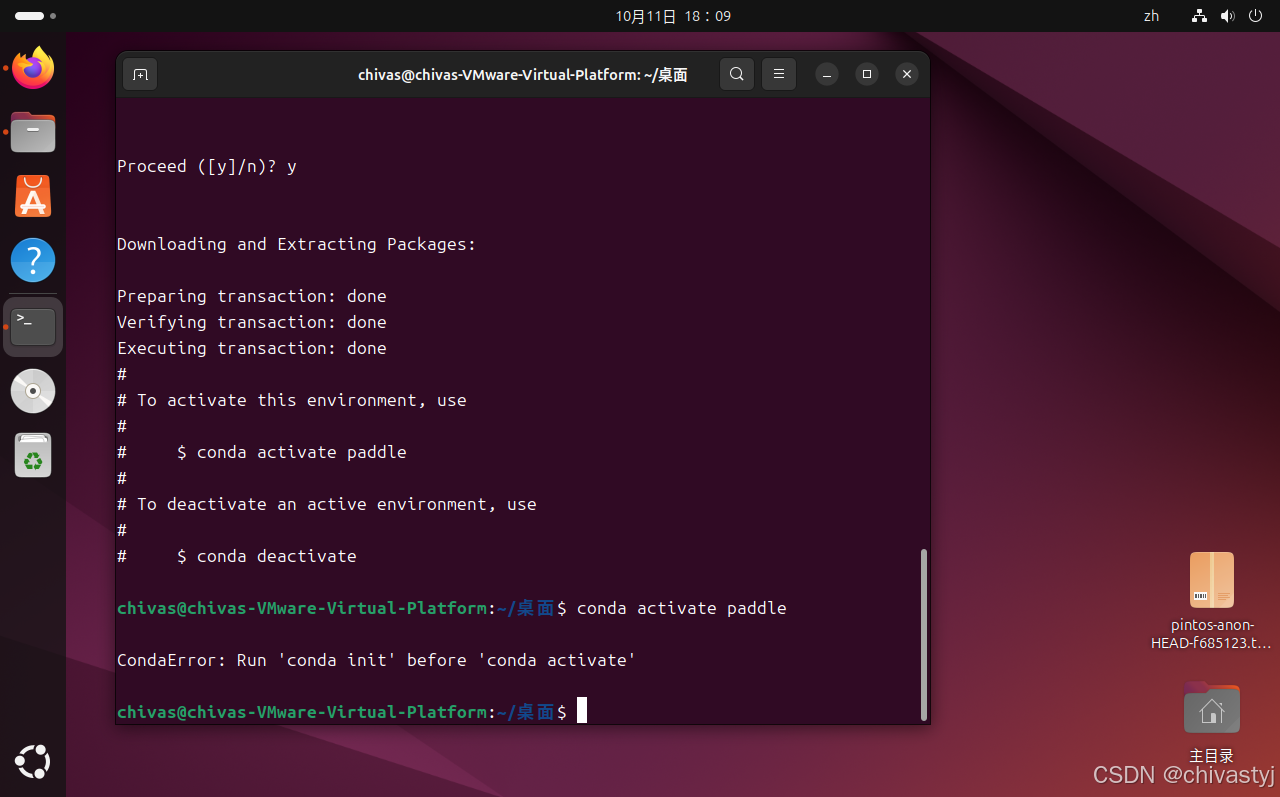
之后输入:
conda init
会出现:
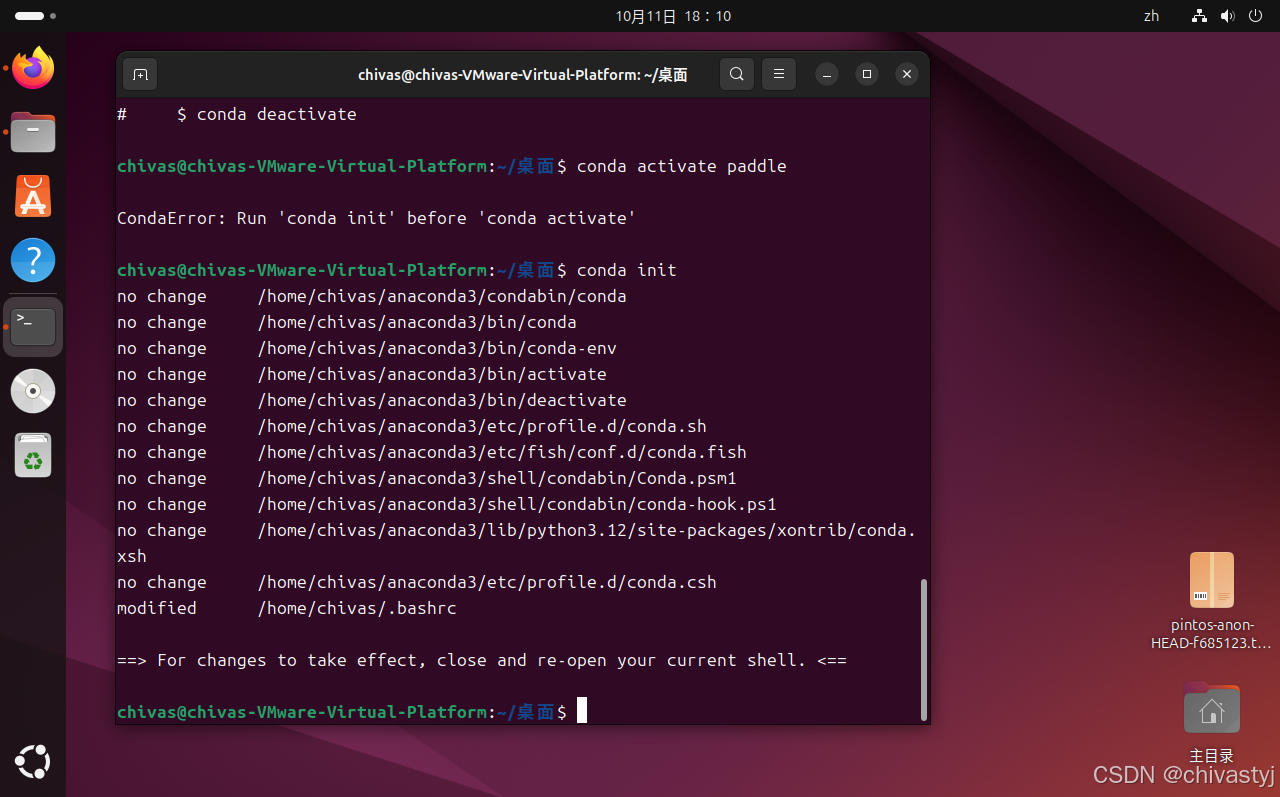
关闭重新打开终端:

会发现进入了base环境,这时候继续就好了,之前因为没进入base,所以没有进入环境成功

进入环境之后第二步是:安装paddlepaddle
官网:Linux 下的 Conda 安装-使用文档-PaddlePaddle深度学习平台
按照这样选择:

复制这个链接到虚拟机里面
修改一下,装2.2版本的:
第三步是安装paddleocr:
官方github:PaddleOCR/doc/doc_ch/quickstart.md at main · PaddlePaddle/PaddleOCR · GitHub
可以看到:
但是这个好像没啥用,在终端输入这个(用清华的镜像源):
python3 -m pip install paddleocr==2.6 -i https://pypi.tuna.tsinghua.edu.cn/simple安装完之后,就可以准备跑了
test.py代码为:(自行更改img_path路径)
import sys

#sys.path.remove('/opt/ros/kinetic/lib/python2.7/dist-packages')


from paddleocr import PaddleOCR,draw_ocr


#Paddleocr supports Chinese,English,French,German,Korean and Japanese

#You can set the parameter 'lang'as'ch','en','french','german','korean','japan'

#to switch the language modle in order.

ocr = PaddleOCR(use_angle_cls=True,use_gpu=False,lang='ch')#need to run only once to download and load model into memory

img_path='/home/chivas/test.png'

result=ocr.ocr(img_path,cls=True)

for line in result:

    print(line)
以上为文字识别代码
import numpy as np

import matplotlib.pyplot as plt

from PIL import Image

image=Image.open(img_path).convert('RGB')

boxes=[line[0] for line in result]

txts=[line[1][0] for line in result]

scores=[line[1][1] for line in result]

im_show=draw_ocr(image,boxes,txts,scores,font_path='/home/chivas/SimHei.ttf')

im_show=np.array(im_show)

plt.imshow(im_show)

plt.show()
以上为图片输出代码
打开终端输入:

然后会出现报错:_dl_sym
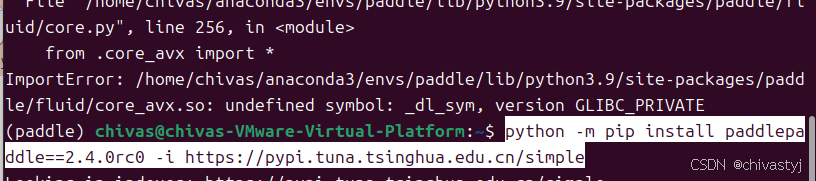
网上搜了搜,在终端继续输入(换了个paddle版本):
python -m pip install paddlepaddle==2.4.0rc0 -i https://pypi.tuna.tsinghua.edu.cn/simple继续python test.py,发现还会报错:应该是numpy版本的原因

解决办法:先卸载numpy,再装一个低版本的numpy:
pip uninstall numpy
pip install numpy==1.22
继续python test.py,就可以跑出来结果啦!(这里的test.py文件只跑了文字识别的代码)

接下来跑图片展示的代码,跑的时候会发现:

这里是缺少字体文件,front_path是字体路径
可以去:https://us-logger1.oss-cn-beijing.aliyuncs.com/SimHei.ttf 去下载字体
下载完字体之后,修改一下front_path的路径,继续python test.py,我发生了报错:

去下一个更高版本的numpy
pip uninstall numpy
pip install numpy==1.23
就完成啦
更多推荐


 14
 0
- 0


 已为社区贡献2条内容

所有评论(0)