
flutter插件中如何引入aar包,Direct local .aar file dependencies are not supported when building an AAR
·
1 添加aar包到Android libs目录下
2 在build.gradle 文件中添加依赖
flatDir{
dirs project(':插件名').file('libs')
}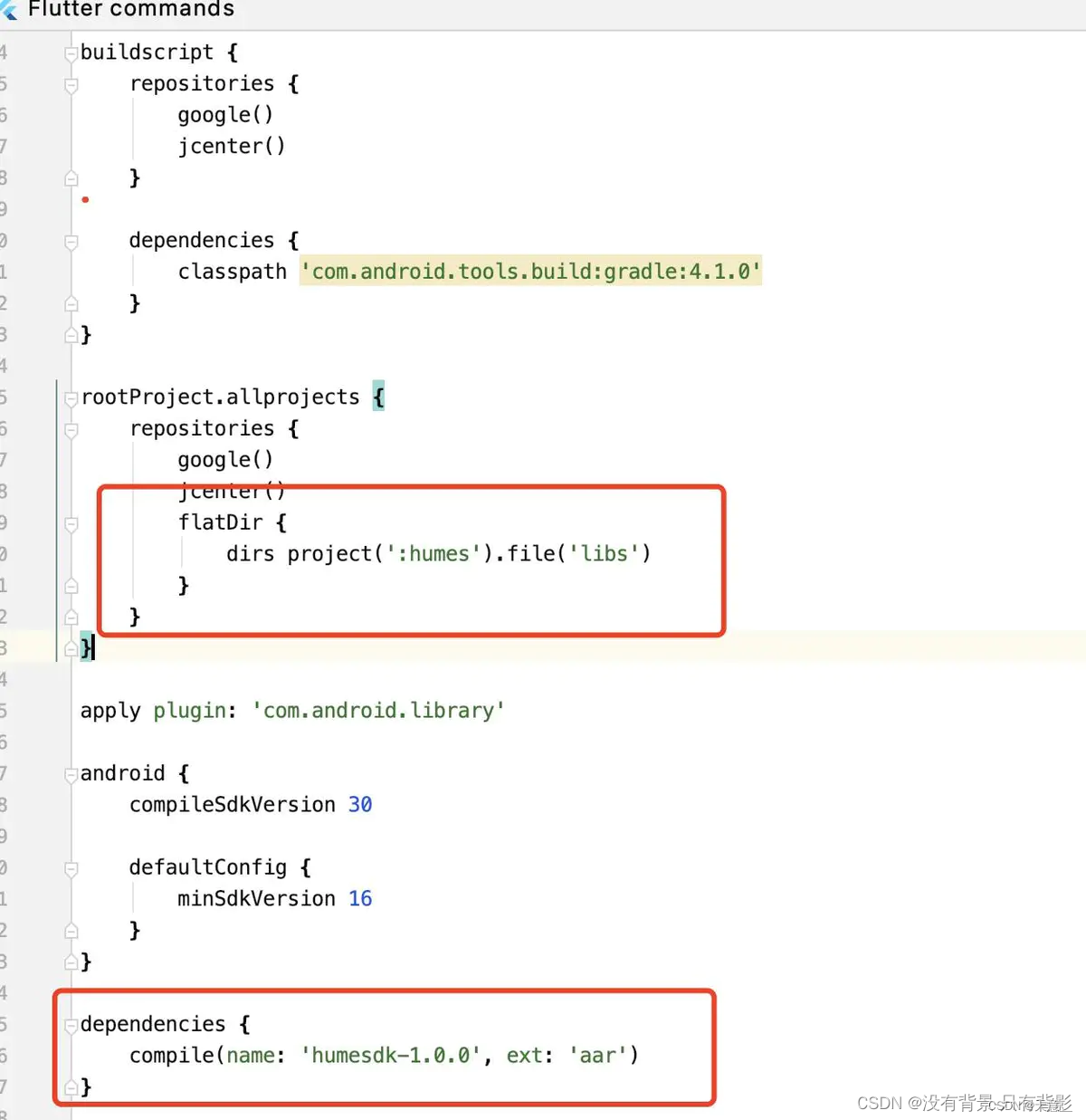 安卓插件直接引用aar,flutter 打包时可能会报这个错: Direct local .aar file dependencies are not supported when building an AAR.
以上来自:flutter插件中如何引入aar包_Android-CSDN专栏
用在我自己的项目里如下:
rootProject.allprojects repositories 里:
flatDir{
    dirs project(':location_report').file('libs')
}
其中,“location_report”,为settings.gradle中的rootProject.name
rootProject.name = 'location_report'dependencies里,其中locationgd-androidx_2.1.1为libs目录下的aar文件
implementation(name: 'locationgd-androidx_2.1.1', ext: 'aar')亲测打包成功!
更多推荐

 5
5 0
0- 0


 已为社区贡献1条内容

所有评论(0)