
AWS EC2部署jenkins pipeline 输出乱码解决
·
按照jenkins官方的部署方式,使用yum进行部署相关链接如下
 https://www.jenkins.io/doc/book/installing/linux/#red-hat-centos
sudo wget -O /etc/yum.repos.d/jenkins.repo \
    https://pkg.jenkins.io/redhat-stable/jenkins.repo
sudo rpm --import https://pkg.jenkins.io/redhat-stable/jenkins.io.key
sudo yum upgrade
# Add required dependencies for the jenkins package
sudo yum install java-11-openjdk
sudo yum install jenkins
sudo systemctl daemon-reload
sudo systemctl enable jenkins
sudo systemctl start jenkins
sudo systemctl status jenkins
使用jenkins pipeline 执行job后发现中文变成了这样

解决方法:
修改jenkins 启动配置文件
vim /usr/lib/systemd/system/jenkins.service

增加如下配置

Environment="JAVA_OPTS=-Dfile.encoding=UTF-8"

重新加载配置
systemctl daemon-reload

重启
systemctl restart jenkins
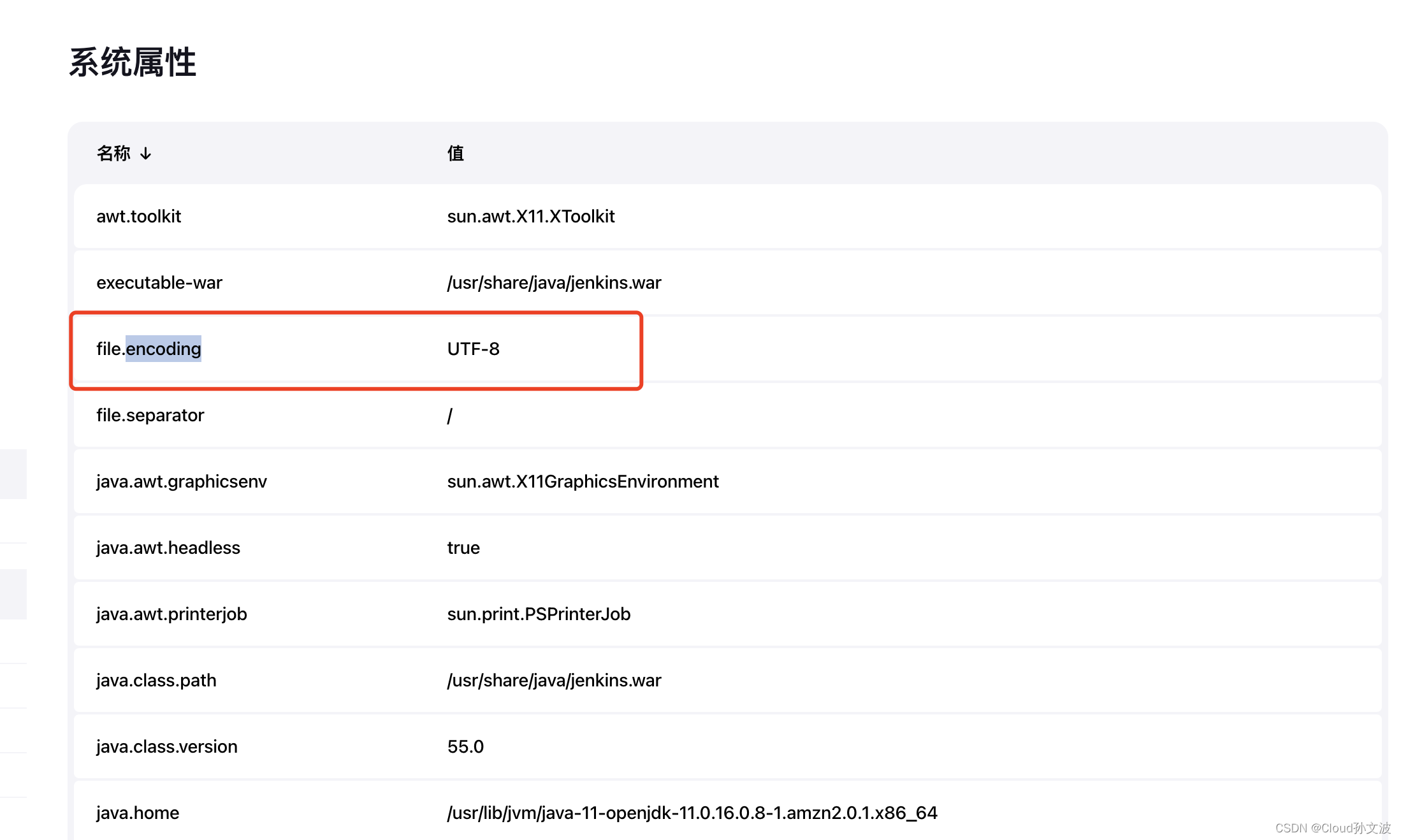
检查一下系统信息这里file.encoding变成UTF-8就可以了
更多推荐


 0
 0
- 0


 已为社区贡献11条内容

所有评论(0)