
修复:flutter 键盘出现时候导致固定底部的按钮被顶上来
·
目标
修复flutter 键盘出现时候导致固定底部的按钮被顶上来
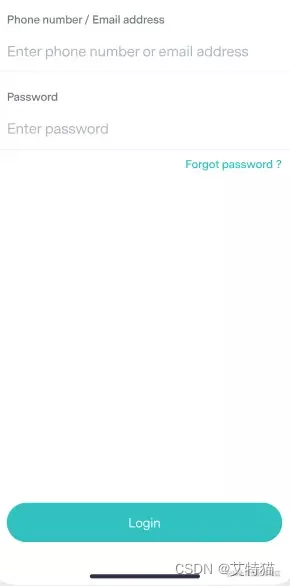
未获取焦点时候
键盘出来时候
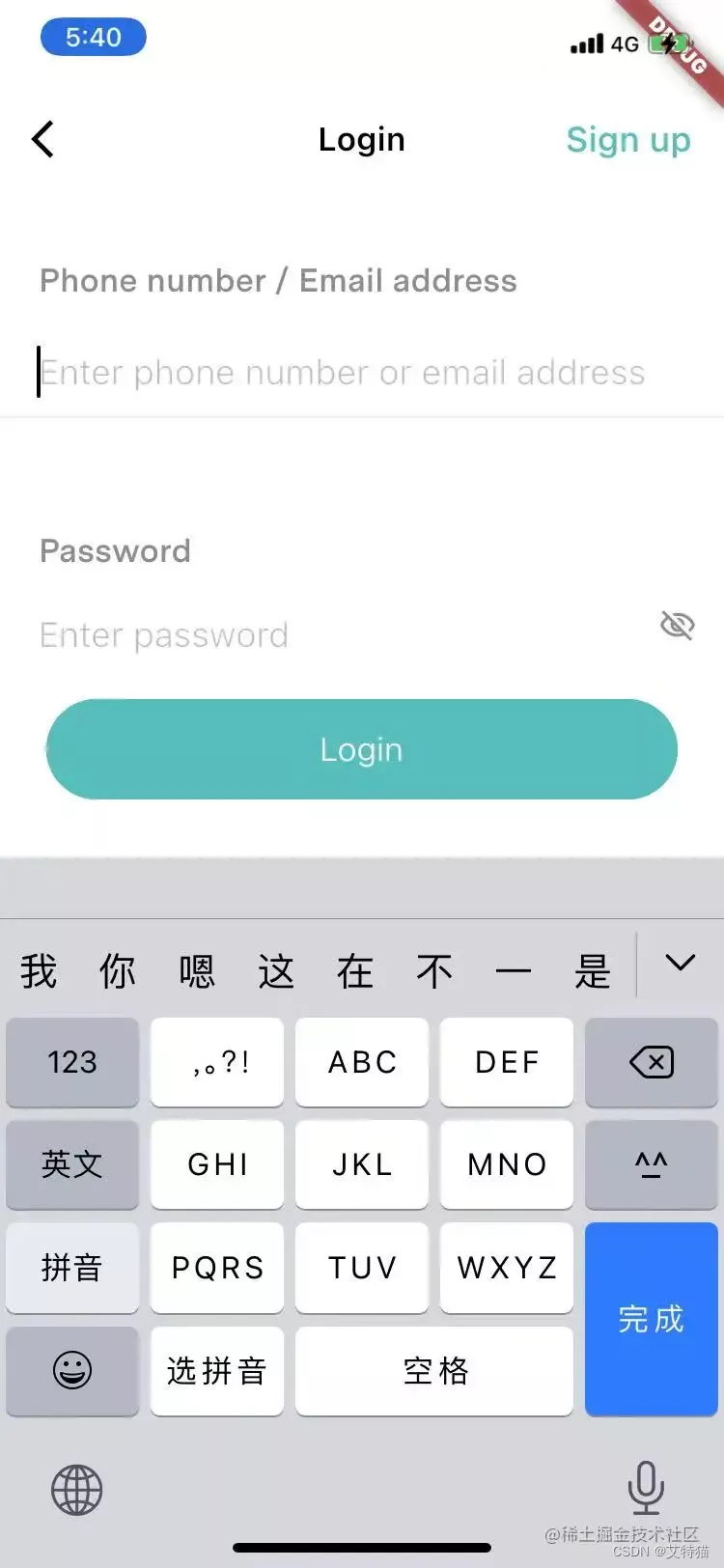
这个login按钮会遮挡一部分内容,我们并不想这样
resizeToAvoidBottomInset
添加了如下代码,没有达到预期目的:
resizeToAvoidBottomInset: false, /// 这里必须禁止重绘
SingleChildScrollView
使用SingleChildScrollView配合Container后实现,具体代码如下:
Widget build(BuildContext context) {
    return Scaffold(
      body:
      Container(
        alignment: Alignment.topLeft,
         height:MediaQuery.of(context).size.height,
        child: SingleChildScrollView(
            child:SizedBox(
              height:MediaQuery.of(context).size.height,

              child:Stack(
                children: [
	                //其他。。。
                 	//Expanded(child: Container()),//自动填充剩余空间
		//固定底部的按钮
                ],
              )

            )
        )
      ),
代码解说
MediaQuery.of(context).size.height是拿到设备工作区域的逻辑高度,上面的代码的意思是设置一个可滚动的容器,滚动容器里面的Contaainer的高度等于设备工作区的高度,单键盘出来的时候,SingleChildScrolVeiw的高度约等于设备的屏幕高度减去键盘的高度,但是Container的高度还是之前的设备工作区的高度,所以SingleChildScrollView可滚动
封装:
innerScrollBox支持嵌套innerScrollBox
  double contentHeight = MediaQuery.of(context).size.height -
        appBarWidget.preferredSize.height -
        MediaQuery.of(context).padding.top -
        MediaQuery.of(context).padding.bottom;


Widget innerScrollBox(
      {required Widget child,
      required double contentHeight,
      required Color color}) {
    return Container(
        alignment: Alignment.topLeft,
        height: contentHeight,
        margin: EdgeInsets.only(top: 10),
        color: color,
        child: SingleChildScrollView(child: child));
  }
更多推荐


 3
 0
- 0


 已为社区贡献7条内容

所有评论(0)