
uniapp礼花特效插件兼容微信小程序优化
·
使用插件:canvas中奖礼花
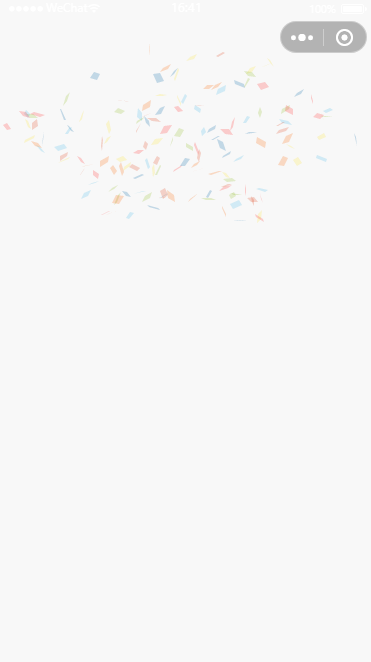
问题:微信小程序动画卡顿
优化思路:
动画刷新频次执行的window.requestAnimationFrame()函数,原代码的解决方案是如果没有该函数就1s执行60次,替换成小程序兼容的Canvas.requestAnimationFrame
Canvas.requestAnimationFrame需要使用新 Canvas 2D 接口,依据旧版画布迁移指南进行调整
步骤:
- canvas标签需要添加id和type属性
- 需要替换成使用
this.createSelectorQuery()获取画布信息 - 获取画布后需要重新设置画布大小为canvas标签大小,否则计算时候使用的值会变成默认的300*150
- 画布的
draw()方法在设置标签的type时候已被移除,这里使用的clearRect()替代,但是clearRect()不兼容老版,需分开处理
完整代码(直接复制替换即可)
<template>
	<canvas :id="canvasId" :canvas-id="canvasId" type="2d"
		:style="{width: width + 'px', height: height + 'px', 'z-index': zIndex}" class="fire-canvas"
		@error="canvasIdErrorCallback"></canvas>
</template>

<script>
	export default {
		props: {
			canvasId: {
				type: String,
				default: 'FireCanvas'
			},
			/** 礼花层级 */
			zIndex: {
				type: [Number, String],
				default: 1
			},
			/** 宽 */
			width: {
				type: [Number, String],
				default: () => {
					return uni.getWindowInfo().windowWidth
				}
			},
			/** 高 */
			height: {
				type: [Number, String],
				default: () => {
					return uni.getWindowInfo().windowHeight
				}
			},
			/** 中心点-x */
			x: {
				type: [Number, String],
				default: () => {
					return uni.getWindowInfo().windowWidth / 2
				}
			},
			/** 中心点-y */
			y: {
				type: [Number, String],
				default: () => {
					return uni.getWindowInfo().windowHeight * 0.4
				}
			},
			/** 礼花数量(最好小于500,太多会卡顿) */
			particleCount: {
				type: [Number, String],
				default: 150
			},
			/** 取值	0-360
			    喷发角度示意图(简单说就是喷射方向)
			    礼花(90)
			    礼花(180)
				礼花0
			    礼花(270)
			*/
			angle: {
				type: [Number, String],
				default: 90
			},
			/** 爆炸范围 */
			spread: {
				type: [Number, String],
				default: 100
			},
			/** 喷发的初始速度 */
			startVelocity: {
				type: [Number, String],
				default: 45
			},
			/*
			    喷发的衰退时间,超出canvas会被清除,跟startVelocity配合使用
			*/
			decay: {
				type: [Number, String],
				default: 0.9
			},
			/** 刷新几次消失(其实是透明度为0),这个跟间隔的刷新频率有关 */
			ticks: {
				type: [Number, String],
				default: 100
			},
			/** 所有要随机的礼花颜色预选值*/
			colors: {
				type: Array,
				default: () => ['#5BC0EB', '#2176AE', '#FDE74C', '#9BC53D', '#E55934', '#FA7921', '#FF4242']
			},
		},
		data() {
			return {
				fireCanvasBox: null,
				fireCanvasNode: null,
				ribbon: [],
				/** 手机分辨率 */
				pixelRatio: uni.getWindowInfo().pixelRatio
			}
		},
		mounted() {
			this.$nextTick(() => {
				this.initCanvas()
			})
		},
		methods: {
			canvasIdErrorCallback(e) {
				console.error(e.detail.errMsg)
			},
			initCanvas() {
				this.createSelectorQuery()
					.select(`#${this.canvasId}`)
					.fields({
						node: true,
						size: true
					})
					.exec((res) => {
						this.fireCanvasBox = null
						// Canvas 对象
						this.fireCanvasNode = res[0].node
						if (this.fireCanvasNode) {
							this.fireCanvasNode.width = this.width
							this.fireCanvasNode.height = this.height
							this.fireCanvasBox = this.fireCanvasNode.getContext('2d')
						} else {
							this.fireCanvasBox = uni.createCanvasContext(this.canvasId, this)
						}
						this.fireworksDraw()
					})
			},
			fireworksDraw() {
				let particleCount = this.particleCount
				for (; particleCount--;) {
					let color = this.colors[particleCount % this.colors.length]
					let r = this.angle * (Math.PI / 180)
					let a = this.spread * (Math.PI / 180)
					let i = 0
					// 菜单位置初始化
					this.ribbon.push({
						x: this.x,
						y: this.y,
						depth: 0.5 * Math.random() + 0.6,
						wobble: 10 * Math.random(),
						velocity: 0.5 * this.startVelocity + Math.random() * this.startVelocity,
						angle2D: -r + (0.5 * a - Math.random() * a),
						tiltAngle: Math.random() * Math.PI,
						color: (i = (color + '').replace(/[^0-9a-f]/gi, ''), i.length < 6 && (i = i[0] + i[0] +
							i[1] + i[1] + i[2] + i[2]), { // 生成随机颜色
							r: parseInt(i.substring(0, 2), 16),
							g: parseInt(i.substring(2, 4), 16),
							b: parseInt(i.substring(4, 6), 16)
						}),
						tick: 0,
						totalTicks: this.ticks,
						decay: this.decay,
						random: Math.random() + 5,
						tiltSin: 0,
						tiltCos: 0,
						wobbleX: 0,
						wobbleY: 0
					})
				}
				this.drawRibbon()
			},
			drawRibbon() {
				if (!this.fireCanvasBox) return
				// #ifdef MP-WEIXIN
				this.fireCanvasBox.clearRect(0, 0, this.width, this.height)
				// #endif
				// #ifndef MP-WEIXIN
				this.fireCanvasBox.draw()
				// #endif
				this.fireCanvasBox.restore()
				this.ribbon = this.ribbon.filter((e) => {
					e.x += Math.cos(e.angle2D) * e.velocity
					e.y += Math.sin(e.angle2D) * e.velocity + 5 * e.depth
					e.wobble += 0.1
					e.velocity *= e.decay
					e.tiltAngle += 0.02 * Math.random() + 0.12
					e.tiltSin = Math.sin(e.tiltAngle)
					e.tiltCos = Math.cos(e.tiltAngle)
					e.random = Math.random() + 4
					e.wobbleX = e.x + 10 * Math.cos(e.wobble) * e.depth
					e.wobbleY = e.y + 10 * Math.sin(e.wobble) * e.depth
					// 开始画图
					this.fireCanvasBox.fillStyle =
						`rgba(${e.color.r},${e.color.g},${e.color.b},${(1 - (e.tick++) / e.totalTicks)})`
					this.fireCanvasBox.beginPath()
					this.fireCanvasBox.moveTo(Math.floor(e.x), Math.floor(e.y))
					this.fireCanvasBox.lineTo(Math.floor(e.wobbleX), Math.floor(e.y + e.random * e.tiltSin))
					this.fireCanvasBox.lineTo(Math.floor(e.wobbleX + e.random * e.tiltCos),
						Math.floor(e.wobbleY + e.random * e.tiltSin))
					this.fireCanvasBox.lineTo(Math.floor(e.x + e.random * e.tiltCos), Math.floor(e.wobbleY))
					this.fireCanvasBox.closePath()
					this.fireCanvasBox.fill()
					return e.tick < e.totalTicks
				})
				// 轮询调用或者释放掉
				if (this.ribbon.length) {
					this.AnimationFrame(() => {
						this.drawRibbon()
					})
				} else {
					this.fireCanvasBox = null
				}
			},
			AnimationFrame(t) {
				// #ifdef MP-WEIXIN
				this.fireCanvasNode.requestAnimationFrame(t)
				// #endif
				// #ifndef MP-WEIXIN
				/** 浏览器的最高刷新赔率(最后一个表示1秒刷新60次) */
				if (window) {
					if (window.requestAnimationFrame) {
						window.requestAnimationFrame(t)
					} else if (window.webkitRequestAnimationFrame) {
						window.webkitRequestAnimationFrame(t)
					} else if (window.mozRequestAnimationFrame) {
						window.mozRequestAnimationFrame(t)
					} else if (window.oRequestAnimationFrame) {
						window.oRequestAnimationFrame(t)
					} else if (window.msRequestAnimationFrame) {
						window.msRequestAnimationFrame(t)
					} else {
						setTimeout(t, 10)
					}
				}
				// #endif
			}
		}
	}
</script>

<style lang="scss" scoped>
	.fire-canvas {
		position: fixed;
		top: 0px;
		bottom: 0px;
		left: 0px;
		right: 0px;
		pointer-events: none;
	}
</style>
更多推荐

 1
1 0
0- 0


 已为社区贡献3条内容

所有评论(0)