
【unity实战】用unity实现一个简易的战斗飞机控制器
·
文章目录
前言
本文介绍了Unity飞机模拟控制系统的实现方法,通过刚体物理、射线检测和欧拉角变换等技术,实现了包括起飞加速、俯仰滚转、高度速度显示等完整的飞行模拟功能,所有参数均可通过Inspector面板调节,最终呈现流畅的飞行体验效果。
实战
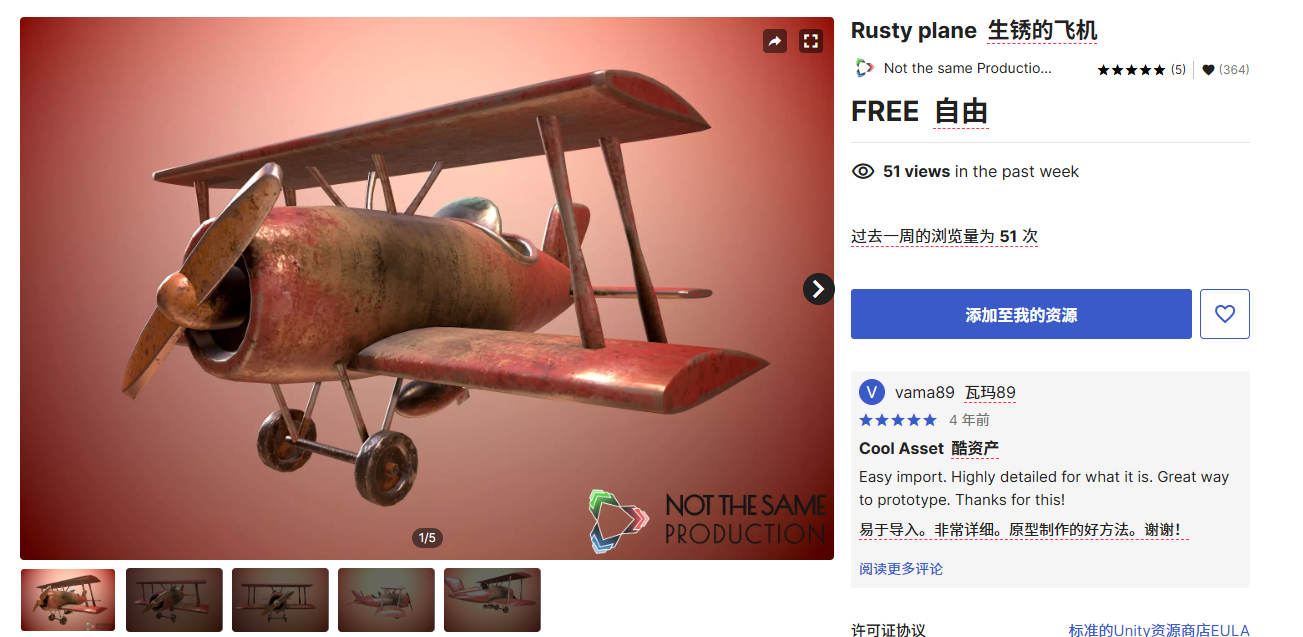
1、素材
https://assetstore.unity.com/packages/3d/vehicles/air/rusty-plane-161892
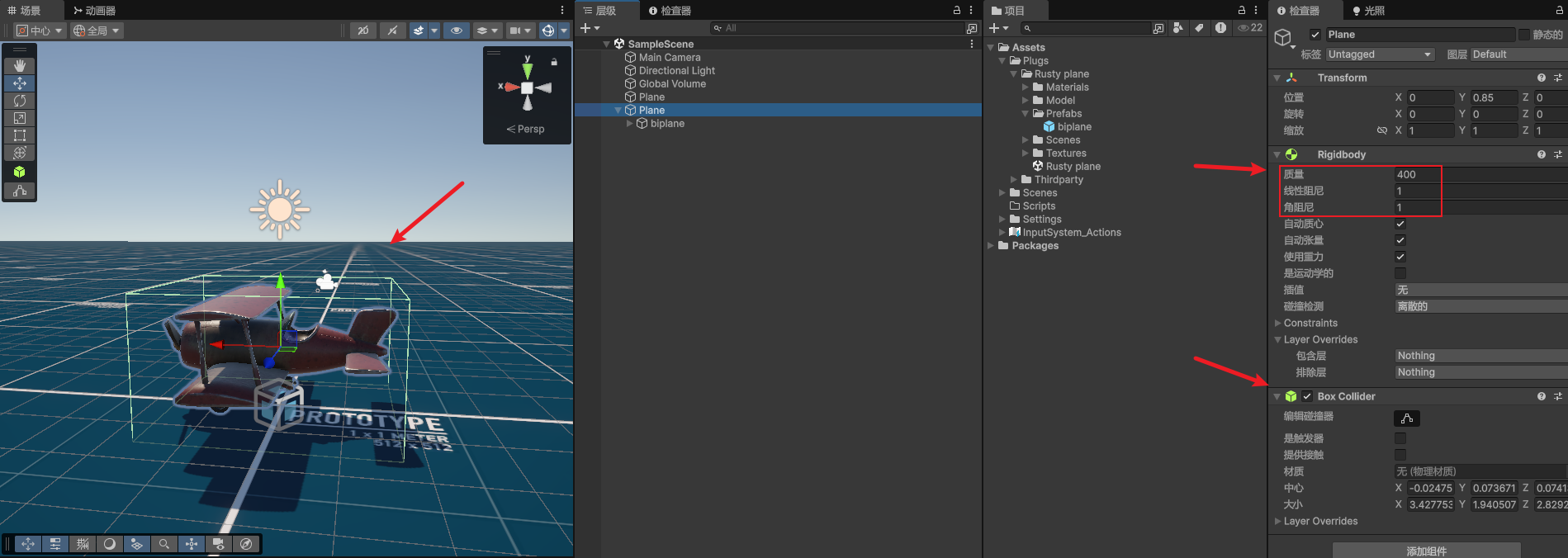
2、给飞机添加刚体和碰撞器
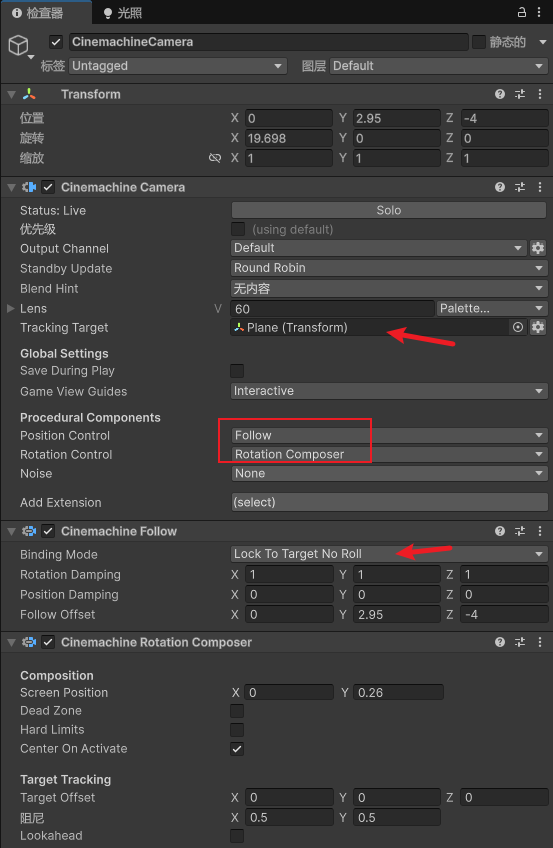
3、添加虚拟相机控制
具体可以参考:【unity知识】最新的虚拟相机Cinemachine3简单使用介绍
4、获取输入
#region 处理玩家输入控制
private Vector2 _movement;           // 输入控制向量
/// <summary>
/// 处理玩家输入控制
/// </summary>
private void HandleInputs()
{
    // 获取摇杆/键盘输入
    _movement.x = Input.GetAxis("Horizontal");  // 偏航控制
    _movement.y = Input.GetAxis("Vertical");    // 俯仰控制
}
#endregion
5、推进力
#region 推进力
[Header("推进力")]
[Tooltip("油门调节速率")]
public float throttleIncrement = 0.1f;

[Tooltip("最大推进力")]
public float maxThrust = 200f;
private float throttle; // 当前使用的最大引擎推力百分比

void ThrottleControl(){
    // 油门控制(空格加速/Ctrl减速)
    if (Input.GetKey(KeyCode.Space)) throttle += throttleIncrement;
    else if (Input.GetKey(KeyCode.LeftControl)) throttle -= throttleIncrement;

    // 限制油门范围并标准化
    throttle = Mathf.Clamp(throttle, 0f, 100f);
}

void PropulsiveForce()
{
    // 推进力(与油门成正比)
    rb.AddForce(transform.forward * maxThrust * throttle);
}
#endregion
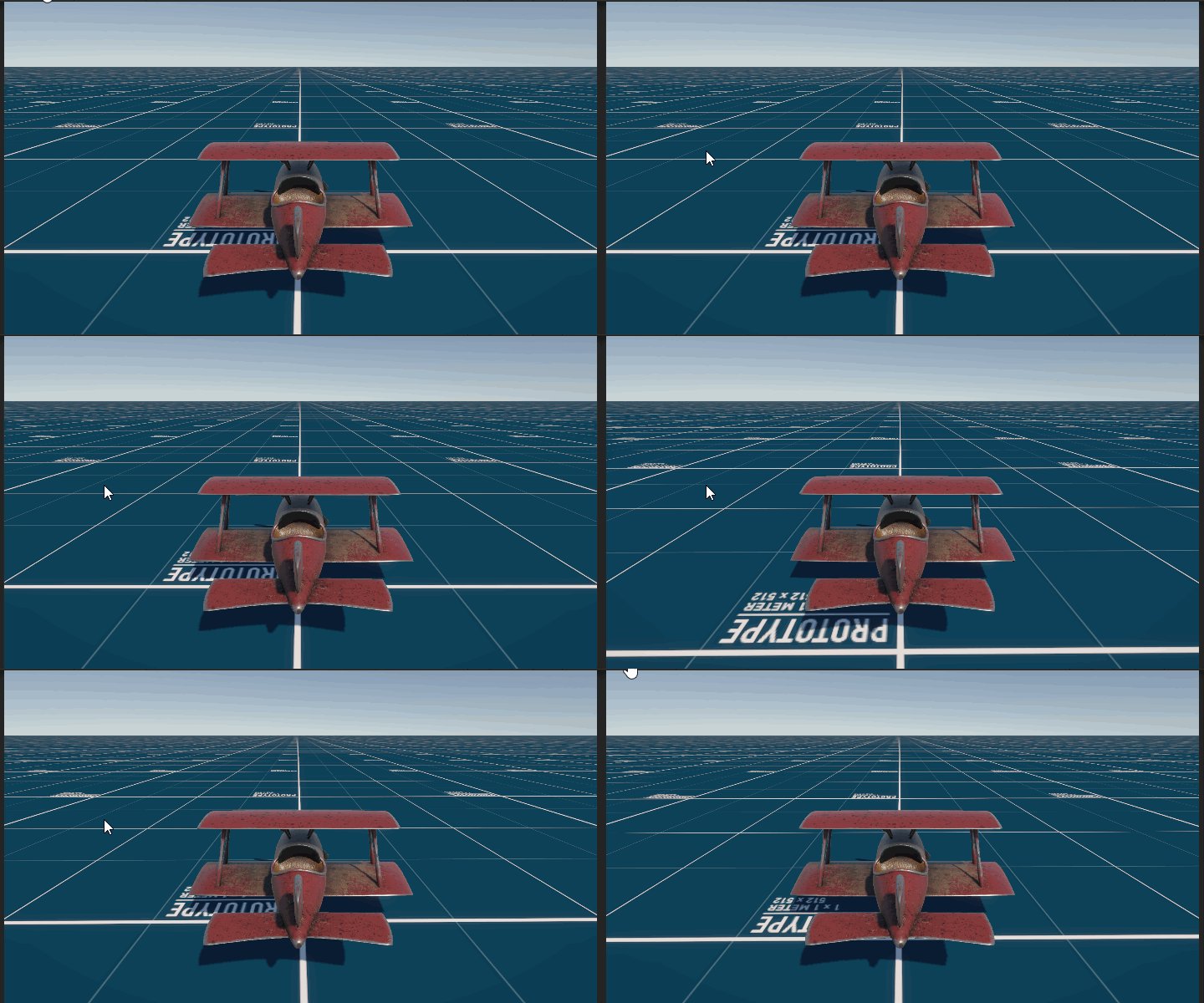
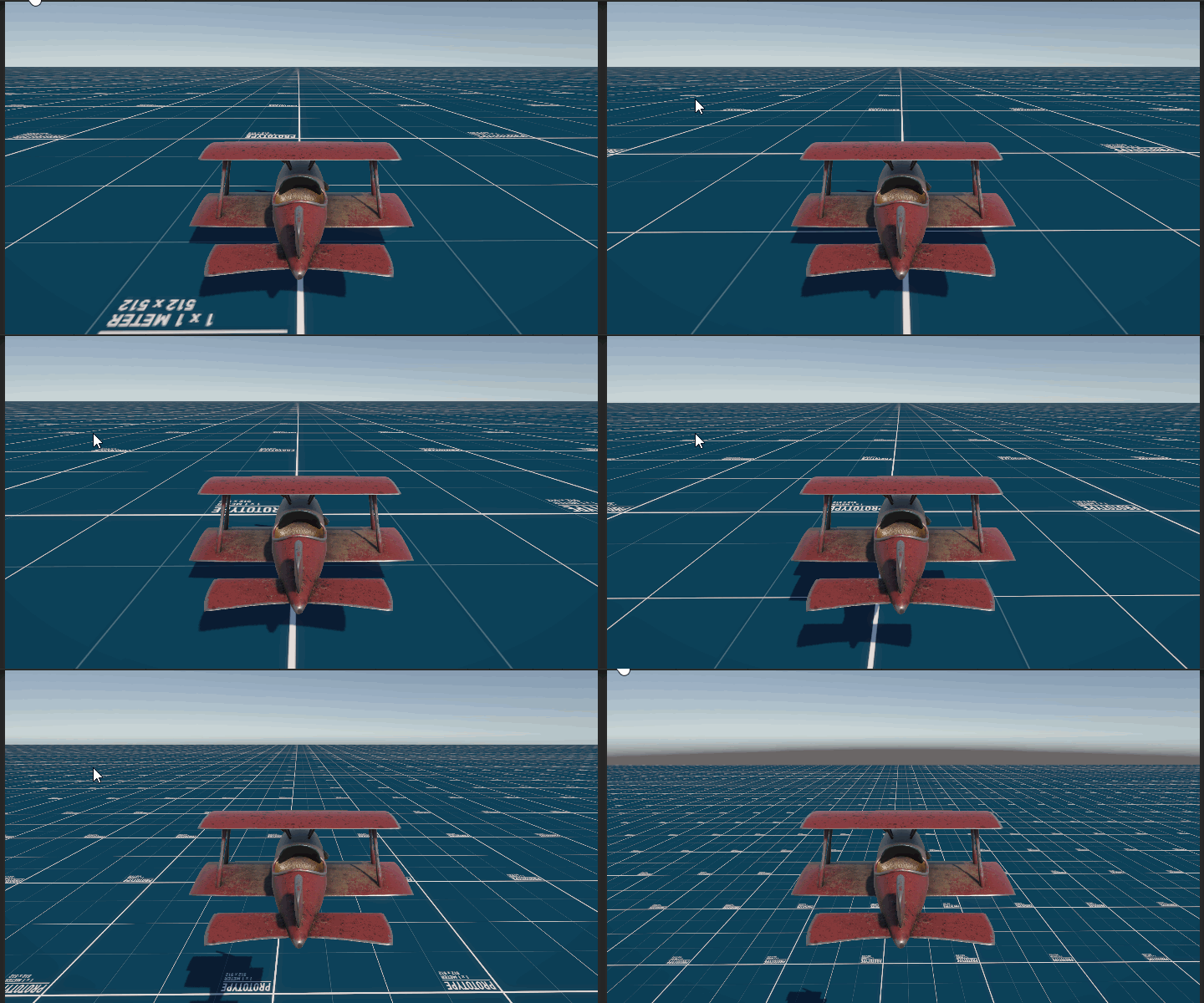
效果
6、添加升力
#region 升力
[Header("升力系数")]
public float lift = 135f;
void LiftForce()
{
    // 动态升力(速度越快升力越大)
    rb.AddForce(transform.up * rb.linearVelocity.magnitude * lift);
}
#endregion
7、添加地面检测
#region 环境检测系统
[Header("地面检测设置")]
public LayerMask groundLayer;    // 地面碰撞层
public float groundCheckDistance = 5f;  // 检测距离

[Tooltip("是否处于地面状态")]
public bool isGround;            // 地面状态标识

private RaycastHit _hit;         // 射线检测结果

/// <summary>
/// 地面接触检测(向下发射射线)
/// </summary>
void HandleGroundCheck()
{
    isGround = Physics.Raycast(
        transform.position + new Vector3(0,1,1),
        transform.TransformDirection(Vector3.down),
        out _hit,
        groundCheckDistance,
        groundLayer
    );
}

// 编辑器可视化辅助
void OnDrawGizmosSelected()
{
    Gizmos.color = Color.red;
    Gizmos.DrawLine(
        transform.position + new Vector3(0,1,1),
        transform.position + new Vector3(0,1,1) + transform.TransformDirection(Vector3.down) * groundCheckDistance
    );
}
#endregion
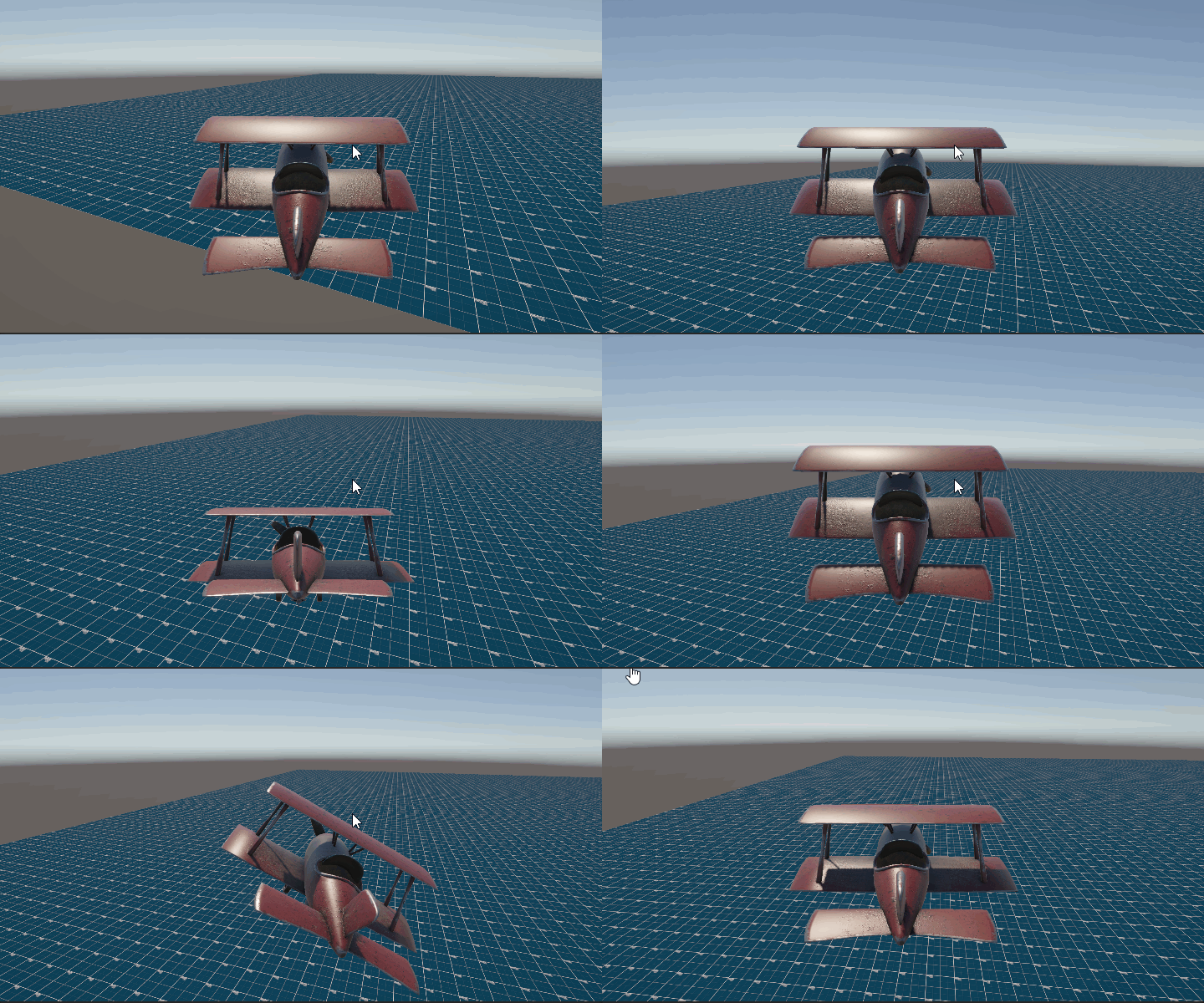
8、转向和机身倾斜效果
#region 转向
[Header("转向参数")]

[Tooltip("飞行操控灵敏度系数")]
public float responsiveness = 500f;

/// <summary>
/// 偏航控制(绕Y轴旋转)
/// </summary>
void Turn()
{
    if (isGround) return;
    rb.AddTorque(transform.up * _movement.x * responsiveness);
}
#endregion

#region 飞行控制系统
[Header("飞行姿态参数")]
public float maxPitchAngle = 20f;    // 最大俯仰角度
public float maxRollAngle = 30f;     // 最大滚转角度

private Vector2 _currentTiltAngle;    // 当前姿态角度


/// <summary>
/// 机身倾斜效果(根据输入平滑过渡)
/// </summary>
void Tilting()
{
    if (isGround) return;

    // 俯仰角度插值
    _currentTiltAngle.y = Mathf.Lerp(
        _currentTiltAngle.y,
        _movement.y * maxPitchAngle,
        Time.deltaTime * responsiveness
    );

    // 滚转角度插值
    _currentTiltAngle.x = Mathf.Lerp(
        _currentTiltAngle.x,
        _movement.x * maxRollAngle,
        Time.deltaTime * responsiveness
    );

    // 应用欧拉角旋转(保持当前偏航角)
    transform.localRotation = Quaternion.Euler(
        _currentTiltAngle.y,
        transform.localEulerAngles.y,
        -_currentTiltAngle.x
    );
}
#endregion
效果
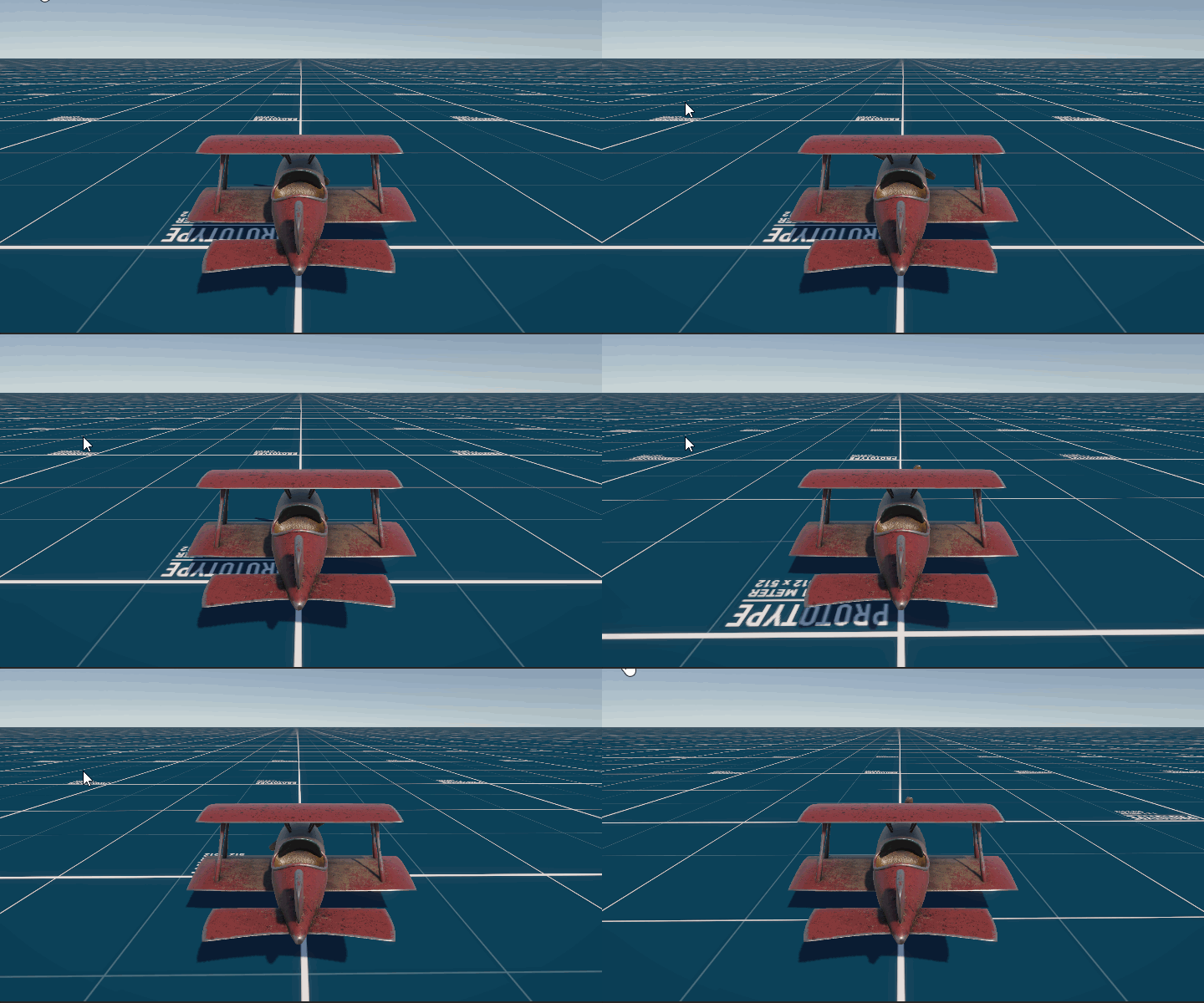
9、 螺旋桨旋转效果
#region 螺旋桨旋转效果
[Header("螺旋桨")]
[SerializeField]
private Transform propella;
void PropellerRotation()
{
    // 螺旋桨旋转效果(转速与油门正相关)
    propella.Rotate(Vector3.right * throttle * 1000f * Time.deltaTime);
}
#endregion
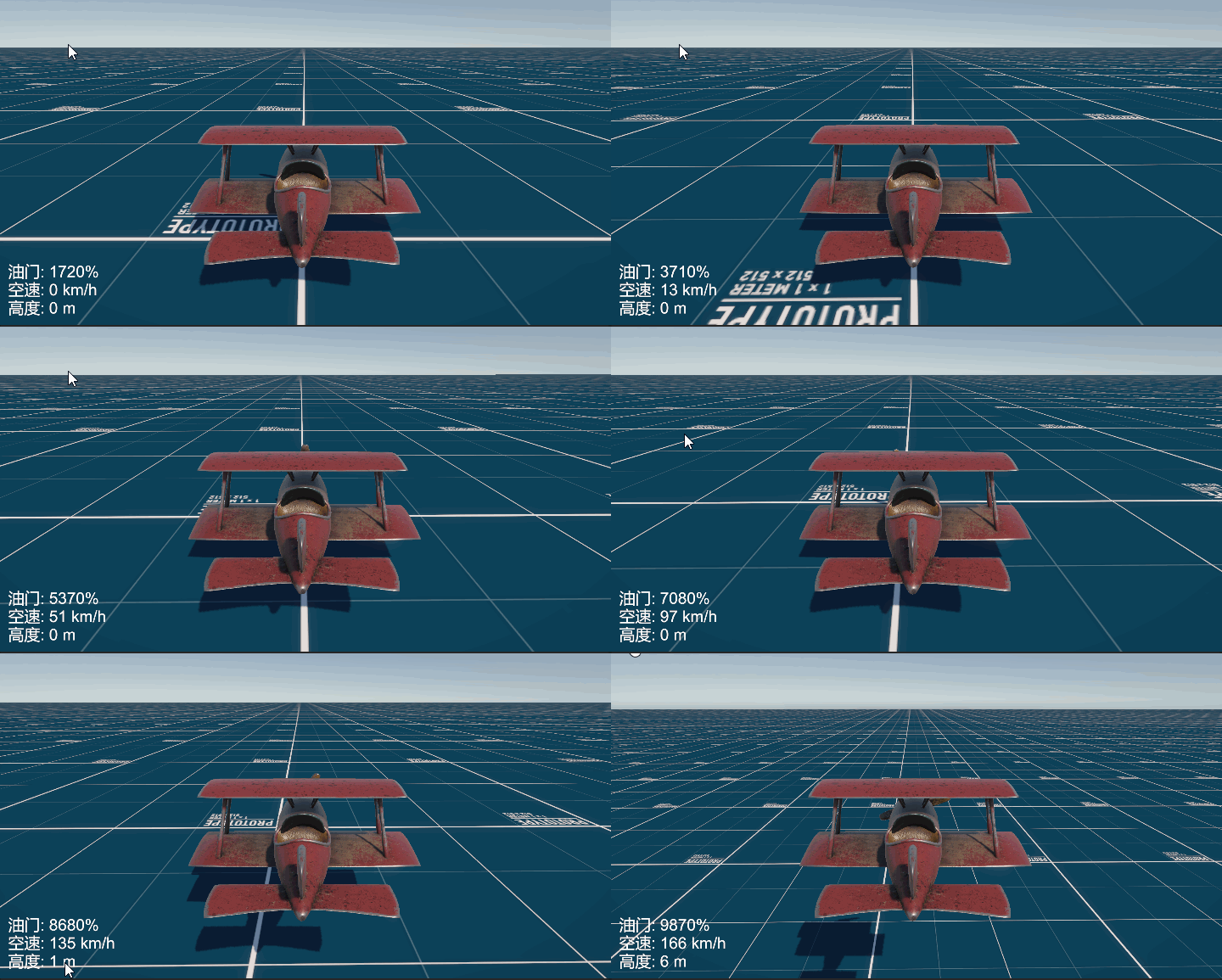
10、 UI显示速度和高度信息
#region UI显示
[Header("UI显示")]
[SerializeField]
private Text hud;

/// <summary>
/// 更新飞行数据HUD显示
/// </summary>
private void UpdateHUD()
{
    hud.text = $"油门: {throttle * 100:F0}%\n" +
               $"空速: {rb.linearVelocity.magnitude * 3.6f:F0} km/h\n" +
               $"高度: {transform.position.y:F0} m";
}
#endregion
效果
11、 根据速度动态播放音效大小
#region 音效
void PlaySound()
{
    audioSource.volume = throttle * 0.01f;
}
#endregion
最终代码
using UnityEngine;
using UnityEngine.UI;

public class PlaneController : MonoBehaviour
{
    private Rigidbody rb;
    private AudioSource audioSource;
    private void Start()
    {
        rb = GetComponent<Rigidbody>();
        audioSource = GetComponent<AudioSource>();
    }

    private void Update()
    {
        HandleGroundCheck();

        ThrottleControl();

        HandleInputs();

        Tilting();

        PropellerRotation();

        UpdateHUD();

        PlaySound();
    }

    private void FixedUpdate()
    {
        PropulsiveForce();

        Turn();

        LiftForce();
    }

    #region 处理玩家输入控制
    private Vector2 _movement;           // 输入控制向量
    /// <summary>
    /// 处理玩家输入控制
    /// </summary>
    private void HandleInputs()
    {
        // 获取摇杆/键盘输入
        _movement.x = Input.GetAxis("Horizontal");  // 偏航控制
        _movement.y = Input.GetAxis("Vertical");    // 俯仰控制
    }
    #endregion

    #region 推进力
    [Header("推进力")]
    [Tooltip("油门调节速率")]
    public float throttleIncrement = 0.1f;

    [Tooltip("最大推进力")]
    public float maxThrust = 200f;
    private float throttle; // 当前使用的最大引擎推力百分比

    void ThrottleControl(){
        // 油门控制(空格加速/Ctrl减速)
        if (Input.GetKey(KeyCode.Space)) throttle += throttleIncrement;
        else if (Input.GetKey(KeyCode.LeftControl)) throttle -= throttleIncrement;

        // 限制油门范围并标准化
        throttle = Mathf.Clamp(throttle, 0f, 100f);
    }

    void PropulsiveForce()
    {
        // 推进力(与油门成正比)
        rb.AddForce(transform.forward * maxThrust * throttle);
    }
    #endregion

    #region 升力
    [Header("升力系数")]
    public float lift = 135f;
    void LiftForce()
    {
        // 动态升力(速度越快升力越大)
        rb.AddForce(transform.up * rb.linearVelocity.magnitude * lift);
    }
    #endregion

    #region 转向
    [Header("转向参数")]

    [Tooltip("飞行操控灵敏度系数")]
    public float responsiveness = 500f;

    /// <summary>
    /// 偏航控制(绕Y轴旋转)
    /// </summary>
    void Turn()
    {
        if (isGround) return;
        rb.AddTorque(transform.up * _movement.x * responsiveness);
    }
    #endregion

    #region 飞行控制系统
    [Header("飞行姿态参数")]
    public float maxPitchAngle = 20f;    // 最大俯仰角度
    public float maxRollAngle = 30f;     // 最大滚转角度

    private Vector2 _currentTiltAngle;    // 当前姿态角度


    /// <summary>
    /// 机身倾斜效果(根据输入平滑过渡)
    /// </summary>
    void Tilting()
    {
        if (isGround) return;

        // 俯仰角度插值
        _currentTiltAngle.y = Mathf.Lerp(
            _currentTiltAngle.y,
            _movement.y * maxPitchAngle,
            Time.deltaTime * responsiveness
        );

        // 滚转角度插值
        _currentTiltAngle.x = Mathf.Lerp(
            _currentTiltAngle.x,
            _movement.x * maxRollAngle,
            Time.deltaTime * responsiveness
        );

        // 应用欧拉角旋转(保持当前偏航角)
        transform.localRotation = Quaternion.Euler(
            _currentTiltAngle.y,
            transform.localEulerAngles.y,
            -_currentTiltAngle.x
        );
    }
    #endregion

    #region 环境检测系统
    [Header("地面检测设置")]
    public LayerMask groundLayer;    // 地面碰撞层
    public float groundCheckDistance = 5f;  // 检测距离

    [Tooltip("是否处于地面状态")]
    public bool isGround;            // 地面状态标识

    private RaycastHit _hit;         // 射线检测结果

    /// <summary>
    /// 地面接触检测(向下发射射线)
    /// </summary>
    void HandleGroundCheck()
    {
        isGround = Physics.Raycast(
            transform.position + new Vector3(0,1,1),
            transform.TransformDirection(Vector3.down),
            out _hit,
            groundCheckDistance,
            groundLayer
        );
    }

    // 编辑器可视化辅助
    void OnDrawGizmosSelected()
    {
        Gizmos.color = Color.red;
        Gizmos.DrawLine(
            transform.position + new Vector3(0,1,1),
            transform.position + new Vector3(0,1,1) + transform.TransformDirection(Vector3.down) * groundCheckDistance
        );
    }
    #endregion

    #region 螺旋桨旋转效果
    [Header("螺旋桨")]
    [SerializeField]
    private Transform propella;
    void PropellerRotation()
    {
        // 螺旋桨旋转效果(转速与油门正相关)
        propella.Rotate(Vector3.right * throttle * 1000f * Time.deltaTime);
    }
    #endregion

    #region UI显示
    [Header("UI显示")]
    [SerializeField]
    private Text hud;

    /// <summary>
    /// 更新飞行数据HUD显示
    /// </summary>
    private void UpdateHUD()
    {
        hud.text = $"油门: {throttle * 100:F0}%\n" +
                   $"空速: {rb.linearVelocity.magnitude * 3.6f:F0} km/h\n" +
                   $"高度: {transform.position.y:F0} m";
    }
    #endregion

    #region 音效
    void PlaySound()
    {
        audioSource.volume = throttle * 0.01f;
    }
    #endregion
}
专栏推荐
完结
好了,我是向宇,博客地址:https://xiangyu.blog.csdn.net,如果学习过程中遇到任何问题,也欢迎你评论私信找我。
赠人玫瑰,手有余香!如果文章内容对你有所帮助,请不要吝啬你的点赞评论和关注,你的每一次支持都是我不断创作的最大动力。当然如果你发现了文章中存在错误或者有更好的解决方法,也欢迎评论私信告诉我哦!

更多推荐
 26
26 0
0- 0


 已为社区贡献25条内容

所有评论(0)