
关于使用uniapp(uv-view/uview)开发微信小程序,input输入框聚焦全选的问题
·
通过查阅uniapp官方文档可以知道,需要使用focus、selection-start及selection-end这三个参数才能实现聚焦全选
原文地址:input | uni-app官网
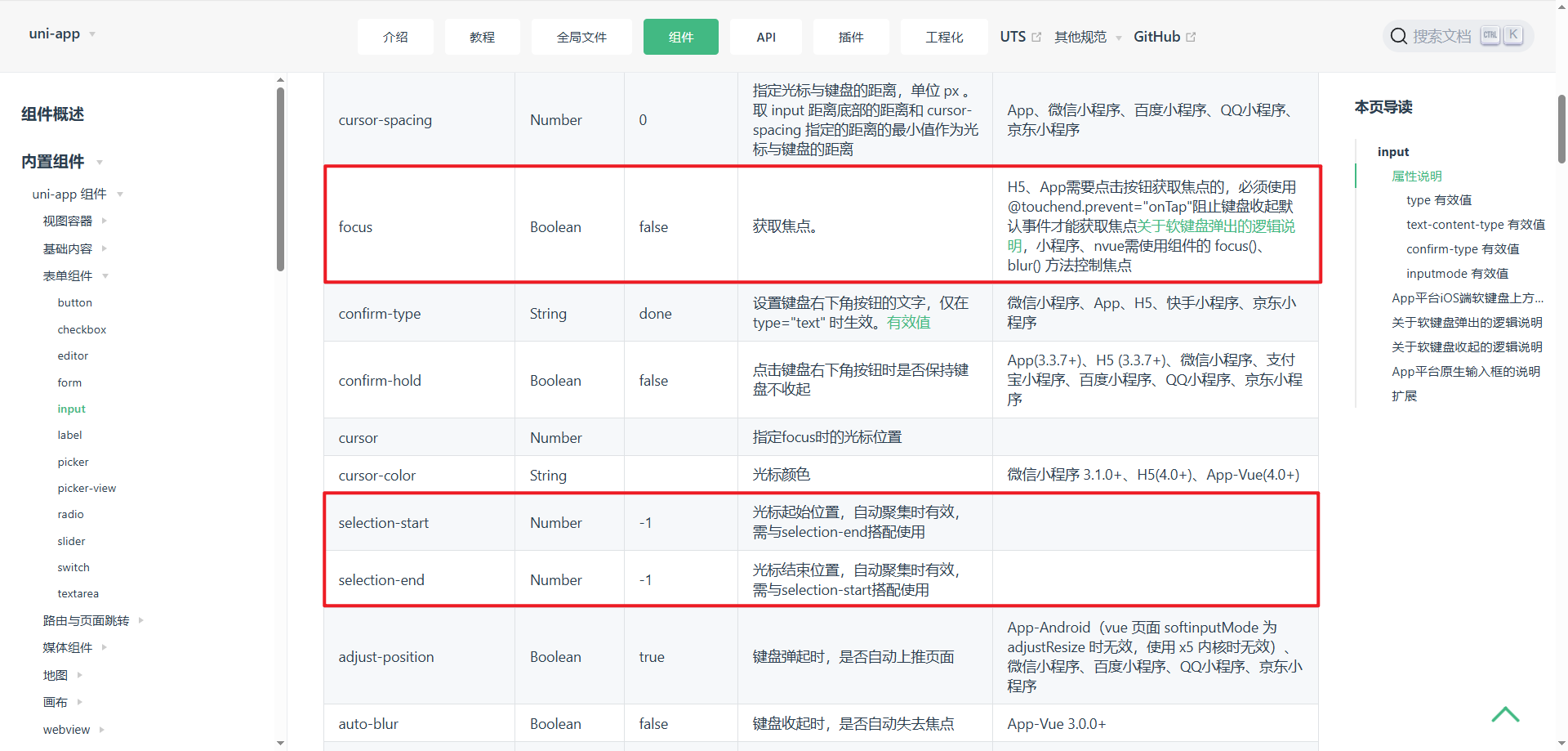
问题
在input组件中的@focus中切换focus状态,并且设置selection-start及selection-end,并没有实现聚焦全选的效果
最后多次实验发现,需要使用v-if切换组件才能实现聚焦全选的效果,代码如下:
<script>
import { ref } from 'vue'

const val = ref('')
const focus = ref(false)
const selectionStart = ref(0)
const selectionEnd = ref(0)

function handleClick() {
  selectionEnd.value = val.value.length
  focus.value = true
}
</script>
<template>
  <view class="w-full h-full">
    <view class="common-style" @click="handleClick" v-if="!focus">
      <uv-input
        readonly
        :focus="focus"
        :selectionStart="0"
        :selectionEnd="selectionEnd"
        v-model="val"
      >
      </uv-input>
    </view>
    <view class="common-style" v-else>
      <uv-input
        :focus="focus"
        :selectionStart="0"
        :selectionEnd="selectionEnd"
        v-model="val"
      >
      </uv-input>
    </view>
  </view>
</template>
注意
需要在input外包裹一层<view></view>,否则在真机调试的时候会出现input叠加的情况,微信开发者工具上显示正常
本人使用的是uv-view组件库开发,此方式也适用于uniapp官方input组件
更多推荐
 7
7 0
0- 0


 已为社区贡献1条内容

所有评论(0)