
【使用CANoe搭建一个简单的自动化测试】
·
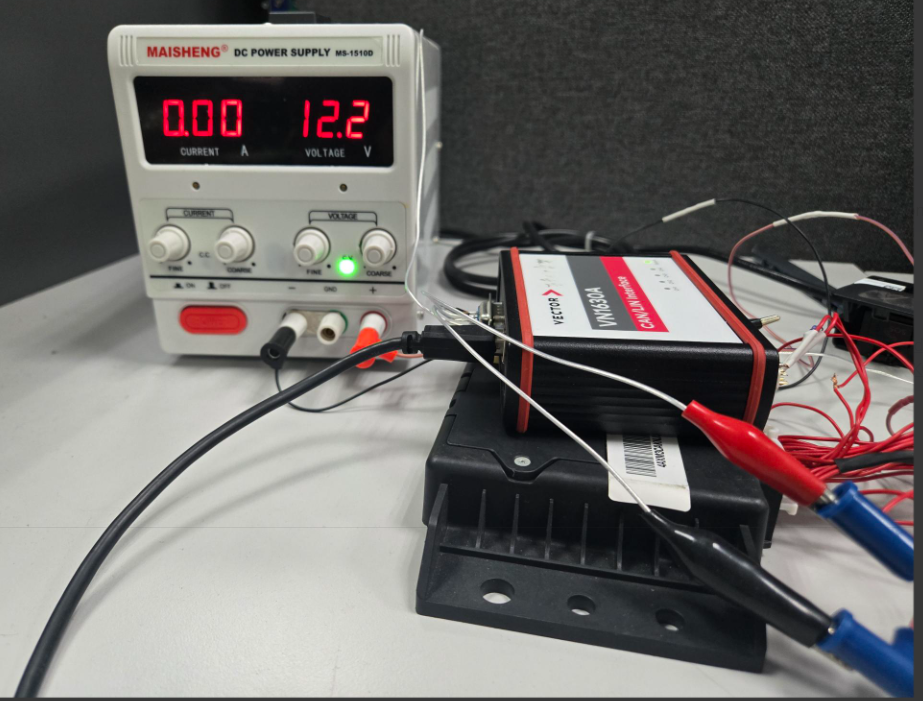
基于CANoe+VN 1630A搭建测试环境
准备:
1. 软件CANoe version 15
2. 硬件 VN1630
3. 待测ECU
4. 相关线束
5. 直流电源
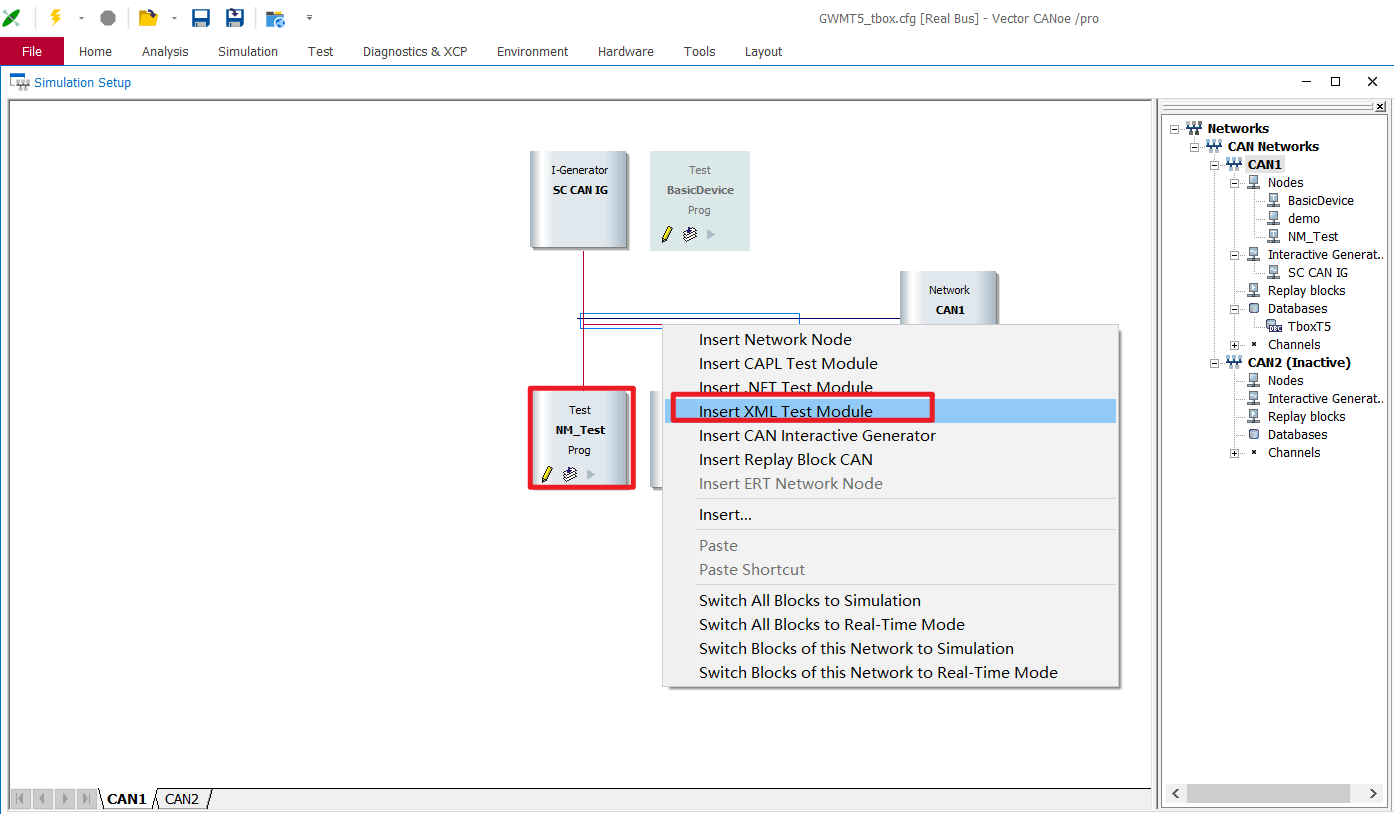
1-创建XML测试节点
xml节点的好处在于可以用于勾选那些想要执行的用例
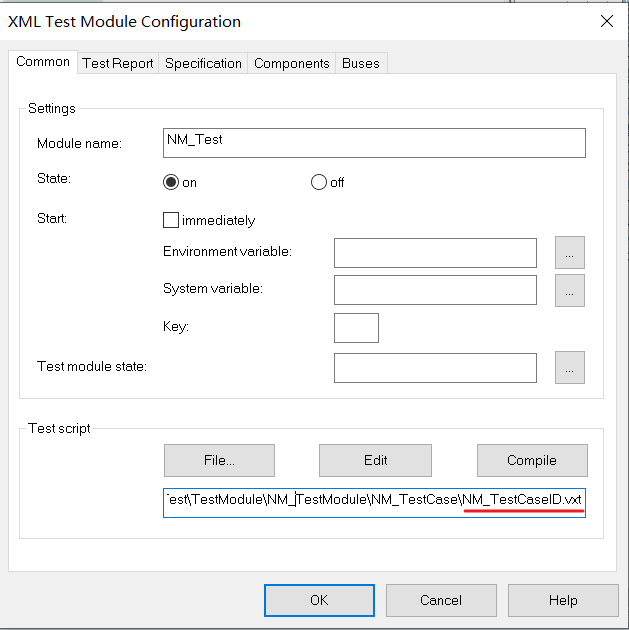
2-创建vxt文件,用于管理待执行的测试用例
<?xml version="1.0" encoding="utf-8"?>
	<testmodule title="NM Test Part" version="1.1">
		<testgroup title="TestGroup1">
		   <description>This test group verify the customer NM specification </description>
				<capltestcase name="TG1_TC1"></capltestcase>
				<capltestcase name="TG1_TC2"></capltestcase>
		</testgroup>
		<testgroup title="TestGroup2">
		   <description>This test group verify the customer NM specification </description>
				<capltestcase name="TG2_TC1"></capltestcase>
				<capltestcase name="TG2_TC2"></capltestcase>
				<capltestcase name="TG2_TC3"></capltestcase>
		</testgroup>
		<testgroup title="TestGroup3">
		   <description>This test group verify the NM PDU format </description>
				<capltestcase name="TG3_TC1"></capltestcase>
				<capltestcase name="TG3_TC2"></capltestcase>
				<capltestcase name="TG3_TC3"></capltestcase>
		</testgroup>
		<testgroup title="TestGroup4">
		   <description>This test group verify the customer NM specification </description>
				<capltestcase name="TG4_TC1"></capltestcase>
		</testgroup>
</testmodule>
3-创建并添加测试用例脚本.can
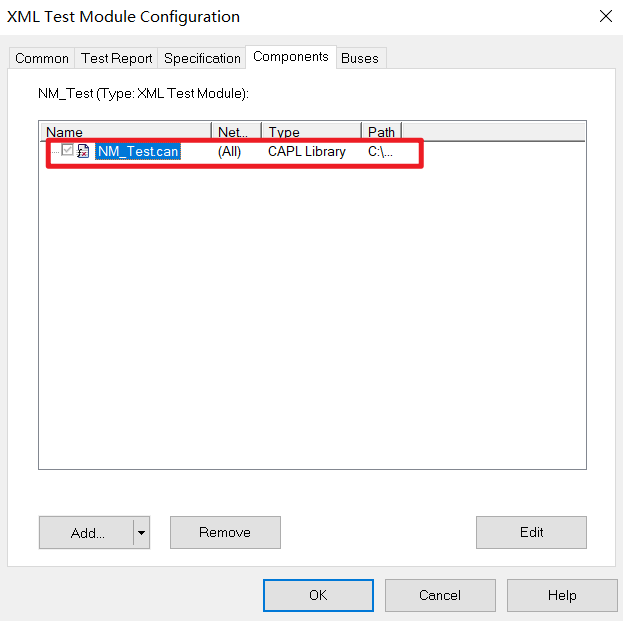
仅仅是个示例:测试NM
/*@!Encoding:1252*/
includes
{
  #include"BasicFunc.cin"

}

variables
{
  struct CANmessage{
    char MessageName[10];
    dword CANID;
    double CurrentTime;
    double LastTime;

  };
  struct CANmessage awakeNM;
  struct CANmessage observeNM;
  const double T_REPEAT_MESSAGE = 1500;
  const double T_REPEAT_MESSAGE_dev = 150;

  dword T_NM_TIMEOUT = 2000;
  dword T_NM_TIMEOUT_dev = 200;

  dword T_WAIT_BUS_SLEEP = 5000;
  dword T_WAIT_BUS_SLEEP_dev = 500;

  dword T_NM_MessageCycle = 500;
  dword T_NM_MessageCycle_dev = 50;
  const dword T_START_NM_TX_Max=50;

  dword N_ImmediateNM_TIMES = 5;

  double currentTime,messageTime[10];//SOME TIMEER
  byte NmIdExistsFlag=0;
  int i=0;


}
on preStart
{
  i=0;
  Set_KL15_OFF();

}


/// <TestGroup1>
testcase TG1_TC1()
{
  dword checkId;
  int NM_dlc;
  char tmpStr[10];

  TestCaseTitle("TG1_TC1", "TG1_TC1");
  testCaseDescription("This test case is used to check the NM frame dlc.");

  teststep("1.0","Set KL15 is ON!");
  Set_KL15_ON();
  TestWaitForTimeout(1000);

  testStep("2.0","Check TBOX_NM send normally!");
  TestWaitForTimeout(1000);

  testStep("3.0","Check TBOX_NM DLC is 8 !");
  // checks the DLC of the message
  checkId = ChkStart_InconsistentDlc(T_Box_NM);
  TestAddCondition(checkId);
  // sequence of different actions and waiting conditions
  TestWaitForTimeout(1000);
  TestRemoveCondition(checkId);
  NM_dlc = T_Box_NM.dlc;
  snprintf(tmpStr,elcount (tmpStr),"%d", NM_dlc);//将int类型转化为char[]类型
  tableCheck("8",tmpStr);

  teststep("4.0","Set KL15 is OFF!");
  Set_KL15_OFF();
  TestWaitForTimeout(60000);

}
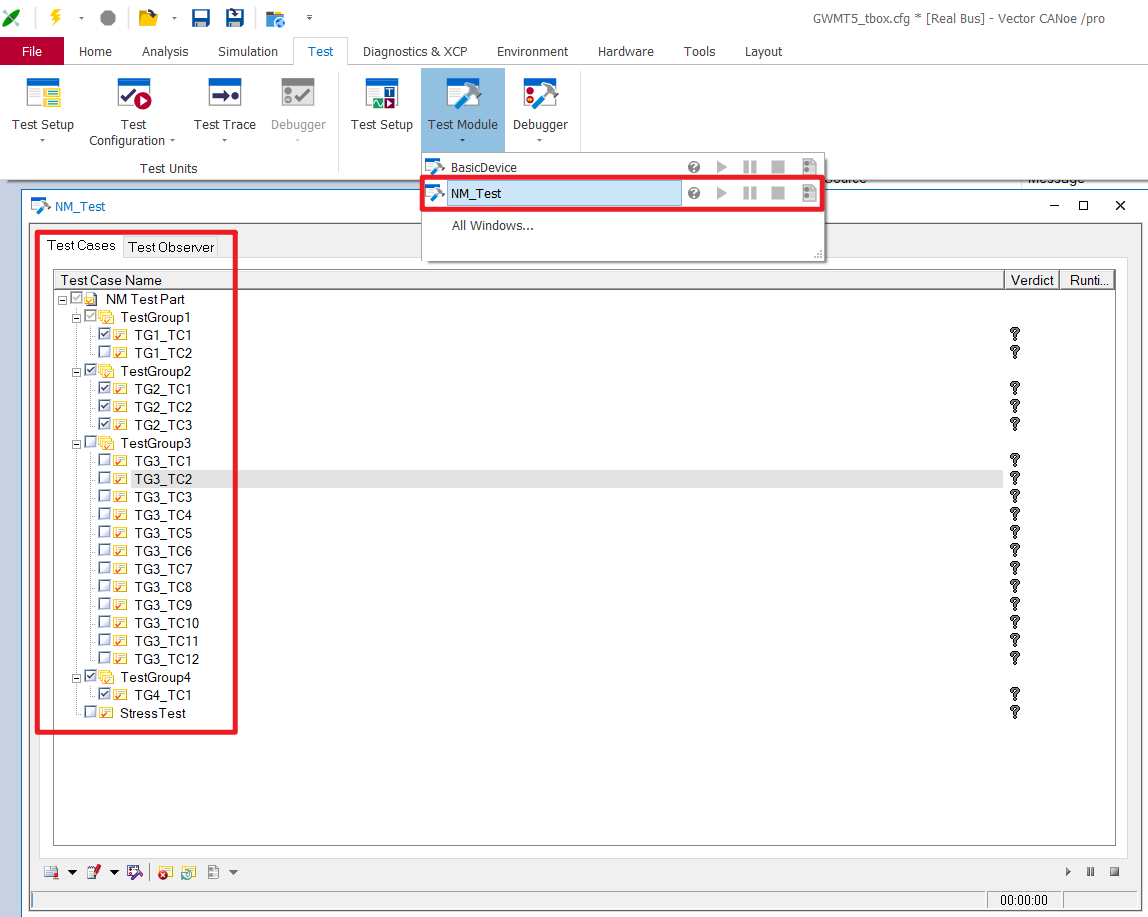
4-打开Test Module
可以根据需要选择已经创建的,需要执行测试的用例
5-测试用例的生成和报告生成
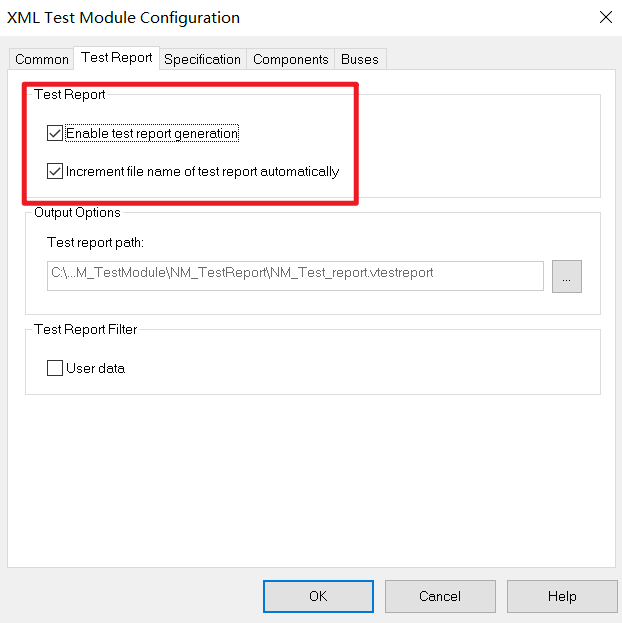
5.1 选择生成测试用例报告
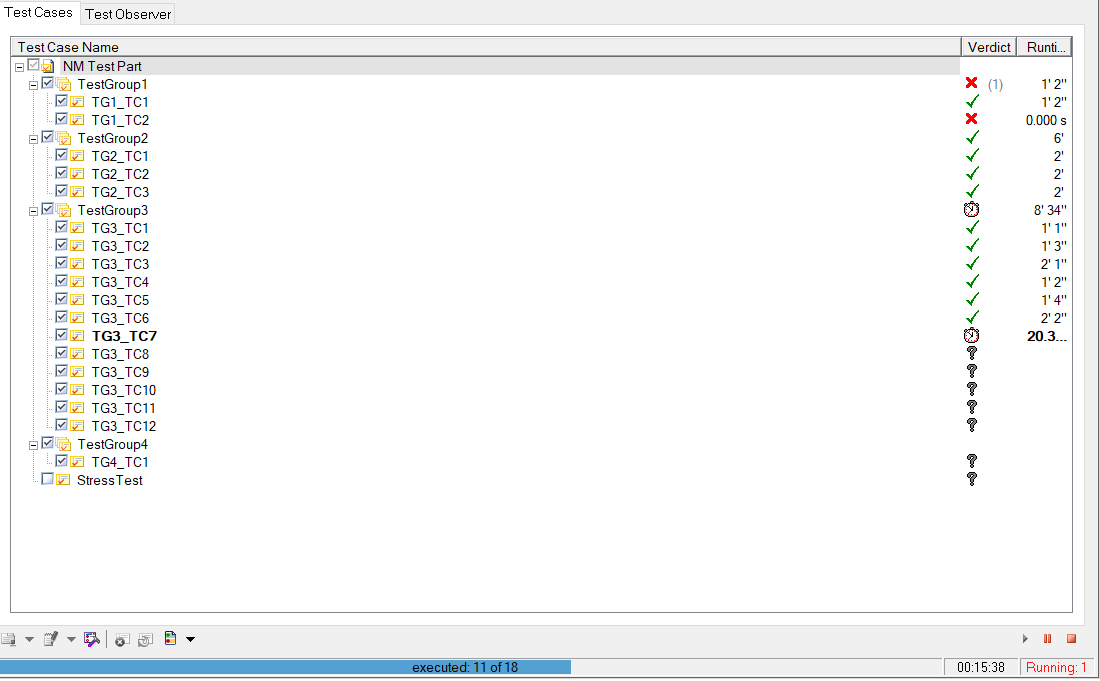
5.2 执行测试用例
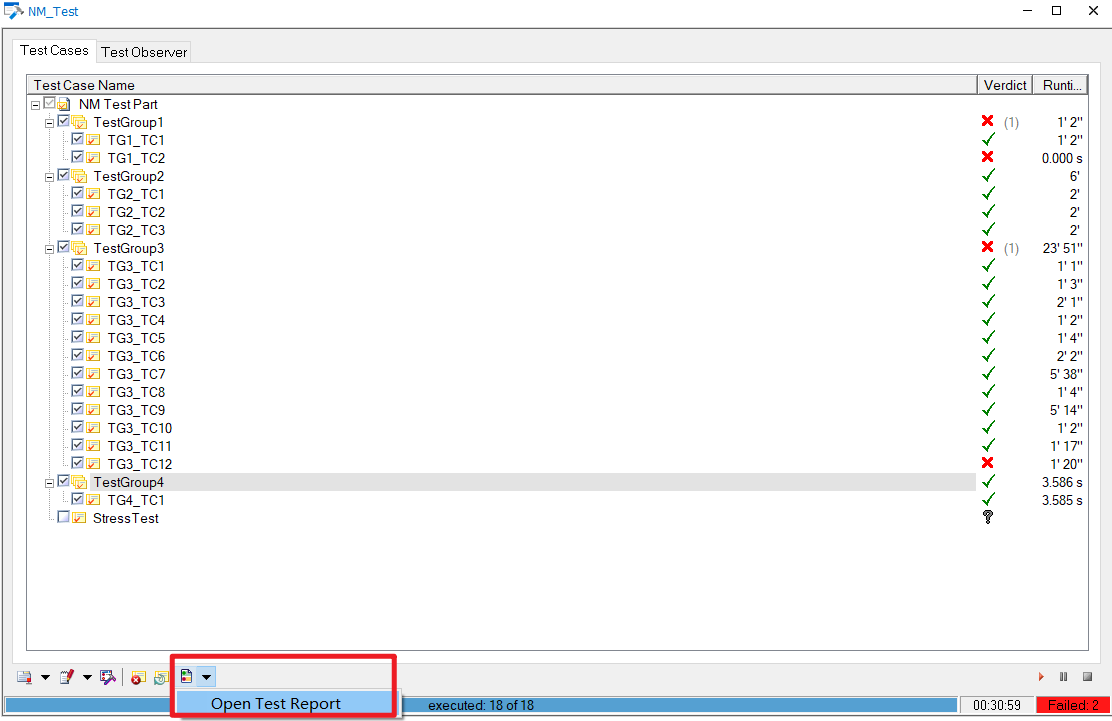
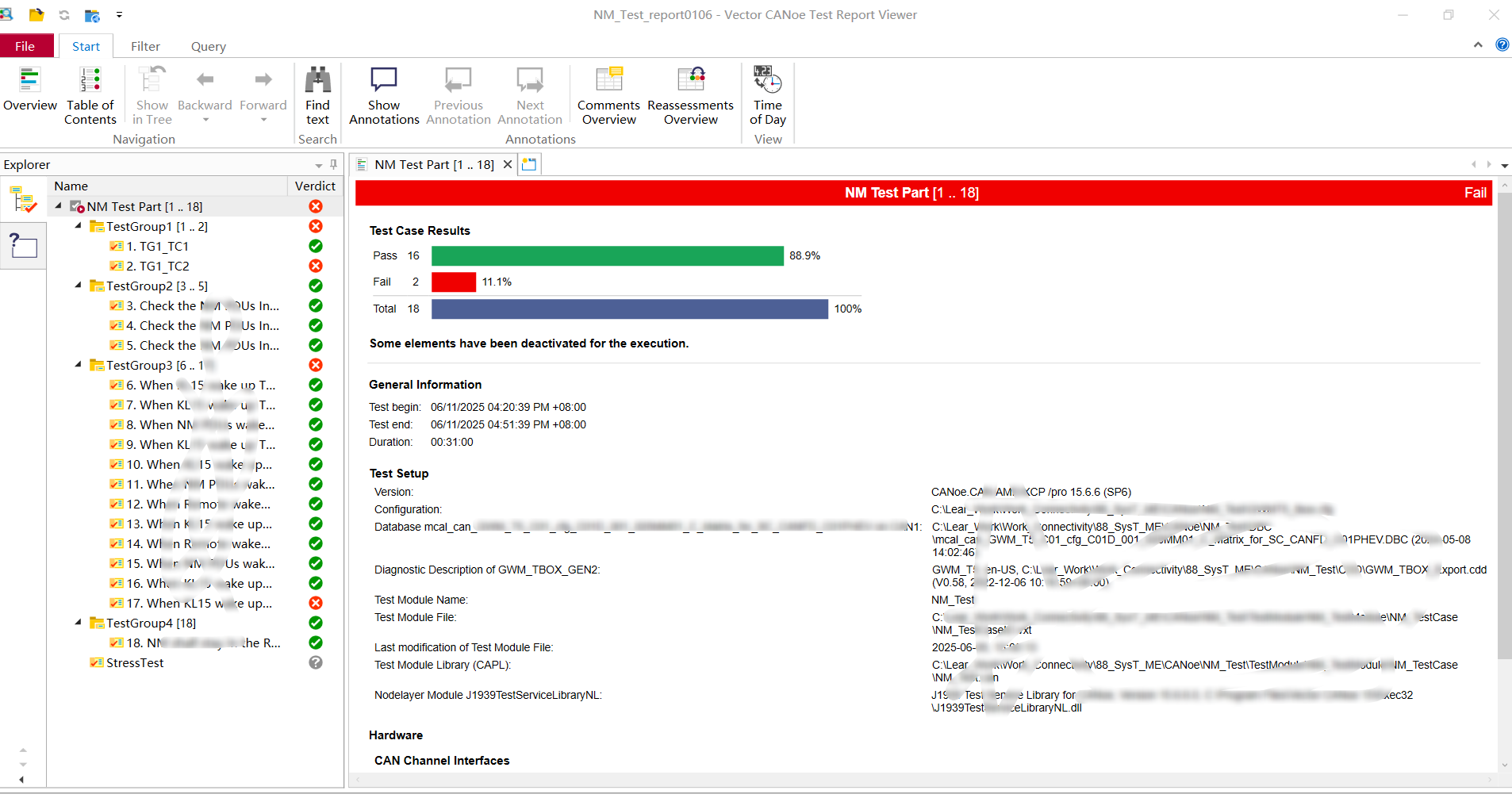
5.3 打开并查看测试报告
更多推荐

 8
8 0
0- 0


 已为社区贡献1条内容

所有评论(0)