
Unity3D仿星露谷物语开发42之粒子系统
1、目标
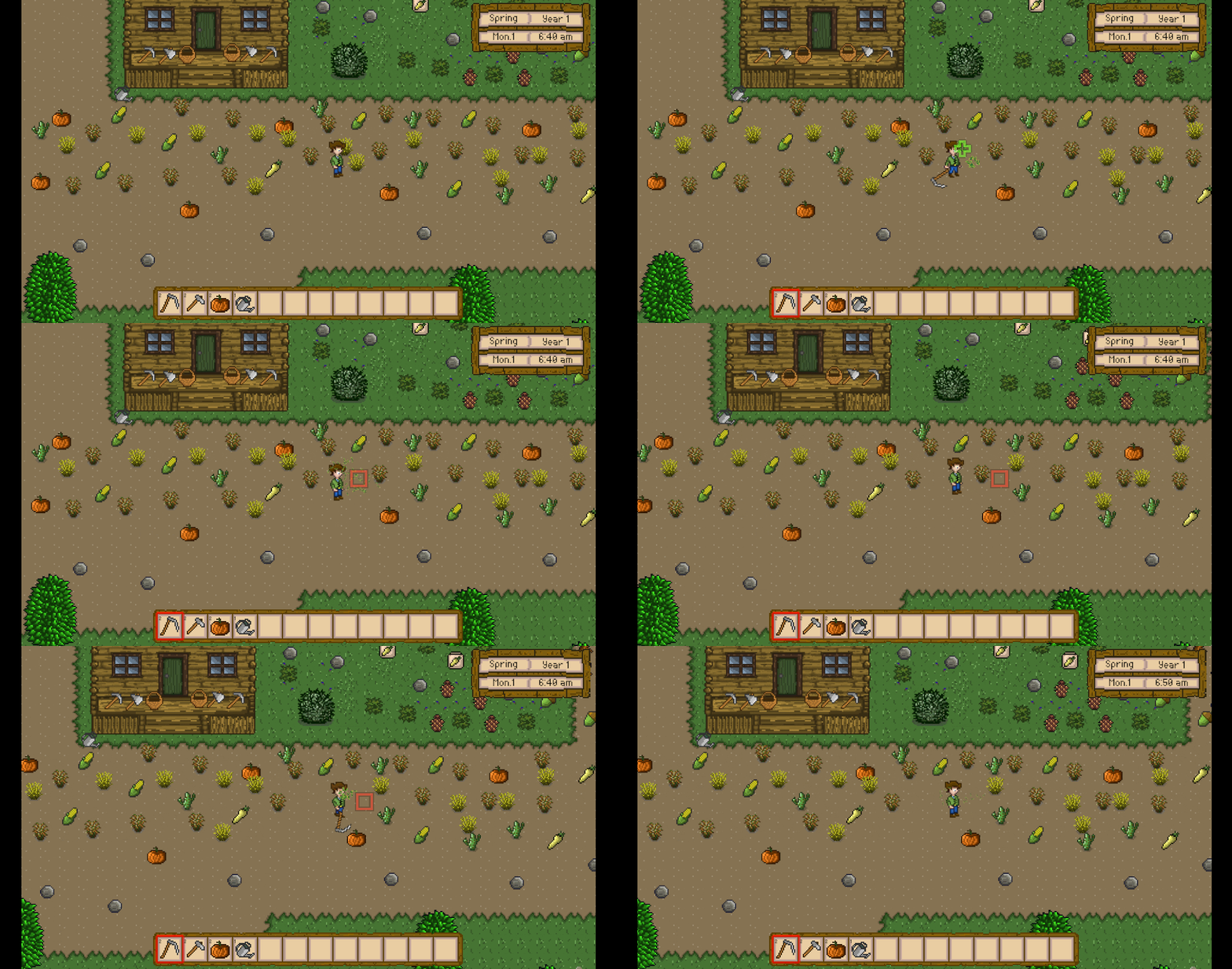
使用粒子系统,实现割草后草掉落的特效。
通过PoolManager获取特效预制体,通过VFXManager来触发特效。
2、配置粒子特效
在Hierarchy -> PersistentScene下创建新物体命名为Reaping。
给该物体添加Particle System组件。
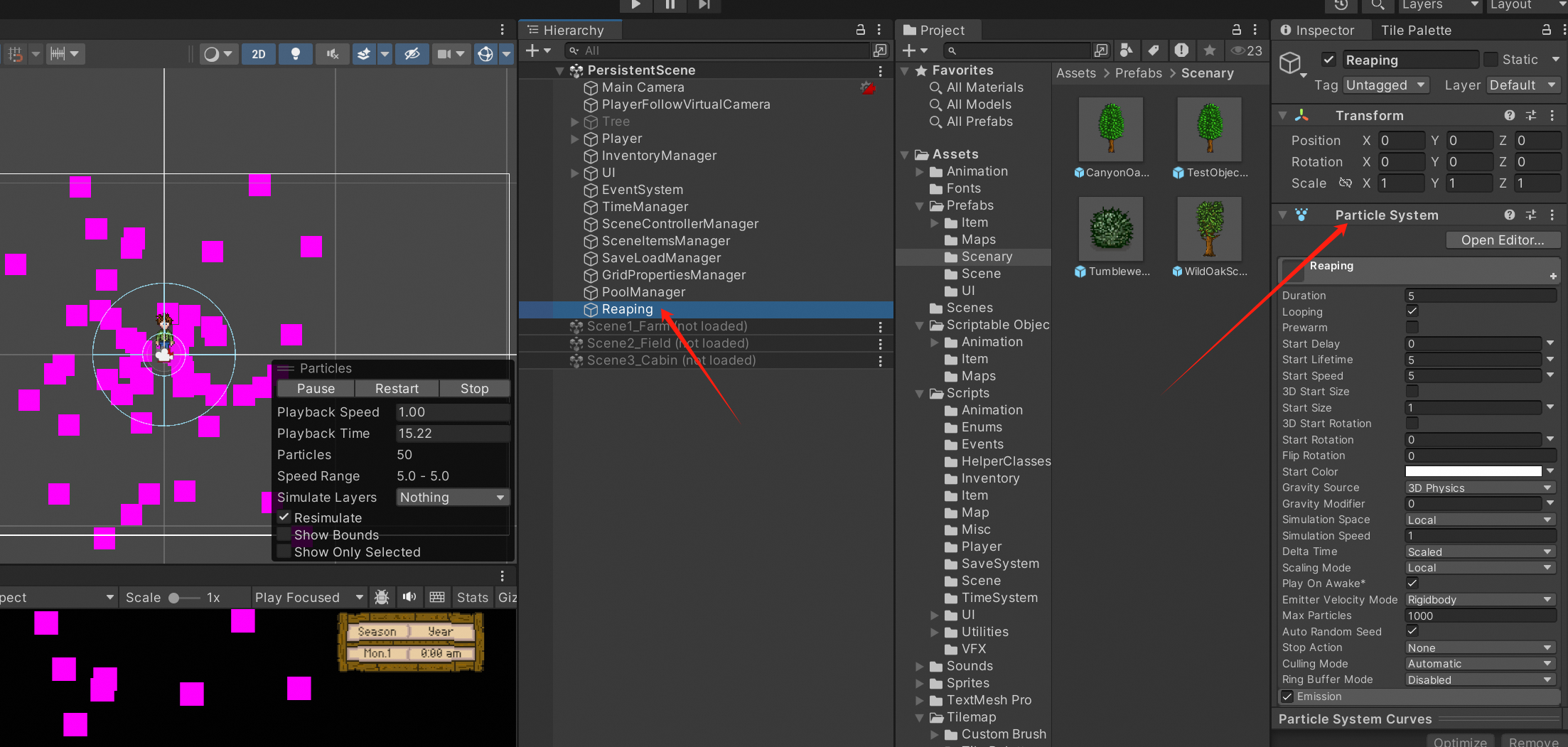
配置粒子系统参数:
- Duration:1
- Looping:不勾选
- Start Lifetime:1
- Start Speed:0.2
- Start Size:0.3
- Start Rotation:选择Random Between Two Constants模式,然后两个值分别为0和360
- Gravity Modifier:0.3
- Simulation Space:World
- Emiter Velocity:Transform
- Max Particles:25
Emission参数:
- Rate Over Time:25
- Bursts:修改Count为25
Shape参数:
- Shape:Sphere
- Radius:0.26
- Radius Thickness:0.09
Velocity over Lifetime参数:

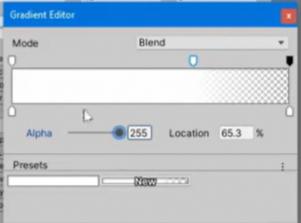
Color over Lifetime参数:
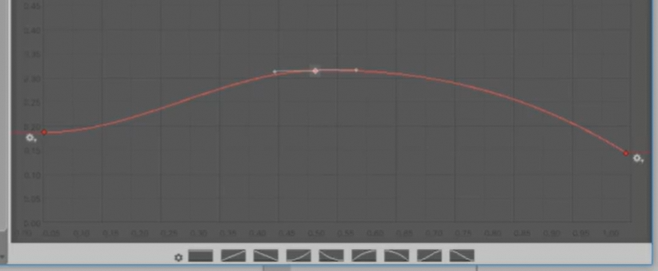
Size over Lifetime参数:
Rotation over Lifetime参数:
- Angular velocity:180
Noise参数:
- Strength:0.02
- Quality:Medium
Texture Sheet Animation参数:
- Mode:Sprites,图片选择effects_0
Renderere参数:
- Material:选择Sprites-Default
- Min Particle Size:0.005
- Max Particle Size:0.009
- Sorting Layer ID:Instances
- Order in Layer:1

效果如上(此时Looping按钮被打开):可以看到不停放射出绿色长条,犹如割完草之后叶子掉落。
3、制作粒子预制体
将上述步骤制作的粒子保存为预制体。
在Assets -> Prefabs下创建目录命名为Crop,此目录下创建新目录命名为Effects。
然后将Hierarchy -> PersistentScene下的Reaping物体拖到该目录下,并且删除Hierarchy下的Reaping。
4、创建VFX管理器
VFX(Visual Effects),视觉特效。
在该模块下管理割草后草掉落的视觉特效。
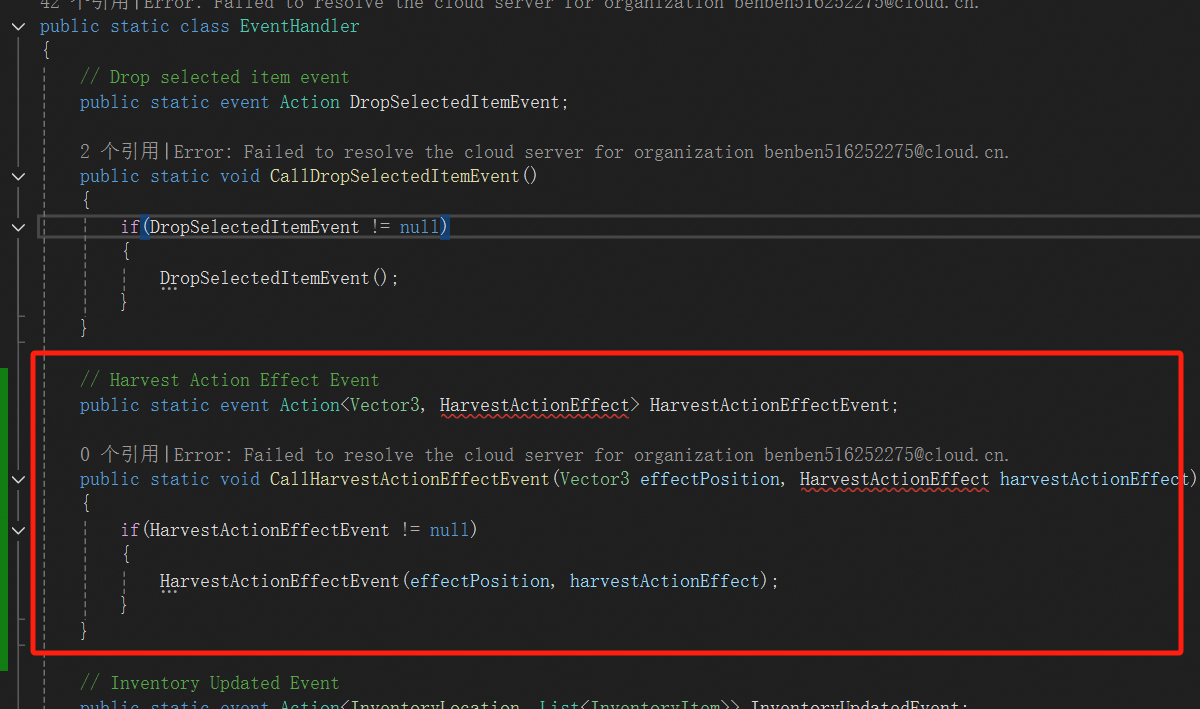
(1)优化EventHandler.cs脚本
添加如下事件:
// Harvest Action Effect Event
public static event Action<Vector3, HarvestActionEffect> HarvestActionEffectEvent;

public static void CallHarvestActionEffectEvent(Vector3 effectPosition, HarvestActionEffect harvestActionEffect)
{
    if(HarvestActionEffectEvent != null)
    {
        HarvestActionEffectEvent(effectPosition, harvestActionEffect);
    }
}
(2)优化Enum.cs脚本
public enum HarvestActionEffect
{
    deciduousLeavesFalling,
    pipeConesFalling,
    choppingTreeTrunk,
    breakingStone,
    reaping,
    none
}
(3)创建VFXManager.cs脚本
在Assets -> Scripts -> VFX下创建新脚本命名为VFXManager.cs。
代码如下:
using System.Collections;
using System.Collections.Generic;
using UnityEngine;

public class VFXManager : SingletonMonobehaviour<VFXManager>
{
    private WaitForSeconds twoSeconds;
    [SerializeField] private GameObject reapingPrefab = null;

    protected override void Awake()
    {
        base.Awake();

        twoSeconds = new WaitForSeconds(2f);
    }

    private void OnDisable()
    {
        EventHandler.HarvestActionEffectEvent -= displayHarvestActionEffect;
    }

    private void OnEnable()
    {
        EventHandler.HarvestActionEffectEvent += displayHarvestActionEffect;
    }

    private IEnumerator DisableHarvestActionEffect(GameObject effectGameObject, WaitForSeconds secondsToWait)
    {
        yield return secondsToWait;
        effectGameObject.SetActive(false);
    }

    private void displayHarvestActionEffect(Vector3 effectPosition, HarvestActionEffect harvestActionEffect)
    {
        switch(harvestActionEffect)
        {
            case HarvestActionEffect.reaping:
                GameObject reaping = PoolManager.Instance.ReuseObject(reapingPrefab, effectPosition, Quaternion.identity);
                reaping.SetActive(true);
                StartCoroutine(DisableHarvestActionEffect(reaping, twoSeconds));
                break;

            case HarvestActionEffect.none:
                break;

            default:
                break;
        }
    }
}
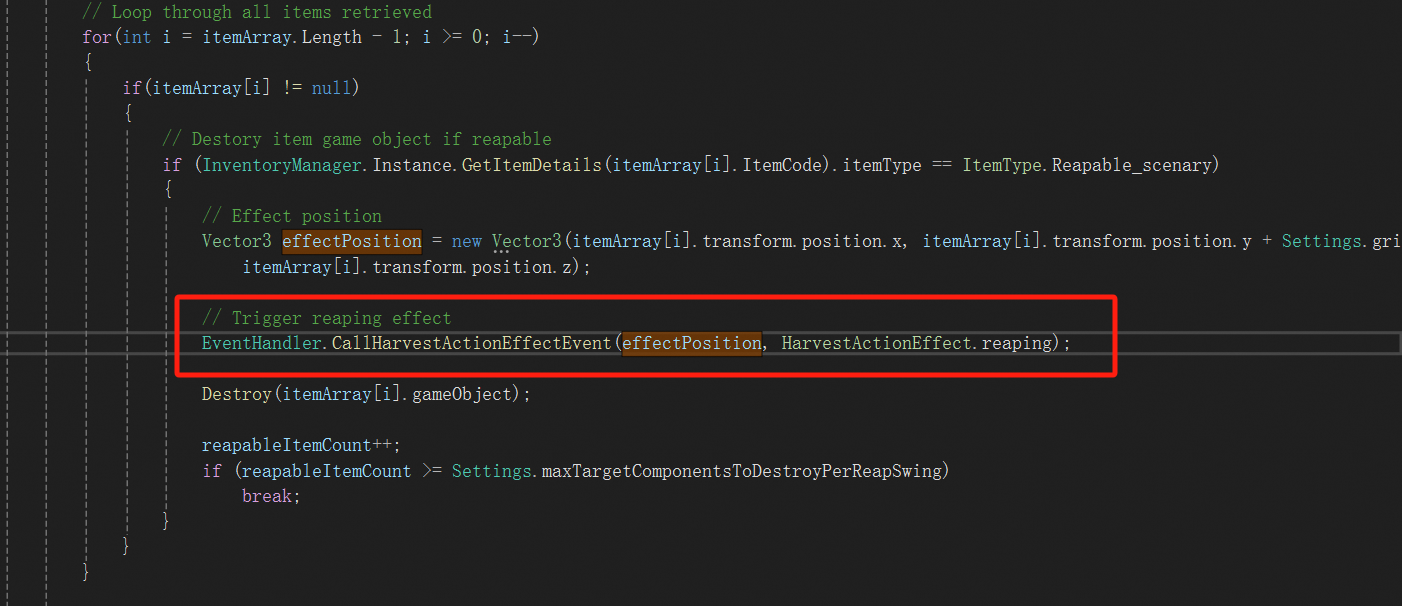
(4)优化Player.cs脚本
优化UseToolInPlayerDirection函数,添加如下一行代码:
(5)创建VFXManager对象
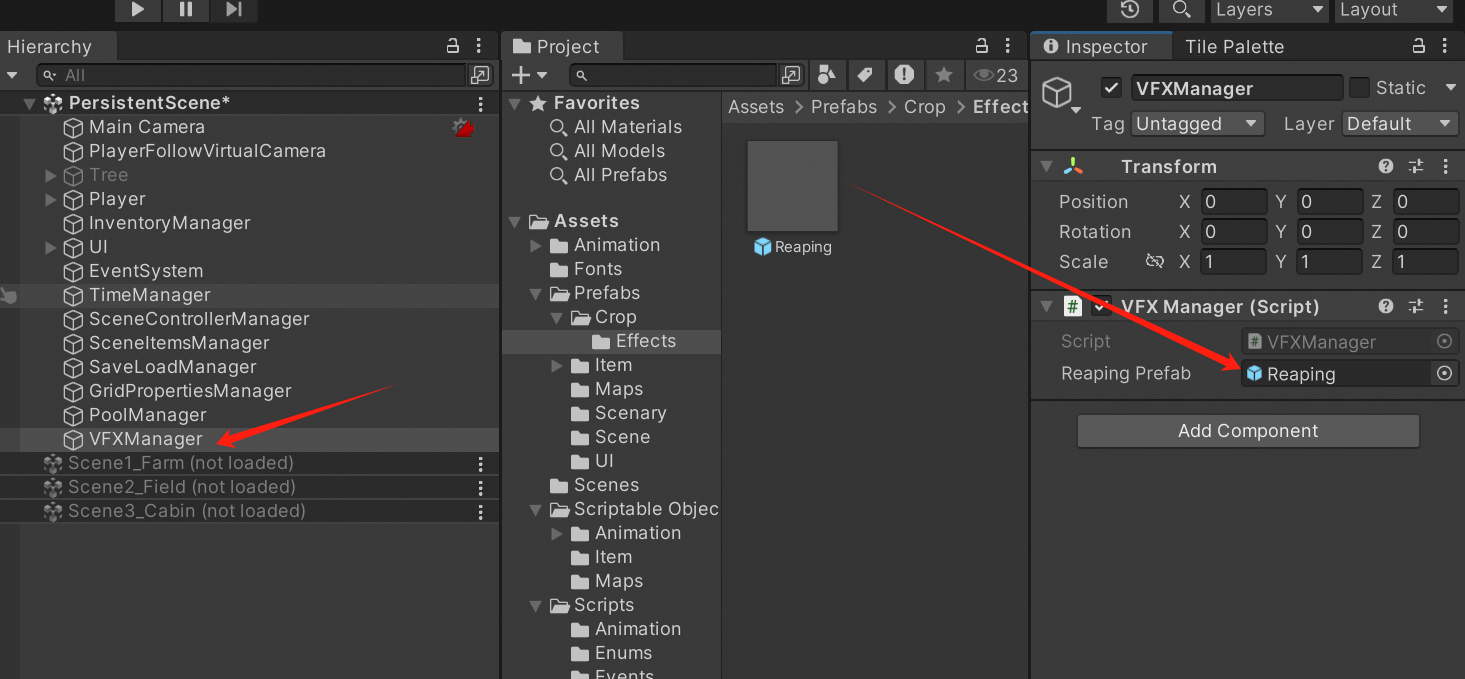
在Hierarchy -> PersistentScene下创建新的目录命名为VFXManager。
添加VFXManager组件,并且将Reaping预制体加到Reaping Prefab选项中。
(6)修改PoolManager信息
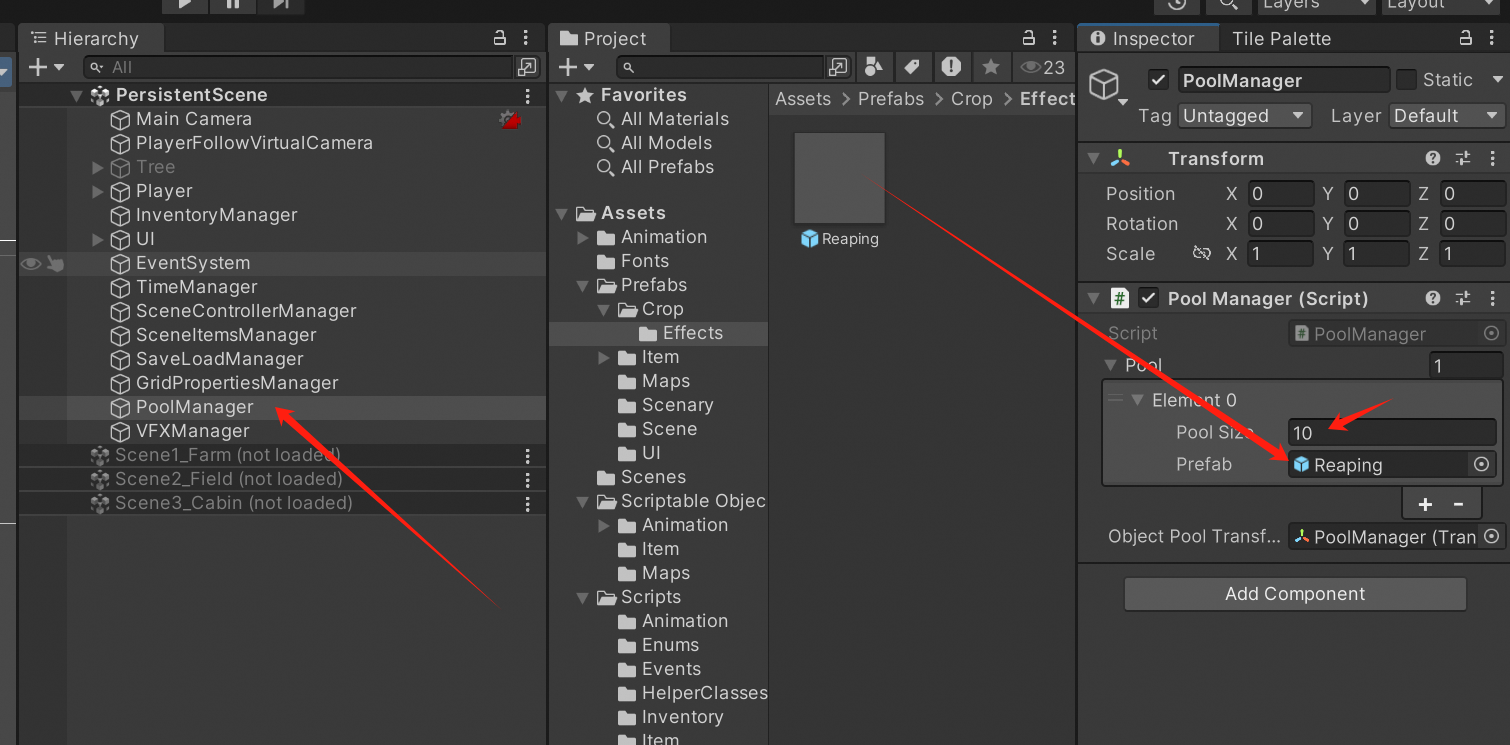
点击PoolManager物体,Pool还是保持1,修改Element0的Pool Size为10,将Reaping拖到Prefab选项。
5、运行效果
更多推荐
 12
12 0
0- 0


 已为社区贡献2条内容

所有评论(0)