
dify调用flux-自定义工具-柏拉图AI接口
·
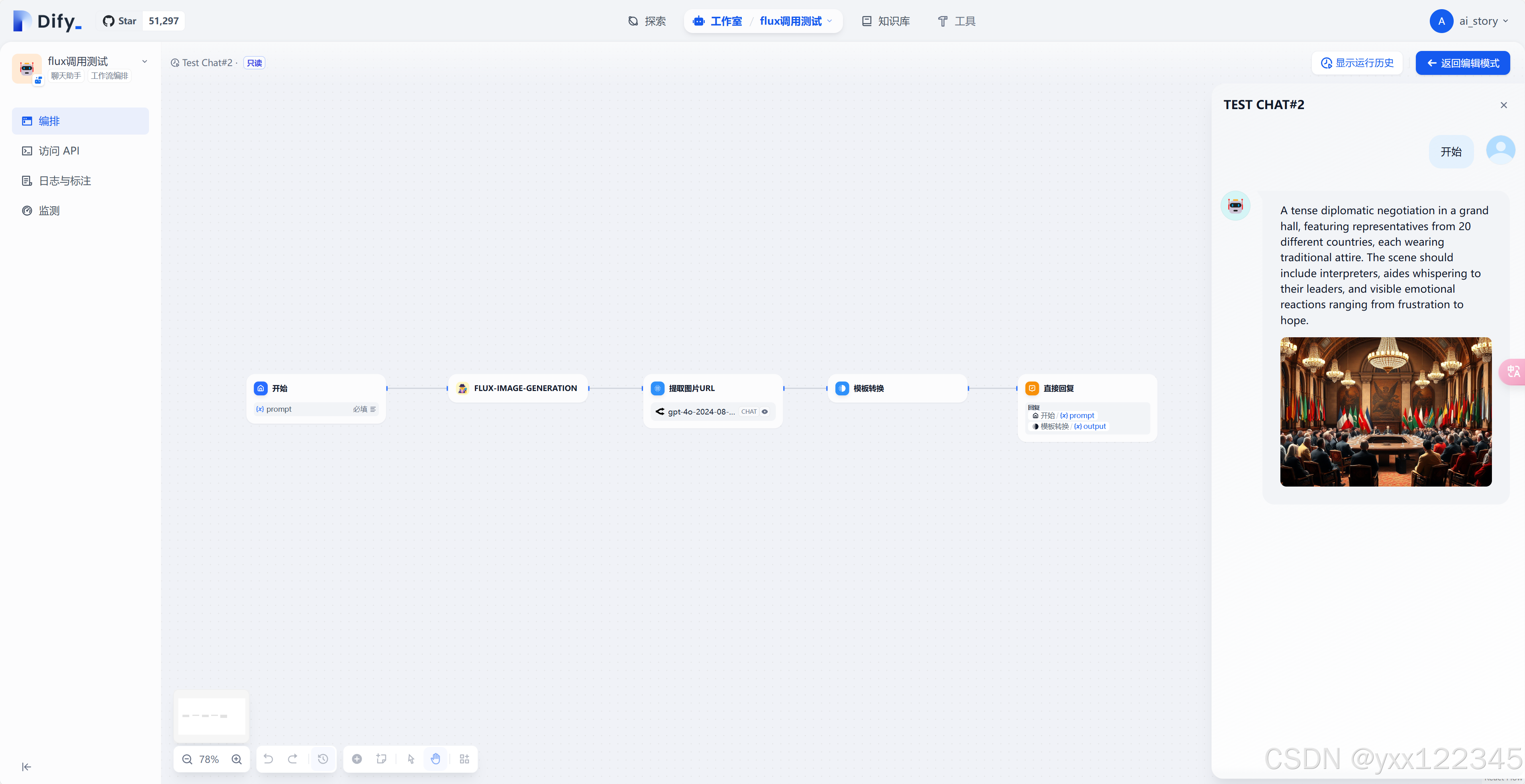
工作流总览
1.开始节点
定义变量prompt
2.自定义工具
{
    "openapi": "3.1.0",
    "info": {
        "title": "Flux Service",
        "description": "Flux Image Generation API. Powered by 柏拉图AI.",
        "version": "1.0.0"
    },
    "tags": [],
    "paths": {
        "/v1/images/generations": {
            "post": {
                "summary": "Generate Images with Flux",
                "operationId": "flux-image-generation",
                "deprecated": false,
                "description": "Generate images using Flux model. Powered by 柏拉图AI.",
                "tags": [],
                "parameters": [
                    {
                        "name": "Authorization",
                        "in": "header",
                        "description": "API key for authentication. Example: 'Bearer <YOUR_API_KEY>'",
                        "required": true,
                        "schema": {
                            "type": "string"
                        }
                    }
                ],
                "requestBody": {
                    "content": {
                        "application/json": {
                            "schema": {
                                "type": "object",
                                "properties": {
                                    "model": {
                                        "type": "string",
                                        "description": "Model name to use for image generation",
                                        "example": "flux"
                                    },
                                    "prompt": {
                                        "type": "string",
                                        "description": "The prompt for the image generation",
                                        "example": "bot"
                                    },
                                    "size": {
                                        "type": "string",
                                        "description": "The size of the generated image, for example: '1024x512'",
                                        "example": "1024x512"
                                    }
                                },
                                "required": [
                                    "model",
                                    "prompt",
                                    "size"
                                ]
                            }
                        }
                    }
                },
                "responses": {
                    "200": {
                        "description": "Success",
                        "content": {
                            "application/json": {
                                "schema": {
                                    "type": "object",
                                    "properties": {
                                        "image_url": {
                                            "type": "string",
                                            "description": "URL to the generated image"
                                        }
                                    }
                                }
                            }
                        }
                    }
                }
            }
        }
    },
    "components": {
        "schemas": {},
        "securitySchemes": {}
    },
    "servers": [
        {
            "url": "https://api.bltcy.ai"
        }
    ]
}
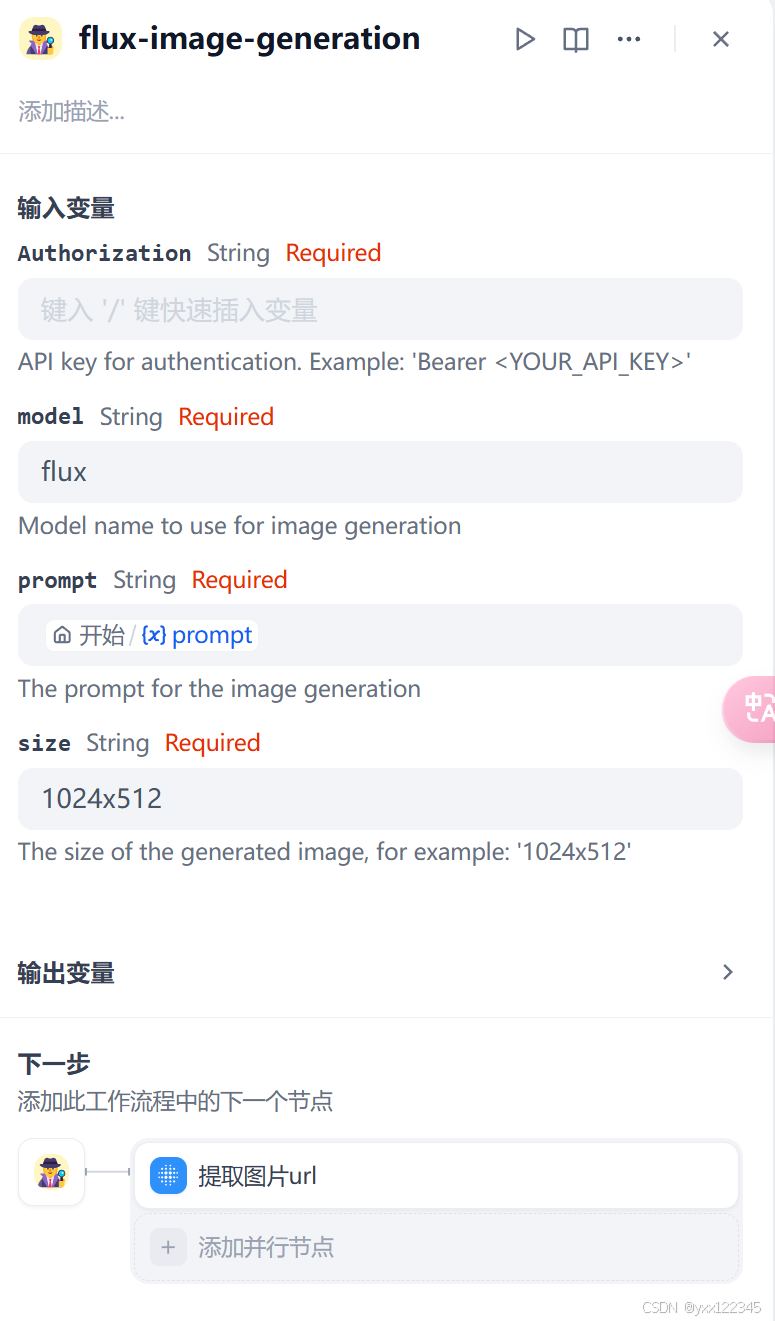
添加好后在工作流中导入长这样
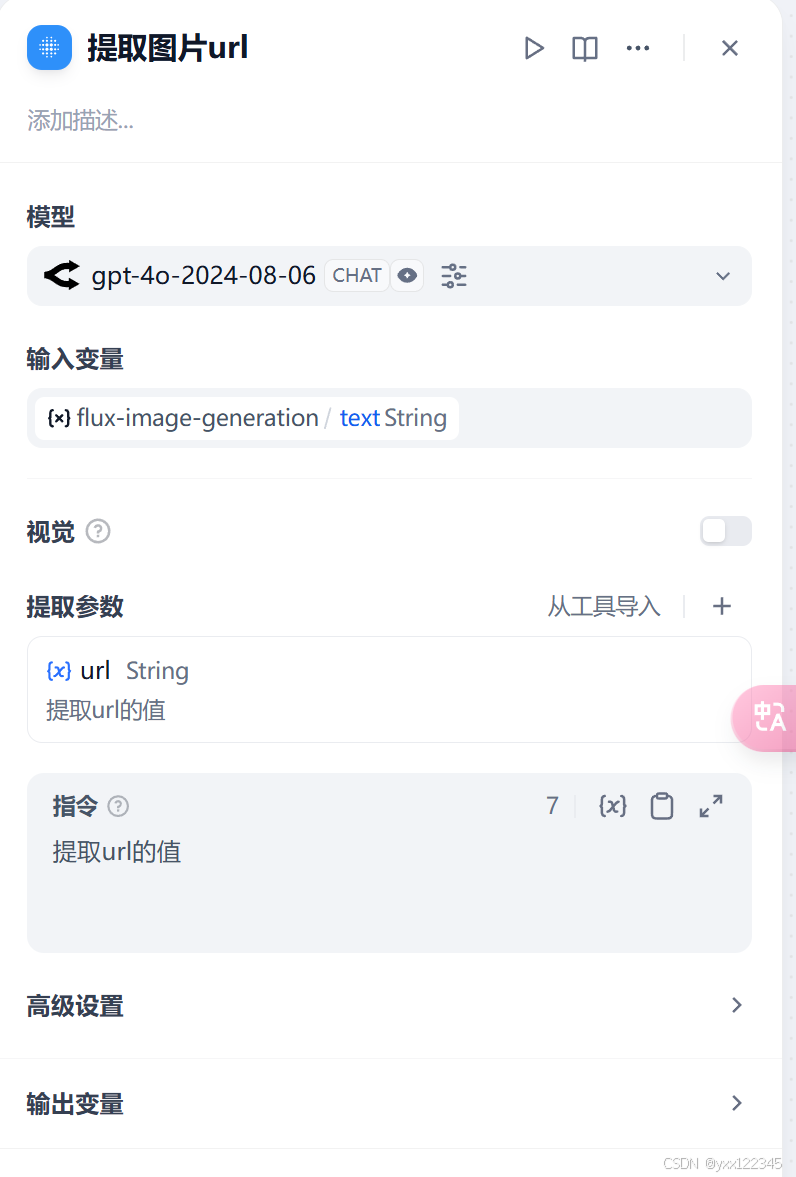
3.提取图片url
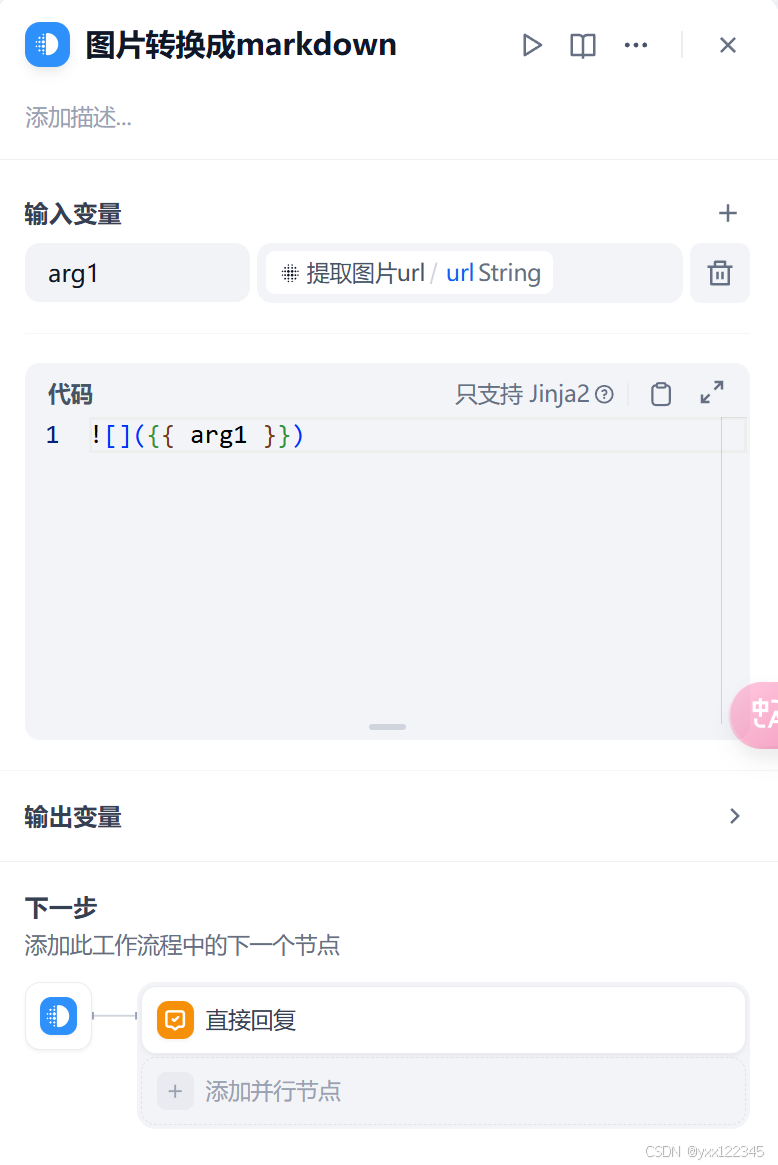
4.图片转换成markdown
附录:
工作流思路:
【附工具源码】手把手教你把flux pro模型接入到dify工具中
柏拉图AI:
玩转柏拉图次元中转 API教程 - 昆仑万维云文档
更多推荐



 11
11 0
0- 0


 已为社区贡献3条内容

所有评论(0)