
carla世界中获取相机相对于ego_vehicle的位置,并绘制相机和ego_vehicle位置,借助pynput检测键盘实现切换观察角度
·
camera_location.py程序说明
- 用于获取相机相对于ego_vehicle的位置,可在carla城市中绘制点位
- 关键参数:camera_height表示相机相对于ego_vehicle中心点的高度
camera_length表示相机相对于ego_vehicle中心点的纵向距离
- 由于相机需要保持横向中心位置,所以相机相对与ego-vehicle的横向距离为0,这里不在设置参数,默认为0
- 添加了键盘检测程序,可以更换观察ego_vehicl的角度,目前设置观察角度为五个,分别为前后左右及俯视,具体观察角度可在Camera_transform_list中更改,注意观察角度的的z设置为ego-vehicle到相机的中间位置,为camera_height的一半,可以减小观察视角畸形
- tab :更换观察角度
esc : 退出程序
效果图
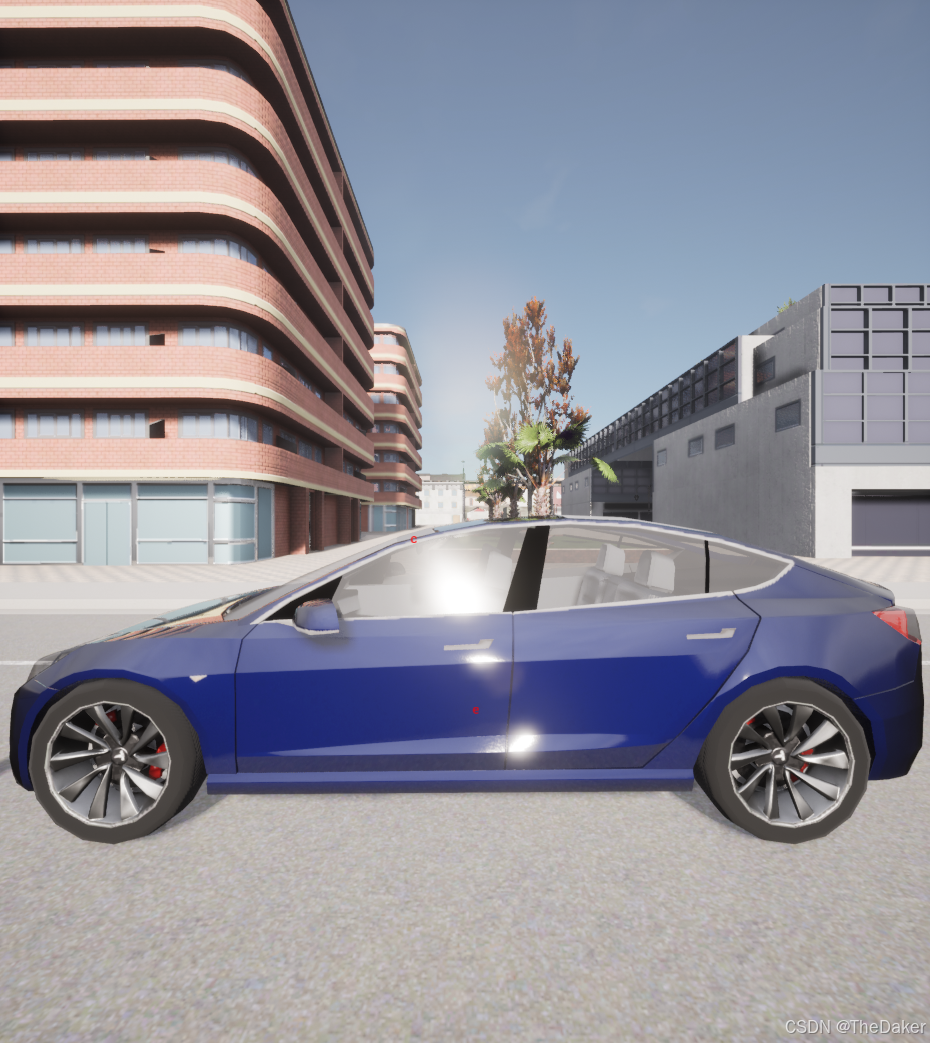
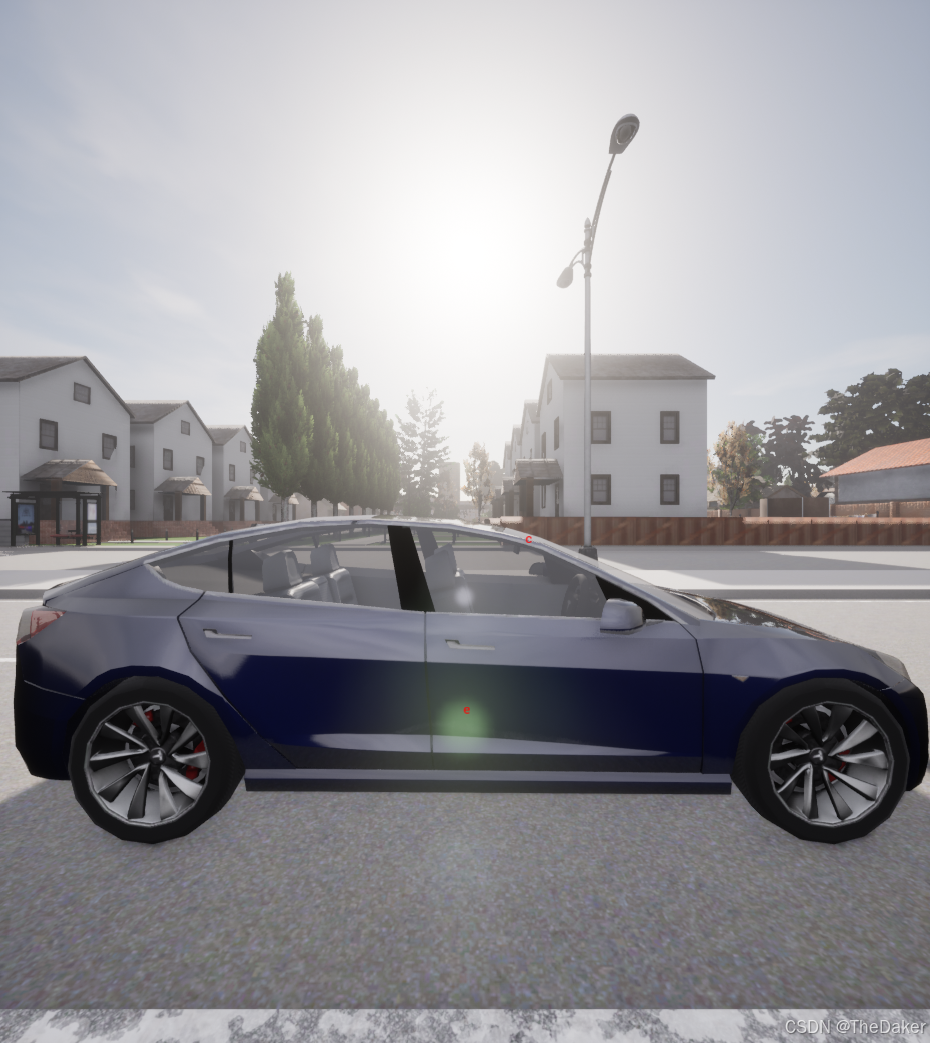
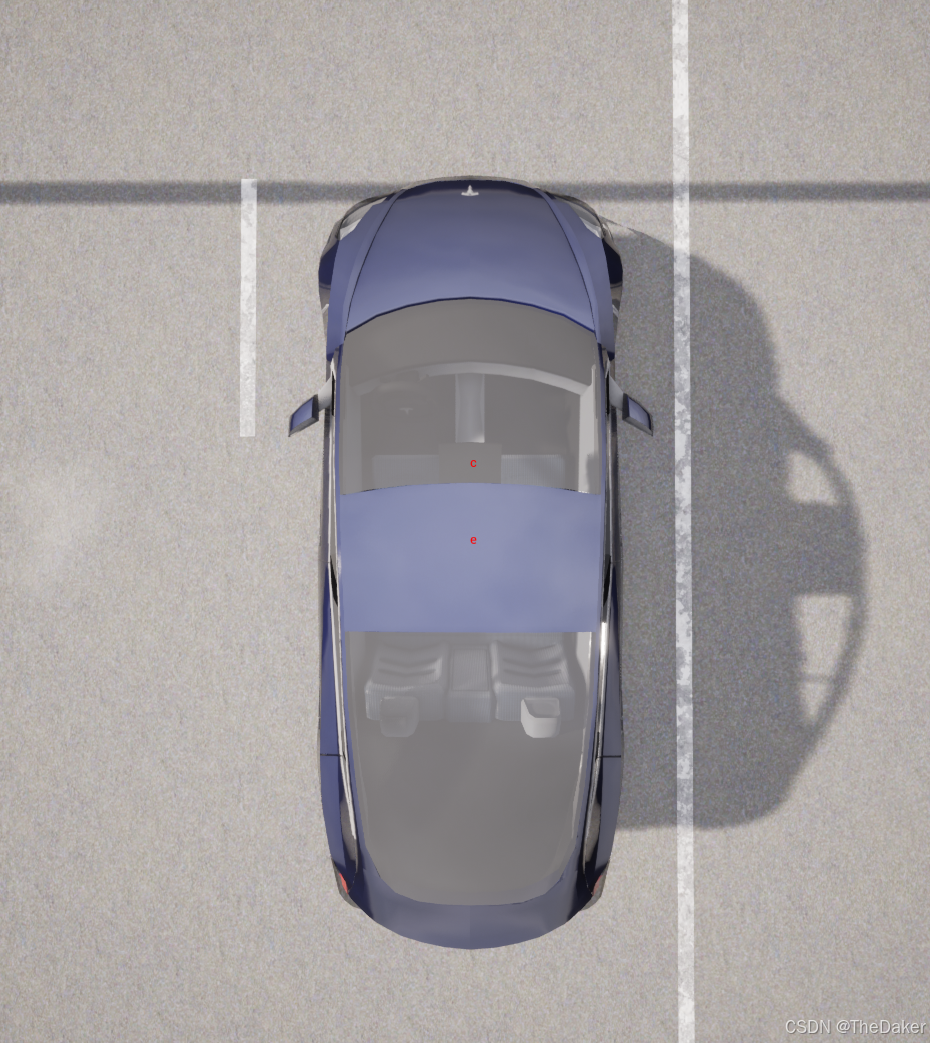
程序
import time
import carla
import random
import keyboard
from pynput.keyboard import Key, Listener
global pressed
pressed = 'aaa'

client = carla.Client("127.0.0.1", 2000)
client.set_timeout(20.0)
world = client.get_world()
world = client.load_world('Town03')

class Actor:
    def __init__(self,world,bp_name,location,rotation,options=None,attach_to=None):
        self.bp_name = bp_name
        self.world = world
        self.blueprint = world.get_blueprint_library().find(bp_name)
        if options is not None:
            for key in options:
                self.blueprint.set_attribute(key, options[key])
        self.transform = carla.Transform(carla.Location(**location),carla.Rotation(**rotation))
        self.attach_to = attach_to
        self.actor = None
    def set_actor(self,id):
        self.actor = self.world.get_actor(id)
    def spawn_actor(self):
        self.actor = self.world.spawn_actor(self.blueprint,self.transform,self.attach_to)
    def get_actor(self):
        return self.actor
    def destroy(self):
        self.actor.destroy()
class Vehicle(Actor):
    def __init__(self,path=[],**args):
        super().__init__(**args)
        self.path=[carla.Location(**location) for location in path]
    def get_transform(self):
        location = self.actor.get_transform().transform(self.actor.bounding_box.location)
        rotation = self.actor.get_transform().rotation
        return carla.Transform(location,rotation)
    def get_bbox(self):
        return self.actor.bounding_box.get_world_vertices(self.actor.get_transform())
    def get_size(self):
        return self.actor.bounding_box.extent*2
class Sensor(Actor):
    def __init__(self, name, **args):
        super().__init__(**args)
        self.name = name
        self.data_list = []
    def get_data_list(self):
        return self.data_list
    def set_actor(self, id):
        super().set_actor(id)
        self.actor.listen(self.add_data)
    def spawn_actor(self):
        super().spawn_actor()
        self.actor.listen(self.add_data)
    def get_last_data(self):
        if self.data_list:
            return self.data_list[-1]
        else:
            return None
    def get_transform(self):
        return self.actor.get_transform()
def draw_point_with_color(world, location, str_1='S', life_time=10.0):
    aaa = str_1
    point = world.get_map().get_waypoint(location)
    point_loca = point.transform.location
    point_loca.x = location.x
    point_loca.y = location.y
    point_loca.z = location.z

    world.debug.draw_string(point_loca, str(aaa), draw_shadow=True,
                              color=carla.Color(r=255, g=0, b=0), life_time=life_time)
def on_press(key):
    global pressed
    if key == Key.tab:
        pressed = 'tab'
    if key == Key.esc:
        pressed = 'esc'
def check_tab_pressed():
    global pressed  # 明确声明 tab_pressed 是全局变量
    if pressed == 'tab':
        pressed = 'aaa'  # 重置状态
        return 'tab'
    elif pressed == 'esc':
        pressed = 'aaa'  # 重置状态
        return 'esc'
    return 'aaa'

try:
    # 设置相机相对位置
    camera_height = 1.4
    camera_length = 0.4
    life_time = 240
    # 获取可用点位
    spawn_points = world.get_map().get_spawn_points()
    random.shuffle(spawn_points)
    # 创建ego车辆
    ego_bp_name="vehicle.tesla.model3"
    ego_location={attr:getattr(spawn_points[0].location,attr) for attr in ["x","y","z"]}
    ego_rotation={attr:getattr(spawn_points[0].rotation,attr) for attr in ["yaw","pitch","roll"]}
    ego_vehicle = Vehicle(world=world,bp_name=ego_bp_name,location=ego_location,rotation=ego_rotation)
    ego_vehicle.blueprint.set_attribute('role_name', 'hero')
    ego_vehicle.spawn_actor()
    print("ego_vehicle.transform:")
    print(ego_vehicle.transform)
    # 绘制ego_vehicle位置
    draw_point_with_color(world, location=ego_vehicle.transform.location, str_1='e', life_time=life_time)
    # 创建相机
    blueprint_library = world.get_blueprint_library()
    camera_bp = blueprint_library.find('sensor.camera.rgb')
    camera_transform = carla.Transform(carla.Location(x=camera_length, z=camera_height))
    camera = world.spawn_actor(camera_bp, camera_transform, attach_to=ego_vehicle.get_actor())
    time.sleep(0.1)
    # 绘制相机位置
    camera_transform = camera.get_transform()
    print("camera_location:")
    print(camera_transform)
    print("----------------------------------------------------------------")
    camera_location = camera.get_location()
    draw_point_with_color(world,location=camera_location,str_1='c', life_time=life_time)
    # 获取ego_vehicle的尺寸
    # bounding_box = ego_vehicle.get_size()
    # print(bounding_box)
    # 观察角度列表
    Camera_transform_list = [
            [carla.Location(x=0, y=3, z=camera_height/2),
            carla.Rotation(pitch=0, yaw=180, roll=0)],

            [carla.Location(x=3, y=0, z=camera_height/2),
            carla.Rotation(pitch=0, yaw=90, roll=0)],

            [carla.Location(x=0, y=-3, z=camera_height/2),
            carla.Rotation(pitch=0, yaw=0, roll=0)],

            [carla.Location(x=-3, y=0, z=camera_height/2),
            carla.Rotation(pitch=0, yaw=-90, roll=0)],

            [carla.Location(x=0, y=0, z=3),
            carla.Rotation(pitch=-90, yaw=0, roll=0)]
        ]
    # 设置观察视角,初始设置为俯视
    ego_transform = ego_vehicle.get_transform()
    spectator = world.get_spectator()
    spectator.set_transform(carla.Transform(ego_transform.location + carla.Location(x=0, y=0, z=5),carla.Rotation(pitch=ego_transform.rotation.pitch + -90, yaw=ego_transform.rotation.yaw + 0, roll=ego_transform.rotation.roll + 0)))
    # 监听键盘事件
    i = 0
    with Listener(on_press=on_press) as listener:
        while True:
            x = check_tab_pressed()
            if x == 'tab':
                ego_transform = ego_vehicle.get_transform()
                print("Tab pressed")
                spectator.set_transform(carla.Transform(ego_transform.location + Camera_transform_list[i][0],carla.Rotation(pitch=ego_transform.rotation.pitch + Camera_transform_list[i][1].pitch, yaw=ego_transform.rotation.yaw + Camera_transform_list[i][1].yaw, roll=ego_transform.rotation.roll + Camera_transform_list[i][1].roll)))
                i+=1
                if i>=len(Camera_transform_list):
                    i=0
            if x == 'esc':
                print(" Esc pressed")
                break
            time.sleep(0.1)

except KeyboardInterrupt:
    pass

finally:
    # 销毁所有车辆
    for vehicle in world.get_actors().filter('*vehicle*'):
        vehicle.destroy()
    # 销毁所有行人
    for walker in world.get_actors().filter('*walker*'):
        walker.destroy()
    # 停止并销毁所有controller
    for controller in world.get_actors().filter('*controller*'):
        controller.stop()
    print("All actors destroyed")
更多推荐


 13
13 0
0- 0


 已为社区贡献2条内容

所有评论(0)