
iframe跨域问题 -- No ‘Access-Control-Allow-Origin‘ header is present on the requested resource
·
前言
Chrome升级到115版本之后,Chrome 禁止修改document.domain,导致ifream修改domain的跨域方案无法正常使用。
跨域问题的业界解决方案
-
1、通过jsonp跨域
-
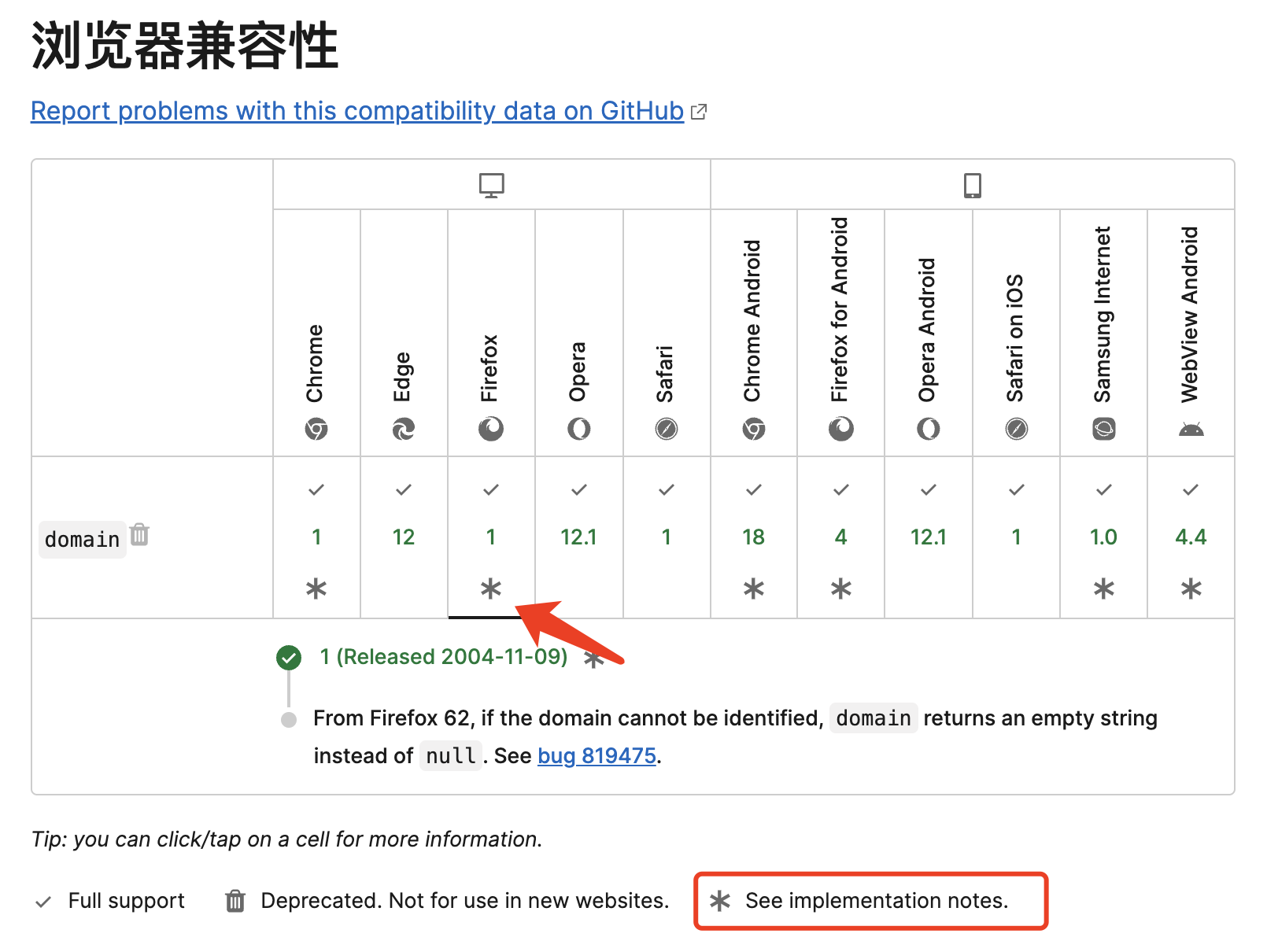
2、 document.domain + iframe跨域 已被行业标准废弃 ,查看各浏览器支持情况,有很多浏览器已不再支持;
-
3、 location.hash + iframe
-
4、 window.name + iframe跨域
-
5、 postMessage跨域
-
6、 跨域资源共享(CORS)
-
7、 nginx代理跨域
-
8、 nodejs中间件代理跨域
-
9、 WebSocket协议跨域
解决iframe的跨域问题
chorme在禁用document.domain的同时也给出了解决方案。
Header标记方案
如果您有充分的理由继续设置document.domain,您可以将Origin-Agent-Cluster: ?0响应标头与目标文档一起发送。
发送此标头时,您的文档可以继续设置 document.domain,即使它默认变得不可变也是如此。
需要该行为的所有其他文档也需要发送 Origin-Agent-Cluster(请注意,如果只有一个文档设置了 document.domain,则无效)。
个人认为header方案比较临时,想彻底解决还是需要遵循行业标准和发展方向。
postMessage通信方案
使用 postMessage() 或 Channel Messaging API,而不要使用 document.domain .
在以下示例中:
- https://parent.example.com 通过 postMessage() 发送消息,在 iframe 中请求 https://video.example.com 来操控 DOM。
- https://video.example.com 在收到该消息后会立即对 DOM 执行操作,并将操作成功通知给父级。
- https://parent.example.com 确认操作成功。
在 https://parent.example.com 上:
// Send a message to https://video.example.com
iframe.postMessage('Request DOM manipulation', 'https://video.example.com');

// Receive messages
iframe.addEventListener('message', (event) => {
  // Reject all messages except ones from https://video.example.com
  if (event.origin !== 'https://video.example.com') return;

  // Filter success messages
  if (event.data === 'succeeded') {
    // DOM manipulation is succeeded
  }
});
在 https://video.example.com 上:
// Receive messages
window.addEventListener('message', (event) => {
  // Reject all messages except ones from https://parent.example.com
  if (event.origin !== 'https://parent.example.com') return;

  // Do a DOM manipulation on https://video.example.com.

  // Send a success message to https://parent.example.com
  event.source.postMessage('succeeded', event.origin);
});
更多推荐


 25
25 0
0- 0


 已为社区贡献5条内容

所有评论(0)