
elasticsearch入门
新建数据
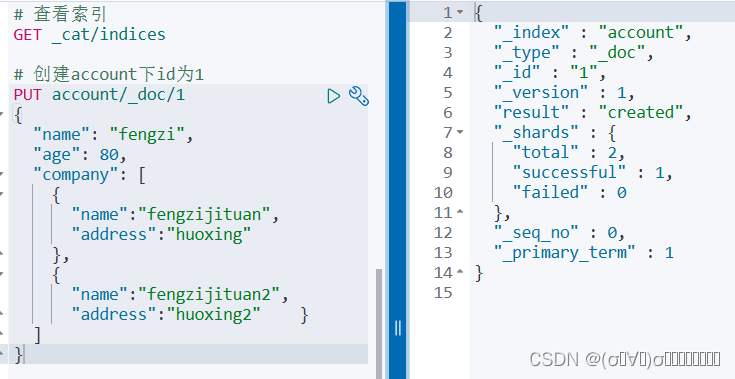
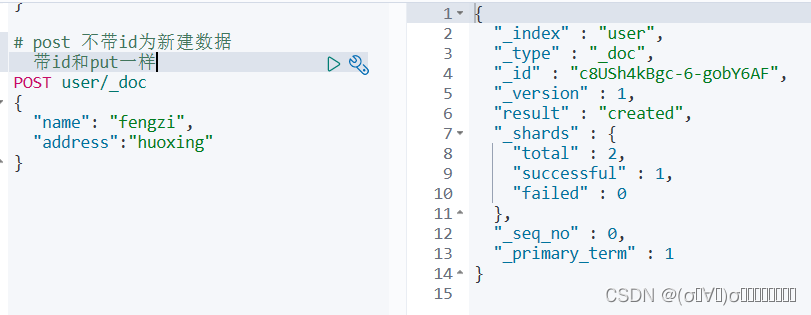
post和put的注意事项

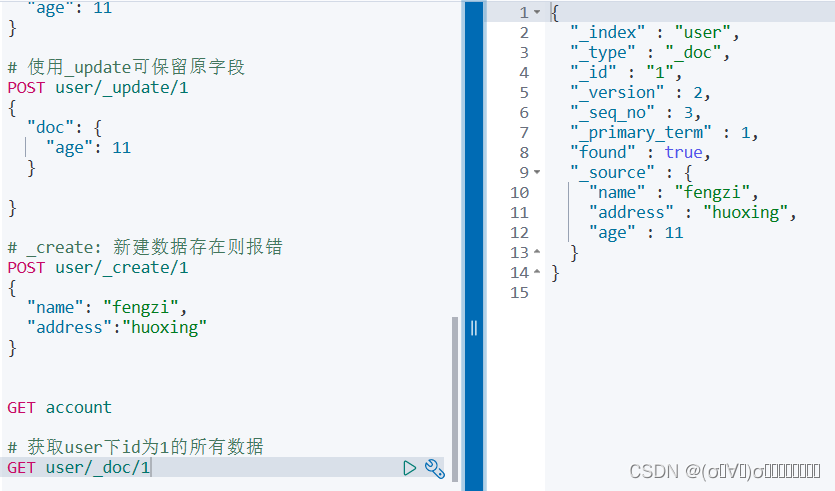
_update 和 _doc区别
对于未改变值的提交,_update不会修改version和seq_no,_doc会加1.
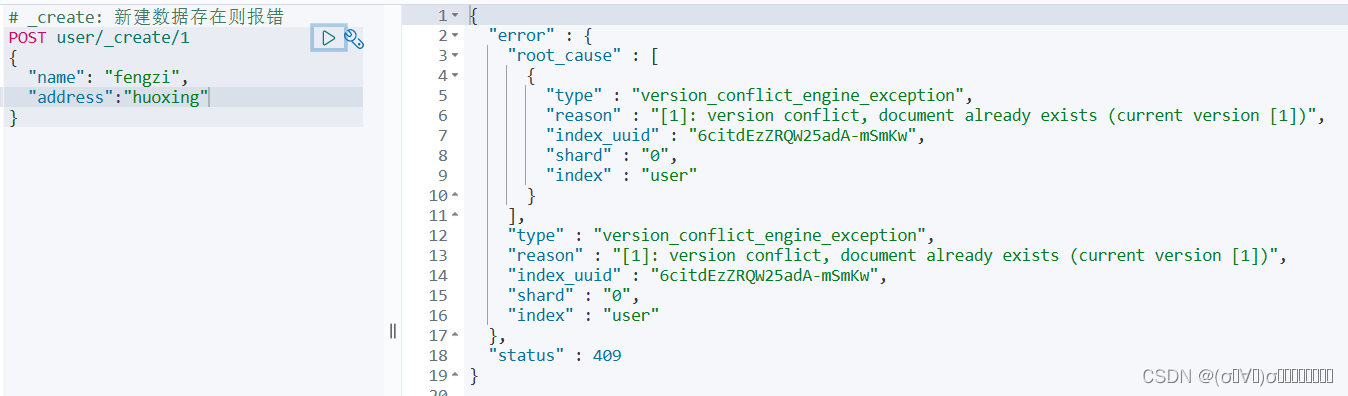
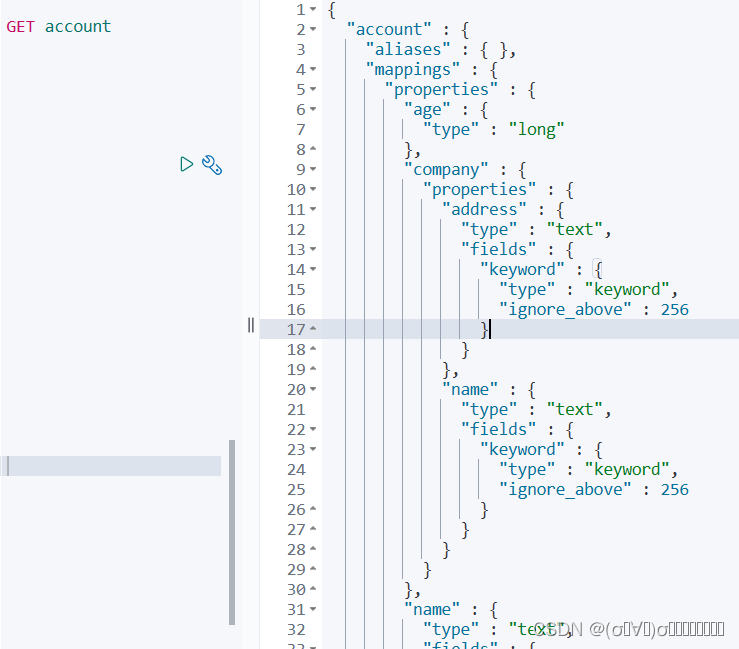
查看索引account详情
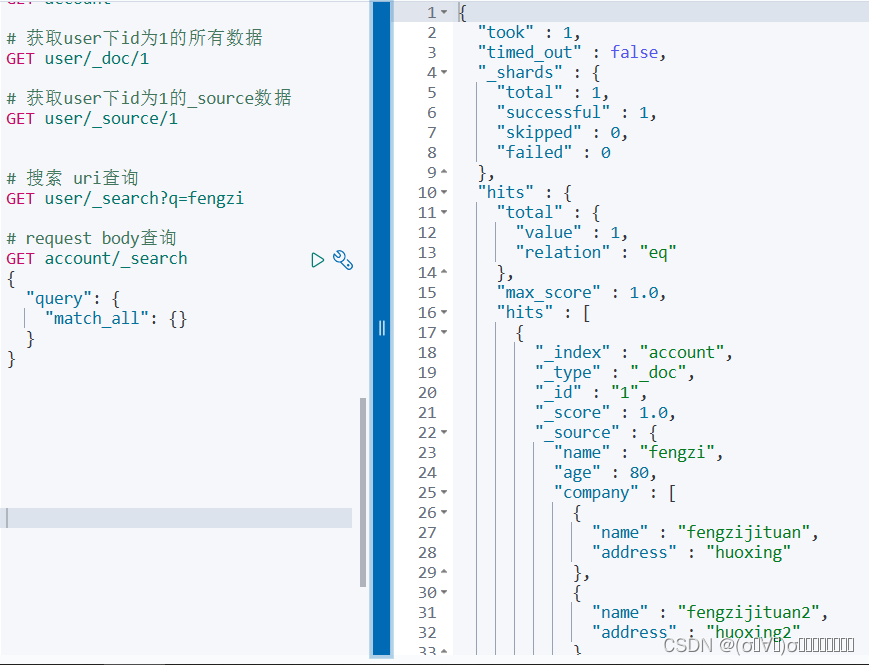
获取数据
删除数据及索引

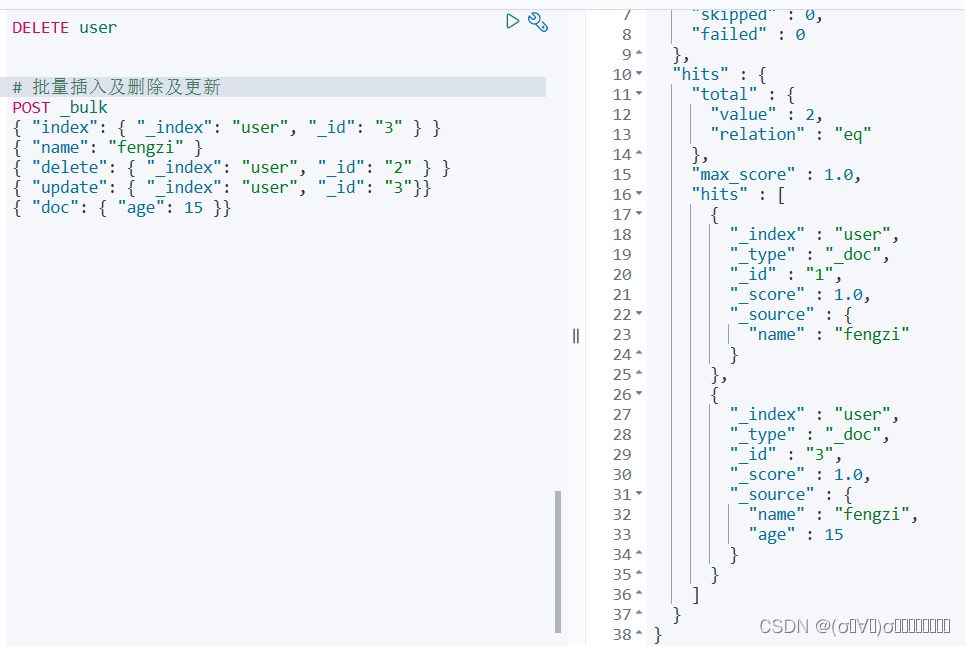
批量操作
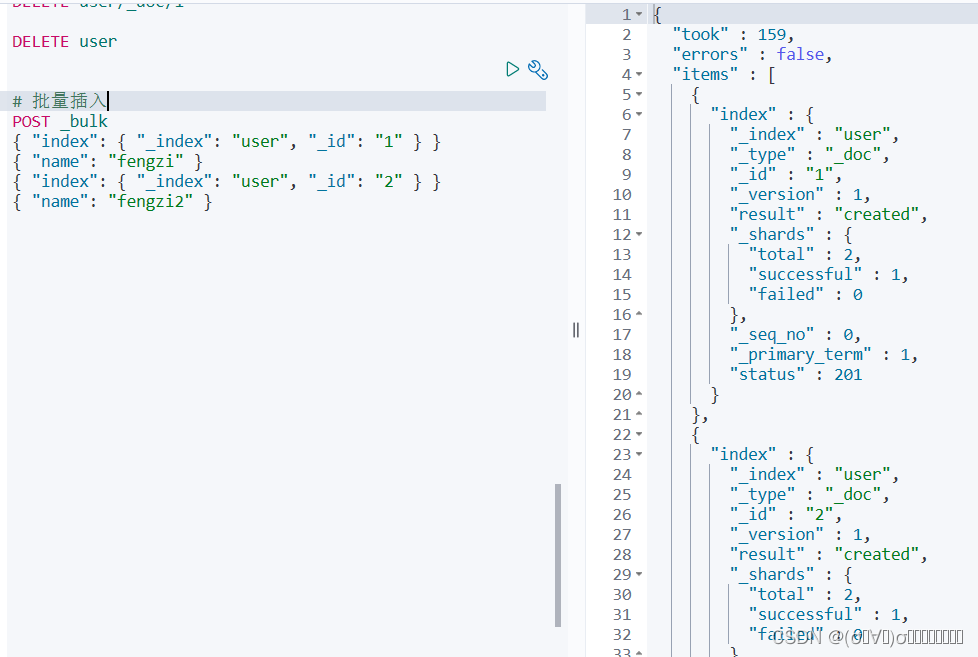
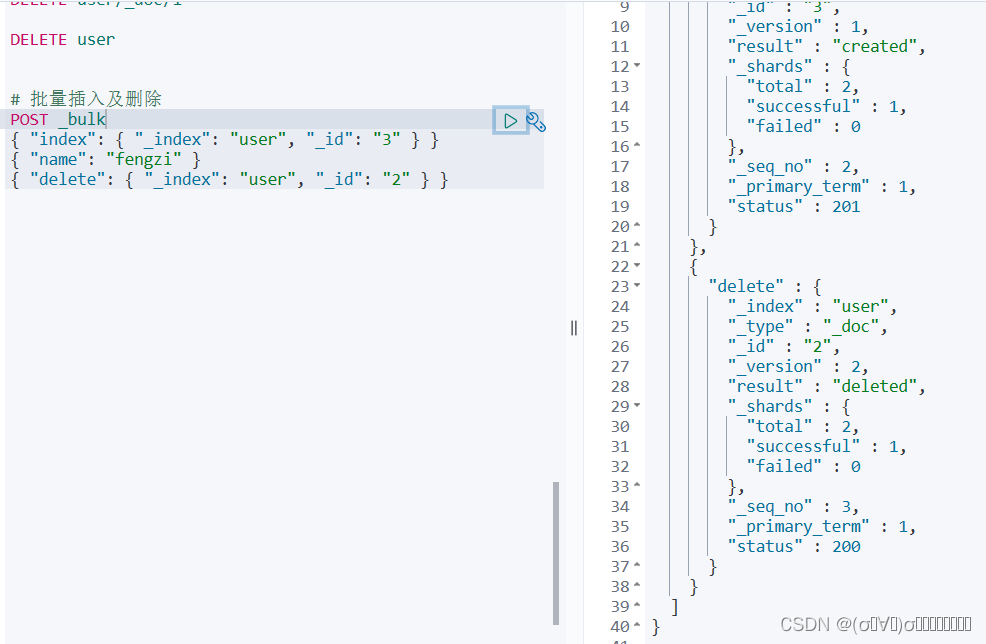
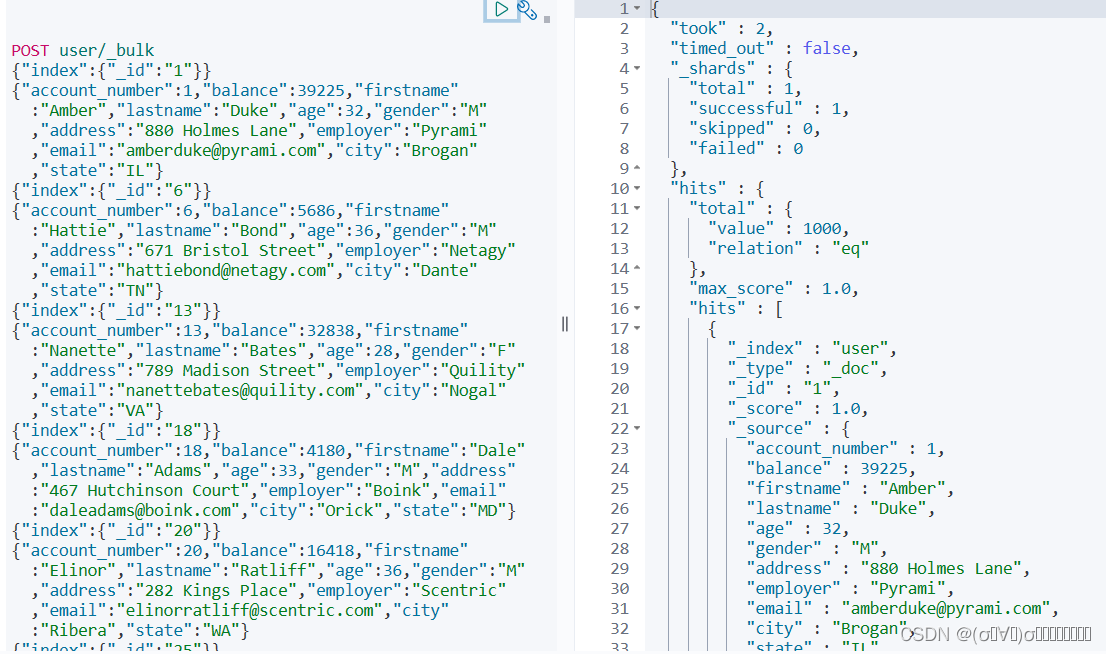
向索引user中批量导入数据
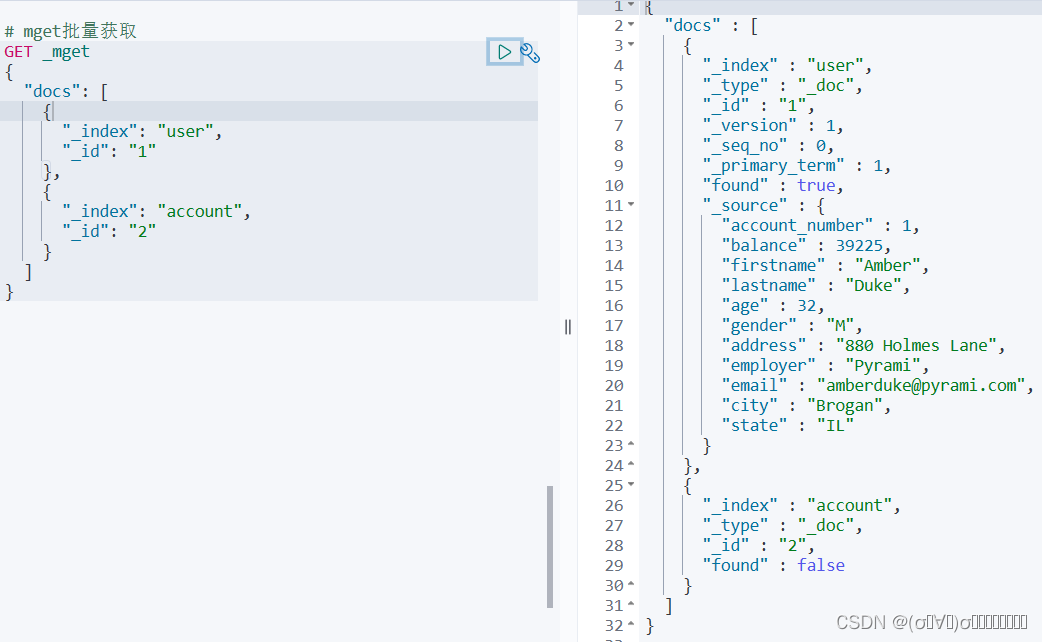
批量获取
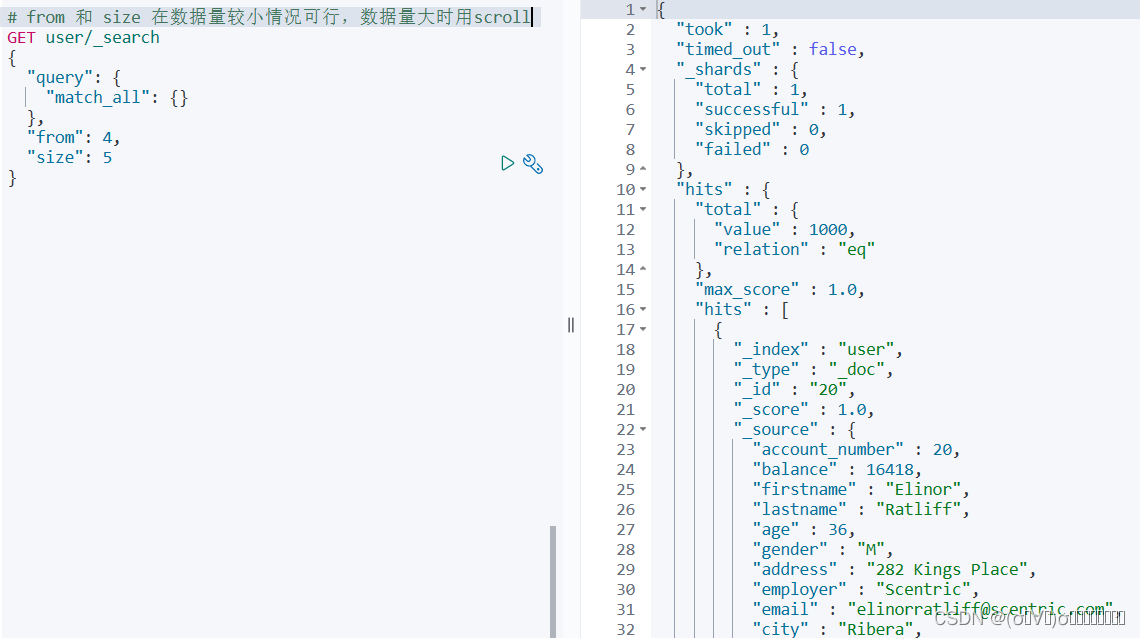
条件查询 dsl
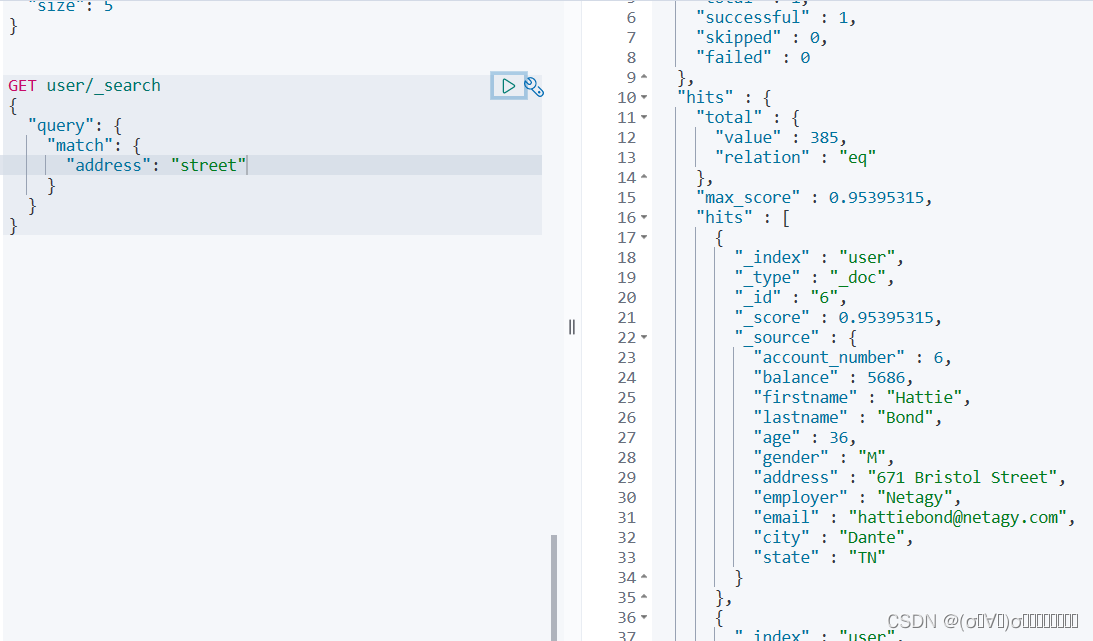
match
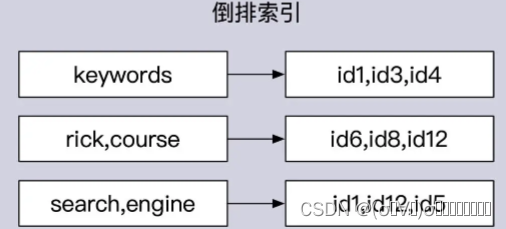
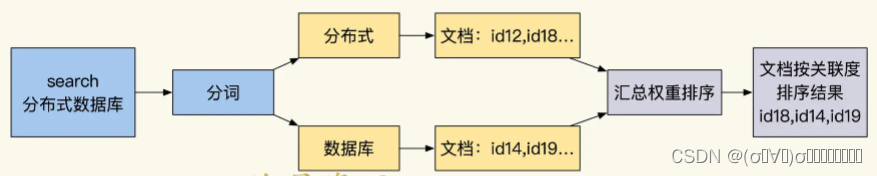
Elasticsearch 的全文检索的倒排索引
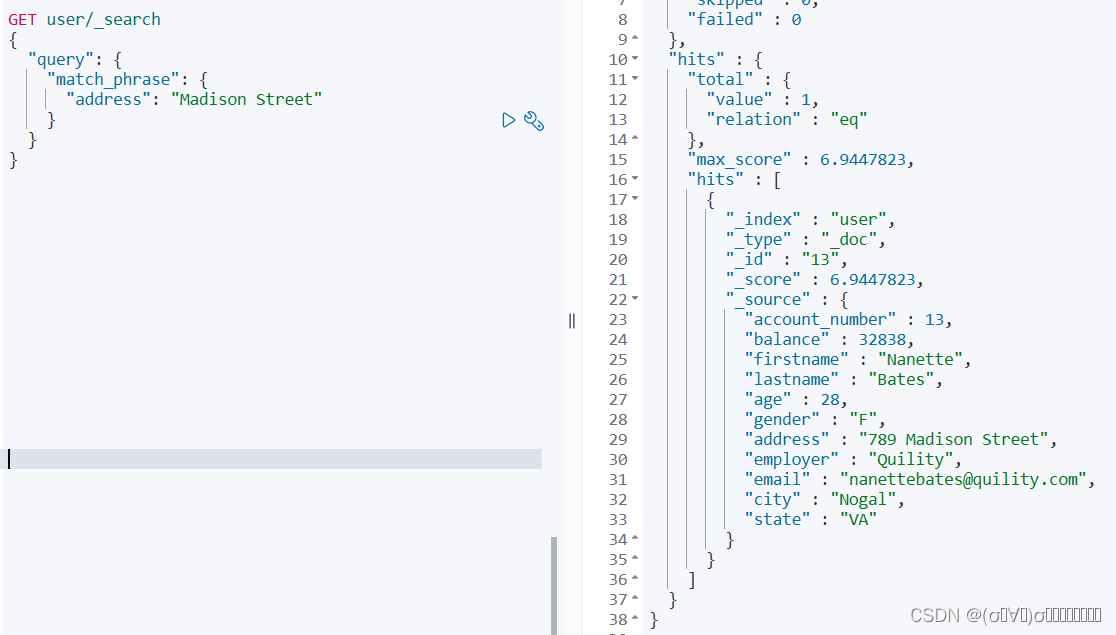
match_phrase 短语查询
multi_match
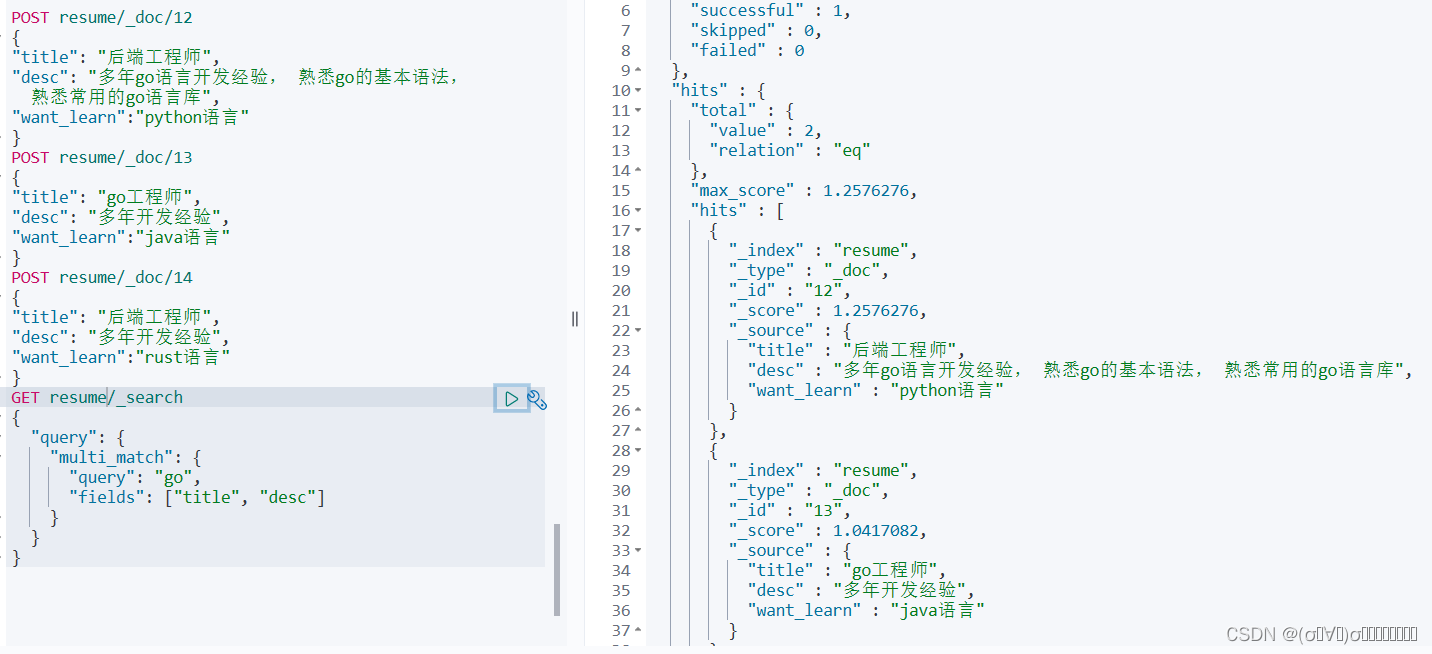
设置权重
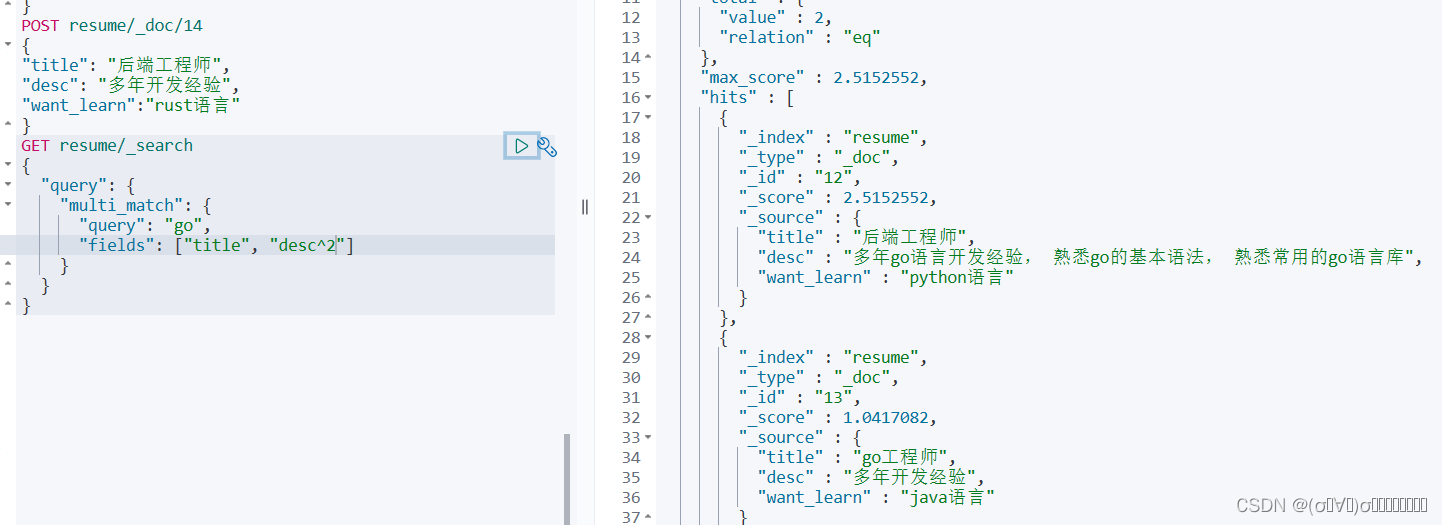
query_string
# 与match类似
GET user/_search
{
  "query": {
    "query_string": {
      "query": "Madison OR Street"
    }
  }
}
# 与match_phrase类似
GET user/_search
{
  "query": {
    "query_string": {
      "default_field": "address",
      "query": "Madison AND Street"
    }
  }
}
term查询
# 做精确查询使用
GET user/_search
{
  "query": {
    "term": {
      "name": "Madison Street"
    }
  }
}
范围查询
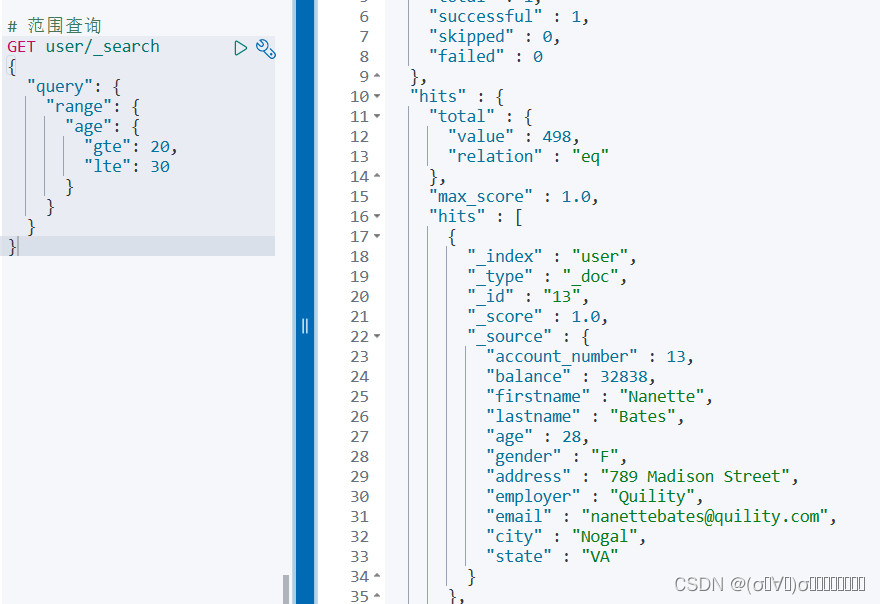
查询指定字段
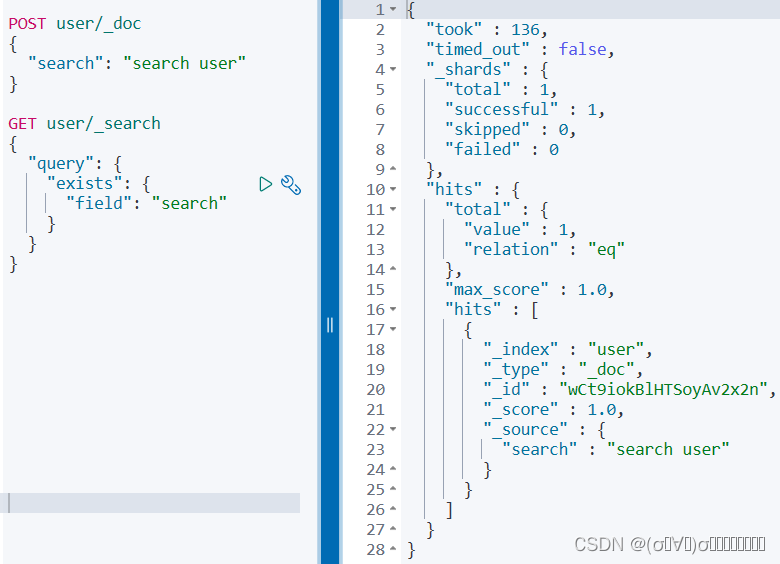
模糊查询
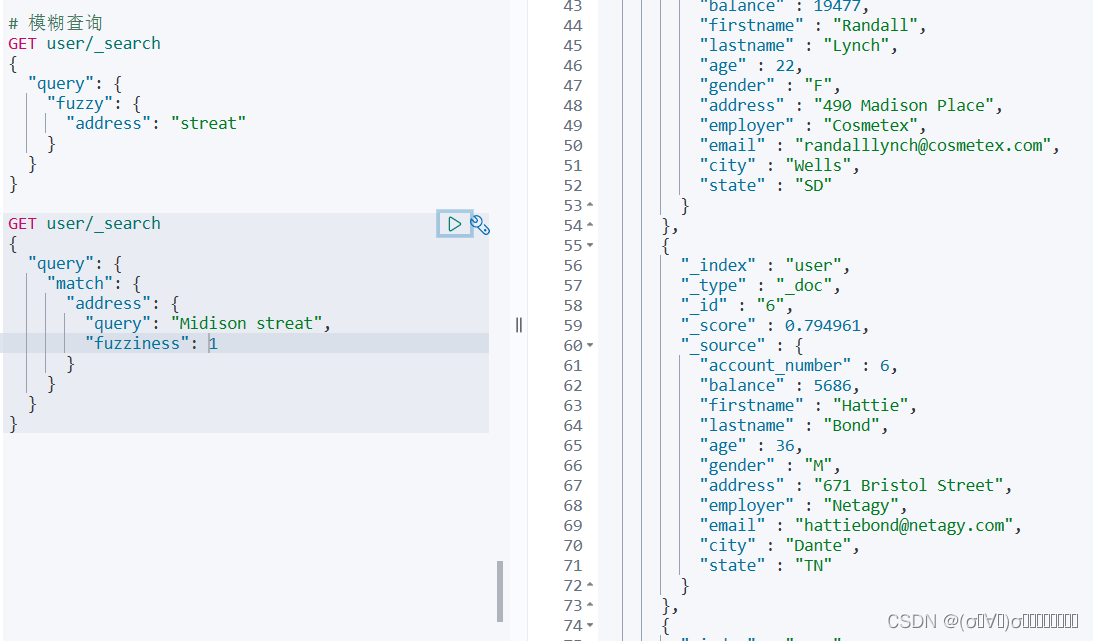
复合查询(bool查询)
# 复合查询
GET user/_search
{
  "query": {
    "bool": {
      "must": [
        {
          "term": {
            "state": "tn"
          }
        },
        {
          "range": {
            "age": {
              "gte": 20,
              "lte": 30
            }
          }
        }
      ],
      "must_not": [
        {
          "term": {
            "gender": "m"
          }
        }
      ],
      "should": [
        {
          "match": {
            "firstname": "Lawanda"
          }
        }
      ],
      "filter": [
        {
          "range": {
            "age": {
              "gte": 20,
              "lte": 25
            }
          }
        }
      ]
    }
  }
}
mapping中keyword和text类型
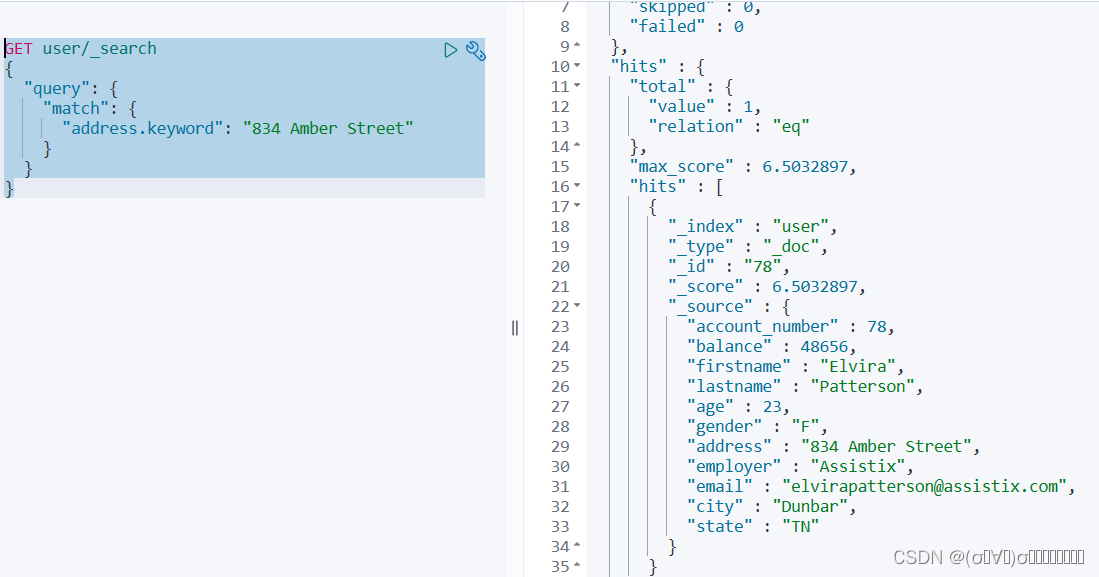
分词器
Standard Analyzer - 默认分词器,按词切分,小写处理
Simple Analyzer - 按照非字母切分(符号被过滤),小写处理
Stop Analyzer - 小写处理,停用词过滤(the ,a,is)
Whitespace Analyzer - 按照空格切分,不转小写
Keyword Analyzer - 不分词,直接将输入当做输出
Patter Analyzer - 正则表达式,默认 \W+
Language - 提供了 30 多种常见语言的分词
标准分词器
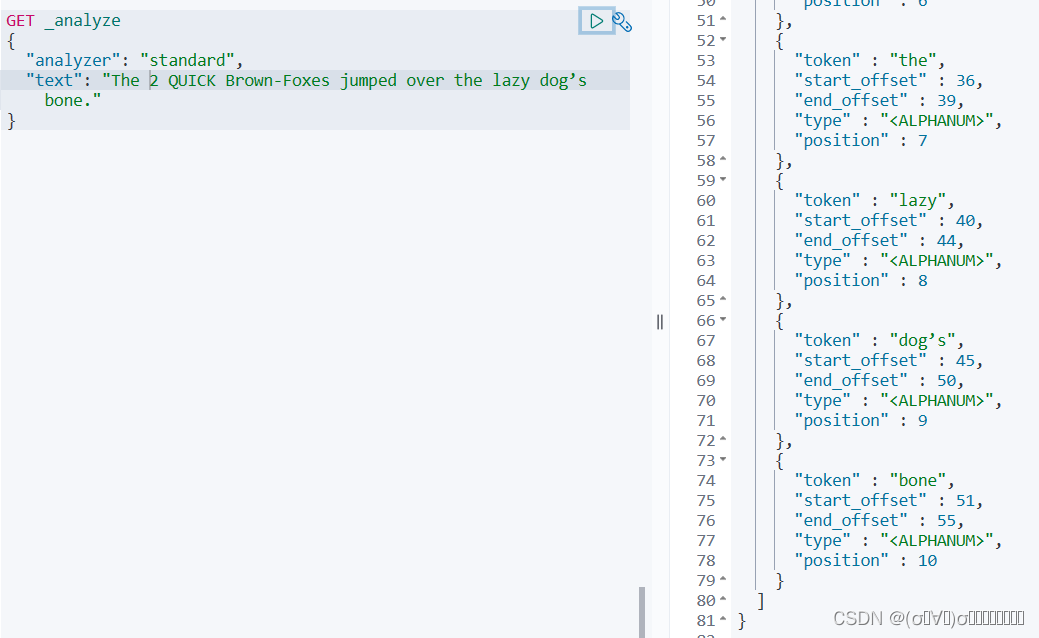
使用keyword分析器查找
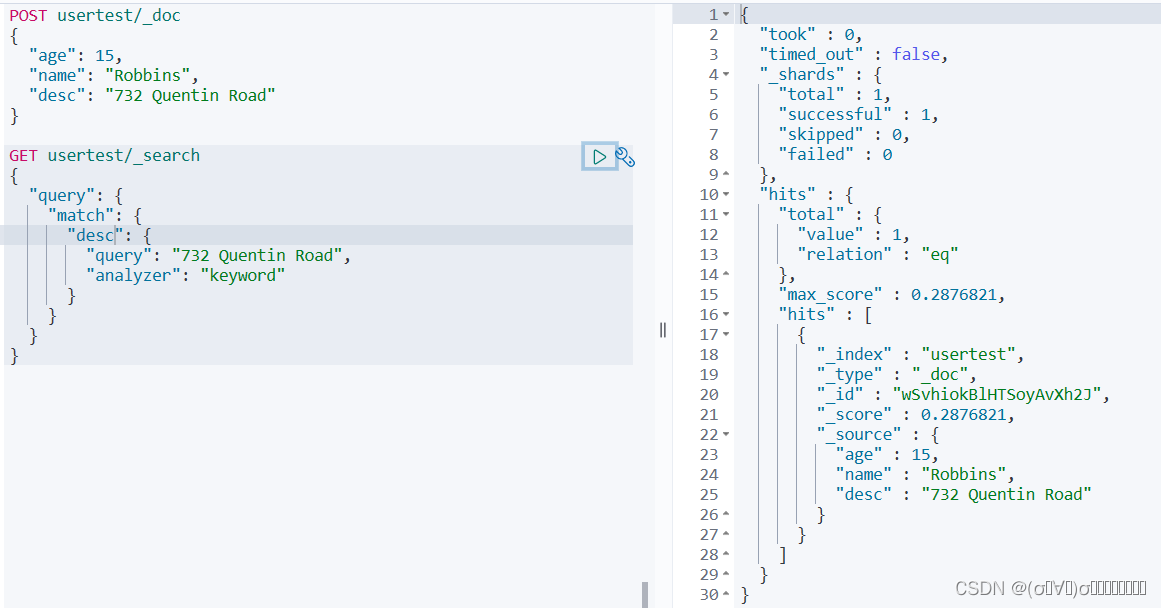
使用simple分析器查找
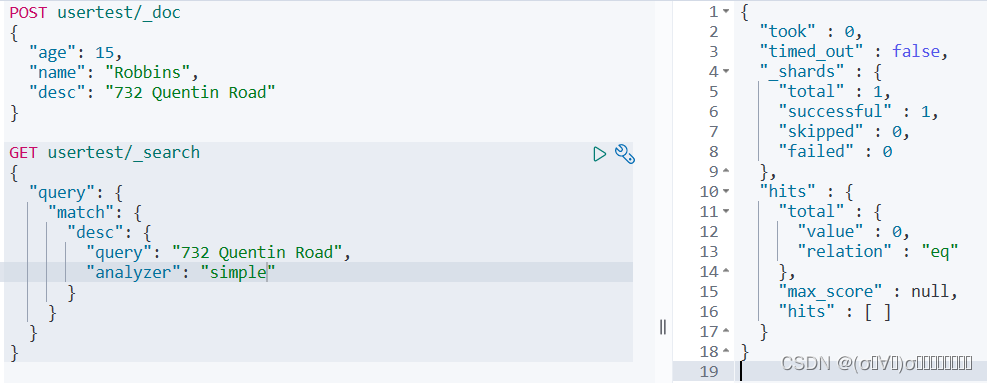
elastic使用分析器的优先顺序
At search time, Elasticsearch determines which analyzer to use by checking the following parameters in order:
The analyzer parameter in the search query. See Specify the search analyzer for a query.
The search_analyzer mapping parameter for the field. See Specify the search analyzer for a field.
The analysis.analyzer.default_search index setting. See Specify the default search analyzer for an index.
The analyzer mapping parameter for the field. See Specify the analyzer for a field.
If none of these parameters are specified, the standard analyzer is used.
在搜索时,Elasticsearch 通过按顺序检查以下参数来确定要使用的分析器:
1.搜索查询中的分析器参数。
GET my-index-000001/_search
{
  "query": {
    "match": {
      "message": {
        "query": "Quick foxes",
        "analyzer": "stop"
      }
    }
  }
}
2.字段的search_analyzer映射参数。
PUT my-index-000001
{
  "mappings": {
    "properties": {
      "title": {
        "type": "text",
        "analyzer": "whitespace",
        "search_analyzer": "simple"
      }
    }
  }
}
3.analysis.analyzer.default_search索引设置。
# 指定索引的默认搜索分析器。
PUT my-index-000001
{
  "settings": {
    "analysis": {
      "analyzer": {
        "default": {
          "type": "simple"
        },
        "default_search": {
          "type": "whitespace"
        }
      }
    }
  }
}
4.字段的分析器映射参数。
# 为字段指定分析器
PUT my-index-000001
{
  "mappings": {
    "properties": {
      "title": {
        "type": "text",
        "analyzer": "whitespace"
      }
    }
  }
}
5.如果未指定这些参数,则使用标准分析器。
中文分词
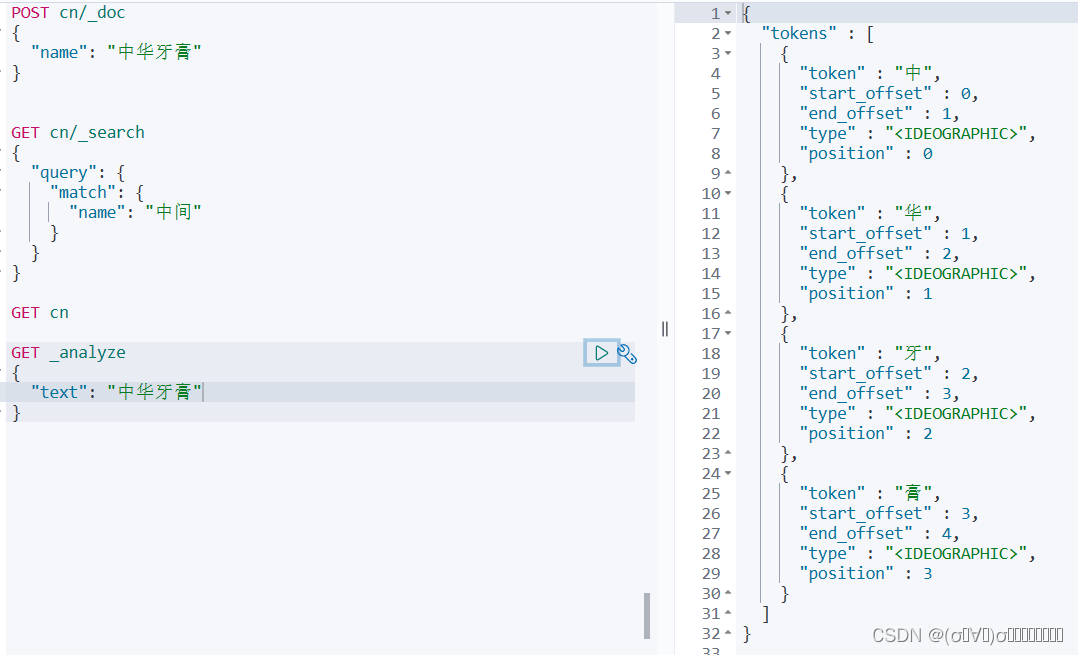
ik安装
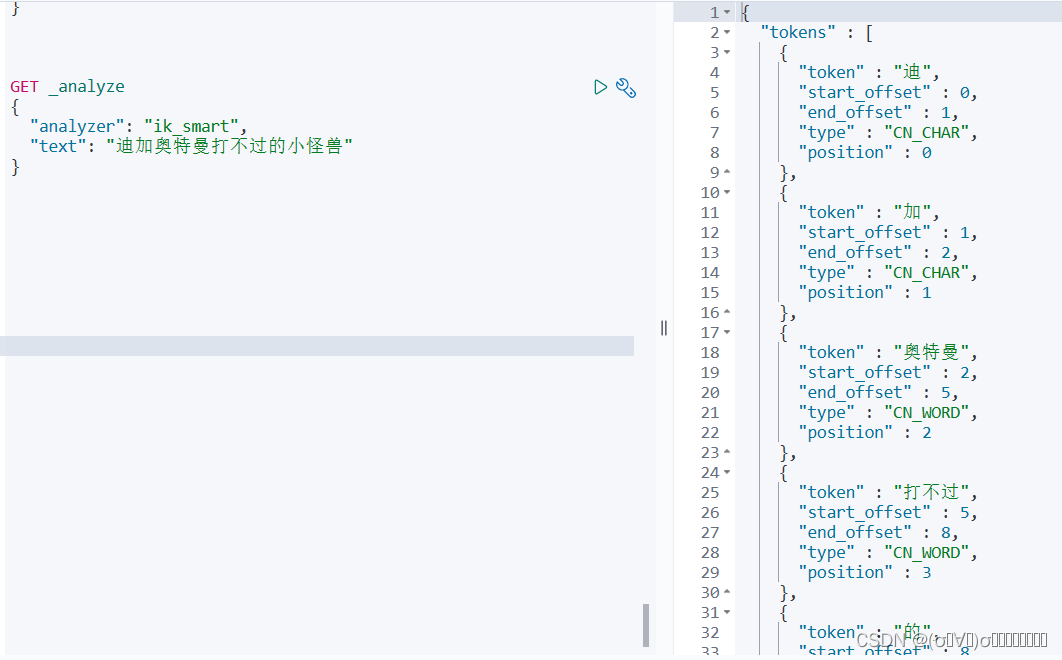
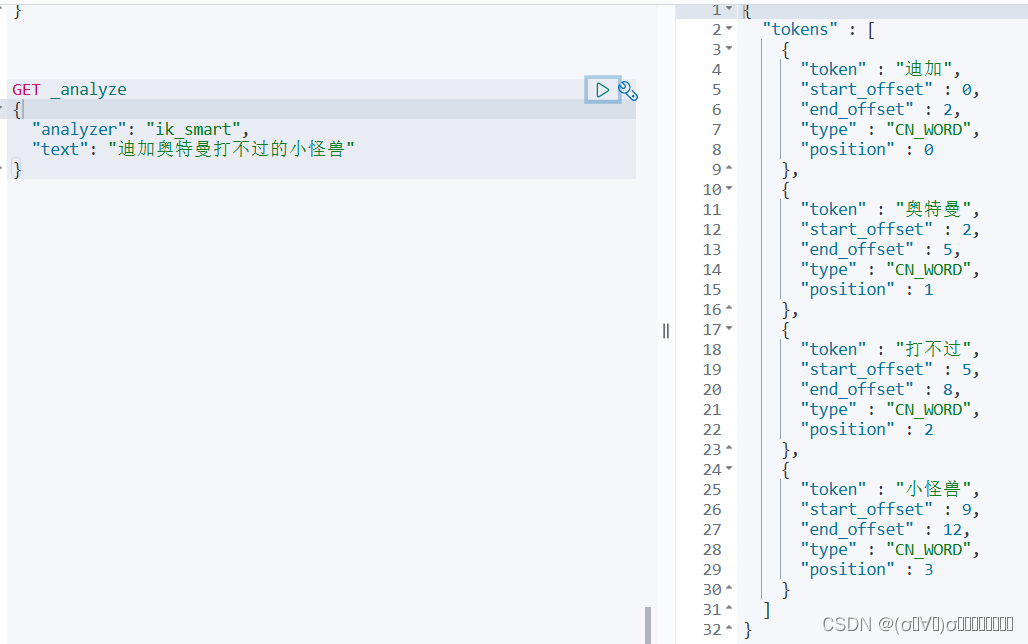
使用ik分词器
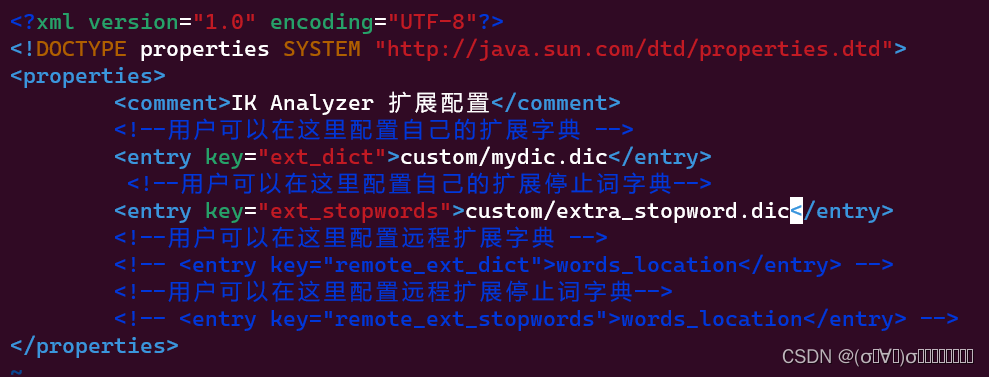
自定义分词器词库
cd elasticsearch/plugins/ik/config
mkdir custom
cd custom/
vim mydic.dic
vim extra_stopword.dic
cd ..
vi IKAnalyzer.cfg.xml
mydic.dic

extra_stopword.dic
IKAnalyzer.cfg.xml
重启elastic
使用ik分词器创建索引
PUT newcn
{
  "mappings": {
    "properties": {
      "name": {
        "type": "text",
        "analyzer": "ik_smart",
        "search_analyzer": "ik_smart"
      }
    }
  }
}


POST newcn/_doc
{
  "name": "中华牙膏"
}
更多推荐



 0
0 0
0- 0


 已为社区贡献1条内容

所有评论(0)