
maven中央仓库
Maven 中央仓库地址
Maven 中央仓库地址推荐
http://www.sonatype.org/nexus/
http://mvnrepository.com/ (推荐仓库)
http://repo1.maven.org/maven2
https://mvnrepository.com
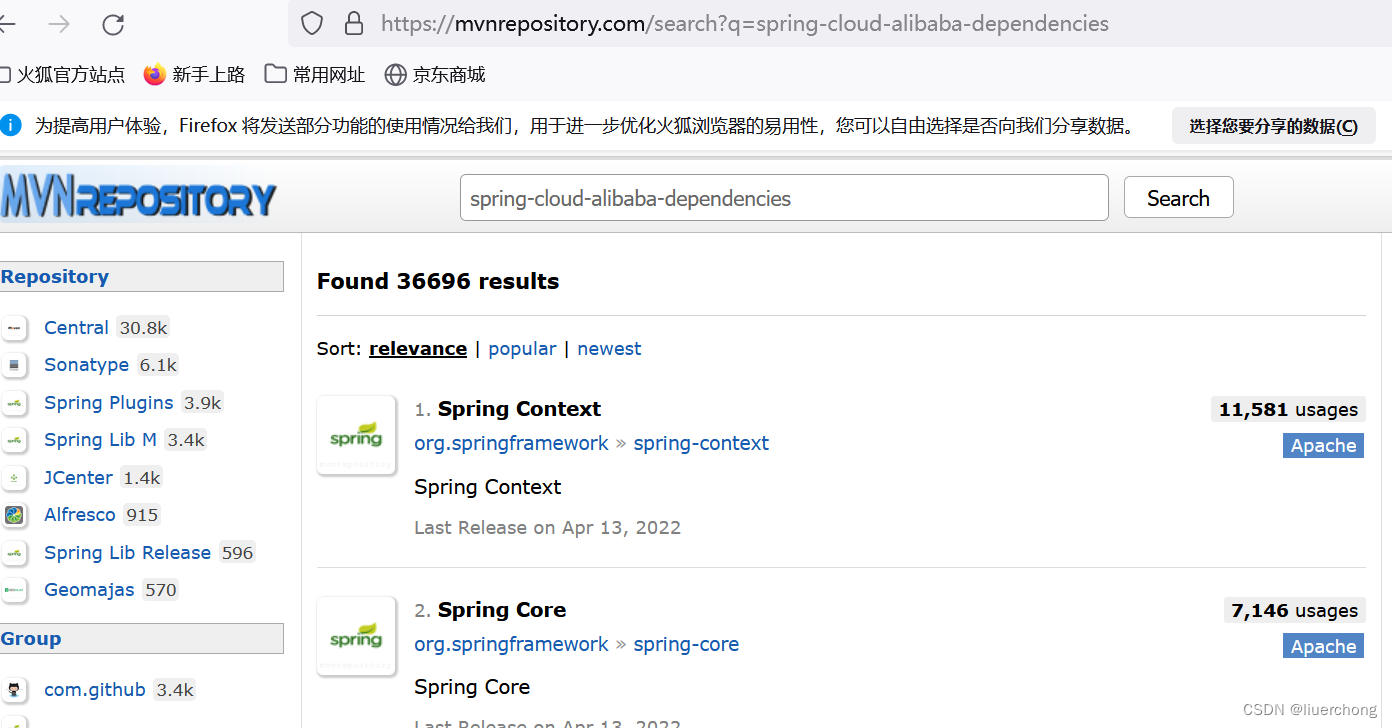
如果要查询maven某一个资源的坐标,我们通常可以去maven的仓库进行查询,
https://mvnrepository.com/,在该网站中可直接搜索想要的资源,然后就能得到该资源的坐标
输入资源名称进行检索
常用的 Maven 中央仓库地址
central https://repo.maven.apache.org/maven2阿里云 Maven 中央仓库镜像
阿里云提供了 Maven 中央仓库的镜像,访问速度较快,适合国内用户使用。地址如下
aliyun-maven
https://maven.aliyun.com/repository/central
腾讯云 Maven 中央仓库镜像
tencent-maven
https://mirrors.tencent.com/nexus/repository/maven-central/
网易 Maven 中央仓库镜像
netease-maven
https://mirrors.163.com/maven/repository/maven-central/
华为云 Maven 中央仓库镜像
huawei-maven
https://mirrors.huaweicloud.com/repository/maven/
仓库配置
开发者要在自己电脑上做开发,首先要做的就是配置本地仓库
在 pom.xml 中配置
<project>
    ...
    <repositories>
        <repository>
            <id>central</id>
            <url>https://repo.maven.apache.org/maven2</url>
        </repository>
        <repository>
            <id>aliyun-maven</id>
            <url>https://maven.aliyun.com/repository/central</url>
        </repository>
    </repositories>
    ...
</project>
全局配置,在maven的配置文件conf/settings.xml中
/path/to/local/repo,
<settings>
    ...
    <profiles>
        <profile>
            <id>default</id>
            <repositories>
                <repository>
                    <id>central</id>
                    <url>https://repo.maven.apache.org/maven2</url>
                </repository>
                <repository>
                    <id>aliyun-maven</id>
                    <url>https://maven.aliyun.com/repository/central</url>
                </repository>
            </repositories>
        </profile>
    </profiles>
    <activeProfiles>
        <activeProfile>default</activeProfile>
    </activeProfiles>
    ...
</settings>
如果是局部用户配置:在仓库的同级目录也可以包含一个settings.xml配置文件,在里面也可以进行指定
注意:局部用户配置优先与全局配置(遇见相同配置项的时候)
全局setting与用户setting的区别
全局setting定义了当前计算机中maven的公共配置
用户setting定义了当前用户的配置
另外大家需要注意:maven默认连接的远程仓库位置是:(即中央仓库)
此站点并不在国内,因此有时候下载速度非常慢,因此我们可以配置一个国内站点镜像,可用于加速下载资源
我们在conf/settings.xml配置文件中找到标签,在这组标签下添加镜像的配置,如下
<mirror>
    <id>nexus-aliyun</id>
    <mirrorOf>central</mirrorOf>
    <name>Nexus aliyun</name>
    <url>http://maven.aliyun.com/nexus/content/groups/public</url>
</mirror>
Maven使用阿里云仓库
安装路径下的conf/settings.xml文件中的mirrors下添加mirror标签
alimaven central aliyun maven http://maven.aliyun.com/nexus/content/repositories/central/更多推荐



 1
1 0
0- 0


 已为社区贡献5条内容

所有评论(0)