
ubnutu server下openssl源码的编译与安装(CVE-2021-3712,libssl.so.3: cannot open shared object file)
·
测试服务器ubuntu server 20LTS
openssl ubuntu原版本号
OpenSSL 1.1.1f 31 Mar 2020拉源码,耗时两分钟(测试环境)
git clone git://git.openssl.org/openssl.git预编译,耗时十几秒
./Configure编译,耗时五分钟
make测试
Result: PASS编译,耗时三分钟
sudo make installopenssl 版本号
OpenSSL 3.1.0-dev (Library: OpenSSL 3.1.0-dev )遇到的错误:
openssl: error while loading shared libraries: libssl.so.3: cannot open shared object file: No such file or directory.

ln -s libssl.so.3 libssl.so

export LD_LIBRARY_PATH=/usr/local/lib:/usr/local/lib64

sudo ldconfig

//houyawei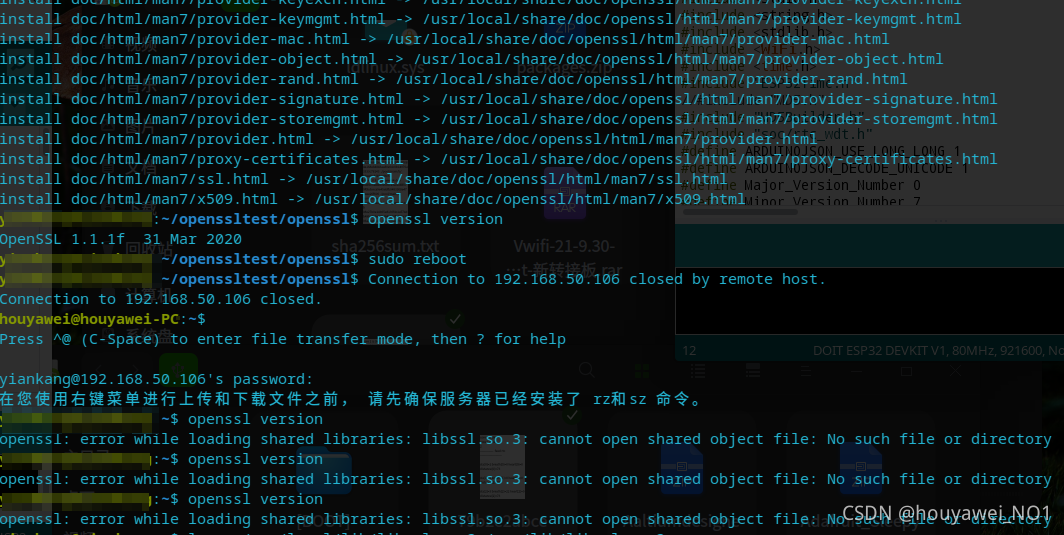
卸载make uninstall
下载源码(生产环境)
wget https://www.openssl.org/source/openssl-1.1.1l.tar.gz
tar -zxvf xxx
./config
make
make test
make install
//houyaweiopenssl 查看版本号
OpenSSL 1.1.1l 24 Aug 2021
参考链接:
公告-腾讯云腾讯云公告通知 https://cloud.tencent.com/announce/detail/1567compilation - Error while loading shared libraries: /usr/local/lib64/libssl.so.1.1 - Stack Overflowhttps://stackoverflow.com/questions/42828083/error-while-loading-shared-libraries-usr-local-lib64-libssl-so-1-1
更多推荐



 1
1 0
0- 0


 已为社区贡献2条内容

所有评论(0)