
netframework 使用apollo
·
一、新建项目:ApolloDemoFramework
Nuget:
<package id="Com.Ctrip.Framework.Apollo" version="2.4.4" targetFramework="net461" />
<package id="Com.Ctrip.Framework.Apollo.ConfigurationManager" version="2.4.3" targetFramework="net452" />
二、配置文件App.config
<?xml version="1.0" encoding="utf-8"?>
<configuration>
	<appSettings>
		<!-- Change to the actual app id -->
		<add key="Apollo:AppId" value="ApolloDemo"/>
		<add key="Apollo:MetaServer" value="http://192.168.1.115:8080" />
	</appSettings>
	<startup>
		<supportedRuntime version="v4.0" sku=".NETFramework,Version=v4.5.2"/>
	</startup>
</configuration>
三、访问配置Program.cs
using Com.Ctrip.Framework.Apollo;
using Com.Ctrip.Framework.Apollo.Core;
using Microsoft.Extensions.Configuration;
using System;
using System.Collections.Generic;
using System.Configuration;
using System.Linq;
using System.Text;
using System.Threading.Tasks;

namespace ApolloDemoFramework
{
    class Program
    {
        static void Main(string[] args)
        {
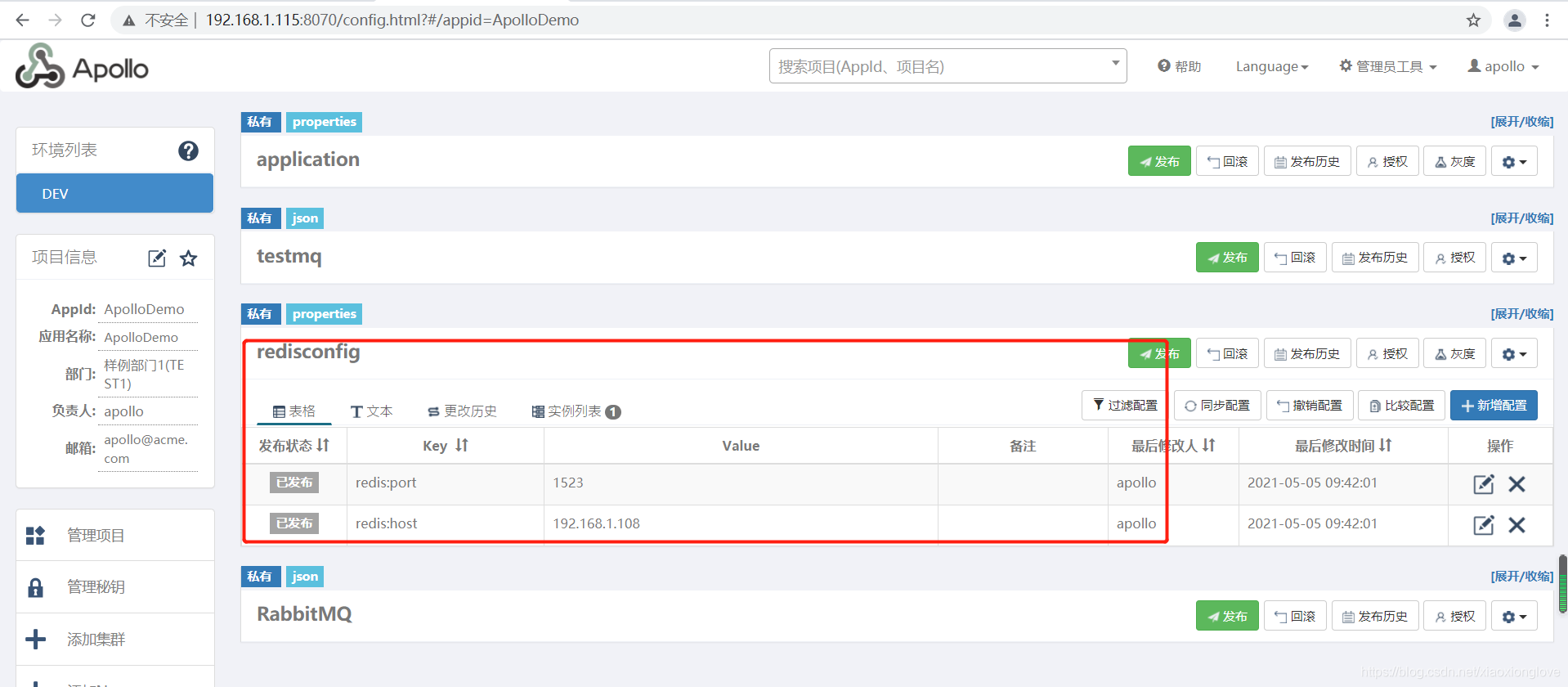
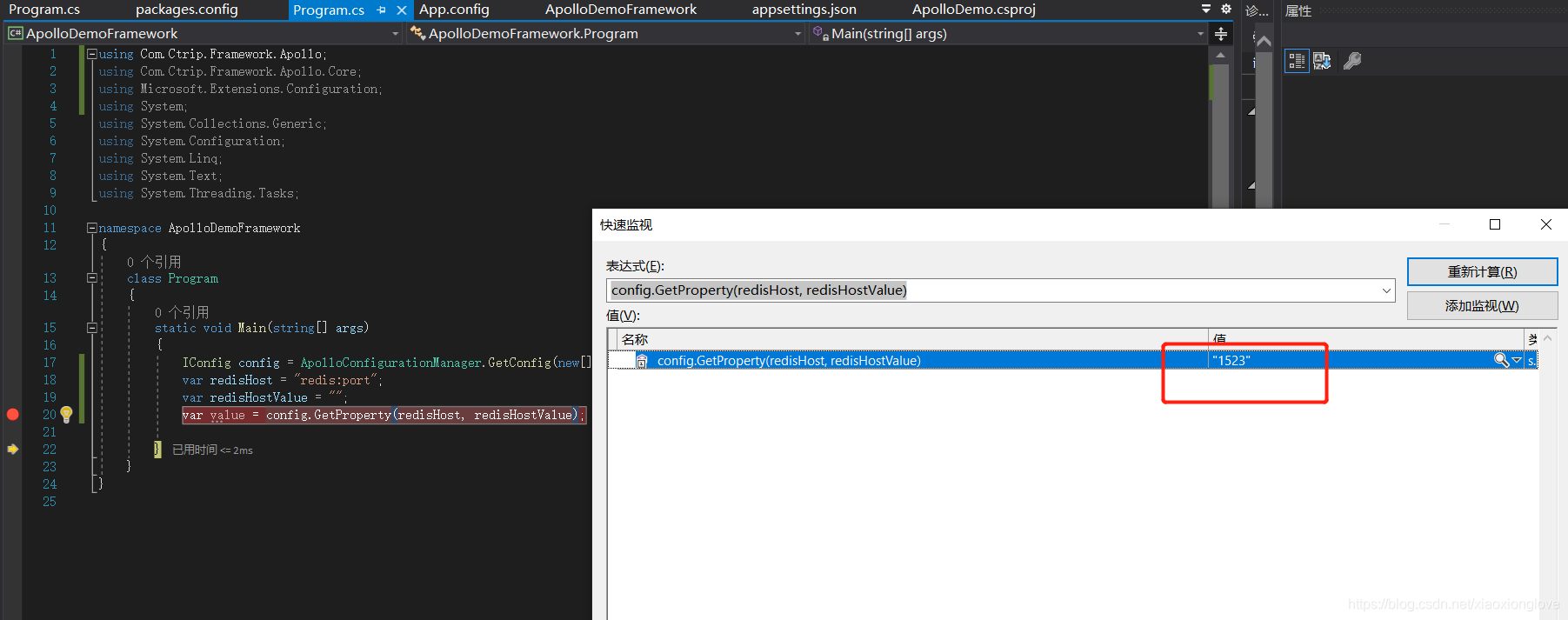
            IConfig config = ApolloConfigurationManager.GetConfig(new[] { "application", "redisconfig" }).Result;
            var redisHost = "redis:port";
            var redisHostValue = "";
            var value = config.GetProperty(redisHost, redisHostValue);

        }
    }
}
更多推荐

 0
0 0
0- 0


 已为社区贡献8条内容

所有评论(0)