
Springboot下@Test进行单元测试
·
第一步:添加依赖
		<dependency>
            <groupId>junit</groupId>
            <artifactId>junit</artifactId>
            <version>4.12</version> <!--$NO-MVN-MAN-VER$-->
            <scope>test</scope>
        </dependency>
        <dependency>
            <groupId>org.junit.platform</groupId>
            <artifactId>junit-platform-launcher</artifactId>
            <scope>test</scope>
        </dependency>
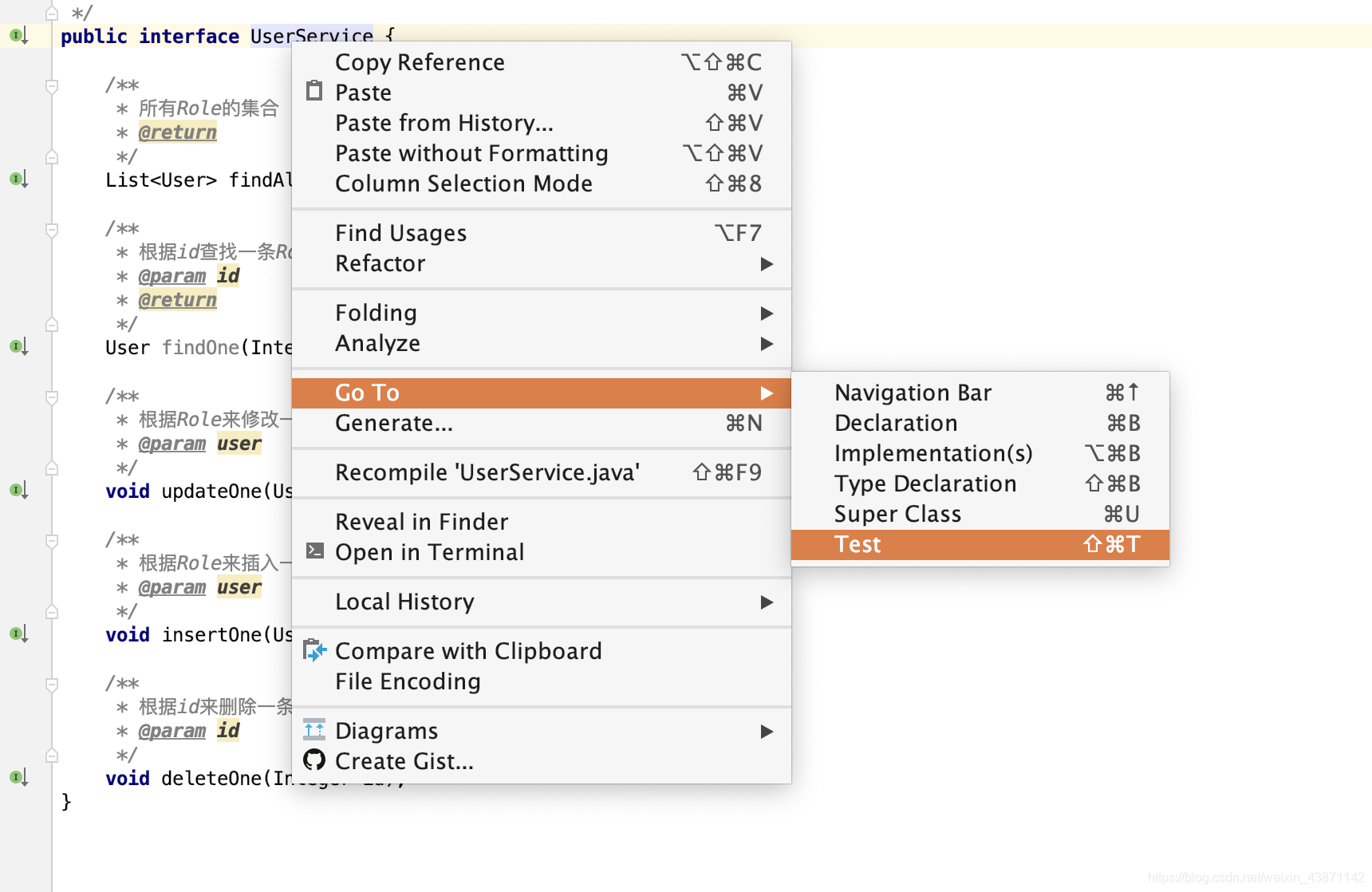
第二步:首先找到自己想要创建测试类功能所在的类,按图中操作。
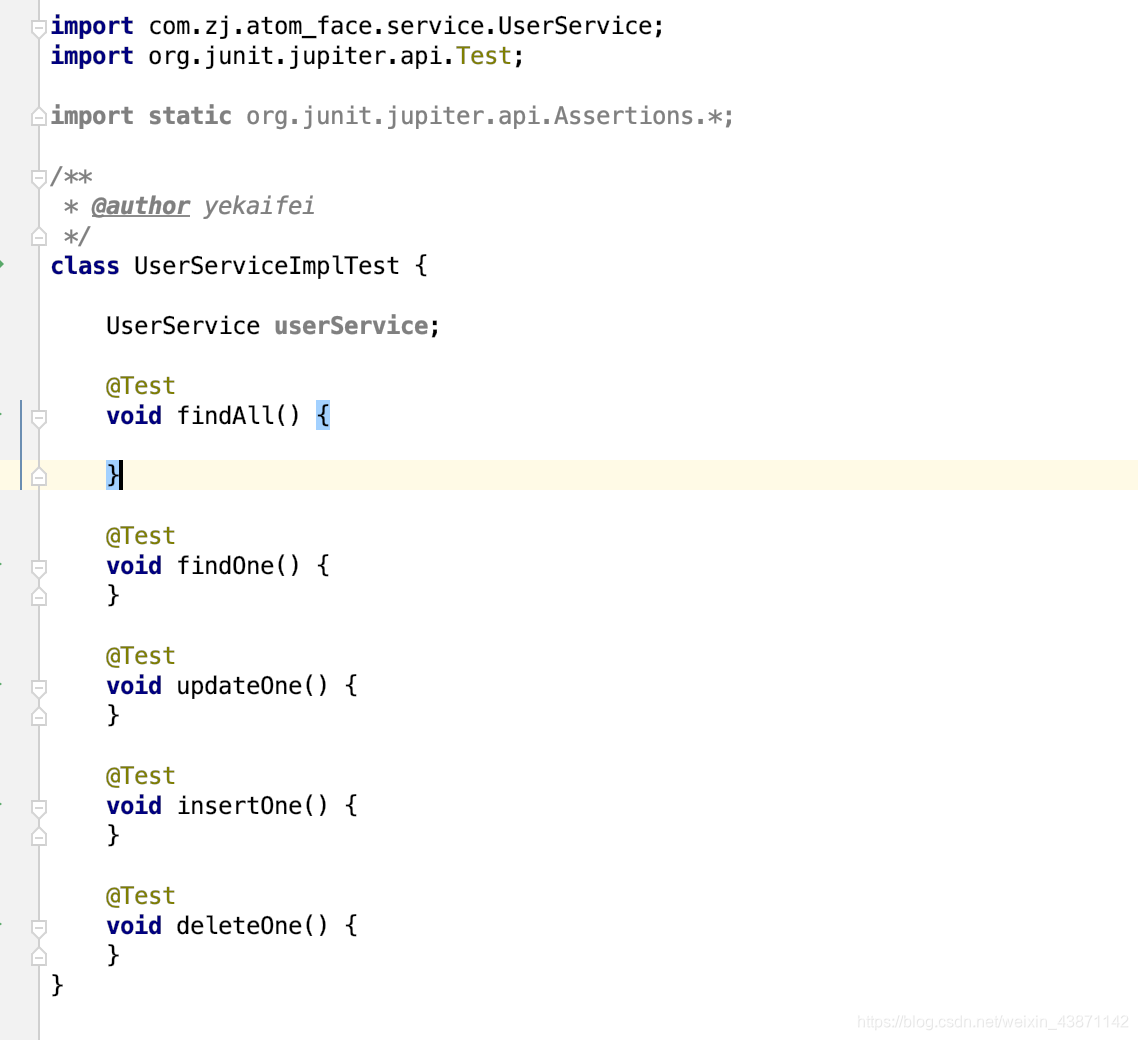
第三步:就会创建一个这样子的类,我们需要将自动导入的import org.junit.jupiter.api.Test;删掉,重新导入为import org.junit.Test;,还需要在class前面加上public。
第四步:在类上添加注解
@RunWith(SpringRunner.class)
@SpringBootTest
class UserServiceImplTest {
结束,就可以快乐的使用啦
更多推荐



 0
0 0
0- 0


 已为社区贡献2条内容

所有评论(0)