
zabbix邮箱告警配置
·
zabbix邮箱告警配置
一、报警
触发器的通知信息显示在web管理界面, 运维工程师仍然没办法24小时盯着它。所以我们希望它能自动地 通知工程师们,这就是报警。
zabbix的报警媒介支持email,jabber,sms(短信),微信,电话语音等。
二、报警过程原理
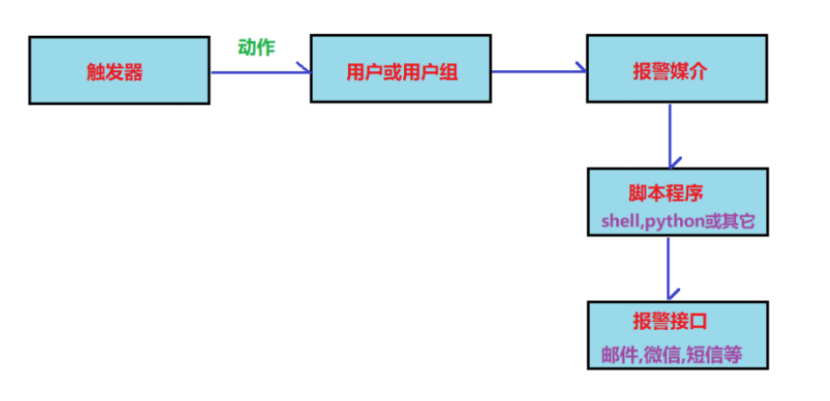
配置报警信息可以通过邮箱来实现
1、本地邮箱
2、第三方邮箱
3、第三方邮箱+脚本
三、配置
前期准备环境
确保zabbix-server和zabbix-agent端的防火墙和selinux处于关闭状态
[root@server ~]# systemctl status firewalld.service
○ firewalld.service - firewalld - dynamic firewall daemon
     Loaded: loaded (/usr/lib/systemd/system/firewalld.service; disabled; preset: enabl>
     Active: inactive (dead)
       Docs: man:firewalld(1)

[root@server ~]# getenforce
Disabled
设置zabbix-server端的主机名为zabbix-server.example.com zabbix-agent端的主机名为zabbix-agent.example.com
[root@server ~]# hostnamectl set-hostname zabbix-server.example.com
[root@server ~]# bash
[root@zabbix-server ~]# hostname
zabbix-server.example.com

[root@zabbix-agent ~]# hostname
zabbix-agent.example.com
分别修改server和agent端的/etc/hosts文件
[root@zabbix-agent ~]# vim /etc/hosts
[root@zabbix-agent ~]# cat /etc/hosts
127.0.0.1   localhost localhost.localdomain localhost4 localhost4.localdomain4
::1         localhost localhost.localdomain localhost6 localhost6.localdomain6

192.168.100.100 zabbix-server.example.com  zabbix-server
192.168.100.20  zabbix-agent.example.com   zabbix-agent
1、本地邮箱
(1)安装postfix,之前我们配置的是本地源,这里将本地源替换成网络源才能安装
[root@zabbix-server ~]# cd /etc/yum.repos.d/
[root@zabbix-server yum.repos.d]# ls
redhat.repo  server.repo  zabbix.repo
[root@zabbix-server yum.repos.d]# vim server.repo
[root@zabbix-server yum.repos.d]# cat server.repo
[aa]
name=aa1
baseurl=https://mirrors.aliyun.com/centos-stream/9-stream/BaseOS/x86_64/os/
enabled=1
gpgcheck=0

[bb]
name=bb1
baseurl=https://mirrors.aliyun.com/centos-stream/9-stream/AppStream/x86_64/os/
enabled=1
gpgcheck=0
[root@zabbix-server yum.repos.d]# yum -y install postfix
[root@zabbix-server yum.repos.d]# rpm -q postfix
postfix-3.5.25-1.el9.x86_64
(2)修改postfix的主配置文件,并重启服务和设置下次启动生效
在mydestination = myhostname,localhost.myhostname, localhost.myhostname,localhost.mydomain, localhost后面加上$mydomain
[root@zabbix-server ~]# vim /etc/postfix/main.cf
mydestination = $myhostname, localhost.$mydomain, localhost,$mydomain

[root@zabbix-server ~]# systemctl restart postfix.service
[root@zabbix-server ~]# systemctl enable postfix.service
Created symlink /etc/systemd/system/multi-user.target.wants/postfix.service → /usr/lib/systemd/system/postfix.service.
(3)配置报警媒介类型
查看server端的邮箱名称
[root@zabbix-server ~]# cd /var/spool/mail
[root@zabbix-server mail]# ls
rpc  student
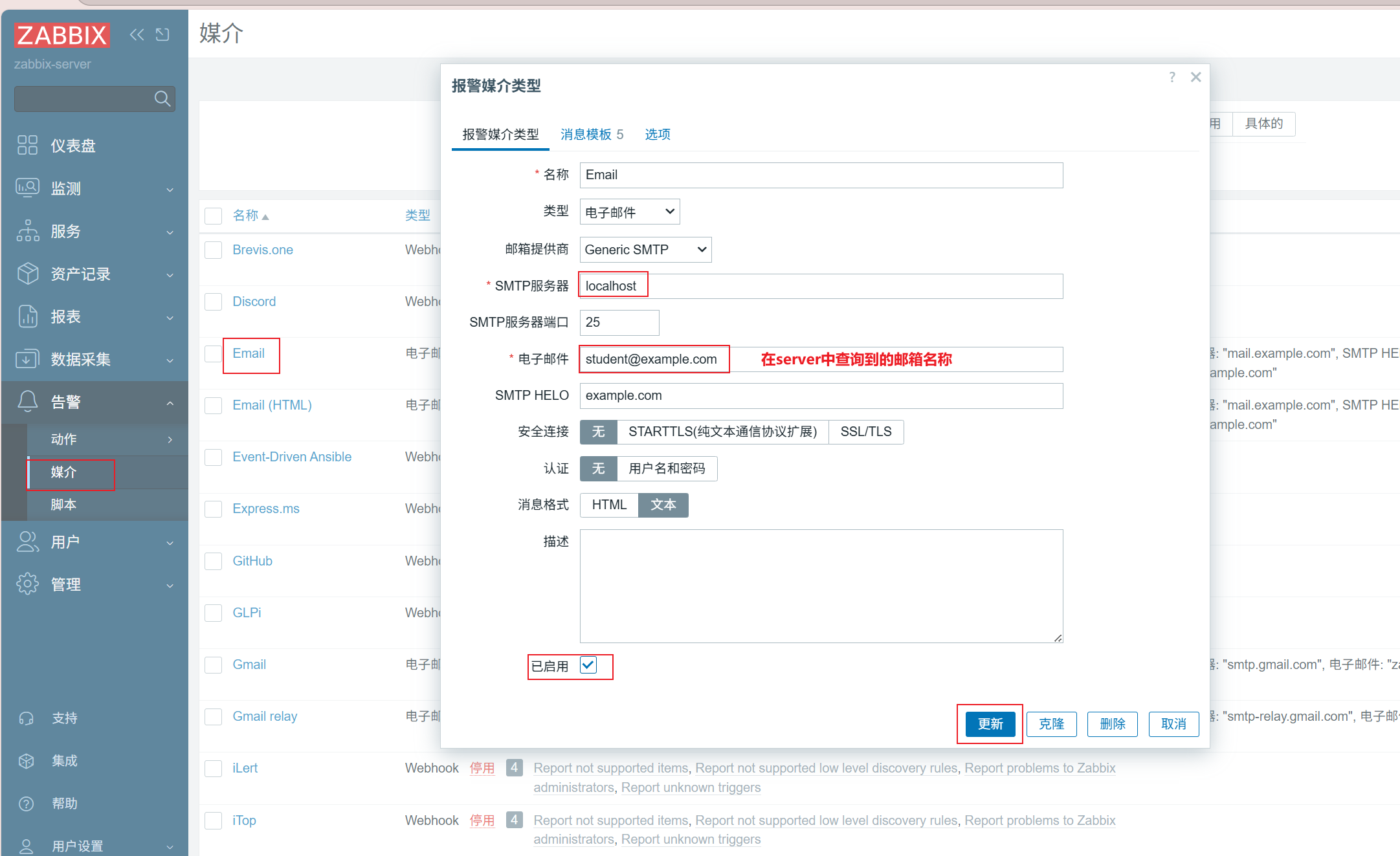
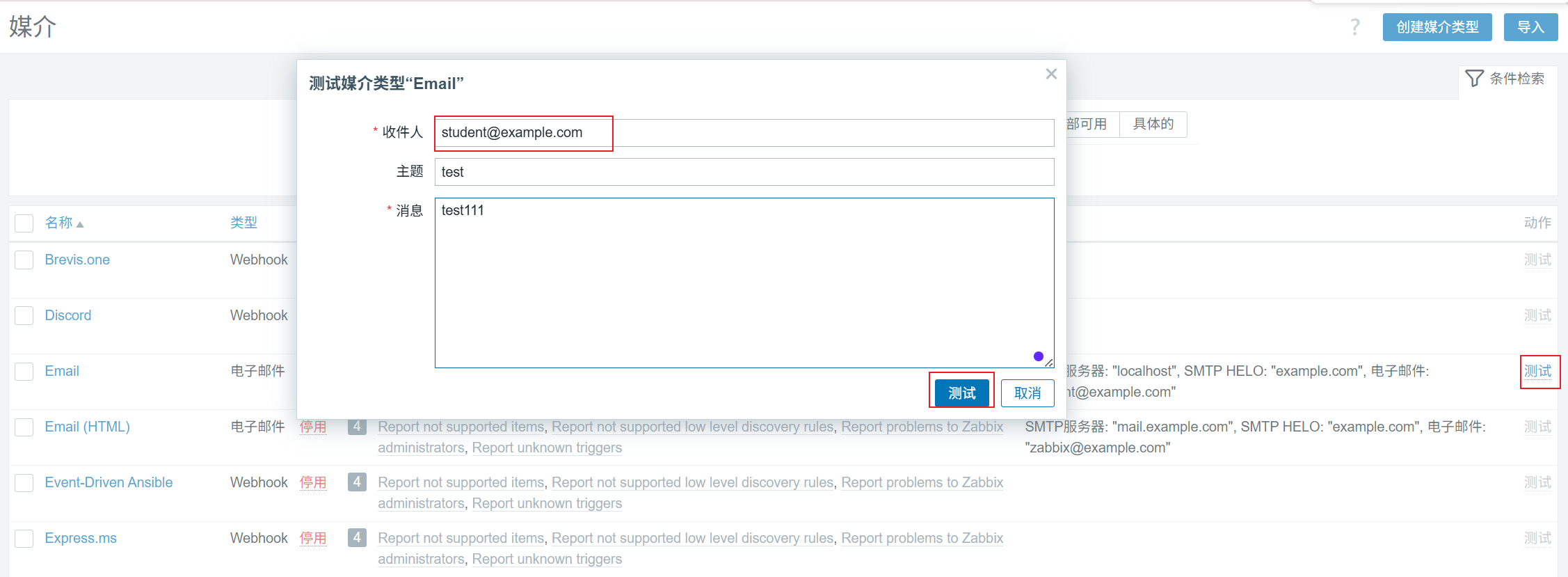
测试查看是否能成功发送
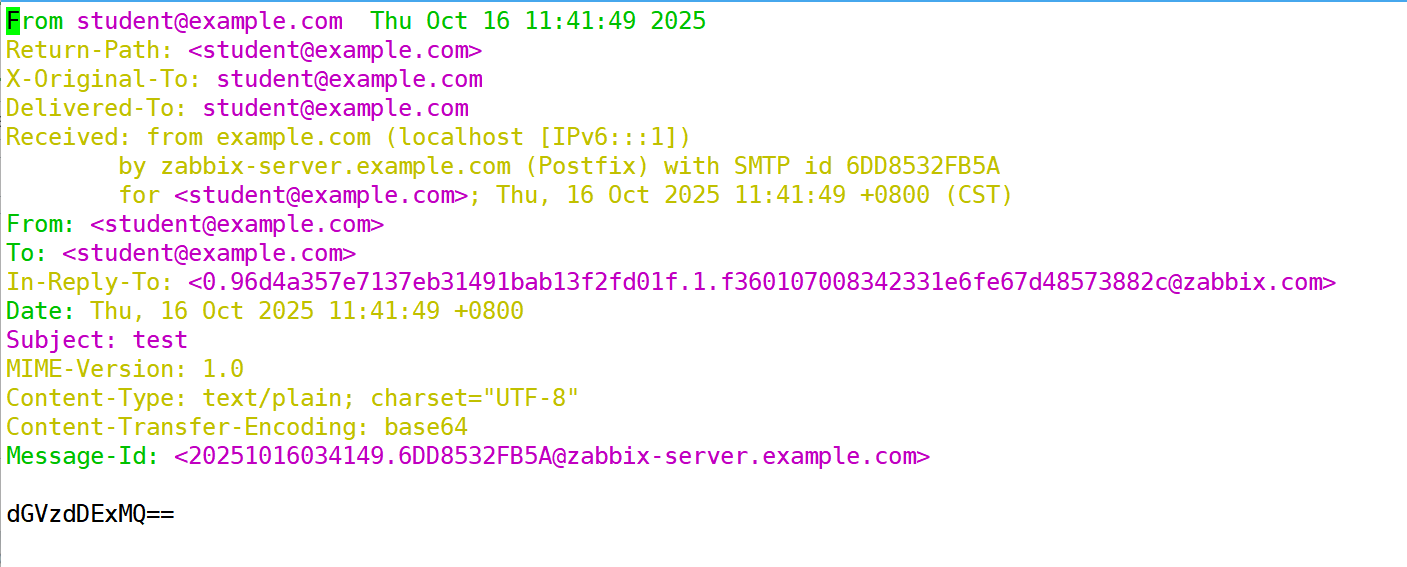
查看student里面是否有刚刚test测试内容
[root@zabbix-server ~]# cd /var/spool/mail
[root@zabbix-server mail]# vim student
创建触发器
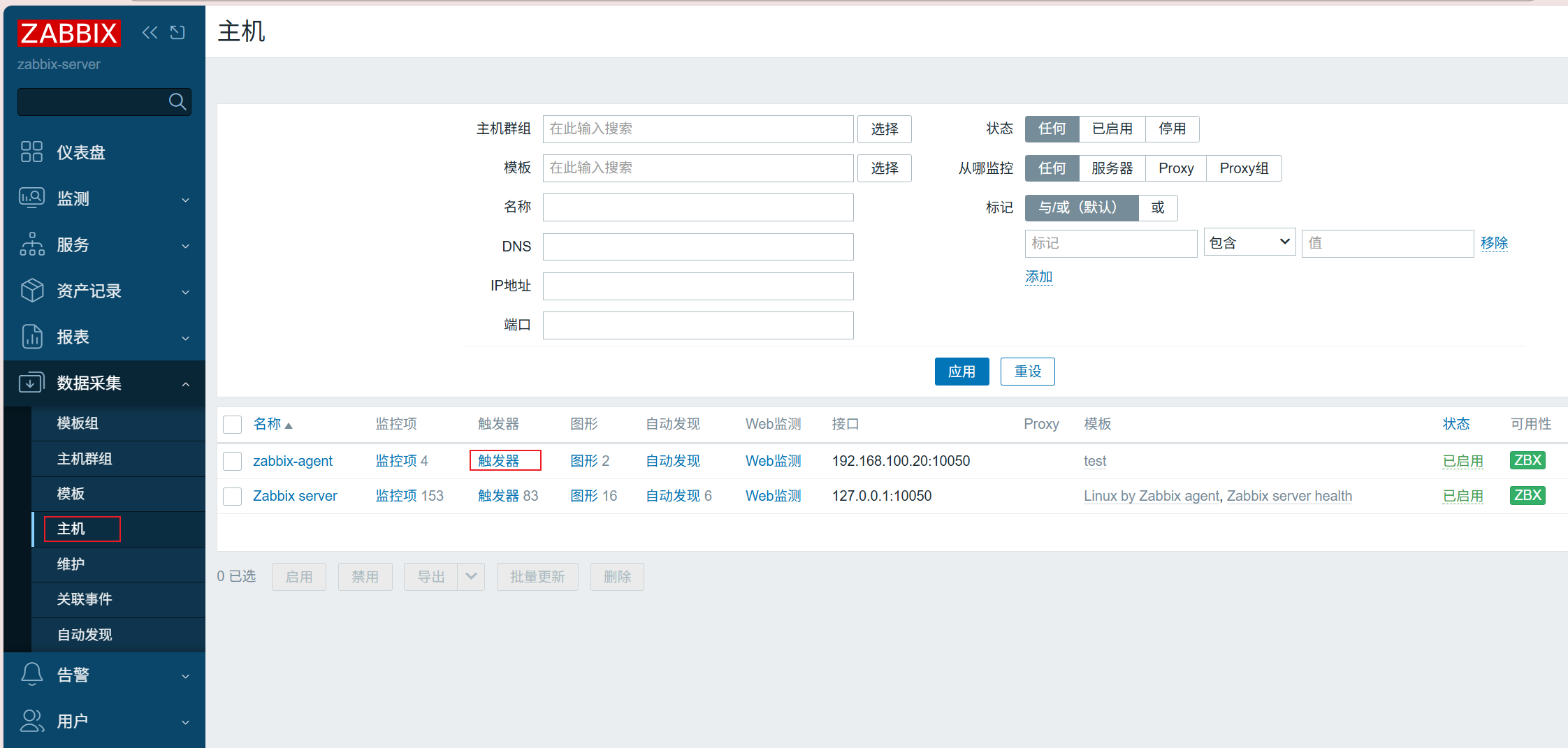
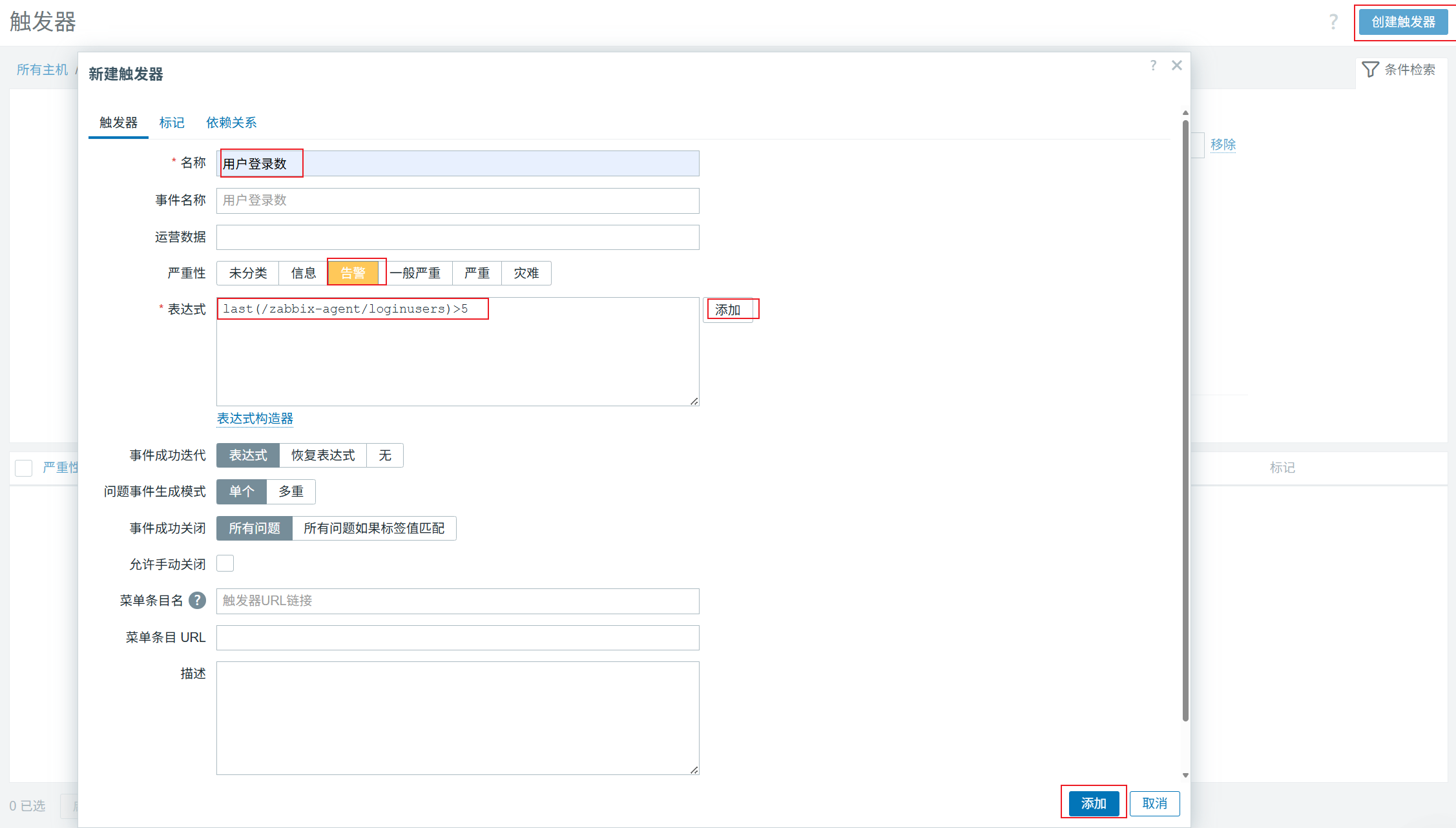
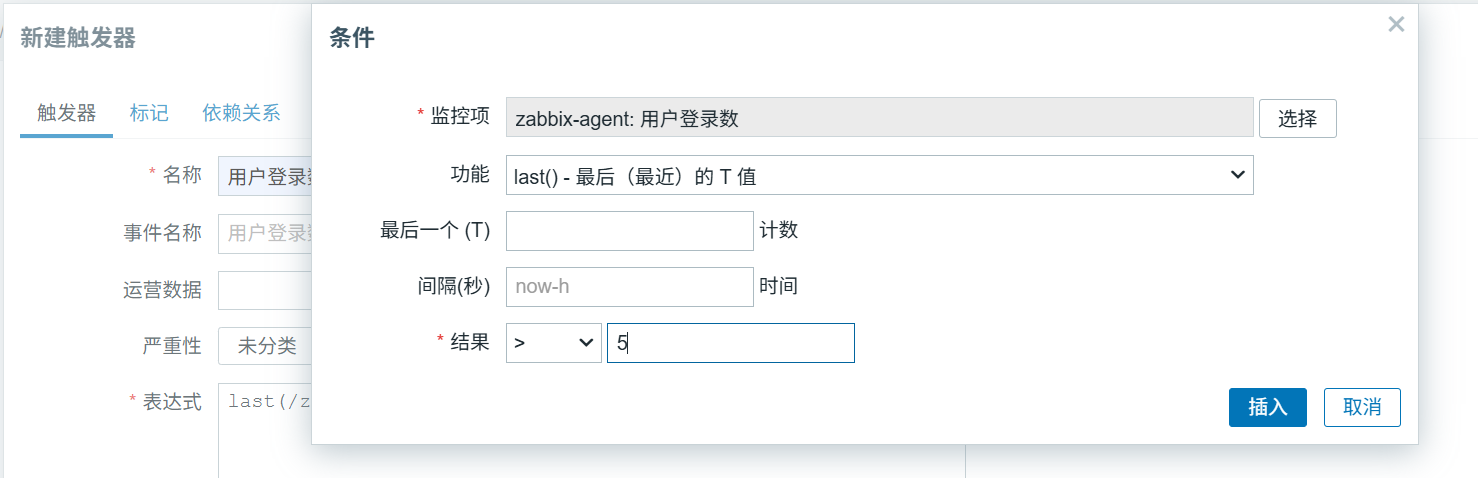
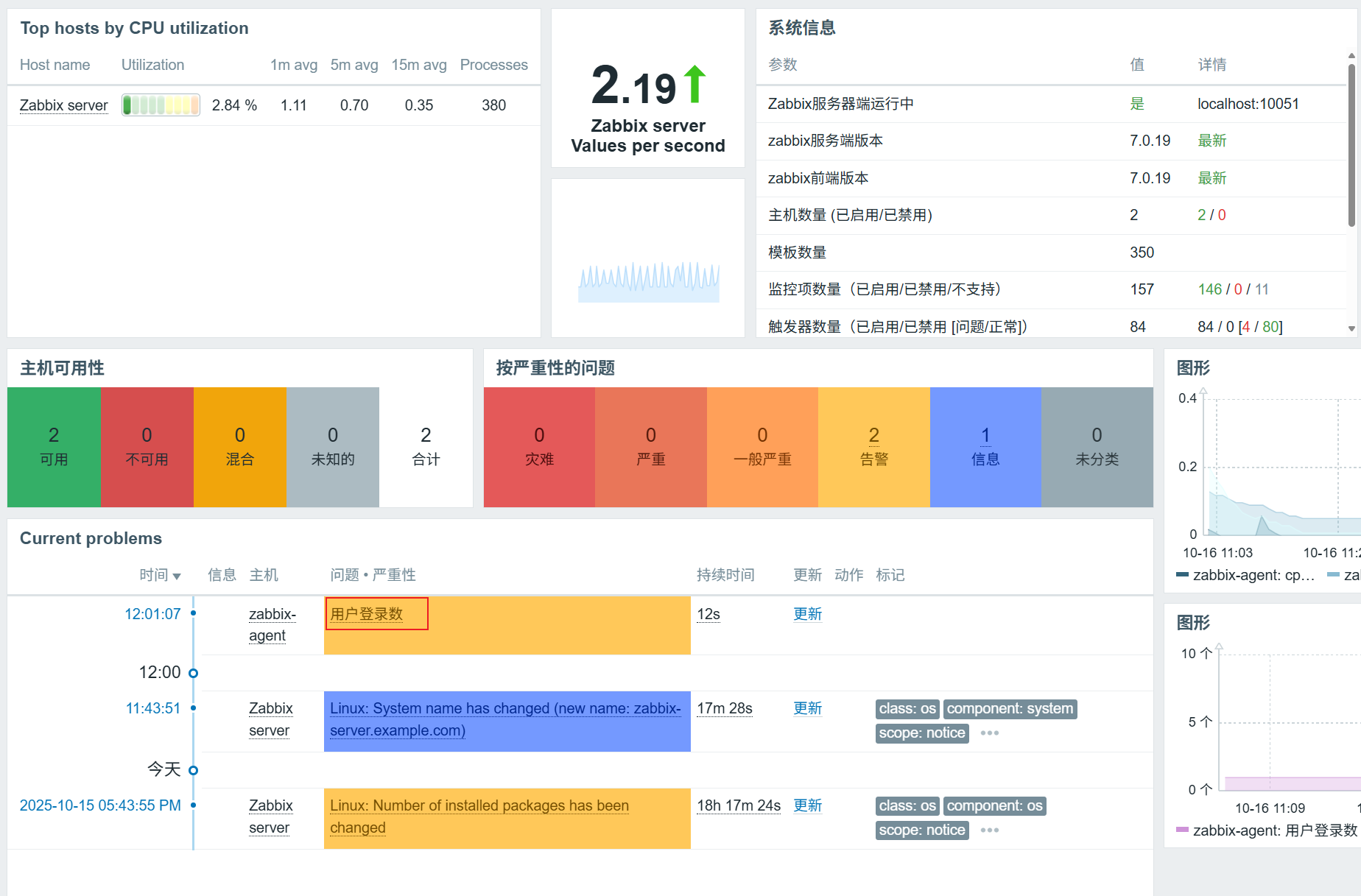
开大于5个终端检测是否触发触发器
[root@zabbix-agent ~]# who | wc -l
6
关联报警媒介
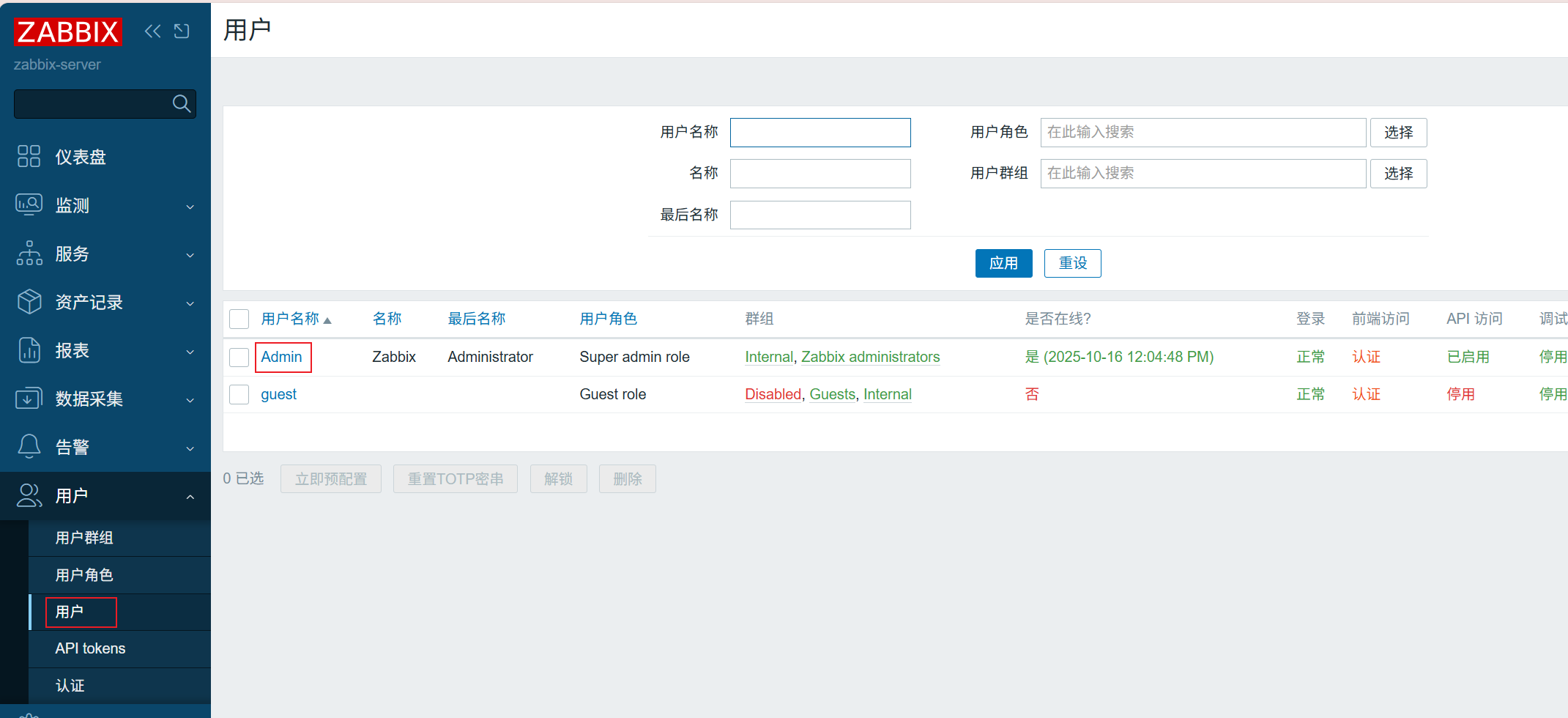
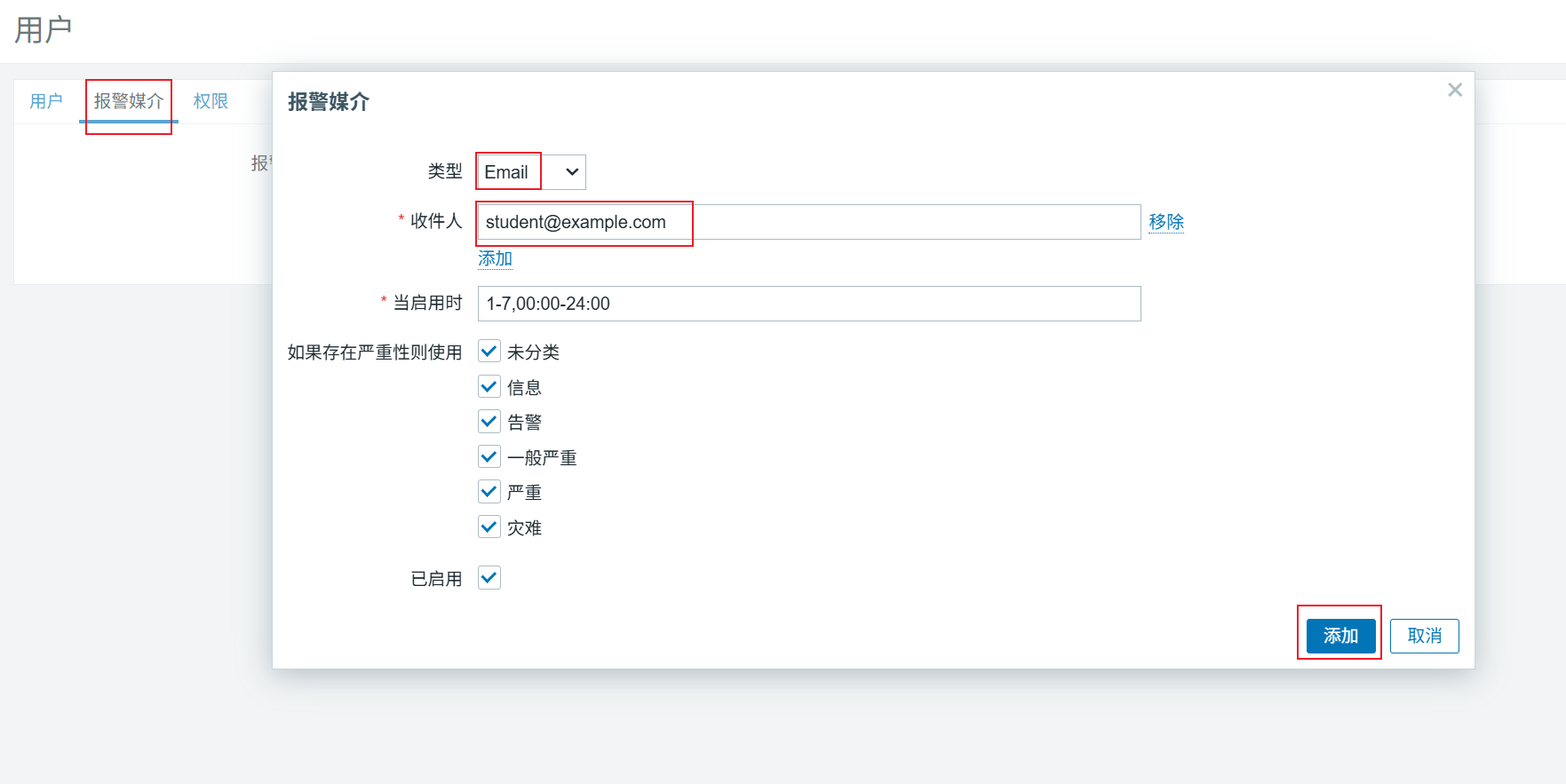
创建动作
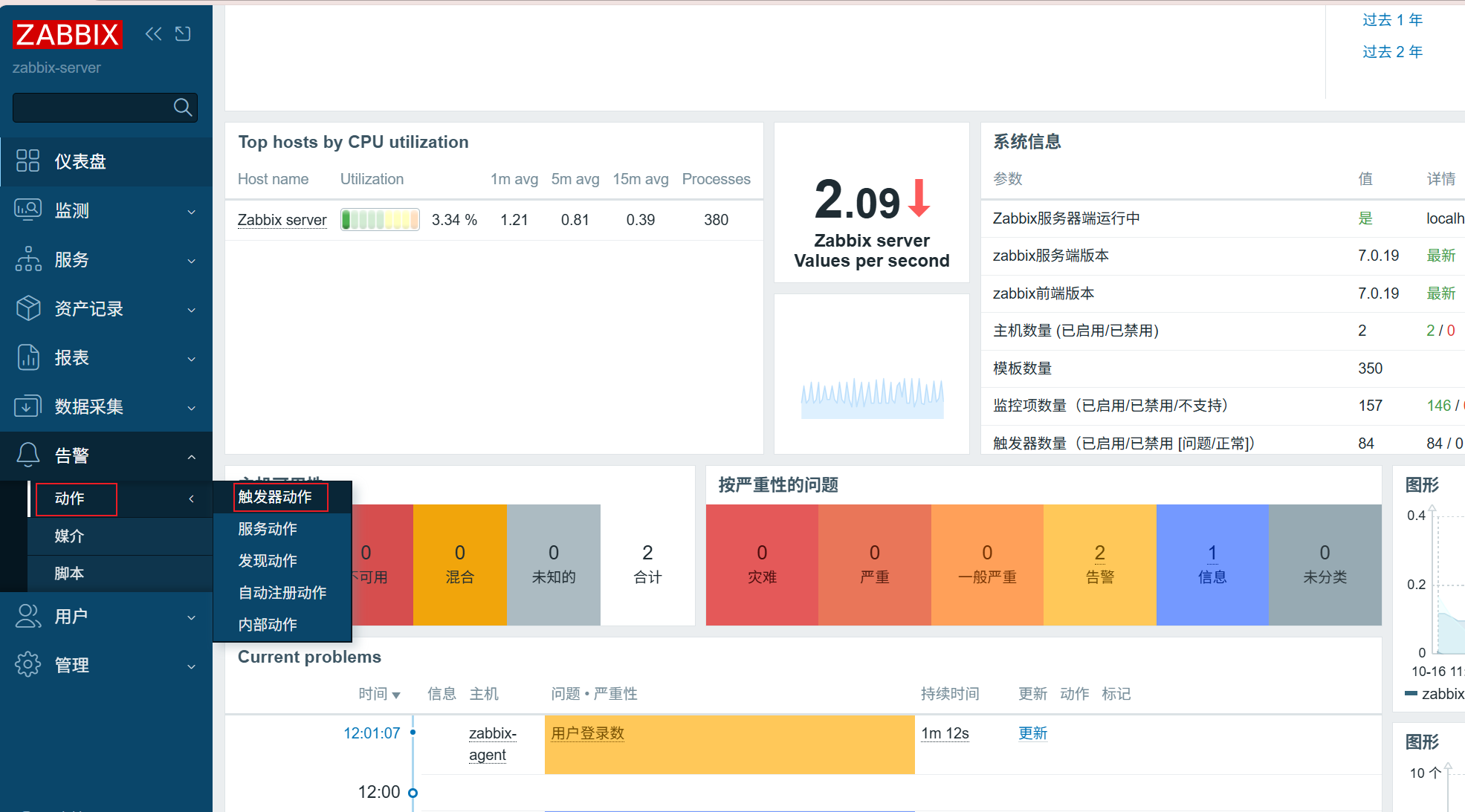
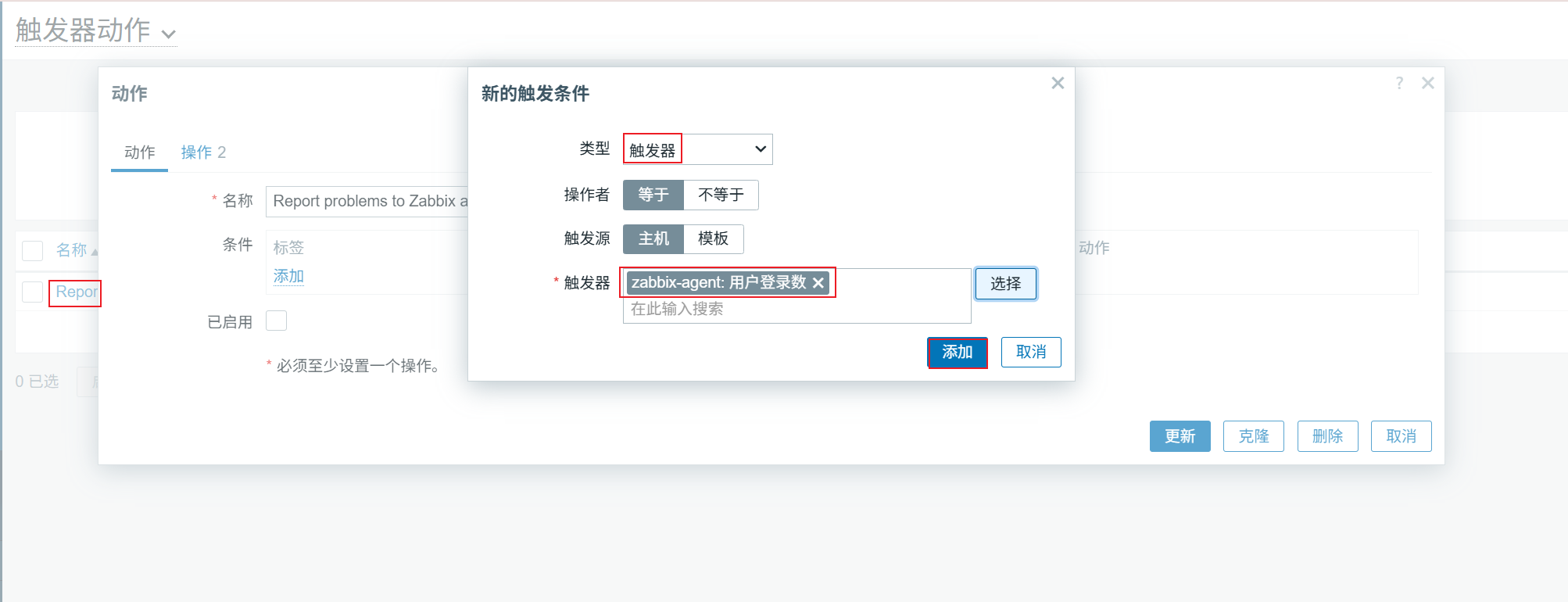
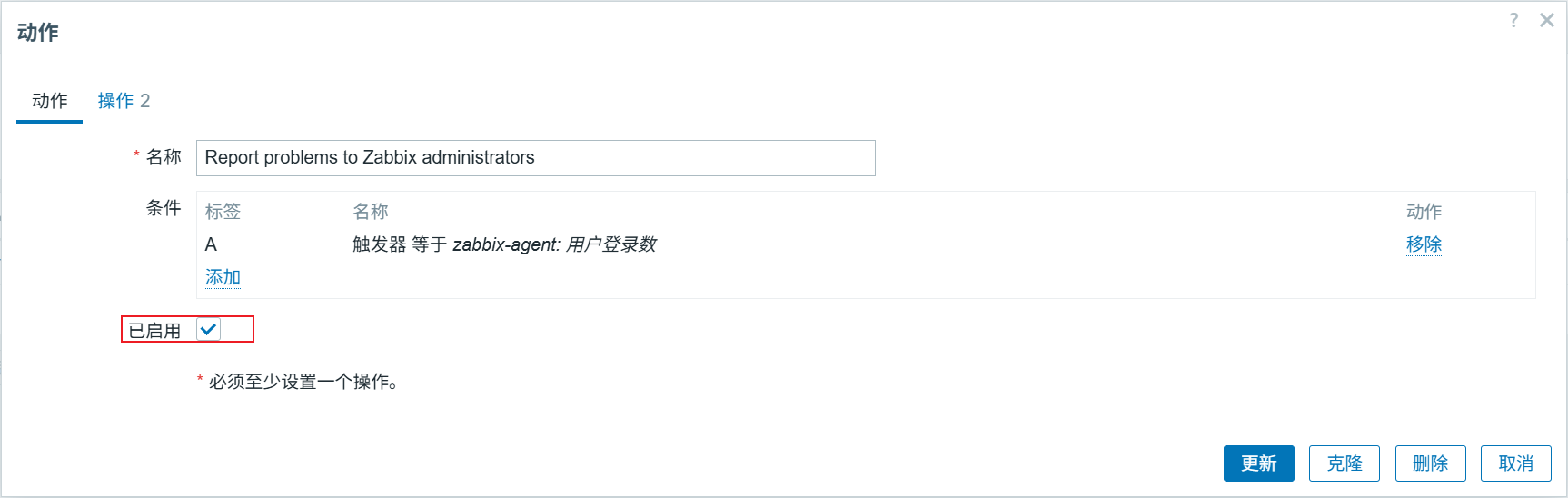
点击操作先移除再添加
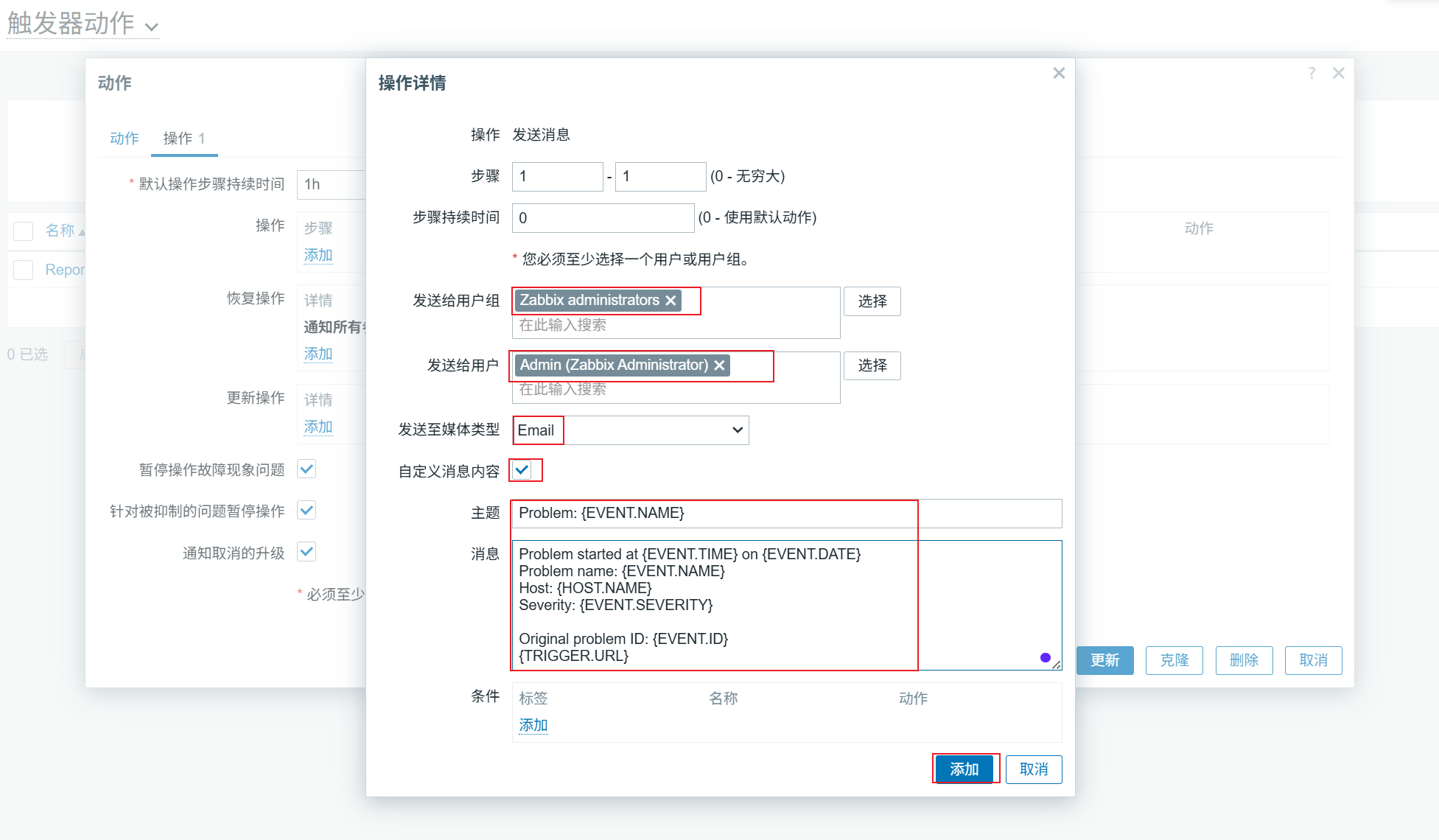
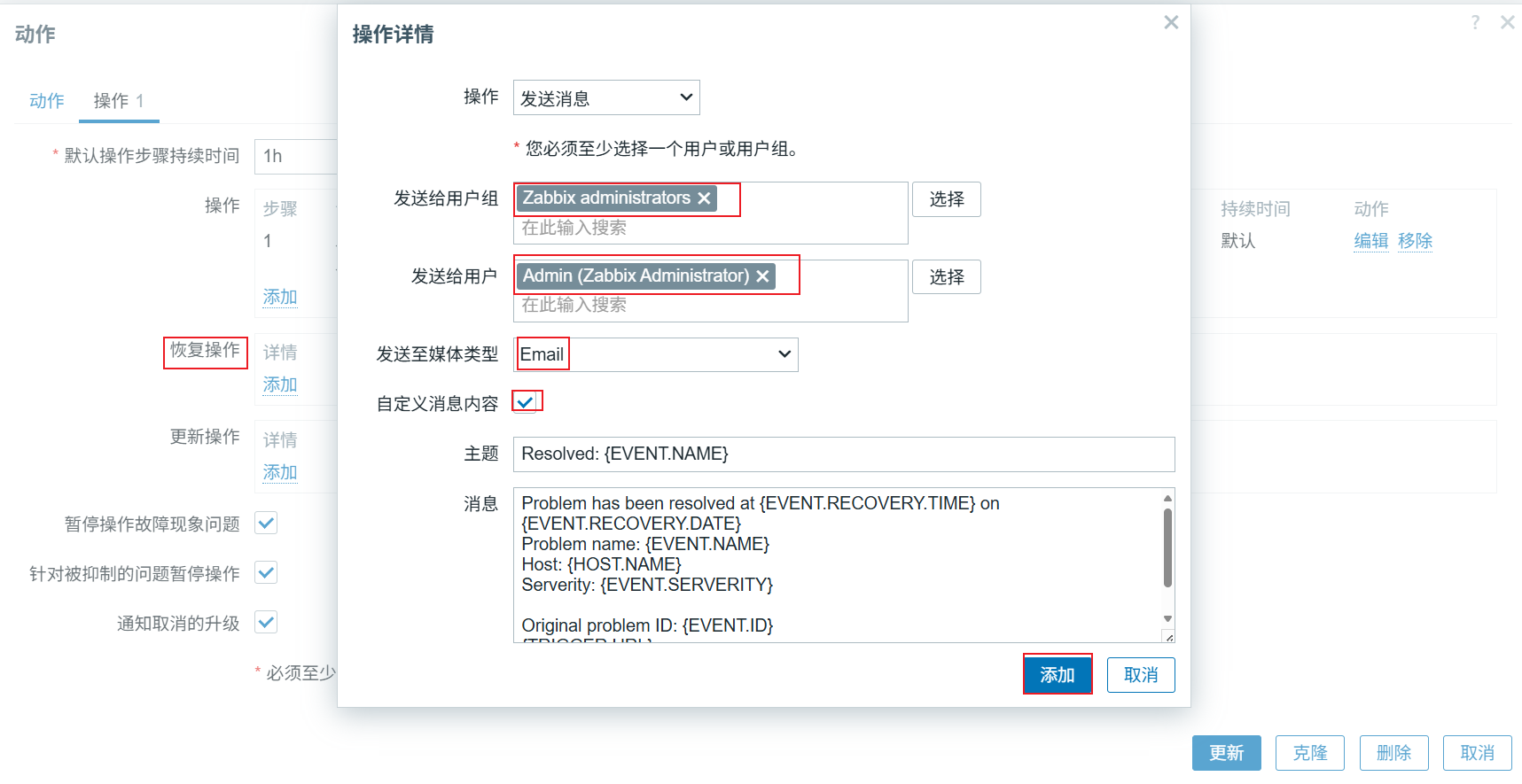
做完之后点击更新操作
验证操作
agent连接用户超过5个
[root@zabbix-agent ~]# who | wc -l
6
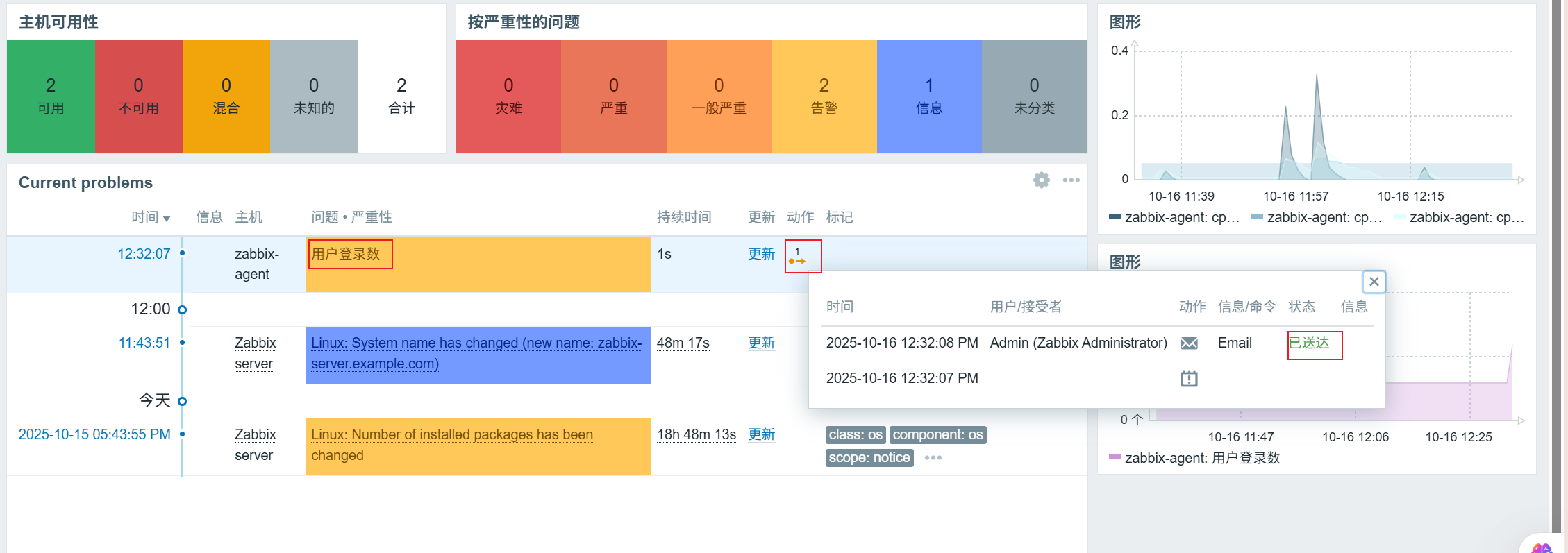
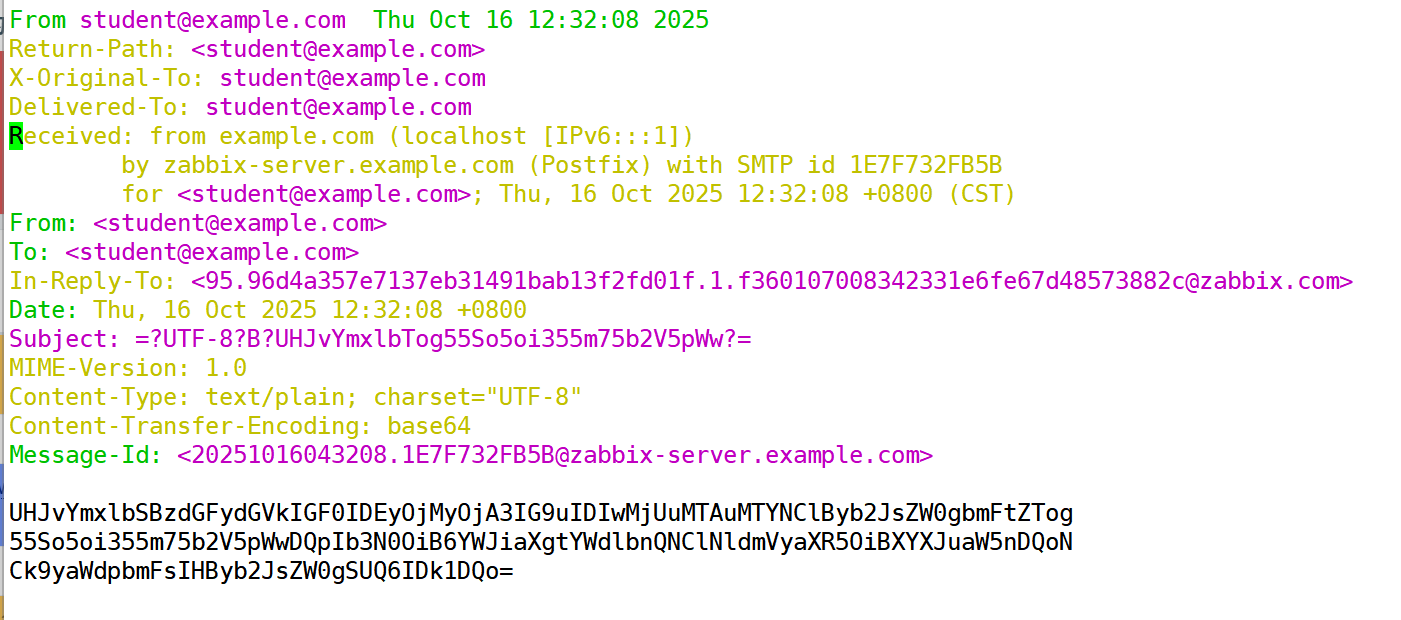
查看邮箱(有内容,但是是乱码,正常现象)
[root@zabbix-server ~]# cd /var/spool/mail
[root@zabbix-server mail]# vim student
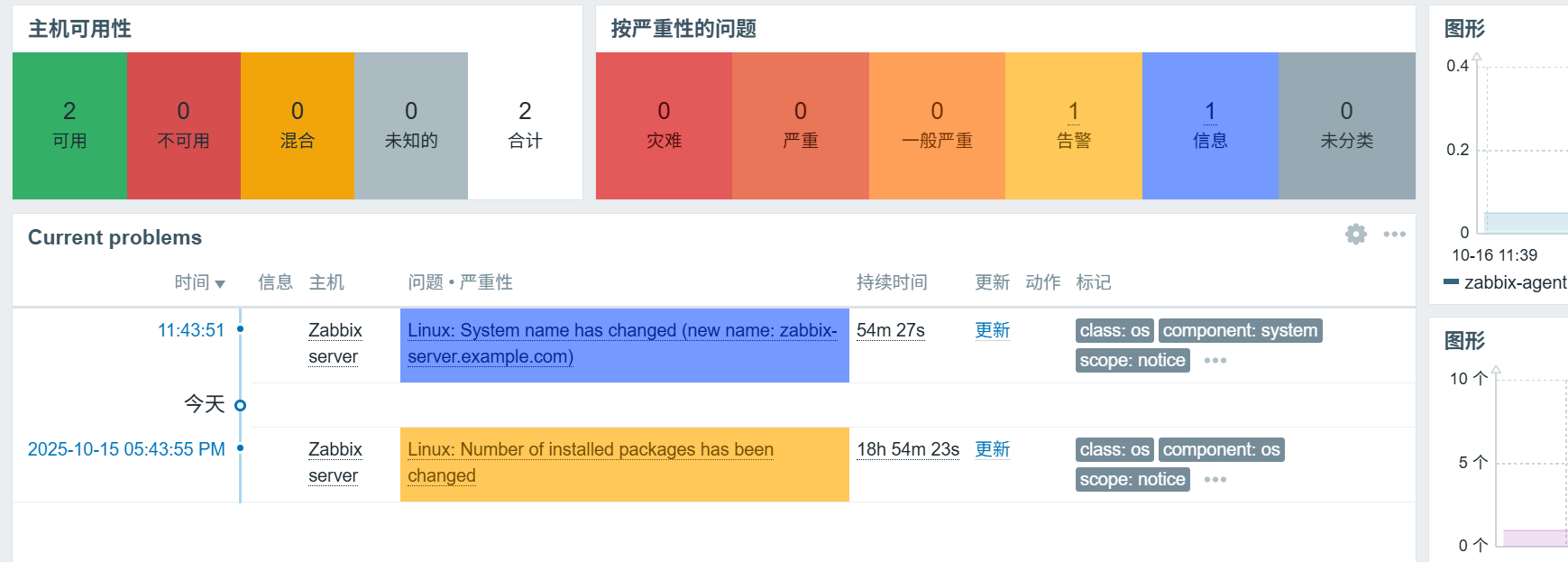
agent连接用户小于5个(发送恢复信息)
告警消失
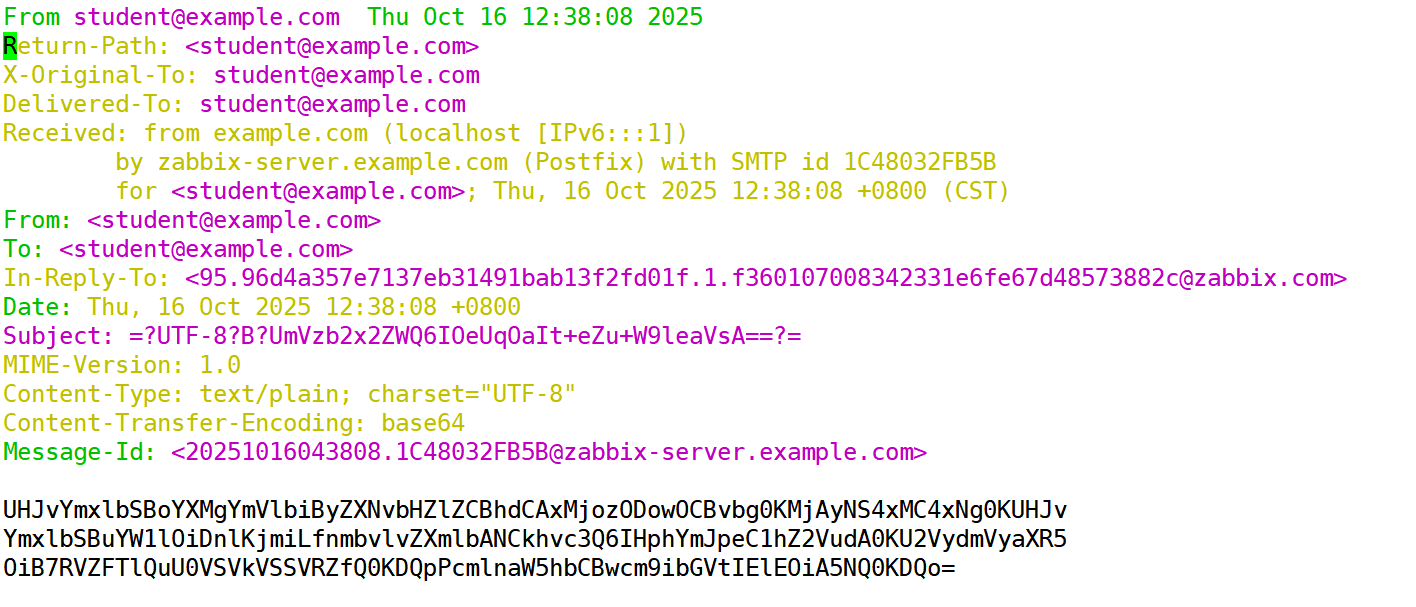
查看邮箱(关于恢复的邮件)
2、第三方邮箱
(1)注册163邮箱(略)
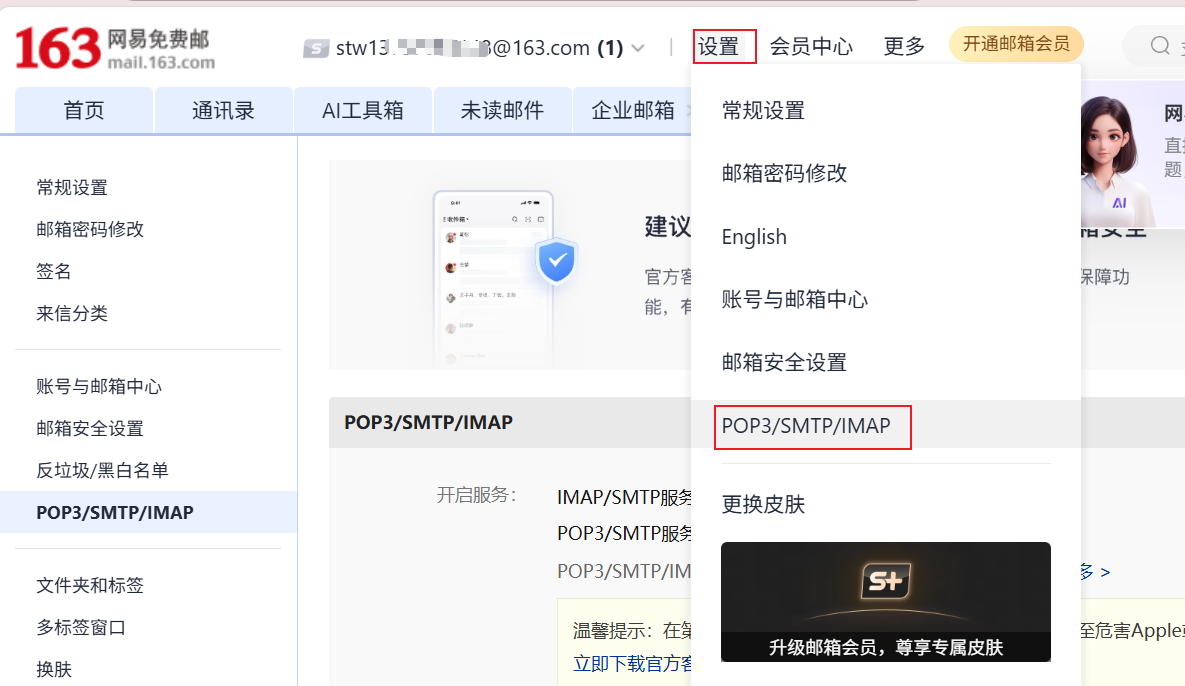
(2)开启SMTP服务和POP3服务,会生成一个授权码,需要记住这个授权码

(3)修改报警媒介类型
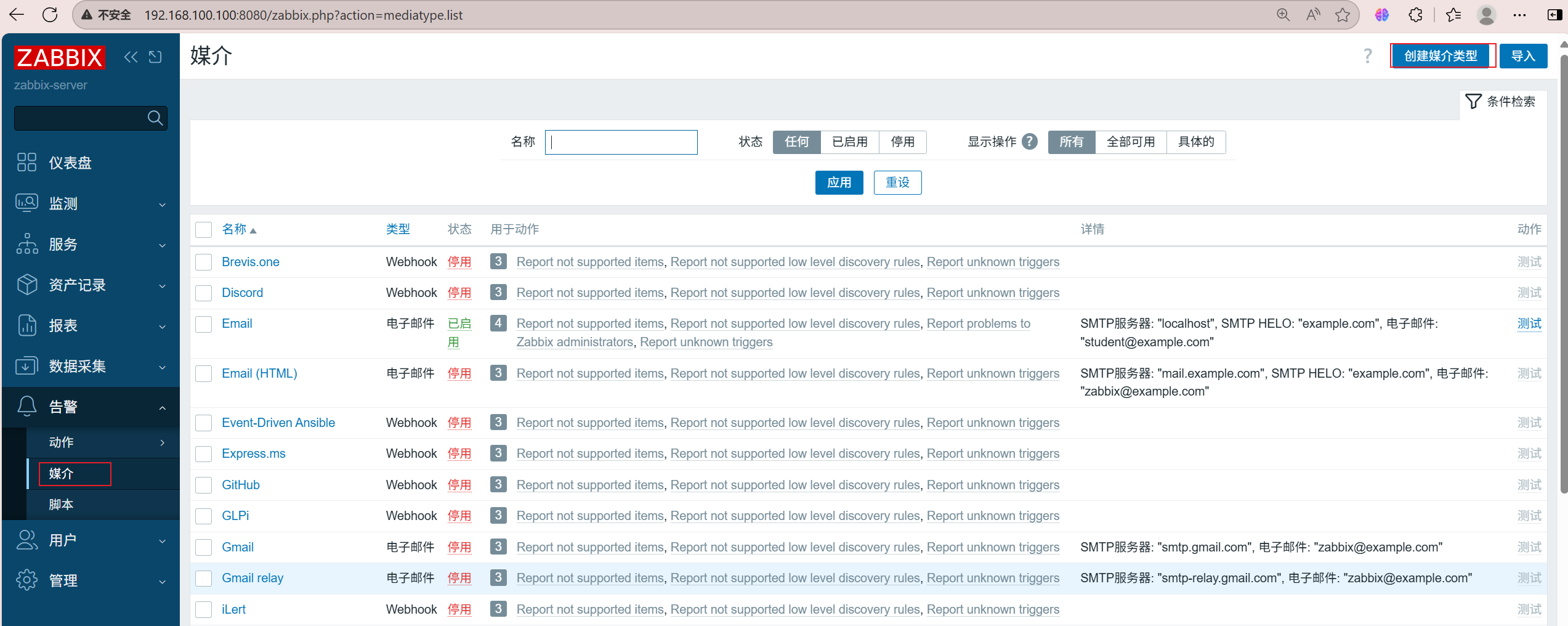
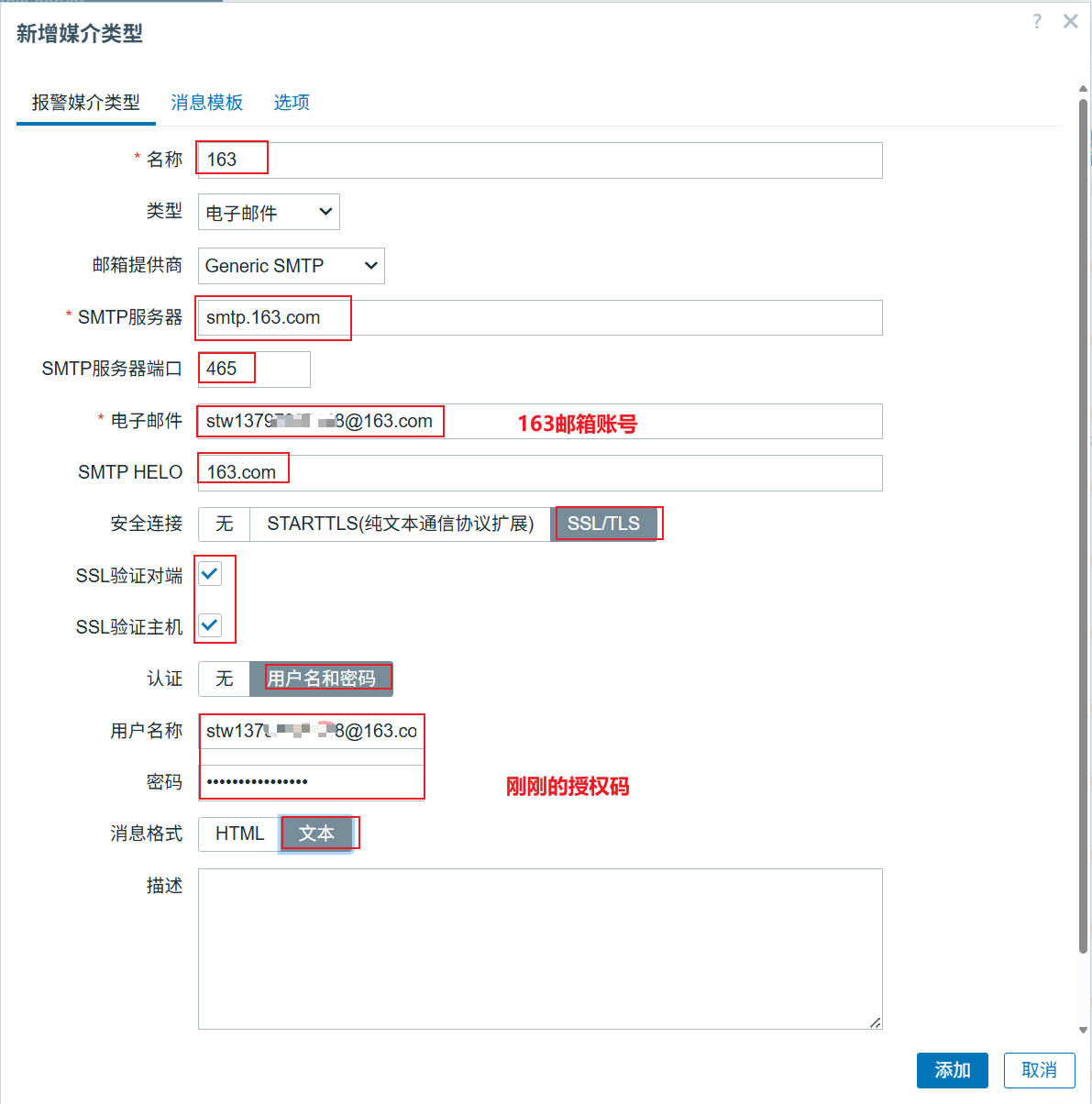
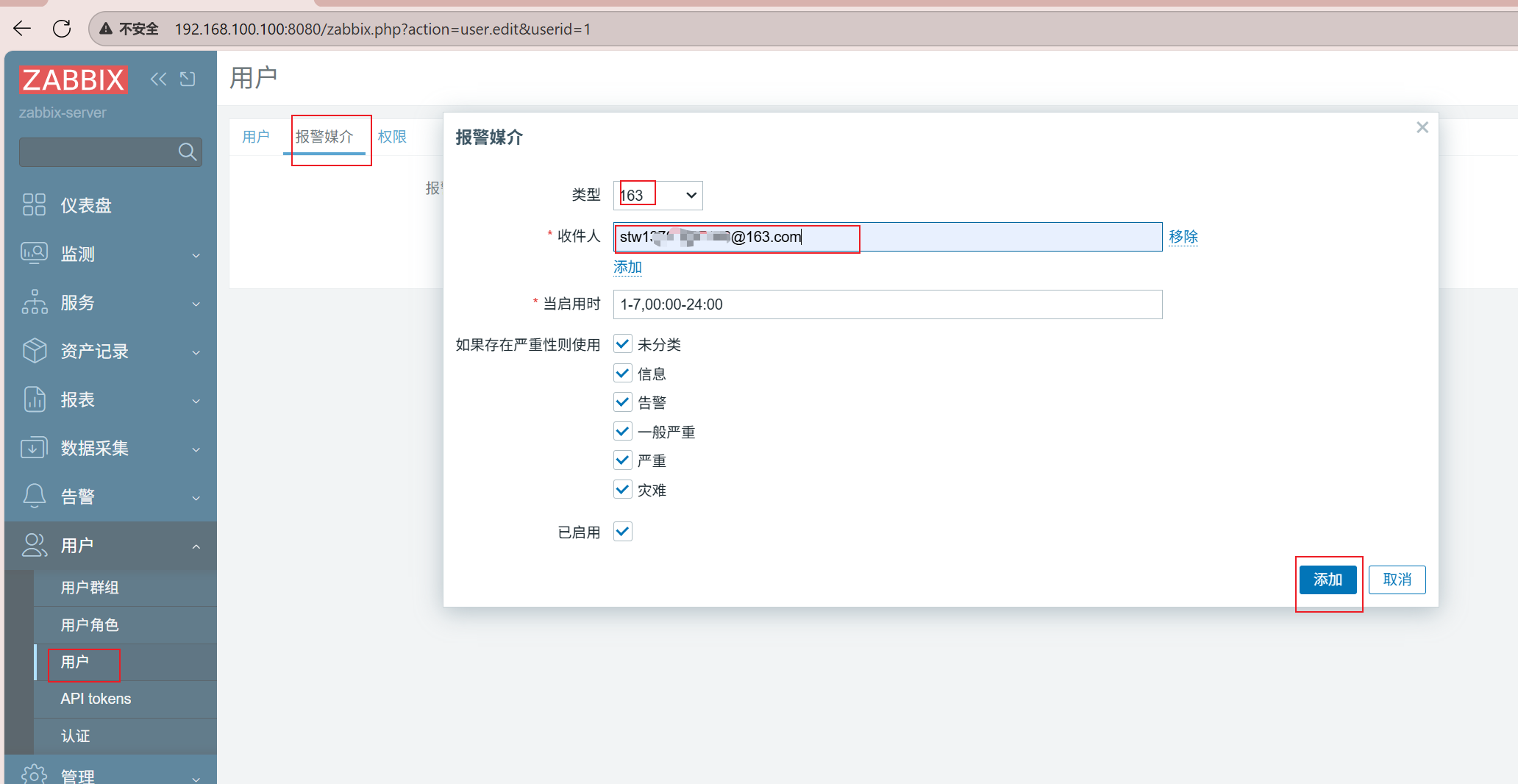
关联报警媒介email换成163(添加后记得更新)
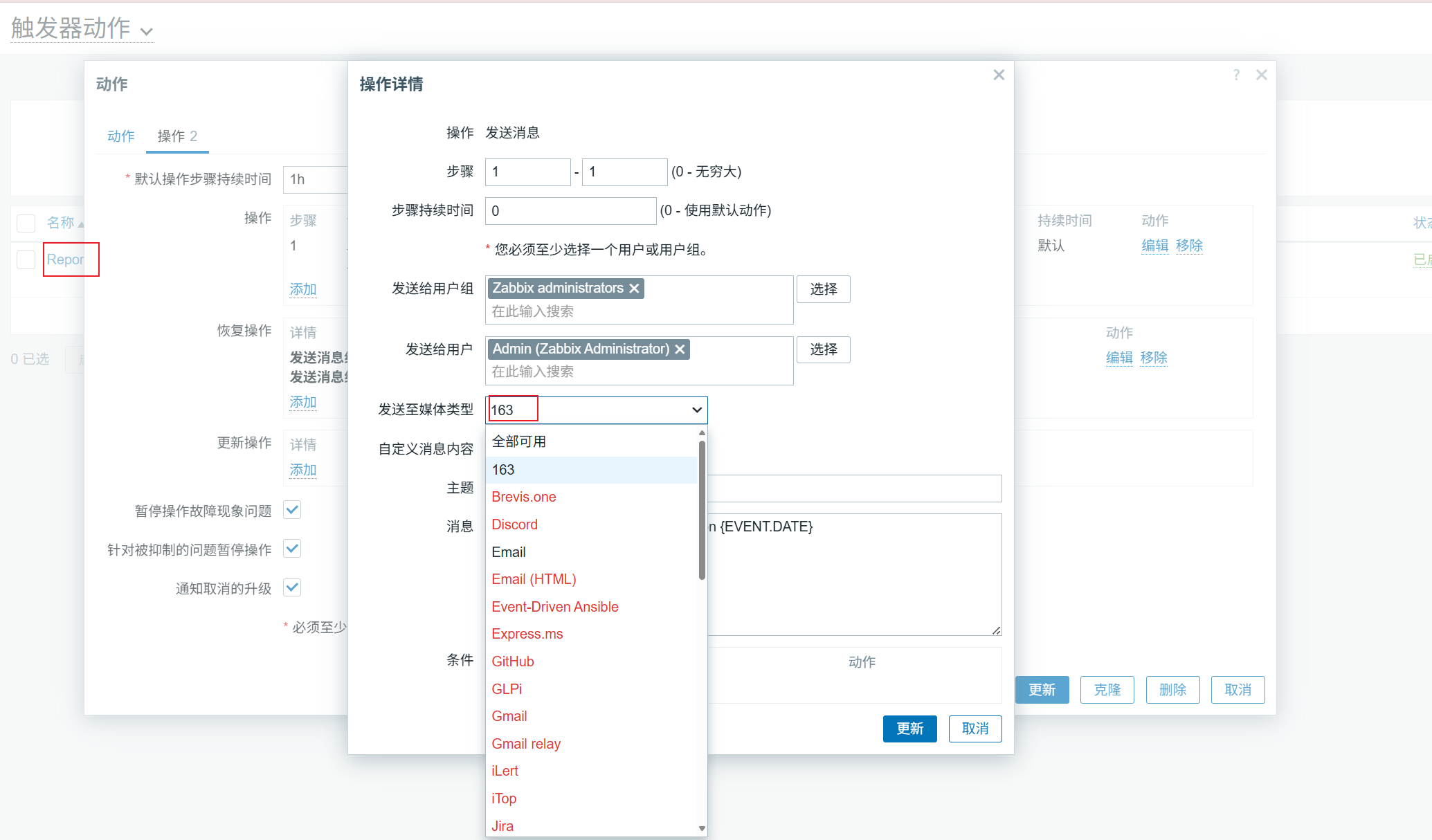
更改触发动作(将两个操作中的email换成163)
再次测试,agent连接数超过5个时,看163邮箱是否能收到邮件
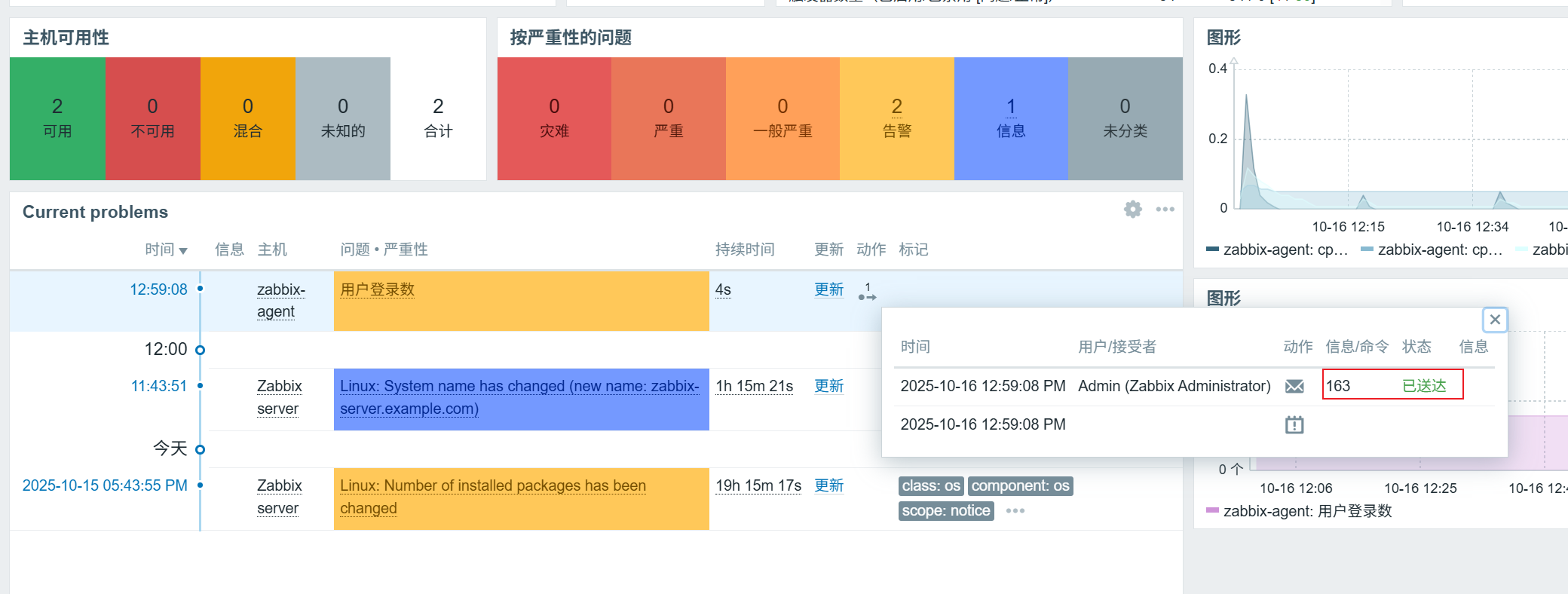
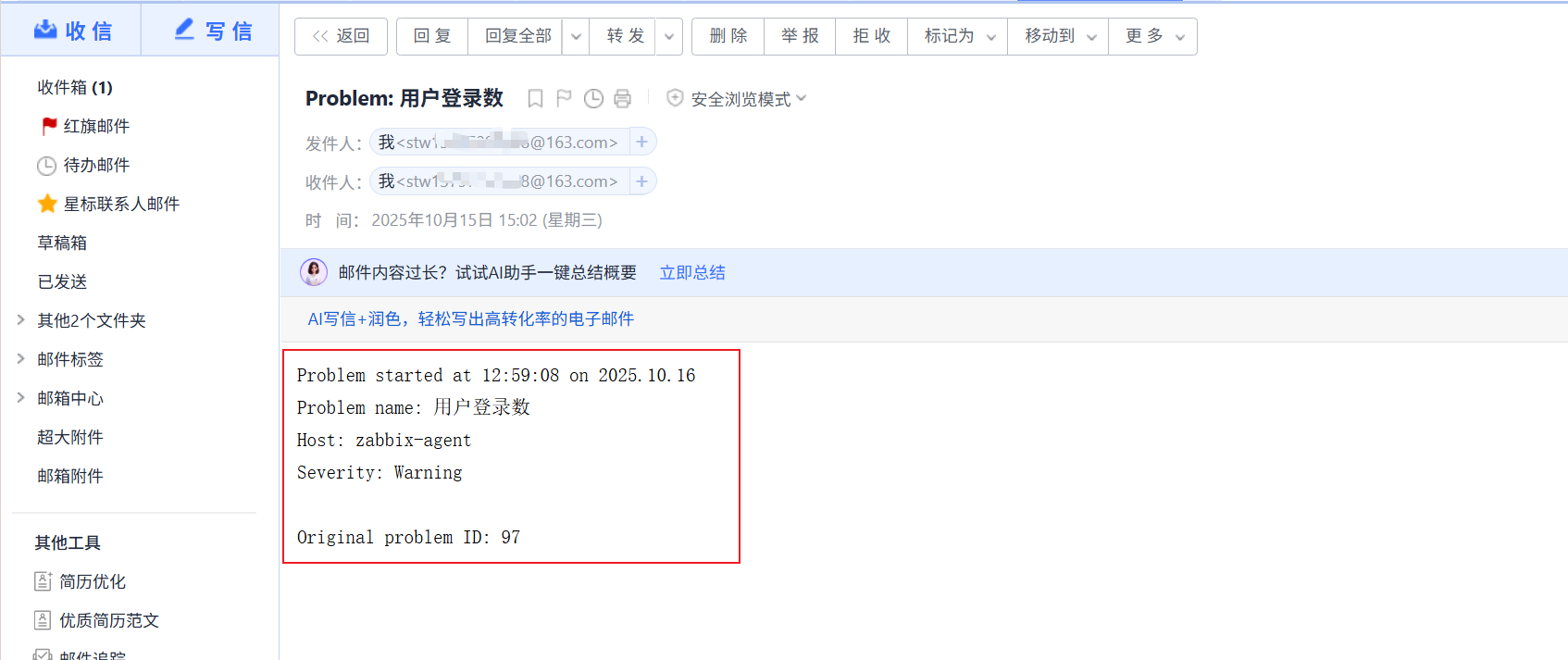
类似的连接数恢复到小于5,163邮箱也会收到回复信息
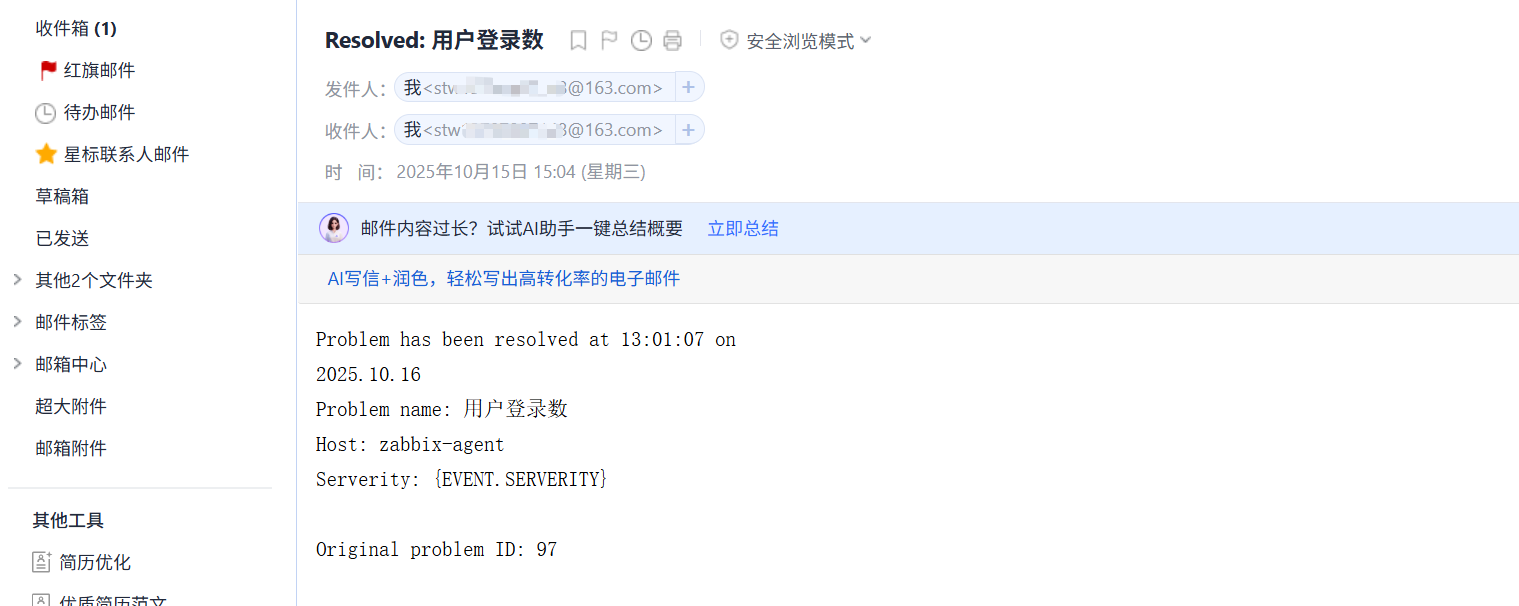
3、第三方邮箱+脚本
(1)安装s-nail软件包并修改s-nail配置文件
[root@zabbix-server ~]# yum -y install s-nail
[root@zabbix-server ~]# vim /etc/s-nail.rc
set from=XXXXX@163.com             //邮箱账号
set smtp=smtp.163.com
set smtp-auth-user=XXXXX@163.com
set smtp-auth-password=粘贴163邮箱授权码
set smtp-auth=login
set ssl-verify=ignore
[root@zabbix-server ~]# chown -R zabbix.zabbix /etc/s-nail.rc
(2)在zabbix服务端写邮件发送脚本
[root@zabbix-server ~]# vim /usr/lib/zabbix/alertscripts/mail-send.sh
#!/bin/bash
messages=`echo $3 | tr '\r\n' '\n'`
subject=`echo $2 | tr '\r\n' '\n'`
echo "${messages}" | s-nail -s "${subject}" $1
[root@zabbix-server ~]# chown -R zabbix.zabbix /usr/lib/zabbix/alertscripts/mail-send.sh
[root@zabbix-server ~]# chmod +x /usr/lib/zabbix/alertscripts/mail-send.sh
(3)测试邮箱能否接收邮件
[root@zabbix-server ~]# cd /usr/lib/zabbix/alertscripts/
[root@zabbix-server alertscripts]# ./mail-send.sh stwxxxxx@163.com "zabbix test mail" "test"
s-nail: Warning: variable superseded or obsoleted: smtp
s-nail: Warning: variable superseded or obsoleted: smtp-auth-user
s-nail: Warning: variable superseded or obsoleted: smtp-auth-password
s-nail: Warning: variable superseded or obsoleted: ssl-verify
s-nail: Obsoletion warning: please do not use *smtp*, instead assign a smtp:// URL to *mta*!
s-nail: Obsoletion warning: Use of old-style credentials, which will vanish in v15!
s-nail:   Please read the manual section "On URL syntax and credential lookup"
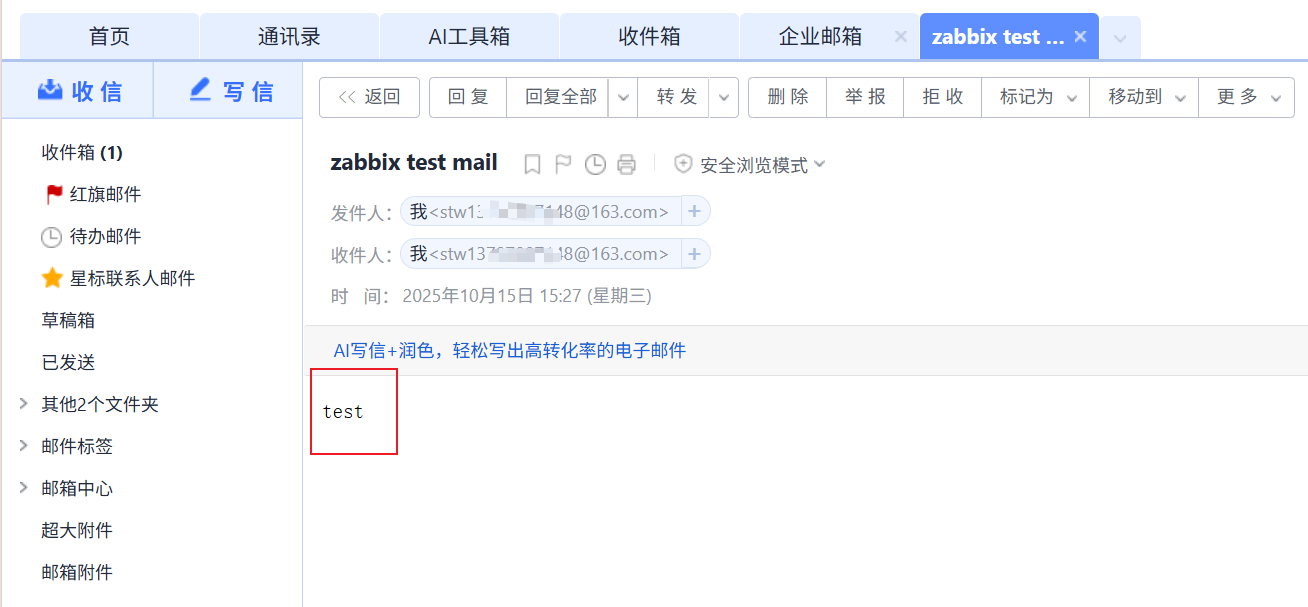
(4)创建报警媒介类型
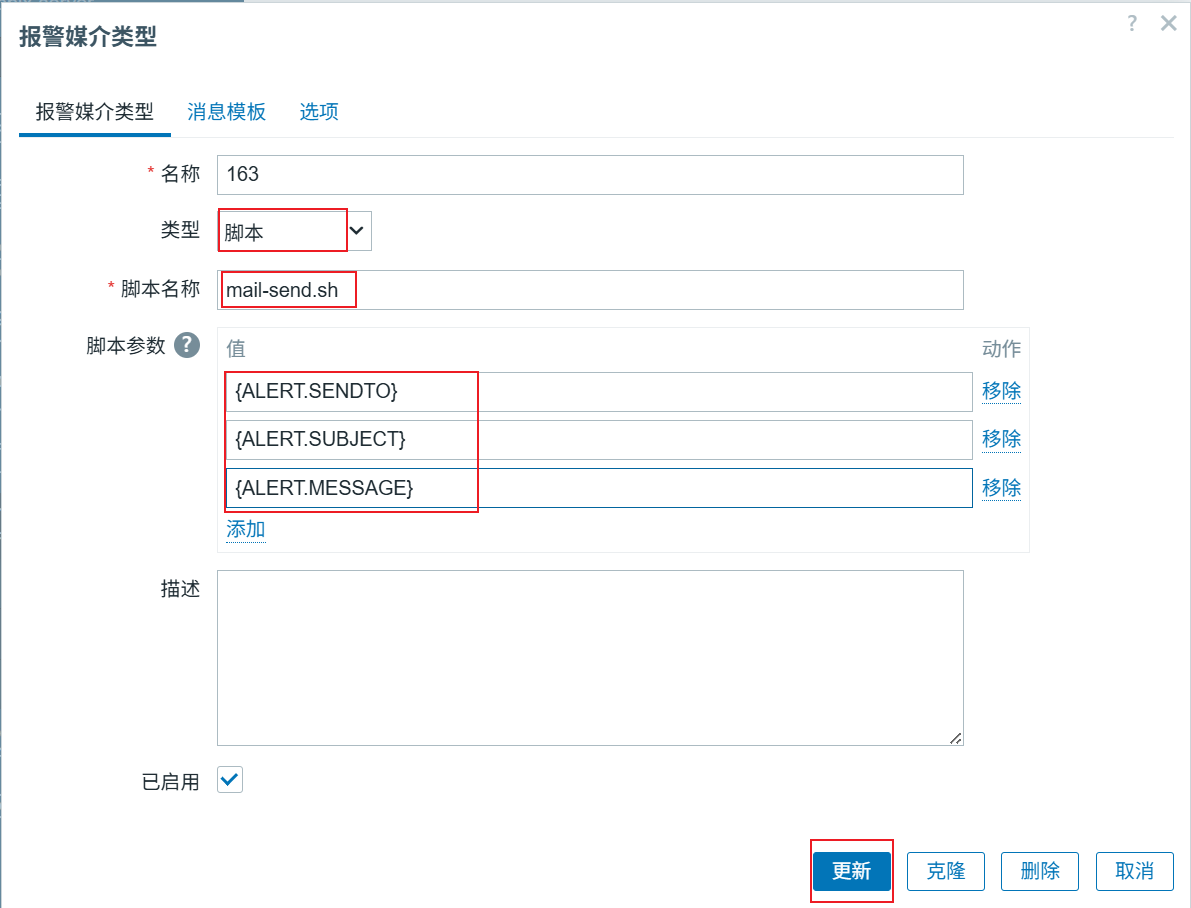
(5)创建触发器(在第二个实验中已经配置163触发器)
(6)给用户添加邮箱(关联报警媒介)
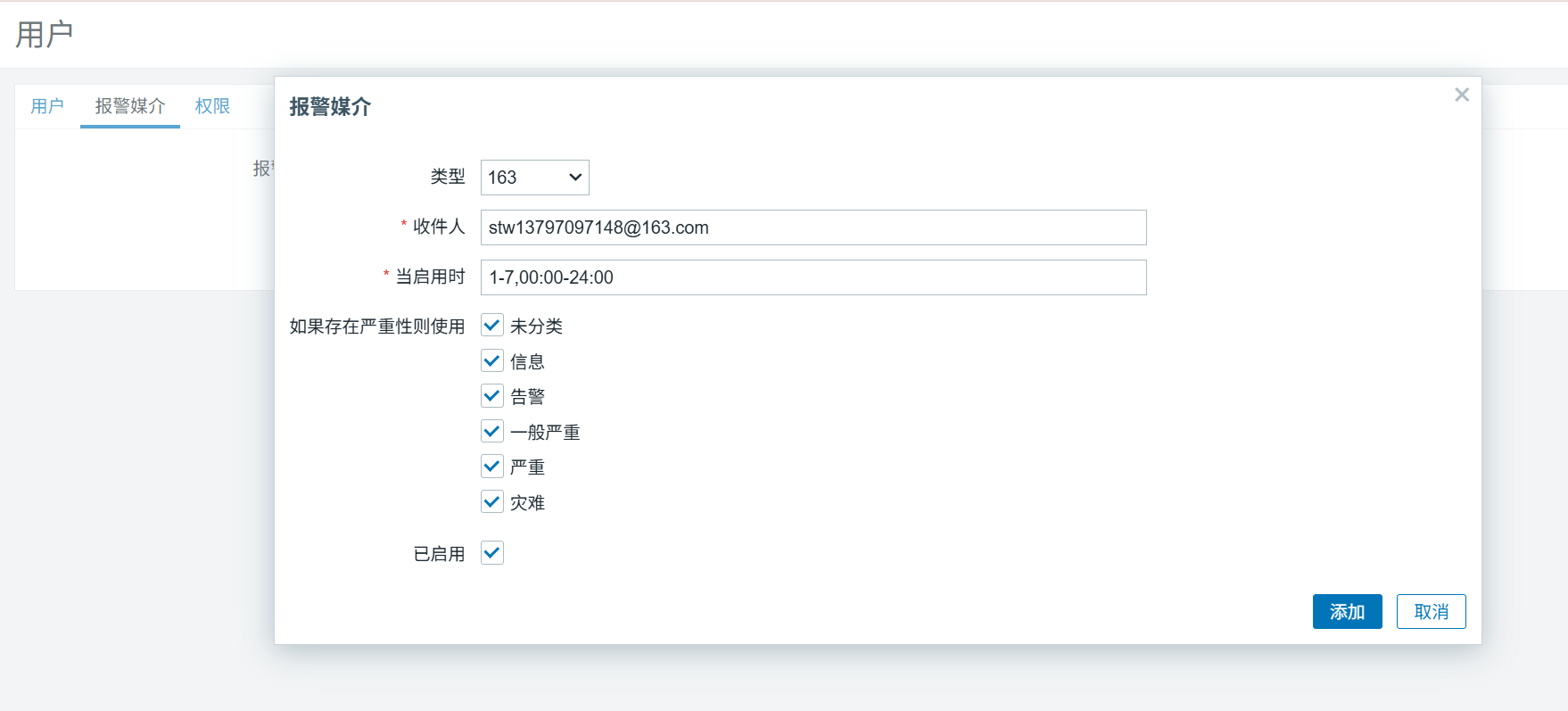
(7)创建动作(在第二个实验中已经配置163动作)
(8)验证–agent连接数超过5个
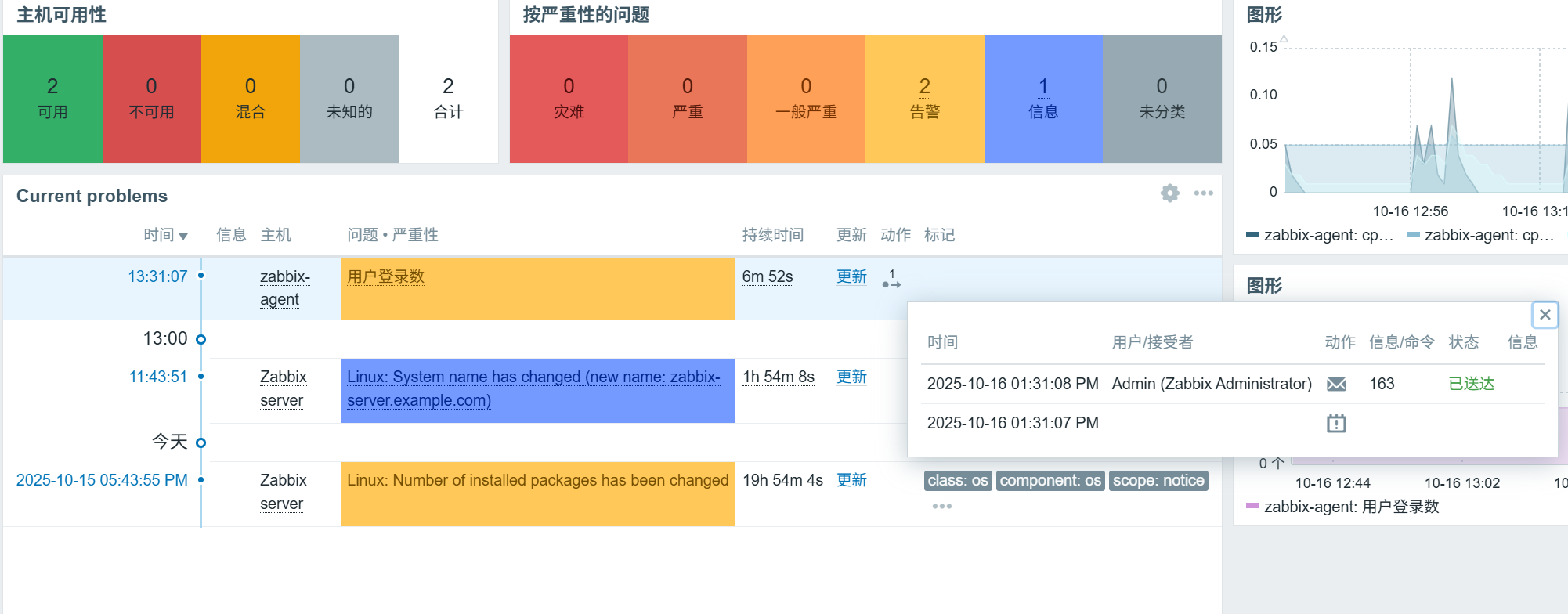
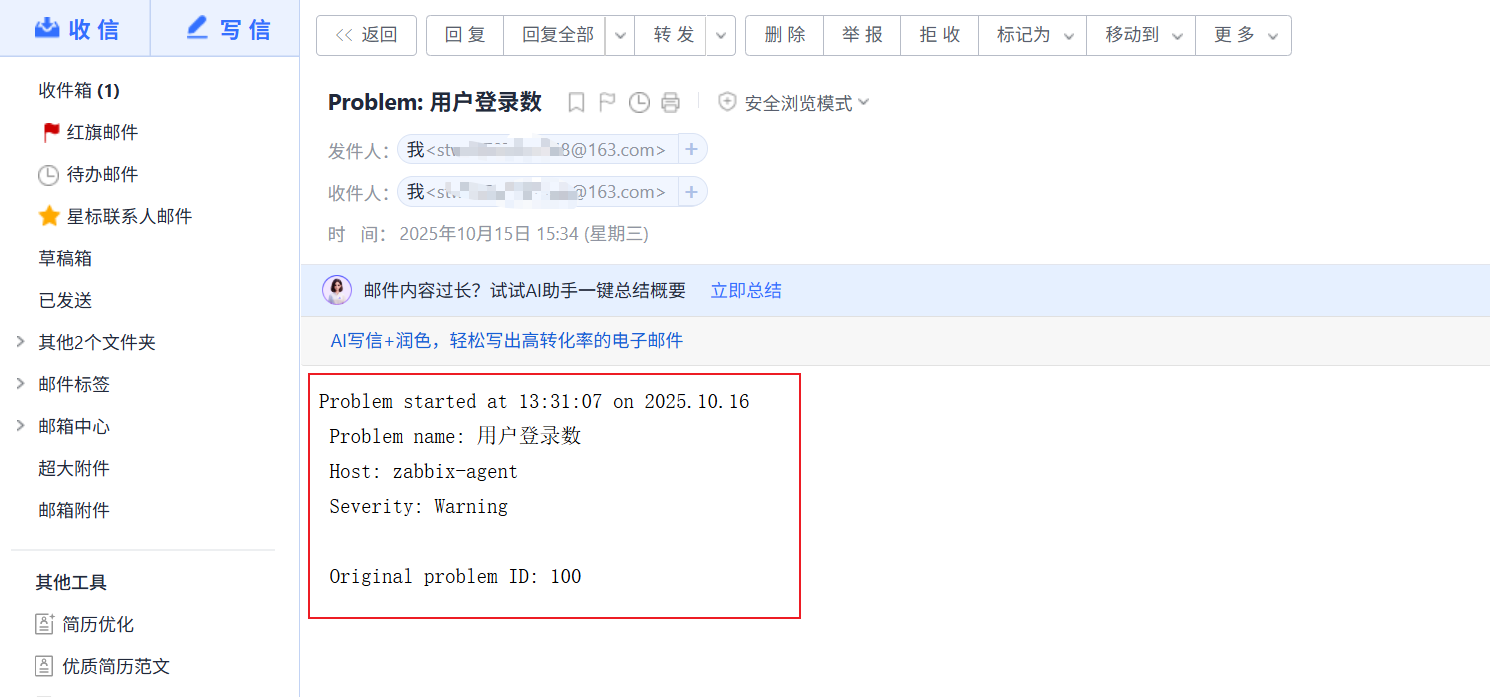
这里我们发现时间不一致但是zabbix的时间是对的,去查看server主机的时间
做好时钟同步
[root@zabbix-server ~]# timedatectl
               Local time: Thu 2025-10-16 13:49:34 CST
           Universal time: Thu 2025-10-16 05:49:34 UTC
                 RTC time: Thu 2025-10-16 07:53:04
                Time zone: Asia/Shanghai (CST, +0800)
System clock synchronized: no
              NTP service: inactive
          RTC in local TZ: no
[root@zabbix-server ~]# timedatectl set-timezone Asia/Shanghai
[root@zabbix-server ~]# timedatectl
               Local time: Thu 2025-10-16 13:50:51 CST
           Universal time: Thu 2025-10-16 05:50:51 UTC
                 RTC time: Thu 2025-10-16 07:54:20
                Time zone: Asia/Shanghai (CST, +0800)
System clock synchronized: no
              NTP service: inactive
          RTC in local TZ: no
[root@zabbix-server ~]# yum -y install chrony
[root@zabbix-server ~]# systemctl start chronyd
[root@zabbix-server ~]# systemctl enable chronyd
Created symlink /etc/systemd/system/multi-user.target.wants/chronyd.service → /usr/lib/systemd/system/chronyd.service.
[root@zabbix-server ~]# chronyc tracking
Reference ID    : D210A663 (210.16.166.99)
Stratum         : 4
Ref time (UTC)  : Wed Oct 15 07:55:32 2025
System time     : 0.000000590 seconds fast of NTP time
Last offset     : -0.000253658 seconds
RMS offset      : 0.000253658 seconds
Frequency       : 0.000 ppm slow
Residual freq   : +33.406 ppm
Skew            : 1000000.000 ppm
Root delay      : 0.053363558 seconds
Root dispersion : 12.976727486 seconds
Update interval : 1.6 seconds
Leap status     : Normal
[root@zabbix-server ~]# timedatectl
               Local time: Wed 2025-10-15 15:55:52 CST
           Universal time: Wed 2025-10-15 07:55:52 UTC
                 RTC time: Wed 2025-10-15 07:55:52
                Time zone: Asia/Shanghai (CST, +0800)
System clock synchronized: yes
              NTP service: active
          RTC in local TZ: no
发现还是没变则更改配置文件( vim /etc/php-fpm.d/zabbix.conf )
在php_value[max_input_vars] = 10000后面添加php_value[date.timezone] = Asia/Shanghai
[root@zabbix-server ~]# vim /etc/php-fpm.d/zabbix.conf
php_value[max_input_vars] = 10000
php_value[date.timezone] = Asia/Shanghai
[root@zabbix-server ~]# systemctl restart php-fpm
再次测试并刷新zabbix-web端发现时间已经同步
更多推荐


 14
14 0
0- 0


 已为社区贡献4条内容

所有评论(0)