
tkinter中的spinBox样式详解
·
简介
【spinbox】是增减框,除了可以用于增减数字之外,还可用于元组内容的遴选,如下图所示
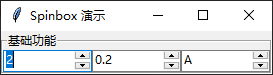
代码如下
import tkinter as tk
import tkinter.ttk as ttk

root = tk.Tk()
root.title("Spinbox 演示")

frm = tk.LabelFrame(root, text="基础功能")
frm.pack(side = tk.TOP)

ttk.Spinbox(frm, width=10, from_=1, to=10, increment=1).pack(side=tk.LEFT)
ttk.Spinbox(frm, width=10, from_=0.1, to=5, increment=0.1).pack(side=tk.LEFT)
ttk.Spinbox(frm, width=10, values=("A", "B", "C", "D")).pack(side=tk.LEFT)
root.mainloop()
其中,【from_】【to】【increment】这三个参数用于设置数字范围与步长;【values】则通过一个有序列表,来供用户选择。
更多样式示例
Spinbox支持多种样式的设置,具体效果如下
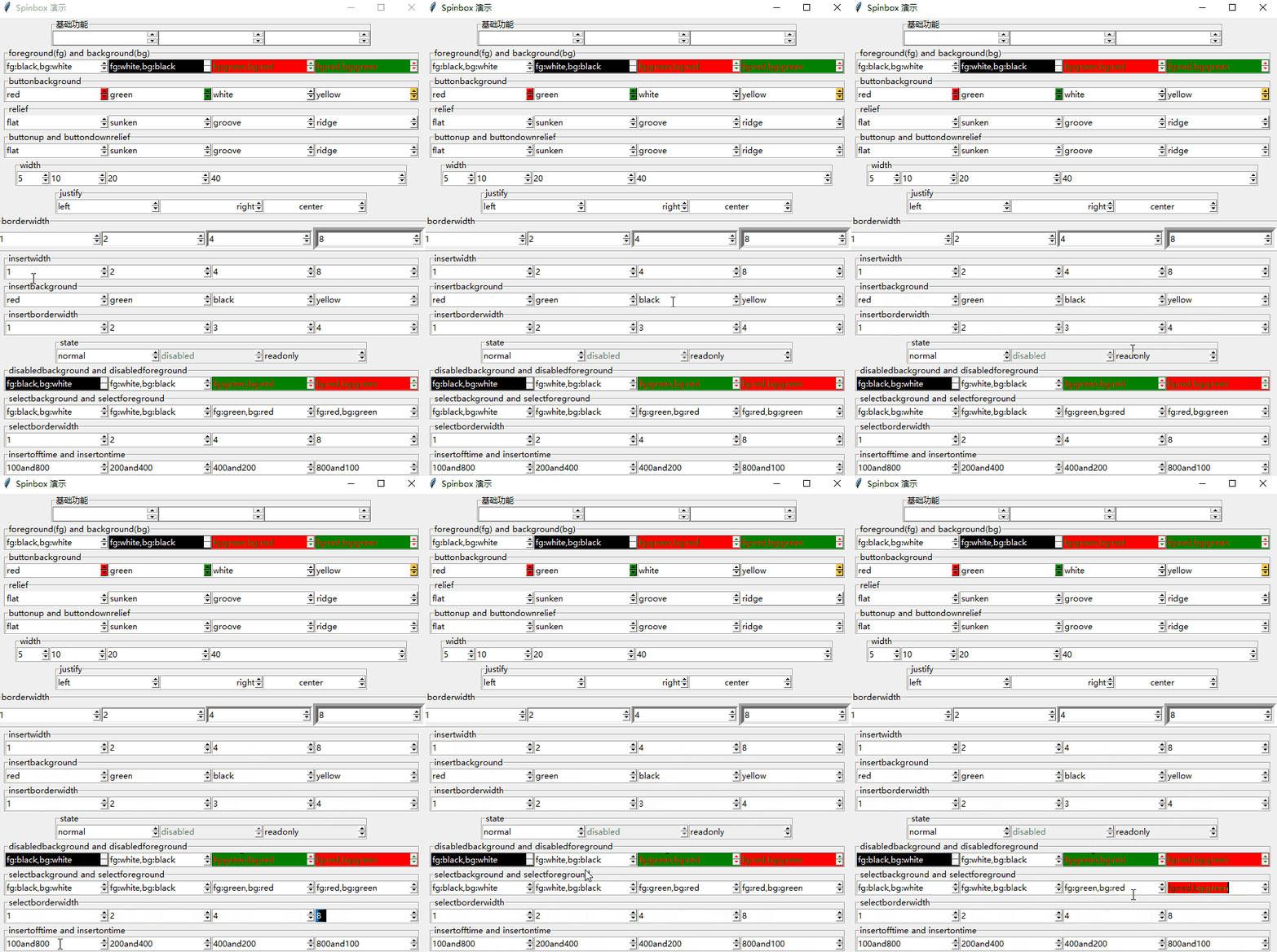
其中各参数含义如下
| 参数/缩写 | ||
|---|---|---|
| background/bg | 背景颜色 | |
| foreground/fg | 前景色 | |
| buttonbackground | 箭头背景色 | |
| buttonup | 向上调节箭头的样式,默认raised | |
| buttondownrelief | 向下调节箭头的样式,默认raised | |
| relief | 边框样式,默认raised | |
| width | 宽度,以字符宽度为单位,默认20 | |
| borderwidth | 边框宽度 | |
| insertwidth | 光标宽度 | |
| insertbackground | 光标颜色 | |
| insertborderwidth | 光标的边框宽度 | |
| state | 组件状态,默认normal | |
| disabledbackground | disabled状态下的背景颜色 | |
| disabledforeground | disabled状态下的前景颜色 | |
| selectbackground | 文本被选中时的背景色 | |
| selectforeground | 文本被选中时的前景色 | |
| selectborderwidth | 文本被选中时的边框宽度 | |
| justify | 输入框中的文本对齐方式,默认left | |
| insertofftime | 光标闪烁时灭掉的时间,单位是毫秒 | |
| insertontime | 光标闪烁时亮着的时间,单位是毫秒 | |
| highlightthickness | 高亮边框的宽度 | |
| highlightbackground | 没有获得焦点的时候高亮边框的颜色 | |
| highlightcolor | 获得焦点的时候高亮边框的颜色 |
更多推荐



 17
17 0
0- 0


 已为社区贡献5条内容

所有评论(0)