
Pytest自动化测试框架-捕获警告信息详解
前言
捕获警告信息
从版本开始3.1,pytest现在会在测试执行期间自动捕获警告并在会话结束时显示它们:
-
# content of test_show_warnings.py -
import warnings -
def api_v1(): -
warnings.warn(UserWarning("api v1,should use functions from v2")) -
return 1 -
def test_one(): -
assert api_v1() == 1
运行pytest现在产生这个输出:
-
$ pytest test_show_warnings.py -
=========================== test session starts ============================ -
platform linux -- Python 3.x.y,pytest-4.x.y,py-1.x.y,pluggy-0.x.y -
cachedir: $PYTHON_PREFIX/.pytest_cache -
rootdir: $REGENDOC_TMPDIR -
collected 1 item -
test_show_warnings.py . [100%] -
============================= warnings summary ============================= -
test_show_warnings.py::test_one -
$REGENDOC_TMPDIR/test_show_warnings.py:5: UserWarning: api v1,should use functions from v2 -
warnings.warn(UserWarning("api v1,should use functions from v2")) -
-- Docs: https://docs.pytest.org/en/latest/warnings.html -
=================== 1 passed,1 warnings in 0.12 seconds ===================
-W可以传递该标志以控制将显示哪些警告,甚至将其转换为错误:
-
$ pytest -q test_show_warnings.py -W error::UserWarning -
F [100%] -
================================= FAILURES ================================= -
_________________________________ test_one _________________________________ -
def test_one(): -
> assert api_v1() == 1 -
test_show_warnings.py:10: -
_ _ _ _ _ _ _ _ _ _ _ _ _ _ _ _ _ _ _ _ _ _ _ _ _ _ _ _ _ _ _ _ _ _ _ _ _ _ -
def api_v1(): -
> warnings.warn(UserWarning("api v1,should use functions from v2")) -
E UserWarning: api v1,should use functions from v2 -
test_show_warnings.py:5: UserWarning -
1 failed in 0.12 seconds
可以pytest.ini使用filterwarningsini选项在文件中设置相同的选项。例如,以下配置将忽略所有用户警告,但会将所有其他警告转换为错误。
-
[pytest] -
filterwarnings = -
error -
ignore::UserWarning
当警告与列表中的多个选项匹配时,将执行最后一个匹配选项的操作。
这两个-W命令行选项和filterwarningsINI选项是基于Python的
@pytest.mark.filterwarnings
版本3.2中的新函数。
你可以使用@pytest.mark.filterwarnings向特定测试项添加警告过滤器,以便更好地控制应在测试,类甚至模块级别捕获哪些警告:
-
import warnings -
def api_v1(): -
warnings.warn(UserWarning("api v1,should use functions from v2")) -
return 1 -
@pytest.mark.filterwarnings("ignore:api v1") -
def test_one(): -
assert api_v1() == 1
使用标记应用的过滤器优先于在命令行上传递或由filterwarningsini选项配置的过滤器。
你可以通过使用filterwarnings标记作为类装饰器或通过设置pytestmark变量将模块中的所有测试应用于类的所有测试:
-
# turns all warnings into errors for this module -
pytestmark = pytest.mark.filterwarnings("error")
禁用警告摘要
虽然不推荐,但你可以使用–disable-warnings命令行选项从测试运行输出中完全禁止警告摘要。
完全禁用警告捕获#
此插件默认启用,但可以在你的pytest.ini文件中完全禁用:
[pytest]
addopts = -p no:warnings
或者传入命令行。如果测试套件使用外部系统处理警告,这可能很有用。-pno:warnings
弃用警告和待命记录警告
默认情况下,pytest将显示DeprecationWarning和PendingDeprecationWarning从用户代码和第三方库警告,建议[PEP-0565。这有助于用户保持代码现代化,并在有效删除已弃用的警告时避免破坏。
有时隐藏在你无法控制的代码(例如第三方库)中发生的某些特定弃用警告很有用,在这种情况下,你可以使用警告过滤器选项(ini或标记)来忽略这些警告。
例如:
-
[pytest] -
filterwarnings = -
ignore:.*U.*mode is deprecated:DeprecationWarning
这将忽略DeprecationWarning消息开头与正则表达式匹配的所有类型的警告。“.*U.*modeisdeprecated”
注意:
如果在解释器级别配置警告,使用[PYTHONWARNINGS环境变量或-W命令行选项,pytest将默认不配置任何过滤器。
此外,pytest不遵循PEP-0506重置所有警告过滤器的建议,因为它可能会破坏通过调用自行配置警告过滤器的测试套件warnings.simplefilter(请参阅问题[#2430以获取该示例)。
确保代码触发弃用警告
你还可以调用全局帮助程序来检查某个函数调用是否触发aDeprecationWarning或PendingDeprecationWarning:
你还可以调用全局帮助程序来检查某个函数调用是否触发aDeprecationWarning或PendingDeprecationWarning:
-
import pytest -
def test_global(): -
pytest.deprecated_call(myfunction,17)
默认情况下,DeprecationWarning并PendingDeprecationWarning不会被使用时,捕捉pytest.warns或recwarn因为默认的Python警告过滤器隐藏起来。如果你希望在自己的代码中记录它们,请使用以下命令warnings.simplefilter(‘always’):
-
import warnings -
import pytest -
def test_deprecation(recwarn): -
warnings.simplefilter("always") -
warnings.warn("deprecated",DeprecationWarning) -
assert len(recwarn) == 1 -
assert recwarn.pop(DeprecationWarning)
你还可以将其用作上下文管理器:
-
def test_global(): -
with pytest.deprecated_call(): -
myobject.deprecated_method()
用警告函数断言警告
你可以检查代码是否引发了特定警告pytest.warns,其工作方式类似于[引发:
-
import warnings -
import pytest -
def test_warning(): -
with pytest.warns(UserWarning): -
warnings.warn("my warning",UserWarning)
如果未提出相关警告,测试将失败。match断言异常与文本或正则表达式匹配的关键字参数:
-
>>> with warns(UserWarning,match='must be 0 or None'): -
... warnings.warn("value must be 0 or None",UserWarning) -
>>> with warns(UserWarning,match=r'must be \d+/pre>): -
... warnings.warn("value must be 42",UserWarning) -
>>> with warns(UserWarning,match=r'must be \d+/pre>): -
... warnings.warn("this is not here",UserWarning) -
Traceback (most recent call last): -
... -
Failed: DID NOT WARN. No warnings of type ...UserWarning... was emitted...
你还可以调用pytest.warns函数或代码字符串:
-
pytest.warns(expected_warning,func,*args,**kwargs) -
pytest.warns(expected_warning,"func(*args,**kwargs)")
该函数还返回所有引发警告(作为warnings.WarningMessage对象)的列表,你可以查询其他信息:
-
with pytest.warns(RuntimeWarning) as record: -
warnings.warn("another warning",RuntimeWarning) -
# check that only one warning was raised -
assert len(record) == 1 -
# check that the message matches -
assert record[0].message.args[0] == "another warning"
自定义失败消息
记录警告提供了在未发出警告或满足其他条件时生成自定义测试失败消息的机会。
-
def test(): -
with pytest.warns(Warning) as record: -
f() -
if not record: -
pytest.fail("Expected a warning!")
如果在呼叫时没有发出警告f,那么将评估为。然后,你可以使用自定义错误消息进行调用。notrecordTruepytest.fail
内部pytest警告
pytest可能会在某些情况下生成自己的警告,例如使用不当或不推荐使用的函数。
例如,如果遇到匹配python_classes但也定义__init__构造函数的类,pytest将发出警告,因为这会阻止实例化类:
-
# content of test_pytest_warnings.py -
class Test: -
def __init__(self): -
pass -
def test_foo(self): -
assert 1 == 1
感谢每一个认真阅读我文章的人,礼尚往来总是要有的,虽然不是什么很值钱的东西,如果你用得到的话可以直接拿走:
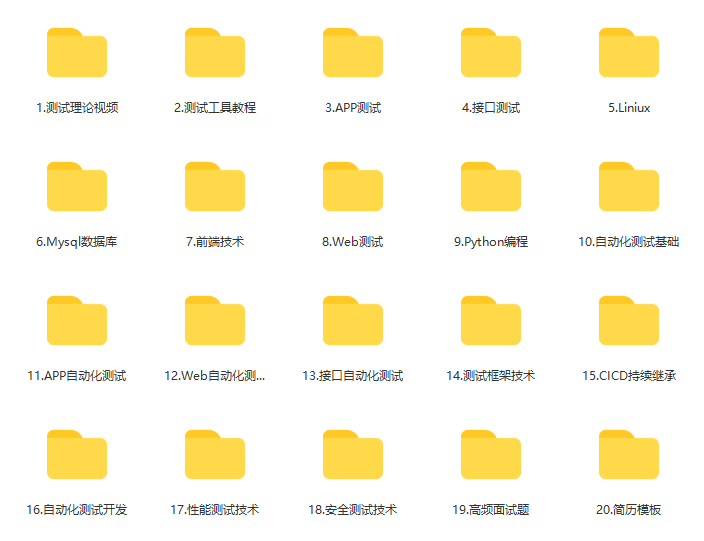
这些资料,对于【软件测试】的朋友来说应该是最全面最完整的备战仓库,这个仓库也陪伴上万个测试工程师们走过最艰难的路程,希望也能帮助到你!有需要的小伙伴可以点击下方小卡片领取

更多推荐



 30
30 0
0- 0


 已为社区贡献21条内容

所有评论(0)