
nvm install报错解决方法 The system cannot find the file specified.
·
下载老版本的node的时候,包已经下载成功,但是提示错误
error installing 14.16.0: open C:\Users\admin\AppData\Local\Temp\nvm-npm-430098699\npm-v6.14.11.zip: The system cannot find the file specified.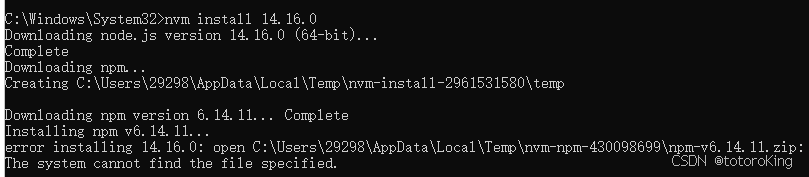
从报错信息来看,是安装node对应的npm版本时找不到安装包所致, 实际上npm的包是下载成功了的,nvm install 时, 实际下载的文件分别存在temp目录下的两个文件夹中,一个文件夹下(nvm-install-xxx) 是有node 和 npm的安装包的,另外一个是空的文件夹(nvm-npm-xxx),但是安装时,nvm是去那个空文件夹下寻找安装包,所以找不到安装文件导致安装失败
解决方法:
- 配置镜像
在nvm 的setting 文件中加入镜像配置(若没有setting文件则自己新建一个)
node_mirror: https://npmmirror.com/mirrors/node/
npm_mirror: https://npmmirror.com/mirrors/npm/ 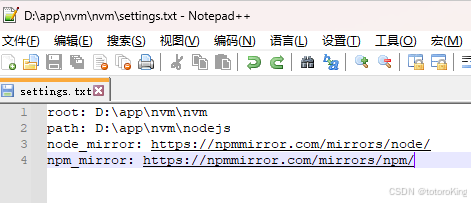
- 下载需要版本的node,下载地址:
Index of /download/release/latest-v12.x/ https://nodejs.org/download/release/latest-v12.x/
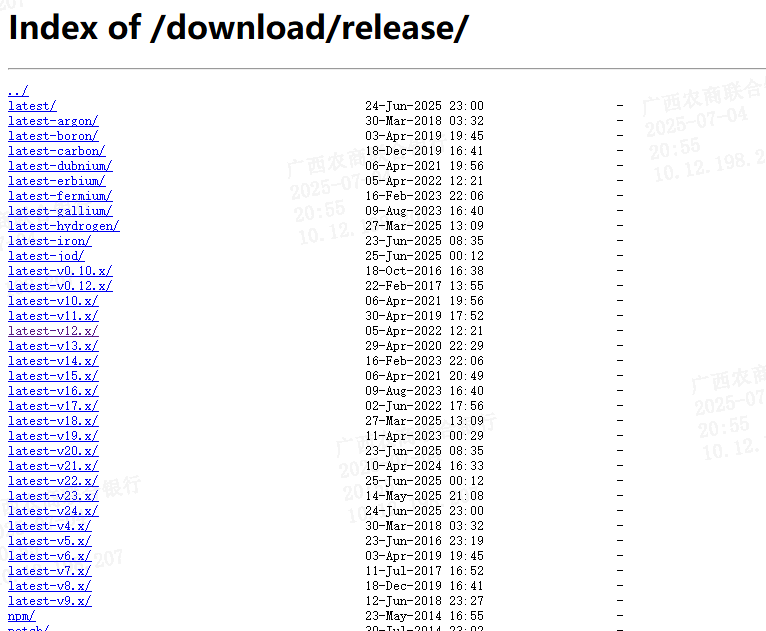
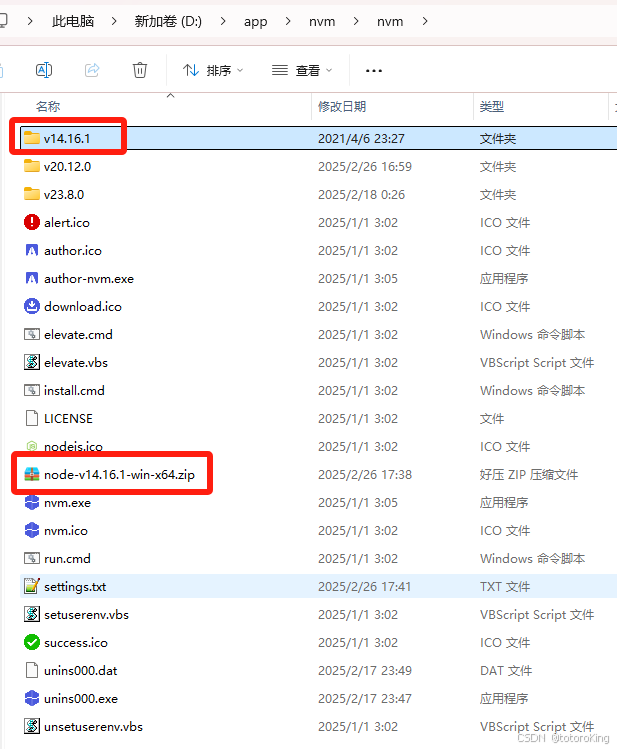
解压到nvm目录下并修改文件夹名称
- 查看node版本
解压并改名后,用 nvm ls 就可以查找到下载版本的node了,也能使用 nvm use 切换使用node
参考地址:
更多推荐


 7
7 0
0- 0


 已为社区贡献4条内容

所有评论(0)