
uniapp H5与小程序/app多端跳转传参--研究实现篇
·
近期对接的客户需要把我们的H5使用webview嵌套在微信小程序以及app中,在某个时间点由H5进行跳转到小程序或者app页面,并携带参数
单纯使用微信sdk通过jWeixin.miniProgram跳转只能在微信小程序中使用,无法兼容多端
1.引入微信sdk与uni.webview.1.5.5.js
注意:uni.webview.1.5.5.js需要下载到本地,我这里是放在了static文件夹中
下载地址:https://gitcode.net/dcloud/hello-uni-app-x/-/blob/alpha/hybrid/html/uni.webview.1.5.5.js
 <script type="text/javascript" src="https://res.wx.qq.com/open/js/jweixin-1.4.0.js"></script>

  <script type="text/javascript" src="./static/uni.webview.1.5.5.js"></script>
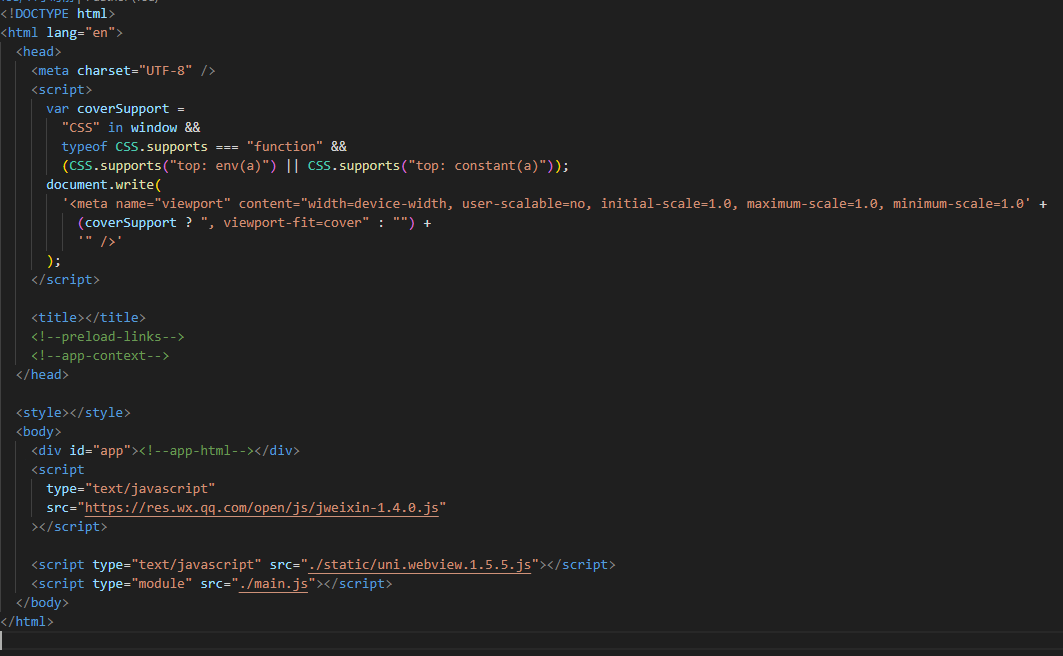
2.在页面上直接使用uni.webView进行跳转
 uni.webView.redirectTo({
              url: `${customPayUrl}?${query}`,
            });
重点!!!!!!
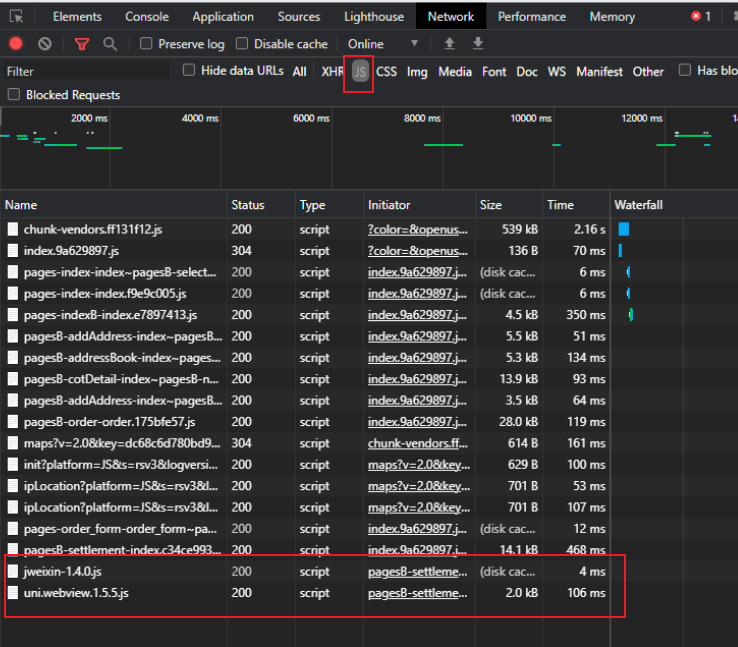
如果你在index.html中直接引入,但是相关js并未加载,如下图,那么咱们可以通过在页面中动态插入的方式来引入(我的就必须动态引入)
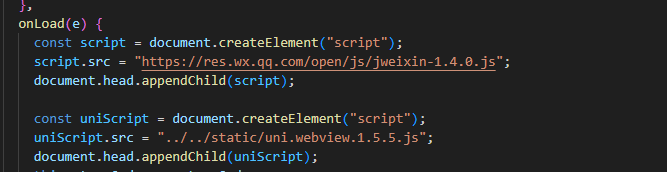
动态引入方法:
 const script = document.createElement("script");
    script.src = "https://res.wx.qq.com/open/js/jweixin-1.4.0.js";
    document.head.appendChild(script);

    const uniScript = document.createElement("script");
    uniScript.src = "../../static/uni.webview.1.5.5.js";
    document.head.appendChild(uniScript);
更多推荐


 2
2 0
0- 0


 已为社区贡献3条内容

所有评论(0)