
Vue引入Element引发的错误:Uncaught TypeError: Cannot read properties of undefined (reading ‘prototype‘)
·
代码报错如下:
Uncaught TypeError: Cannot read properties of undefined (reading 'prototype')
    at eval (types.js:39:1)
    at ./node_modules/element-ui/lib/utils/types.js (chunk-vendors.js:889:1)
    at __webpack_require__ (app.js:357:32)
    at fn (app.js:608:21)
    at eval (util.js:19:1)
    at ./node_modules/element-ui/lib/utils/util.js (chunk-vendors.js:900:1)
    at __webpack_require__ (app.js:357:32)
    at fn (app.js:608:21)
    at eval (format.js:49:1)
    at ./node_modules/element-ui/lib/locale/format.js (chunk-vendors.js:556:1)
报错原因:
我在使用Vue-cli创建Vue项目时,使用的是Vue3。而在引入Element-ui时,使用的是Element-ui 2.x。所以产生了Vue报错。之后,我将已经下载后的Element 的依赖包和package.json文件中dependencies中的element指定的版本信息删除后,重新在下了Element Plus,最后运行Vue项目正常。
解决方法:
- 先确认自己项目是VUE2项目还是VUE3项目,在package.json文件里面查看,如下图所示。
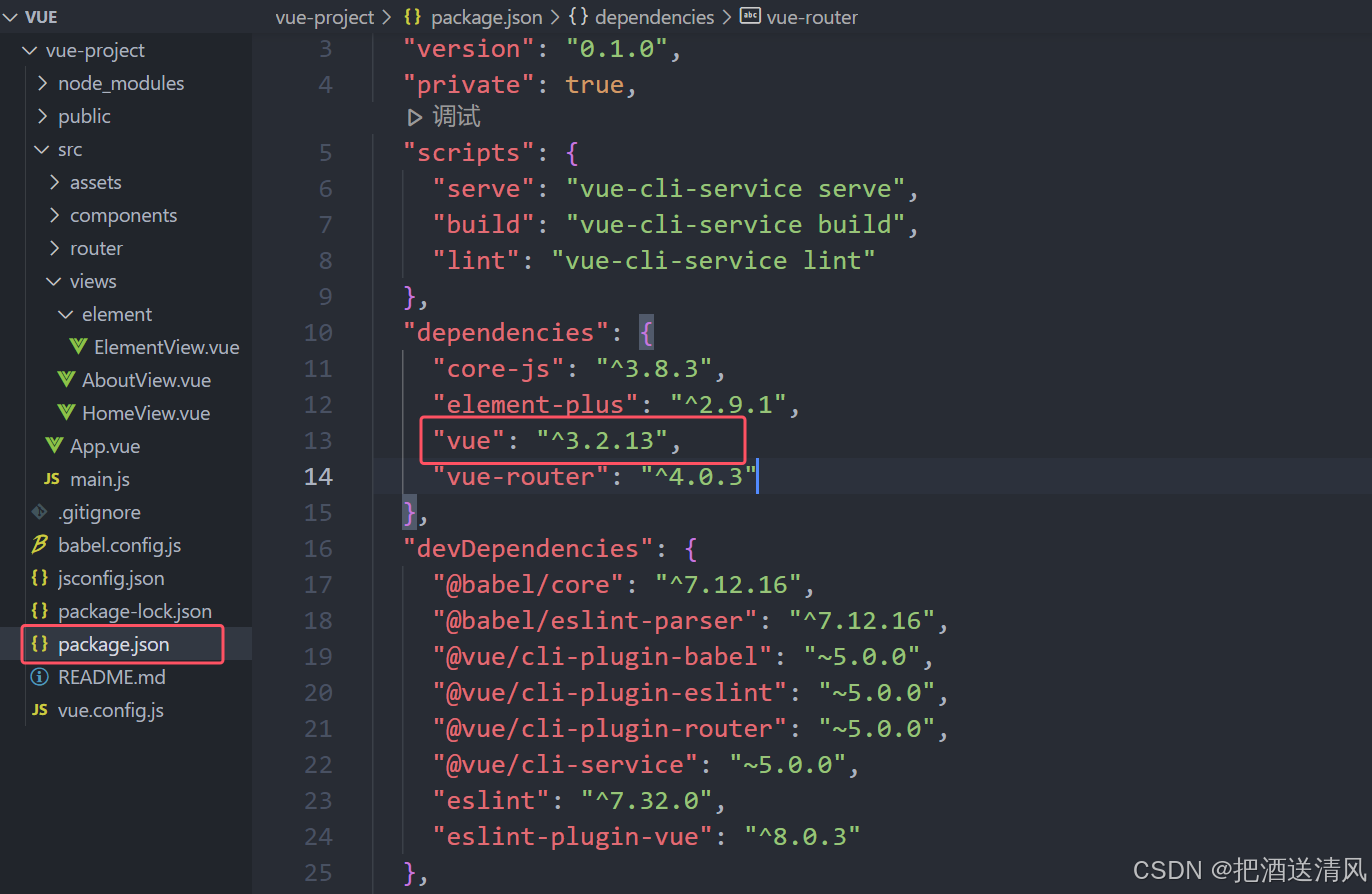
- 根据Vue的版本下载对应的Element的版本。如果Vue的版本是2.x,下载Element-ui;如果Vue的版本是3.x,则下载Element Plus。
下载Element-ui:javascript npm i element-ui -S
下载Element Plus:npm install element-plus --save - 安装完Element后,即可在Vue组件中使用Element组件。
更多推荐

 4
4 0
0- 0


 已为社区贡献1条内容

所有评论(0)