
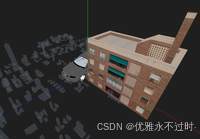
three.js 实现场景截图
·
three.js 实现场景截图
https://threehub.cn/#/codeMirror?navigation=ThreeJS&classify=basic&id=screenShot
import * as THREE from 'three'
import { OrbitControls } from 'three/examples/jsm/controls/OrbitControls.js'
import { UnrealBloomPass } from 'three/examples/jsm/postprocessing/UnrealBloomPass.js';
import { EffectComposer } from 'three/examples/jsm/postprocessing/EffectComposer.js';
import { RenderPass } from 'three/examples/jsm/postprocessing/RenderPass.js';
import * as dat from 'dat.gui'

const box = document.getElementById('box')

const scene = new THREE.Scene()

const camera = new THREE.PerspectiveCamera(75, box.clientWidth / box.clientHeight, 0.1, 1000)

camera.position.set(0, 10, 10)

const renderer = new THREE.WebGLRenderer()

renderer.setSize(box.clientWidth, box.clientHeight)

box.appendChild(renderer.domElement)

new OrbitControls(camera, renderer.domElement)

const composer = new EffectComposer(renderer);

const renderPass = new RenderPass(scene, camera);

composer.addPass(renderPass);

const bloomPass = new UnrealBloomPass(new THREE.Vector2(window.innerWidth, window.innerHeight), 1.5, 0, 0)

composer.addPass(bloomPass);

animate()

function animate() {

    requestAnimationFrame(animate)

    composer.render()
}

window.onresize = () => {

    renderer.setSize(box.clientWidth, box.clientHeight)

    camera.aspect = box.clientWidth / box.clientHeight

    camera.updateProjectionMatrix()

}

// 物体
const geometry = new THREE.BoxGeometry()

const material = new THREE.MeshBasicMaterial({ color: 'yellow' })

const cube = new THREE.Mesh(geometry, material)

scene.add(cube)

// 截图
new dat.GUI().add({ '截图': screenShot }, '截图')

function screenShot() {

    renderer.render(scene, camera)

    composer.render()

    const base64 = renderer.domElement.toDataURL(['image/png', '0.8'])

    const link = document.createElement('a');

    link.href = base64;

    link.download = 'myImage.png';

    link.click();

}

/**
 * 名称: 截图
 * 作者: 优雅永不过时 https://github.com/z2586300277
*/
更多推荐


 7
7 0
0- 0



 已为社区贡献12条内容

所有评论(0)