
uniapp开发H5拉起微信支付全流程(含H5获取用户code、openid方法)
·
这两天遇到一个需求就是开发微信公众号H5界面,需要点击支付按钮拉起微信进行支付。我自己觉得H5和小程序的支付流程还是有些不一样的,比如微信小程序就可以直接通过uni.login这个方法获取用户code,但这个方法在H5环境下就不行。
但要进行支付,用户的code又是必须拿到的,只有拿到了code才能向后端传递再拿到openid再拉起支付。大概试了半天,又翻了文档,最后采用的是如下的方法。
详细的解释和代码步骤我都注释在下面的代码中的,请君一阅。
至于微信公众号配置方面,大家可以去查阅相关的文档。
【注:仅作自己查看和分享学习之用】
1、order_detail.vue 订单详情界面
点击去支付按钮根据自己的需求携带参数进入支付界面。
<view class="btns" @click="submit(item.bill_id,item.price,item.current_period,detail.product[0].screen_risk)">去付款</view>submit(id, price, current_period,screen_risk) {
let self = this;
self.loading = true;
uni.showLoading({
title: '加载中'
});
if (current_period == 1) {
//前往支付界面
uni.navigateTo({
url: `/pages/order/pay/pay?screen_risk=${screen_risk}&price=${price}&bill_id=${id}&order_id=${this.order_id}`,
fail(e) {
console.error(e);
}
})
}else{
uni.navigateTo({
url: `/pages/order/pay/pay?screen_risk=0&price=${price}&bill_id=${id}&order_id=${this.order_id}`,
fail(e) {
console.error(e);
}
})
}
},2、pay.vue 新建一个界面作为支付界面
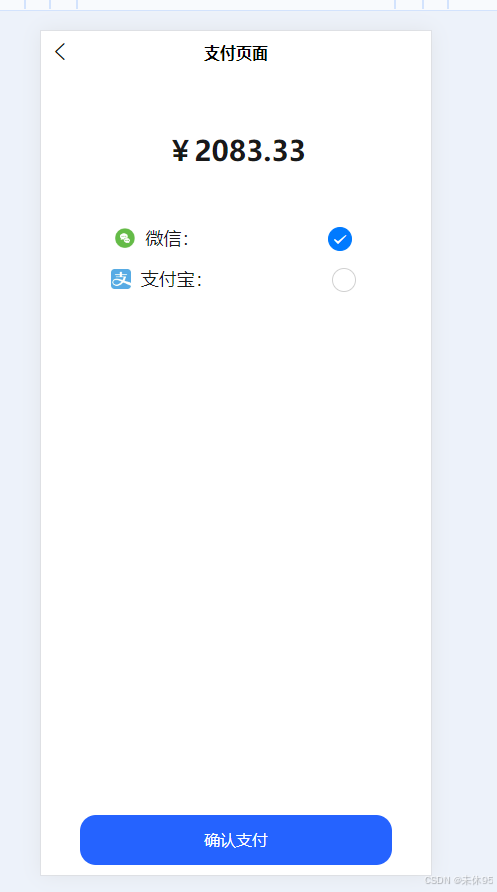
示例图如下:
然后代码主要采用的是通过微信授权链接地址拼接的方式来获取code,从而拿到openid,最后采用JSAPI方式调用微信支付。
关于JSAPI调用微信支付的文档,可以看这里:JSAPI调起支付 - JSAPI支付 | 微信支付商户文档中心
<template>
	<view class="payMethods">
		<view class="box">
			<view class="price">
				¥<text>{{ payMoney }}</text>
			</view>
			<view class="choose">

				<radio-group class="radioGroup" @change="chang">
					<label class="radioItem uni-list-cell uni-list-cell-pd" v-for="(item, index) in payItem"
						:key="index">

						<view style="display:flex;align-items: center;">
							<image class="logo" :src="item.img"></image>
							{{item.name}}:
						</view>
						<view>
							<radio :value="item.value" :checked="index === activeRadio" />
						</view>
					</label>
				</radio-group>
			</view>
		</view>
		<view class="footer">
			<button class="primary" @click="nextSep">确认支付</button>
		</view>
	</view>
</template>
<script>
	export default {
		data() {
			return {
				payMoney: undefined,
				activeRadio: 0,
				bill_id: "",
				screen_risk: "",
				order_id: "",
				payItem: [{
						value: '1',
						name: '微信',
						checked: 'true',
						img: '/static/images/weixin.png'
					},
					{
						value: '2',
						name: '支付宝',
						img: '/static/images/alipay.png'
					}
				],
				token: uni.getStorageSync("token")
			}
		},
		onLoad(option) {
			this.payMoney = option.price;
			this.bill_id = option.bill_id;
			this.screen_risk = option.screen_risk;
			this.order_id = option.order_id;
		},
		mounted() {
			// 在回调页面取出code值
			const urlParams = new URLSearchParams(window.location.search);
			const code = urlParams.get("code");
			console.log("用户的code2---:", code);
            //每一次加载页面先判断该页面是否有code参数,如果有就是回调页面,自行截取code传递给后端,如没有,则是第一次正常进入支付页面,此时并没有点击确认支付按钮。
			if (code) {
				let self = this;
				//请求后台,获取openId
				self._post2('user.user/getOpenid', {
					code: code,
					app_id: 10001
				}, function(res) {
					console.log('openid---', res.data);

					if (res.data.openid) {
						//由于构建授权链接获取的code,在当前页面,无论重复构建多少次,始终为同一个,
						//而code只能使用一次,第二次使用则无效,所以无法获取openid,openid为空,则调用接口无返回值,就拉不起支付窗口,
						//从而会报:调用支付JSAPI缺少参数total_fee  错误
						//而openid始终为同一值,为固定的,将其保存在本地,方便调用,就免去了code不变造成的报错。
						//当接口会返回openid时用接口返回的openid值,如没有返回,则用保存在本地的openid值
						uni.setStorageSync('openId', res.data.openid);
					}

					//通过openid获取其他参数
					self._post('user.order/billPayH5Wx', {
						app_id: 10001,
						open_id: res.data.openid ? res.data.openid : uni.getStorageSync('openId'),
						bill_id: self.bill_id,
						screen_risk: self.screen_risk,
					}, function(res2) {
						console.log('res2--', res.data);
						let param = {
							"appId": "你自己的appid", //公众号ID,由你传入
							"timeStamp": res2.data.timeStamp, //时间戳,自1970年以来的秒数
							"nonceStr": res2.data.nonceStr, //随机串
							"package": res2.data.package,
							"signType": res2.data.signType, //微信签名方式:
							"paySign": res2.data.paySign, //微信签名
						}

						if (typeof WeixinJSBridge == "undefined") {
							if (document.addEventListener) {
								document.addEventListener('WeixinJSBridgeReady', onBridgeReady, false);
							} else if (document.attachEvent) {
								document.attachEvent('WeixinJSBridgeReady', onBridgeReady);
								document.attachEvent('onWeixinJSBridgeReady', onBridgeReady);
							}
						} else {
                            //使用JSAPI方式拉起微信支付,JSAPI文档中有详细代码
							self.onBridgeReady(param);
						}

					});

				});


			}
		},
		methods: {
			chang(e) {
				this.activeRadio = e.detail.value;
				console.log('oo22oo---', e);
			},
			onBridgeReady(param) {
				let self = this;
				WeixinJSBridge.invoke('getBrandWCPayRequest', param,
					function(res) {
						if (res.err_msg == "get_brand_wcpay_request:ok") {
							console.log("微信支付成功了!!!")
							// 支付成功的回调中
							uni.showToast({
								title: '微信支付成功',
								icon: 'success',
								duration: 1500
							});
							//支付成功后重新回到订单详情界面并刷新
							setTimeout(() => {
								uni.navigateTo({
									url: `/pages/order/order-detail?order_id=${self.order_id}&app_id=10001`,
									fail(e) {
										console.error(e);
									}
								})
							}, 2000);
						}
					});
			},
			nextSep() {
				if (this.activeRadio == '1' || this.activeRadio == 0) {

					// 构造微信授权链接
					const appid = "你自己的appid";
					const redirectUri = encodeURIComponent(window.location.href); // 回调页面的URL
					const scope = "snsapi_userinfo"; // snsapi_base 或 snsapi_userinfo,snsapi_userinfo可以拉起用户授权窗口
					const state = "STATE";
					const authUrl =
						`https://open.weixin.qq.com/connect/oauth2/authorize?appid=${appid}&redirect_uri=${redirectUri}&response_type=code&scope=${scope}&state=${state}#wechat_redirect`;

					// 用户跳到这个回调界面,此时拼接的参数已经在地址栏上了
					window.location.href = authUrl;
				} else if (this.activeRadio == '2') {
					this._post('/user.order/billPayh5', {
							bill_id: this.bill_id,
							screen_risk: this.payMoney,
						},
						function(res) {
							window.location.href = res.data
						})
				}
			}
		}
	}
</script>

<style scoped>
	.payMethods .box {
		/* margin-top: 80px; */
	}

	.payMethods .box .price {
		width: 100%;
		height: 150px;
		text-align: center;
		line-height: 150px;
		font-size: 28px;
		font-weight: bold;
	}

	.payMethods .box .choose {
		margin: 0 10px;
		/* background-color: var(--van-gray-4); */
	}

	.radioGroup {
		width: 100%;
		display: flex;
		justify-content: center;
		flex-direction: column;
		align-items: center;
		font-size: 18px;
	}

	.radioItem {
		display: flex;
		justify-content: space-around;
		width: 100%;
		margin-bottom: 15px;
	}

	.payMethods .footer {
		width: 100%;
		height: 50px;
		position: absolute;
		bottom: 10px;
		display: flex;
		justify-content: center;
	}

	.logo {
		width: 20px !important;
		height: 20px;
		margin-right: 10px;
	}

	.payMethods .footer .primary {
		width: 80%;
		border-radius: 16px;
		font-size: 16px;
		background: #2563FF;
		color: #fff;
		display: flex;
		justify-content: center;
		align-items: center;
	}
</style>
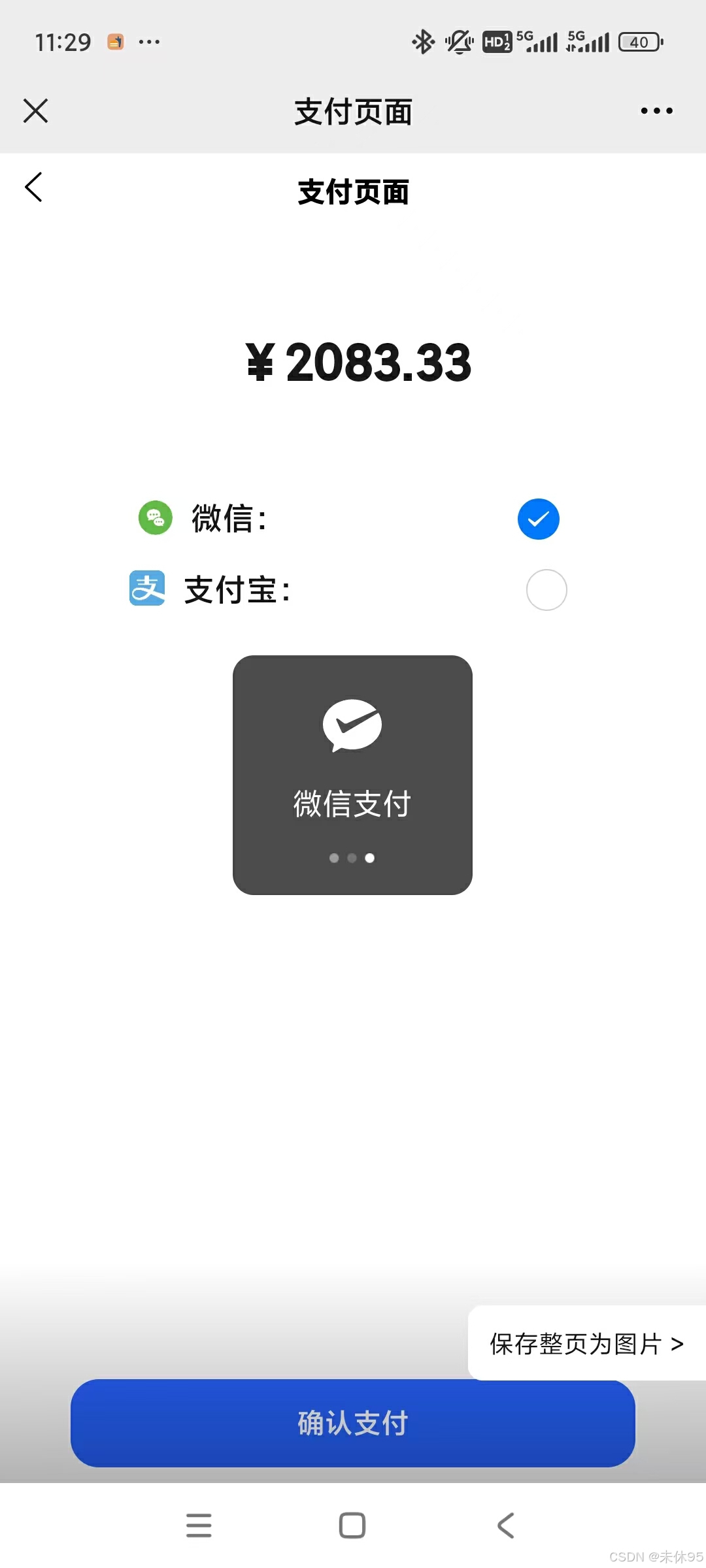
最后的成果图就是这样:
更多推荐

 15
15 0
0- 0


 已为社区贡献2条内容

所有评论(0)