
ffmpeg6.0环境搭建
linux环境信息
root@ubuntu:/home/xxx/Project/ffmpeg/ffmpeg_install/bin# lsb_release -a
No LSB modules are available.
Distributor ID:	Ubuntu
Description:	Ubuntu 18.04.6 LTS
Release:	18.04
Codename:	bionic
搭建步骤
1、官网下载ffmpeg 6.0源码:
https://ffmpeg.org/download.html
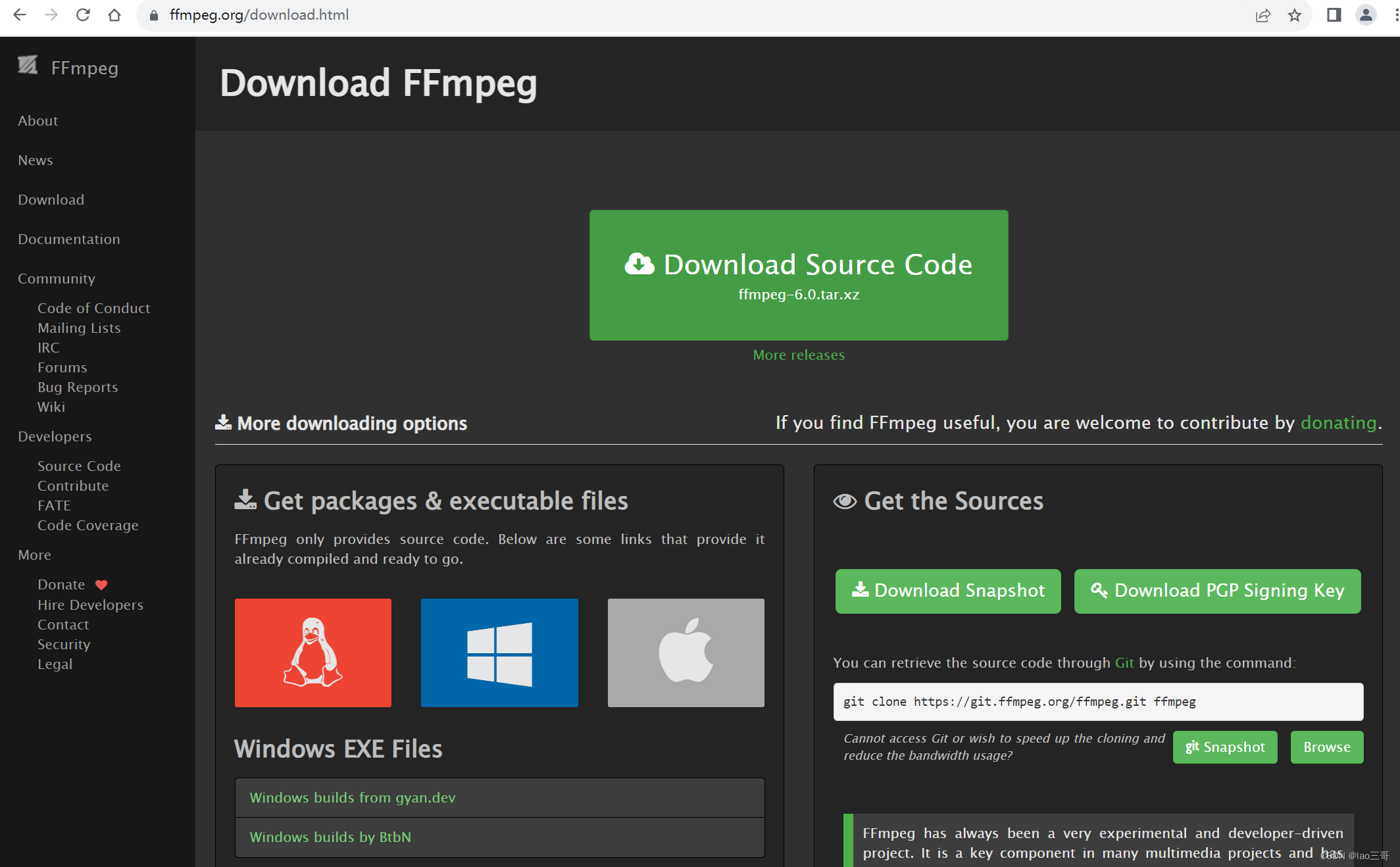
2、解压压缩包:
tar -xf ffmpeg-6.0.tar.xz
3、配置参数,安装:
cd ffmpeg-6.0/
./configure --enable-shared --disable-static --prefix=/home/xxx/Project/ffmpeg/ffmpeg_install
make -j32
make install
–prefix=/home/xxx/Project/ffmpeg/ffmpeg_install指向我本地的安装目录。
4、找到ffmpeg,执行./ffmpeg -version如果有以下打印则表示安装成功。
root@ubuntu:/home/root/Project/ffmpeg/ffmpeg_install/bin# ./ffmpeg -version
ffmpeg version 6.0 Copyright (c) 2000-2023 the FFmpeg developers
built with gcc 7 (Ubuntu 7.5.0-3ubuntu1~18.04)
configuration: --enable-shared --disable-static --prefix=/home/xxx/Project/ffmpeg/ffmpeg_install
libavutil      58.  2.100 / 58.  2.100
libavcodec     60.  3.100 / 60.  3.100
libavformat    60.  3.100 / 60.  3.100
libavdevice    60.  1.100 / 60.  1.100
libavfilter     9.  3.100 /  9.  3.100
libswscale      7.  1.100 /  7.  1.100
libswresample   4. 10.100 /  4. 10.100
问题记录
1、./configure配置ffmpeg参数时遇到以下问题:
root@ubuntu:~/Project/ffmpeg/ffmpeg-6.0$ ./configure --enable-shared --disable-static --prefix=/home/xxx/Project/ffmpeg/ffmpeg_install
nasm/yasm not found or too old. Use --disable-x86asm for a crippled build.

If you think configure made a mistake, make sure you are using the latest
version from Git.  If the latest version fails, report the problem to the
ffmpeg-user@ffmpeg.org mailing list or IRC #ffmpeg on irc.libera.chat.
Include the log file "ffbuild/config.log" produced by configure as this will help
solve the problem.
原因是yasm未找到或者版本太老,安装一下就可以。
sudo apt install yasm
参考文章:https://blog.csdn.net/sayyy/article/details/124337834
2、There are no enabled repos. Run “yum repolist all“ to see the repos you have. You can enable repos问题
原因是Ubuntu应该使用apt-get包管理工具去安装软件,而不应该使用yum包管理工具来安装,不同的linux发行版的包管理工具是不同的。
参考文章:https://blog.csdn.net/u011489186/article/details/109305438
3、执行ffmpeg找不到动态库so的问题:
···
root@ubuntu:/home/xxx/Project/ffmpeg/ffmpeg_install/bin# ./ffmpeg -version
./ffmpeg: error while loading shared libraries: libavdevice.so.60: cannot open shared object file: No such file or directory
···
ffmpeg执行时找不到so,需要将安装好的ffmpeg lib路径指定到默认的查找路径:
export LD_LIBRARY_PATH=/home/xxx/Project/ffmpeg/ffmpeg_install/lib:$LD_LIBRARY_PATH
更多推荐
 0
0 0
0- 0


 已为社区贡献1条内容

所有评论(0)