
adb inputswipe shell_appium---adb shell input 模拟操作系列
adb做为android的调试桥,在做app自动化中有着巨大的用处,可以帮助我们解决问题,今天主要认识adb shell input
adb shell input
我们首先通过cmd输入adb shell input有哪些内容
$ adb shell input
Usage: input [] [...]
The sources are:
mouse
keyboard
joystick
touchnavigation
touchpad
trackball
stylus
dpad
touchscreen
gamepad
The commandsanddefault sources are:
text(Default: touchscreen)
keyevent [--longpress] ... (Default: keyboard)
tap(Default: touchscreen)
swipe[duration(ms)] (Default: touchscreen)
press (Default: trackball)
roll (Default: trackball)
上面这么多到底讲的啥?
其实说白了就是支持一下内容
1、text:支持输入文本内容(暂不支持中文)
2、keyevent:模拟按键
3、tap:点击
4、swipe:滑动
5、press:轨迹球按下
6、roll:轨迹球滚动
text
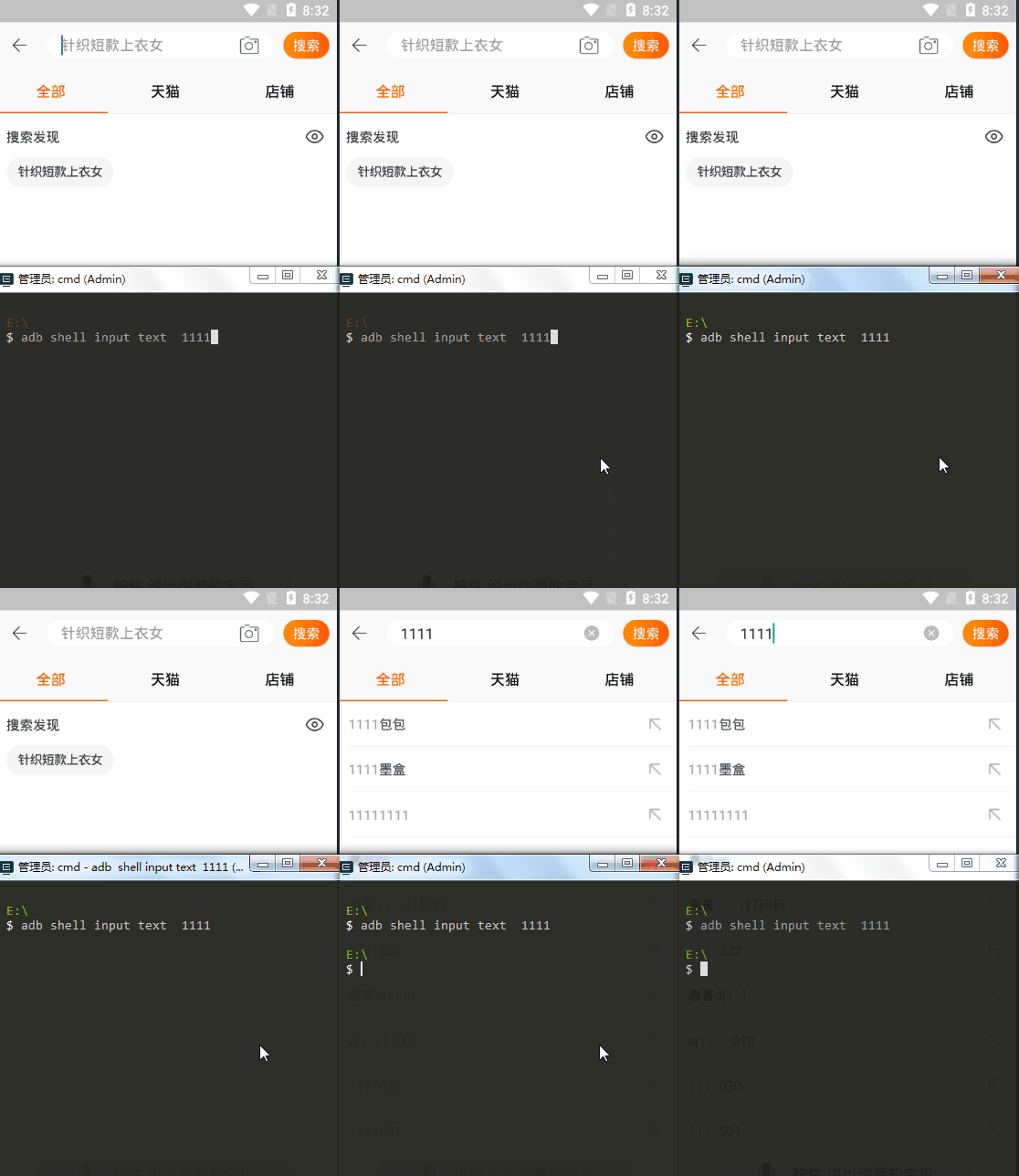
直接打开终端输入
#输入汉字
adb shell input text 1111
keyevent
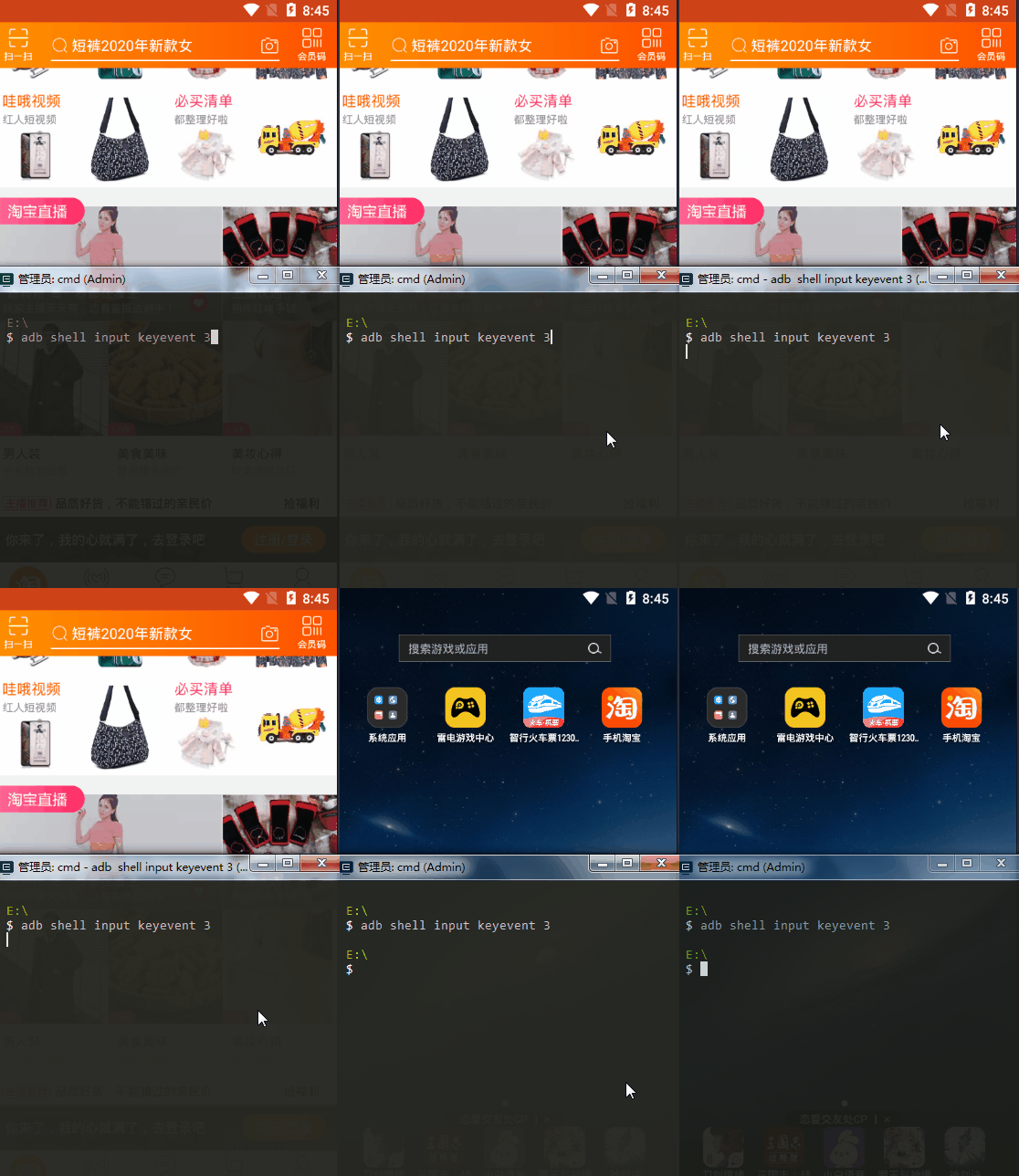
直接打开冲断输入
#模拟手机按键home
adb shell input keyevent 3
tap
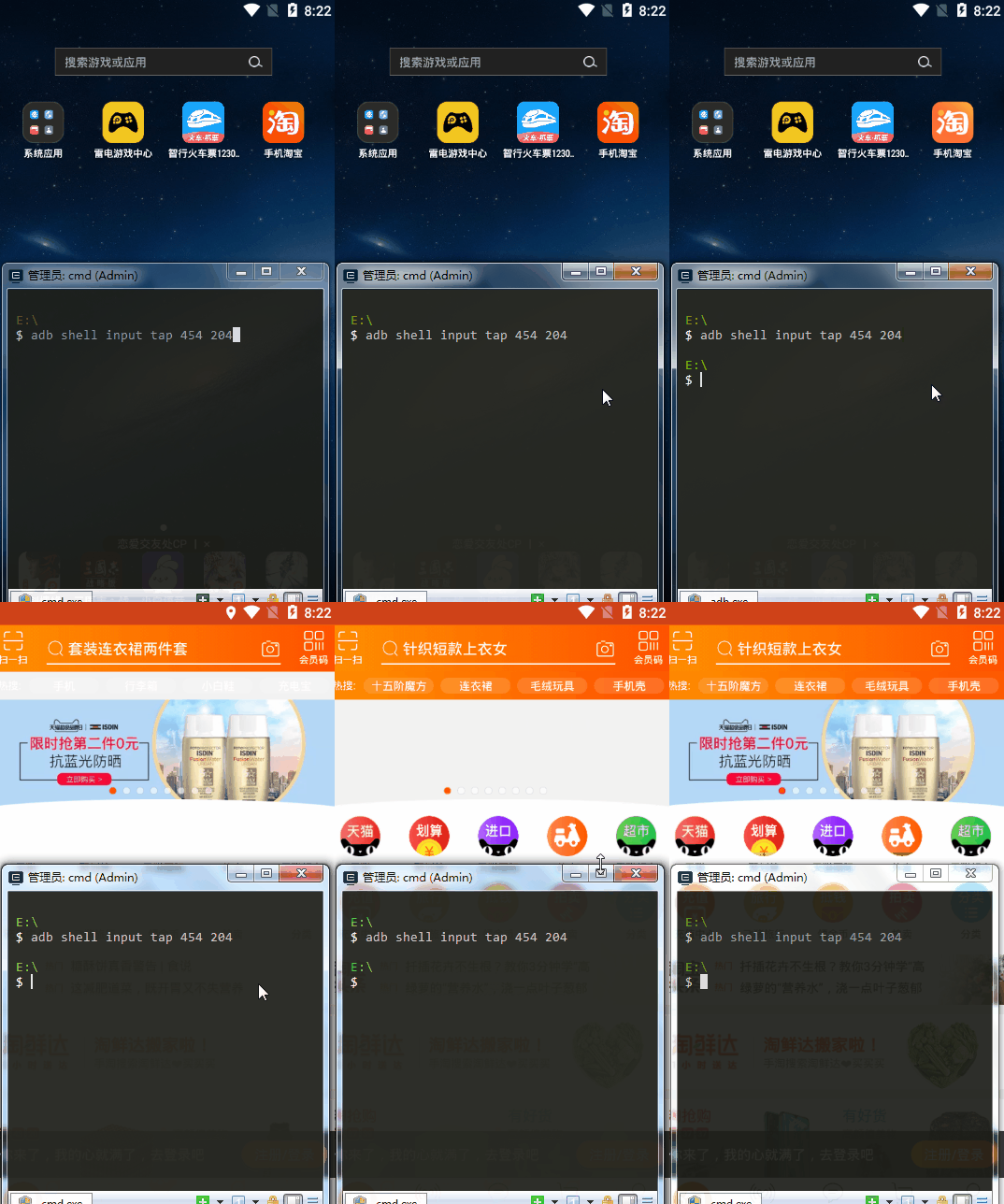
选取手机上的坐标,然后直接输入
#tap点击
adb shell input tap 454 204
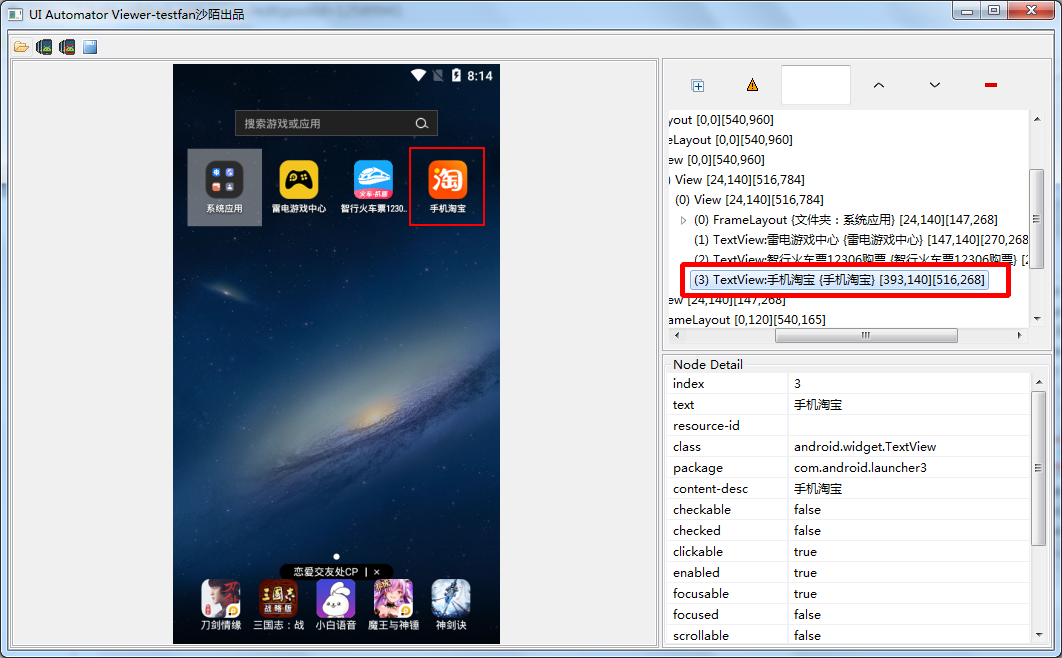
坐标怎么来的:通过uiautomatorviewer.bat定位工具查看坐标[393,140] [516,268],然后求出中间值[454 204]
swipe
和tap一样,选取两个坐标进行滑动,坐标安静这边选取的是(x*1/2 Y*3/4 x*1/2 Y*1/4)
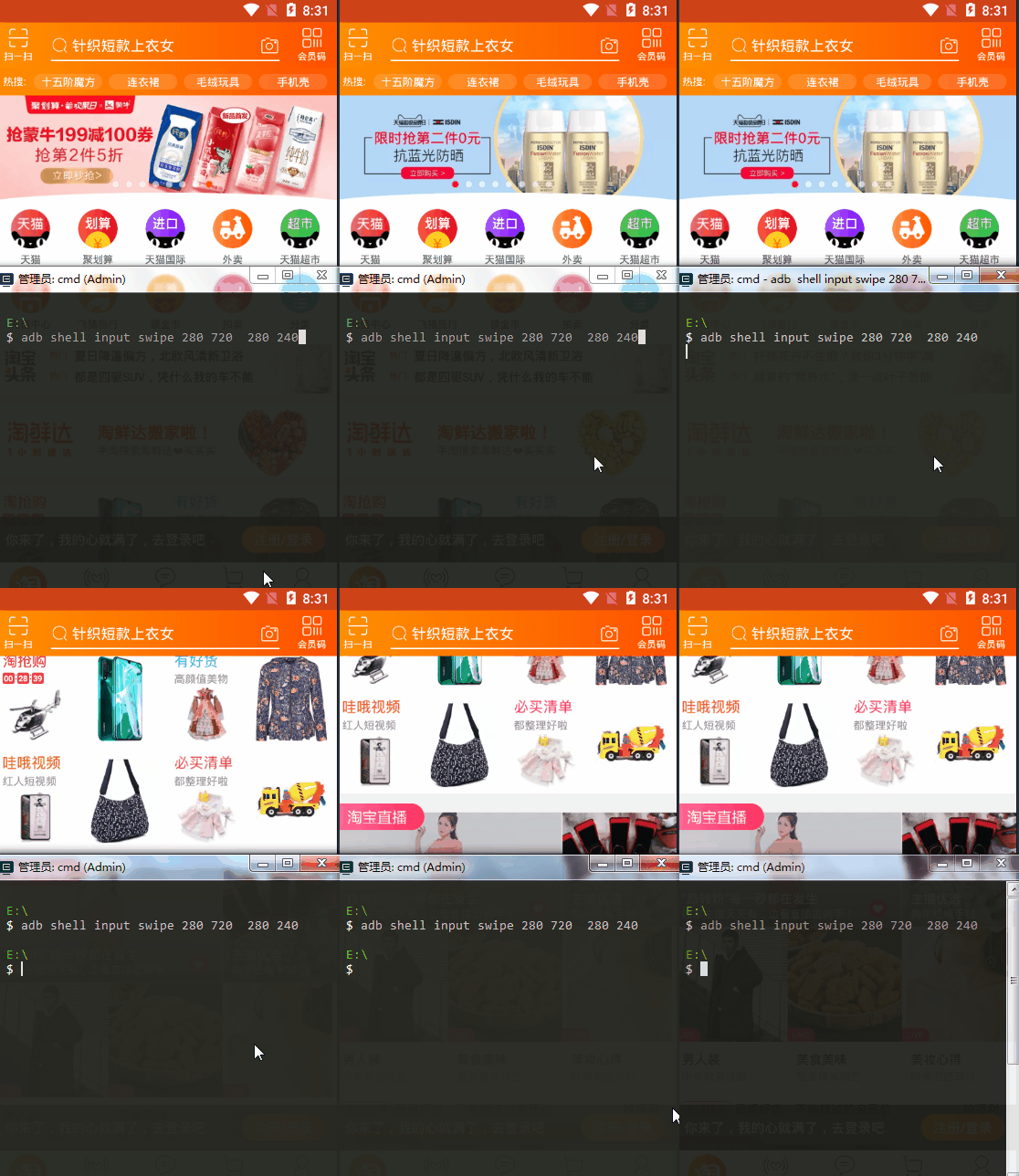
代码中的input
上面这么多都是在cmd中敲出来的,真正的自动化确实要在代码中,我们可以进行对这些常用的adb命令进行封装起来
importosclassinput(object):#输入文字
deftext(self,text):
adb= 'adb shell input text %s'%text
os.popen(adb)#滑动
defswipe(self,x,y,x1,y1):
adb= 'adb shell input swipe %s %s %s %s'%(x,y,x1,y1)
os.popen(adb)#模拟按键
defkeyevent(self,k):
adb= 'adb shell input keyevent %s'%k
os.popen(adb)if __name__ == '__main__':
adb=input()
adb.text(1111)
adb.swipe(280,720,280,240)
adb.keyevent(3)
PS:其实写了这么多会发现方法有很多种,具体用那种,就要看大家用哪种比较方便就用哪种。
内容来源于网络如有侵权请私信删除
更多推荐


 0
0 0
0- 0


 已为社区贡献1条内容

所有评论(0)