
Linux练习题-文本管理工具及正则表达式
1、找出ifconfig “网卡名” 命令结果中本机的IPv4地址
方法1:ifconfig ens33 | grep -w "inet" | tr -s ' ' : | cut -d: f3
方法2:ifconfig ens33 | grep -o '\([0-9]\{1,3\}\.\)\{3\}[0-9]\{1,3\}' | head -n1或者ifconfig ens33 | grep -oE '([0-9]{1,3}\.){3}[0-9]{1,3}'

2、查出分区空间使用率的最大百分比值
df | grep '/dev/sd' |grep -oE '[0-9]{1,3}%' |sort -nr |head -n1

3、查出用户UID最大值的用户名、UID及shell类型
cat /etc/passwd |sort -rnt: -k3 |head -n1

4、查出/tmp的权限,以数字方式显示
stat /tmp | grep -o 'Access: (.*)' | grep -oE '[0-9]{4}'
图中又尝试了查看/etc和/root目录权限

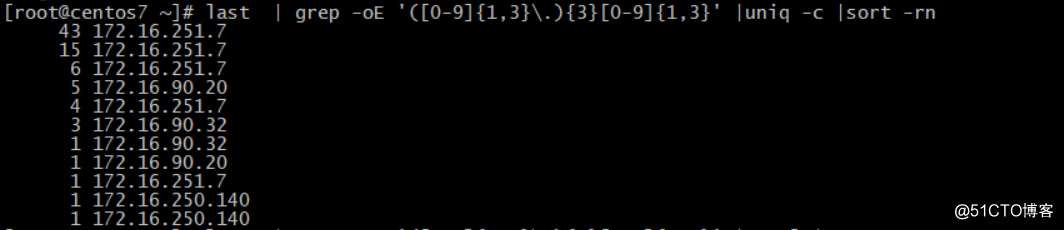
5、统计当前连接本机的每个远程主机IP的连接数,并按从大到小排序
本题中有一个工具可以查询连接本机的ip连接数,里面可以用ip地址作为关键词进行查找排序,因本人暂时未有此工具,因此用last指令进行做题
last | grep -Eo '([0-9]{1,3}\.){3}[0-9]{1,3}' | uniq -c | sort -rn
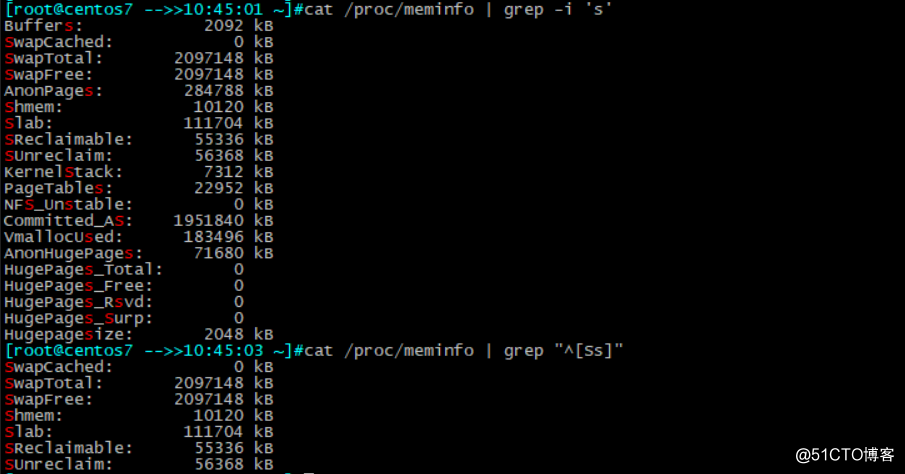
6、显示/proc/meminfo文件中以大小s开头的行(要求:使用两种方法)
方法1:cat /proc/meminfo | grep -i '^s'
方法2:cat /proc/meminfo | grep "^[Ss]"
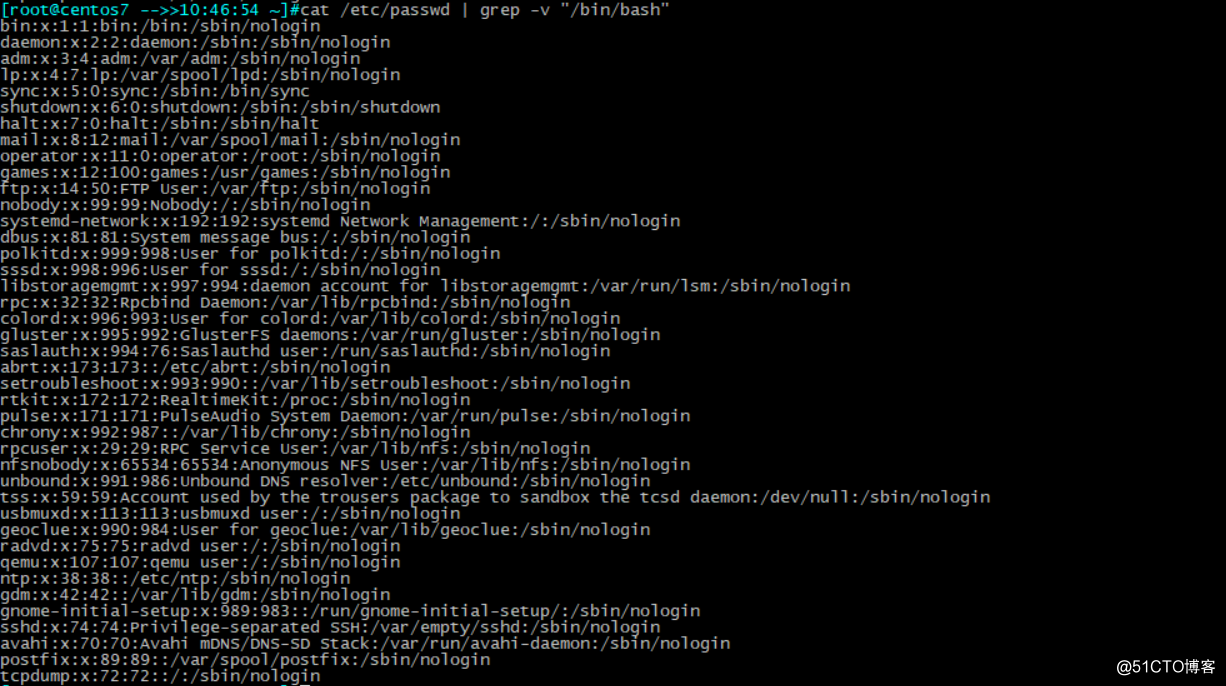
7、显示/etc/passwd文件中不以/bin/bash结尾的行
cat /etc/passwd |grep -v "/bin/bash"
8、显示用户rpc默认的shell程序
cat /etc/passwd | grep -w "^rpc" | cut -d: -f7

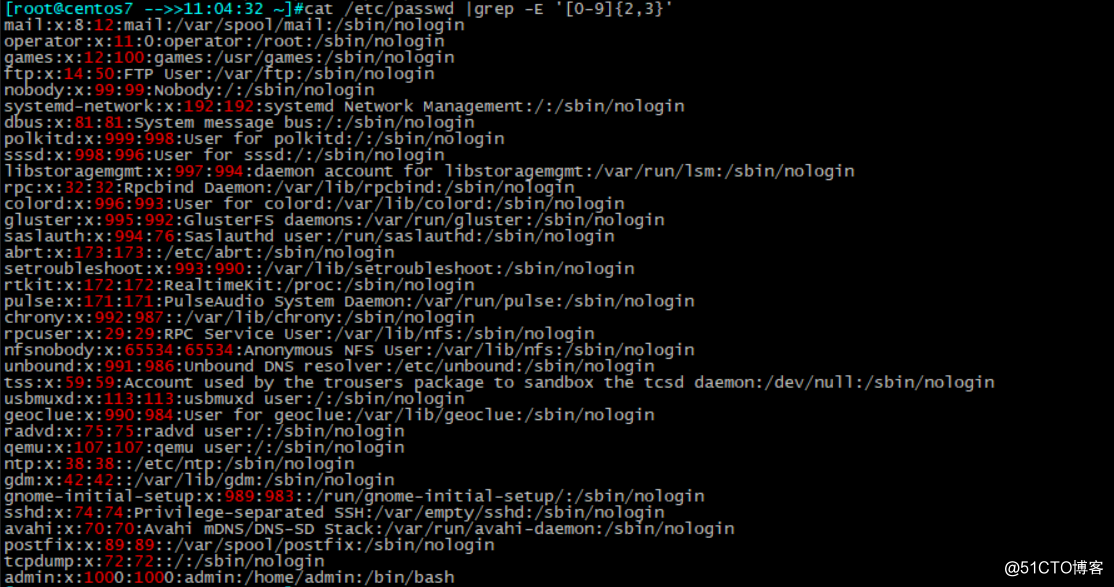
9、找出/etc/passwd中的两位或三位数
cat /etc/passwd | grep -E '[0-9]{2,3}'
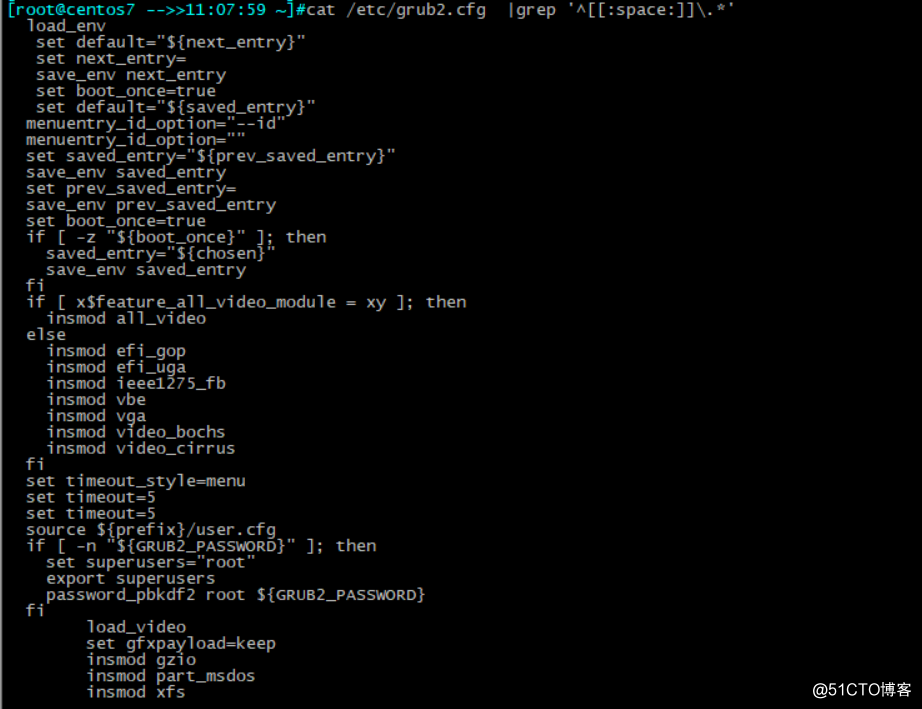
10、显示CentOS7的/etc/grub2.cfg文件中,至少以一个空白字符开头的且后面有非空白字符的行
cat /etc/grub2.cfg | grep '[[:space:]]\.*'
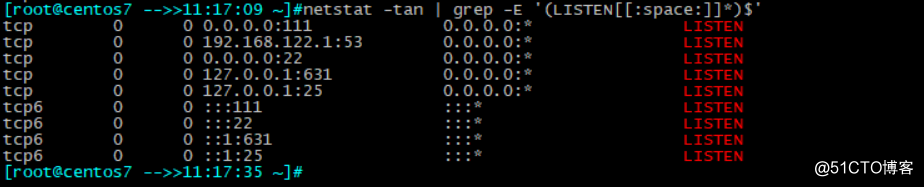
11、找出“netstat -tan”命令结果中以LISTEN后跟任意多个空白字符结尾的行
netstat -tan | grep -E '(LISTEN[[:space:]]*)$'
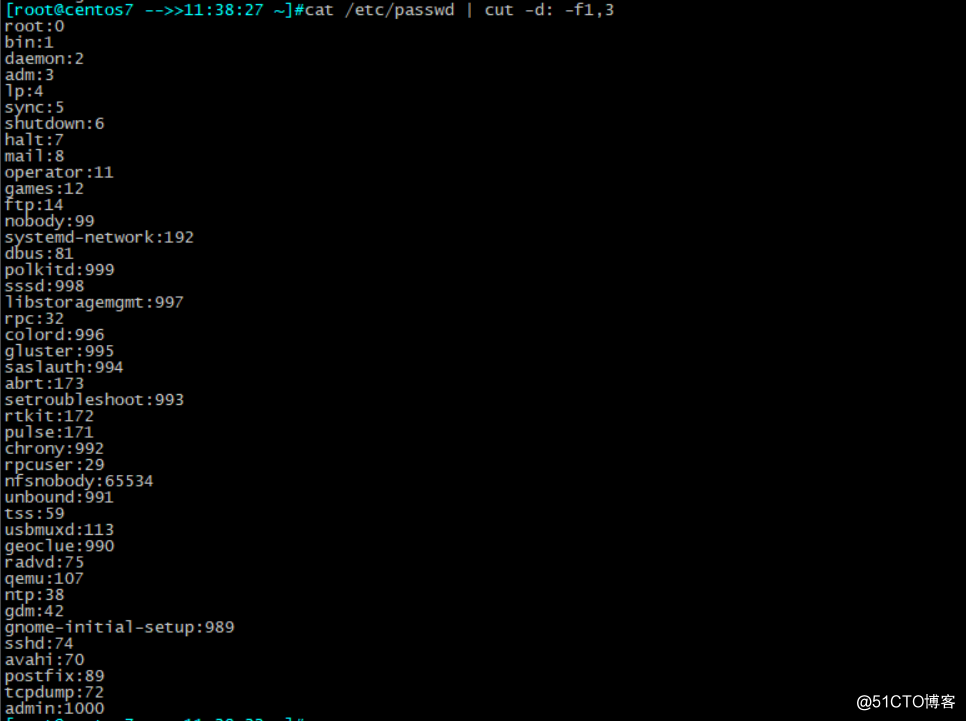
12、显示CentOS7上所有系统用户的用户名和UID
cat /etc/passwd | cut -d: f1,3
13、添加用户bash、testbash、basher、sh、nologin(其shell为/sbin/nologin),找出/etc/passwd用户名和shell同名的行
useradd bash
useradd testbash
useradd basher
useradd sh
useradd nologin -s /sbin/nologin
cat /etc/passwd |grep -E '^([[:alnum:]]*\>).*\1$'

14、利用df和grep,取出磁盘各分区利用率,并从大到小排序
df | grep -Ewo '/dev/sd' | tr -s ' ' : |cut -d: -f1,5 | sort -t: -nrk2 |tr : ' '

15、显示三个用户root、mage、wang的UID和默认shell
cat /etc/passwd | cut -d: -f1,3,7 | grep -w“^root\|^mage\|^wang"

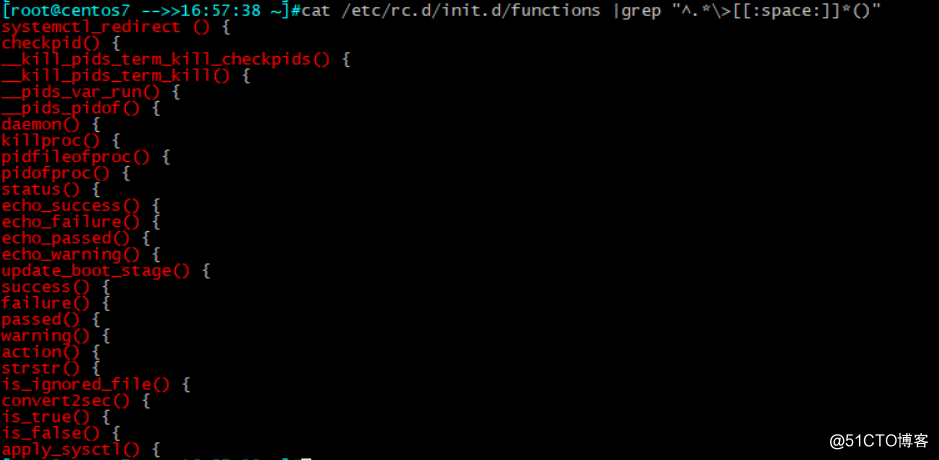
16、找出/etc/rc.d/init.d/functions文件中行首为某单词(包括下划线)后面跟一个小括号的行
cat /etc/rc.d/init.d/functions | grep "^.*\>[[:space:]]*()"
17、使用egrep取出/etc/rc.d/init.d/functions中其基名
echo /etc/rc.d/init.d/functions |grep -oE '[^/]+$'

18、使用egrep取出上面路径的目录名
echo /etc/rc.d/init.d/function |grep -Eo '^.*/'

19、统计last命令中以root登录的每个主机IP地址登录次数
last | grep '^root' | grep -Eo '([0-9]{1,3}\.){3}[0-9]{1,3}' |sort -rn |uniq -c

20、利用扩展正则表达式分别表示0-9、10-99、100-199、200-249、250-255
seq 255 | egrep -o '([0-9]$|[1-9][0-9]$|1[0-9]{2}|2[0-4][0-9]|25[1-5])' | sort -n
因方便观察实验结果,我改成空格隔开

21、显示ifconfig命令结果中所有IPv4地址
ifconfig ens33 |grep -w 'inet' |grep -E0 '([0-9]{1,3}\.){3}[0-9]{1,3}' | head -n1
此为CentOS7 写法,CentOS6将ens33 改为eth0

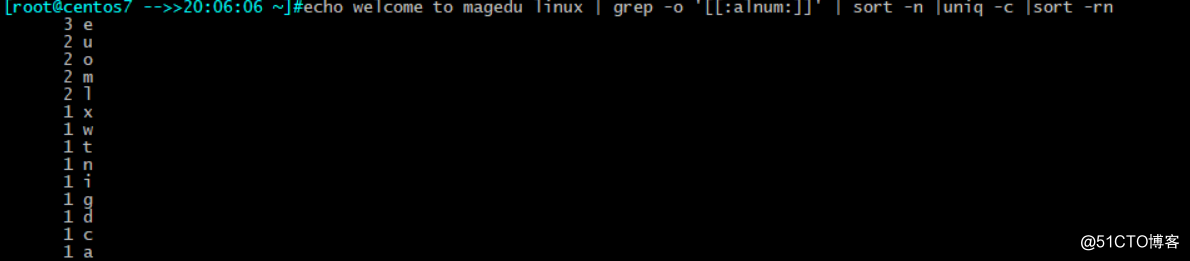
22、将此字符串:welcome to magedu linux 中的每个字符去重并排序,重复次数多的排到前面
echo welcome to magedu linux | grep -o '[[:alnum:]]' | sort -n |uniq -c |sort -rn
转载于:https://blog.51cto.com/13873498/2152425
更多推荐


 0
0 0
0- 0


 已为社区贡献5条内容

所有评论(0)