
在pycharm中导入一些库的时候出错的处理方法
今天要在pycharm中导入transformers库,选择的是直接通过pycharm导入,结果在执行的时候提示报错:
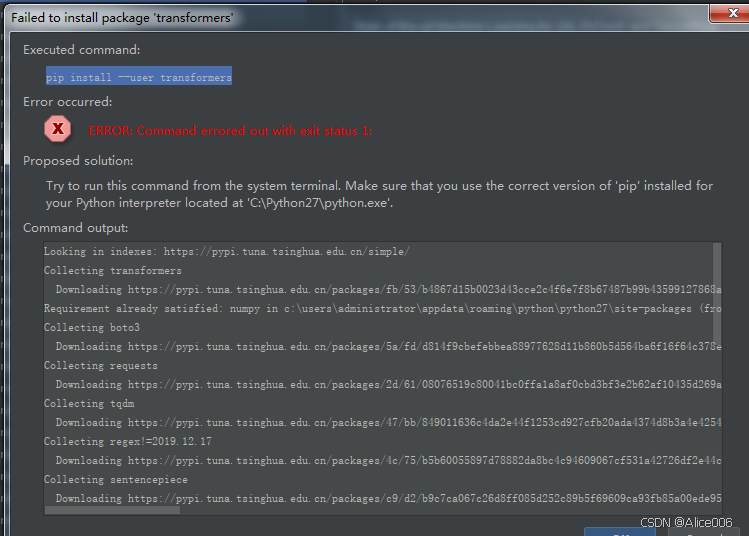
然后在pycharm的terminal命令行窗口执行命令:pip install --user transformers。给出如下提示:
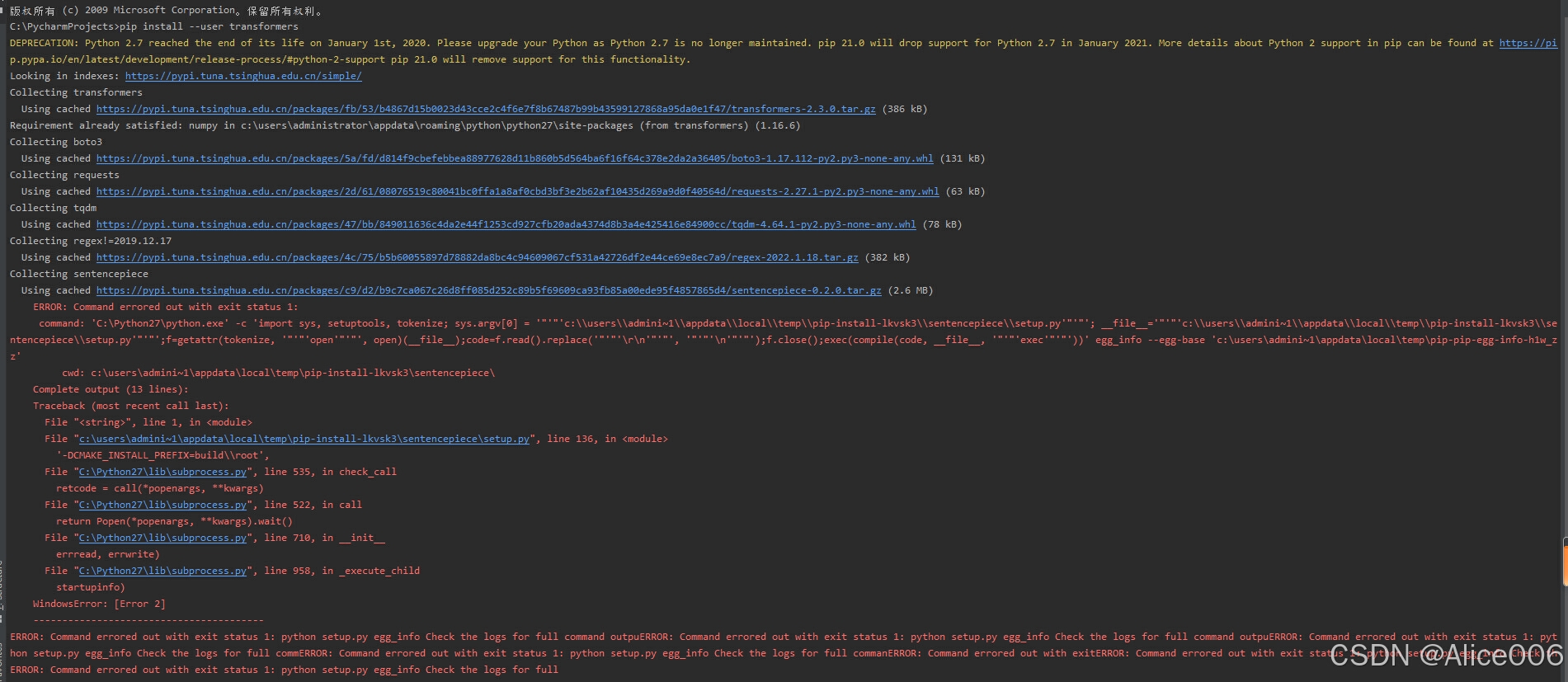
出错提示信息如下:
C:\PycharmProjects>pip install --user transformers
DEPRECATION: Python 2.7 reached the end of its life on January 1st, 2020. Please upgrade your Python as Python 2.7 is no longer maintained. pip 21.0 will drop support for Python 2.7 in January 2021. More details about Python 2 support in pip can be found at https://pip.pypa.io/en/latest/development/release-process/#python-2-support pip 21.0 will remove support for this functionality.Looking in indexes: https://pypi.tuna.tsinghua.edu.cn/simple/
Collecting transformers
Using cached https://pypi.tuna.tsinghua.edu.cn/packages/fb/53/b4867d15b0023d43cce2c4f6e7f8b67487b99b43599127868a95da0e1f47/transformers-2.3.0.tar.gz (386 kB)
Requirement already satisfied: numpy in c:\users\administrator\appdata\roaming\python\python27\site-packages (from transformers) (1.16.6)
Collecting boto3
Using cached https://pypi.tuna.tsinghua.edu.cn/packages/5a/fd/d814f9cbefebbea88977628d11b860b5d564ba6f16f64c378e2da2a36405/boto3-1.17.112-py2.py3-none-any.whl (131 kB)
Collecting requests
Using cached https://pypi.tuna.tsinghua.edu.cn/packages/2d/61/08076519c80041bc0ffa1a8af0cbd3bf3e2b62af10435d269a9d0f40564d/requests-2.27.1-py2.py3-none-any.whl (63 kB)
Collecting tqdm
Using cached https://pypi.tuna.tsinghua.edu.cn/packages/47/bb/849011636c4da2e44f1253cd927cfb20ada4374d8b3a4e425416e84900cc/tqdm-4.64.1-py2.py3-none-any.whl (78 kB)
Collecting regex!=2019.12.17
Using cached https://pypi.tuna.tsinghua.edu.cn/packages/4c/75/b5b60055897d78882da8bc4c94609067cf531a42726df2e44ce69e8ec7a9/regex-2022.1.18.tar.gz (382 kB)
Collecting sentencepiece
Using cached https://pypi.tuna.tsinghua.edu.cn/packages/c9/d2/b9c7ca067c26d8ff085d252c89b5f69609ca93fb85a00ede95f4857865d4/sentencepiece-0.2.0.tar.gz (2.6 MB)
ERROR: Command errored out with exit status 1:
command: 'C:\Python27\python.exe' -c 'import sys, setuptools, tokenize; sys.argv[0] = '"'"'c:\\users\\admini~1\\appdata\\local\\temp\\pip-install-lkvsk3\\sentencepiece\\setup.py'"'"'; __file__='"'"'c:\\users\\admini~1\\appdata\\local\\temp\\pip-install-lkvsk3\\se
ntencepiece\\setup.py'"'"';f=getattr(tokenize, '"'"'open'"'"', open)(__file__);code=f.read().replace('"'"'\r\n'"'"', '"'"'\n'"'"');f.close();exec(compile(code, __file__, '"'"'exec'"'"'))' egg_info --egg-base 'c:\users\admini~1\appdata\local\temp\pip-pip-egg-info-h1w_z
z'
cwd: c:\users\admini~1\appdata\local\temp\pip-install-lkvsk3\sentencepiece\
Complete output (13 lines):
Traceback (most recent call last):
File "<string>", line 1, in <module>
File "c:\users\admini~1\appdata\local\temp\pip-install-lkvsk3\sentencepiece\setup.py", line 136, in <module>
'-DCMAKE_INSTALL_PREFIX=build\\root',
File "C:\Python27\lib\subprocess.py", line 535, in check_call
retcode = call(*popenargs, **kwargs)
File "C:\Python27\lib\subprocess.py", line 522, in call
return Popen(*popenargs, **kwargs).wait()
File "C:\Python27\lib\subprocess.py", line 710, in __init__
errread, errwrite)
File "C:\Python27\lib\subprocess.py", line 958, in _execute_child
startupinfo)
WindowsError: [Error 2]
----------------------------------------
ERROR: Command errored out with exit status 1: python setup.py egg_info Check the logs for full command outpuERROR: Command errored out with exit status 1: python setup.py egg_info Check the logs for full command outpuERROR: Command errored out with exit status 1: python setup.py egg_info Check the logs for full commERROR: Command errored out with exit status 1: python setup.py egg_info Check the logs for full commanERROR: Command errored out with exitERROR: Command errored out with exit status 1: python setup.py egg_info Check thERROR: Command errored out with exit status 1: python setup.py egg_info Check the logs for full
错误信息的翻译
Python 2.7于2020年1月1日结束了生命。请升级您的Python,因为不再维护Python 2.7。pip 21.0将于2021 年1月放弃对Python 2.7的支持。有关pip中Python 2支持的更多详细信息,请访问https://pip.pypa.io/en/latest/development/release-process/#python-2-support
看来目前的python版本不行,需要下载更高版本的python
登录python官网,Download Python | Python.org
找到匹配操作系统的python,我的是win7,所以python3.7 和python3.8都可以用,最终选择python3.8。
Python Release Python 3.8.19 | Python.org
只可惜从官网的这个链接下载的3.8版本下载以后不知道怎么安装,最后没有从官网下载,直接从其他地方下载了32位的3.8 版本安装成功。
因为版本变了,所以python环境变量的值也要变,从原来的2.7变成现在3.8的环境变量
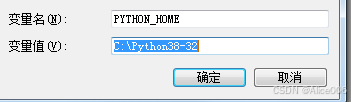
同样,接下来打开pycharm编辑器的时候,还是要配置项目解释器的位置。

输出一个“hello” 测试一下:
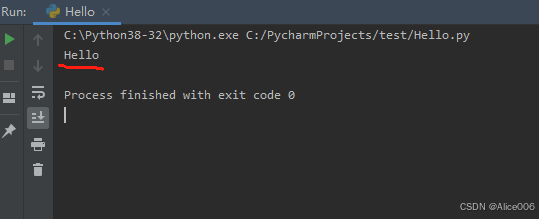
运行成功。
不得不说,python的版本以及各种库的版本之间的匹配问题真是一个大工程。回顾写代码的这段时间,开发环境的配置,各种版本的匹配真的是耗费了好多精力。
更多推荐



 22
22 0
0- 0


 已为社区贡献2条内容

所有评论(0)