
Python自动化操作word--批量替换word文档中的文字
·
前不久,一个学友向我咨询利用Python操作Word文档的一些问题。例如,批量替换Word文档中的文字。通过学习,我解决了这个问题。现与大家分享如下:
操作系统:W in10
IDE:Pycharm 2021.3
语言:Python3.9
1. Word处理模块python-docx安装
在终端命令行窗口输入如下命令
pip install python-docx
测试安装是否成功
安装完成之后,导入docx模块,测试一下该模块是否安装成功。在交互式环境中输入如下命令:
import docx

2. 案例:批量替换Word文档中的文字
此案例需要将文档中的“Python“关键字,全部替换成”7777“,编写一段代码,解决此问题。代码如下:
# 导入模块
from docx import Document

# 创建doc对象
doc = Document('文档.docx')


def replace_word(doc, old_word, new_word):
    """
    定义批量替换文字的函数
    :param doc: 要替换的文档
    :param old_word: 被替换的文字
    :param new_word: 替换后的文字
    :return:
    """
    for p in doc.paragraphs:  # 遍历文档段落
        for run in p.runs:  # 遍历段落的字块
            run.text = run.text.replace(old_word, new_word)  # 替换字块的文字,然后赋值给字块

    # 遍历文档的表格, 替换表格里的要替换的文字
    for table in doc.tables:
        for row in table.rows:
            for cell in row.cells:
                cell.text = cell.text.replace(old_word, new_word)


# 执行替换函数
replace_word(doc, 'Python', '7777')

doc.save('new_文档.docx')
替换前的文档如下:
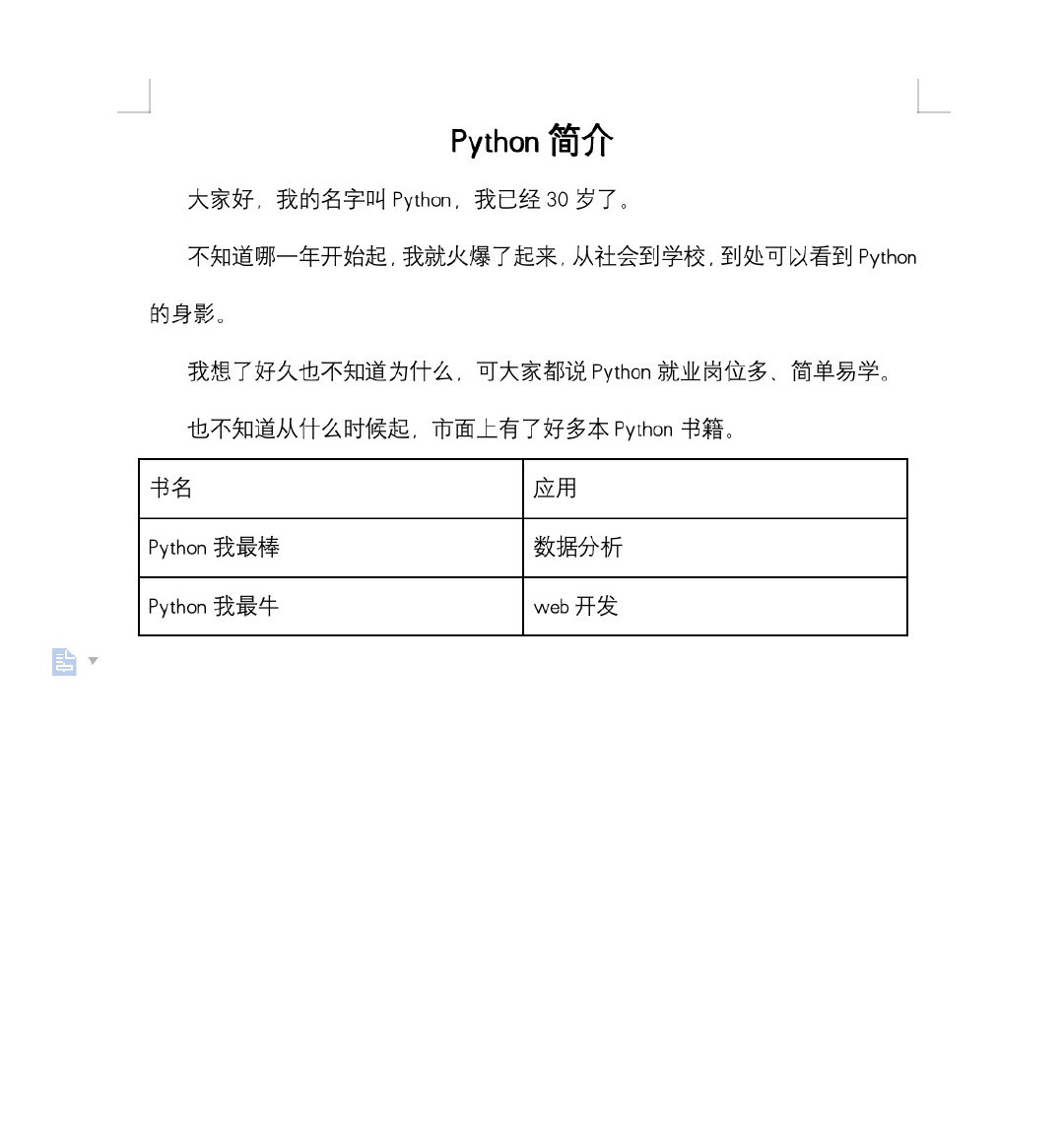
替换后的文档如下:
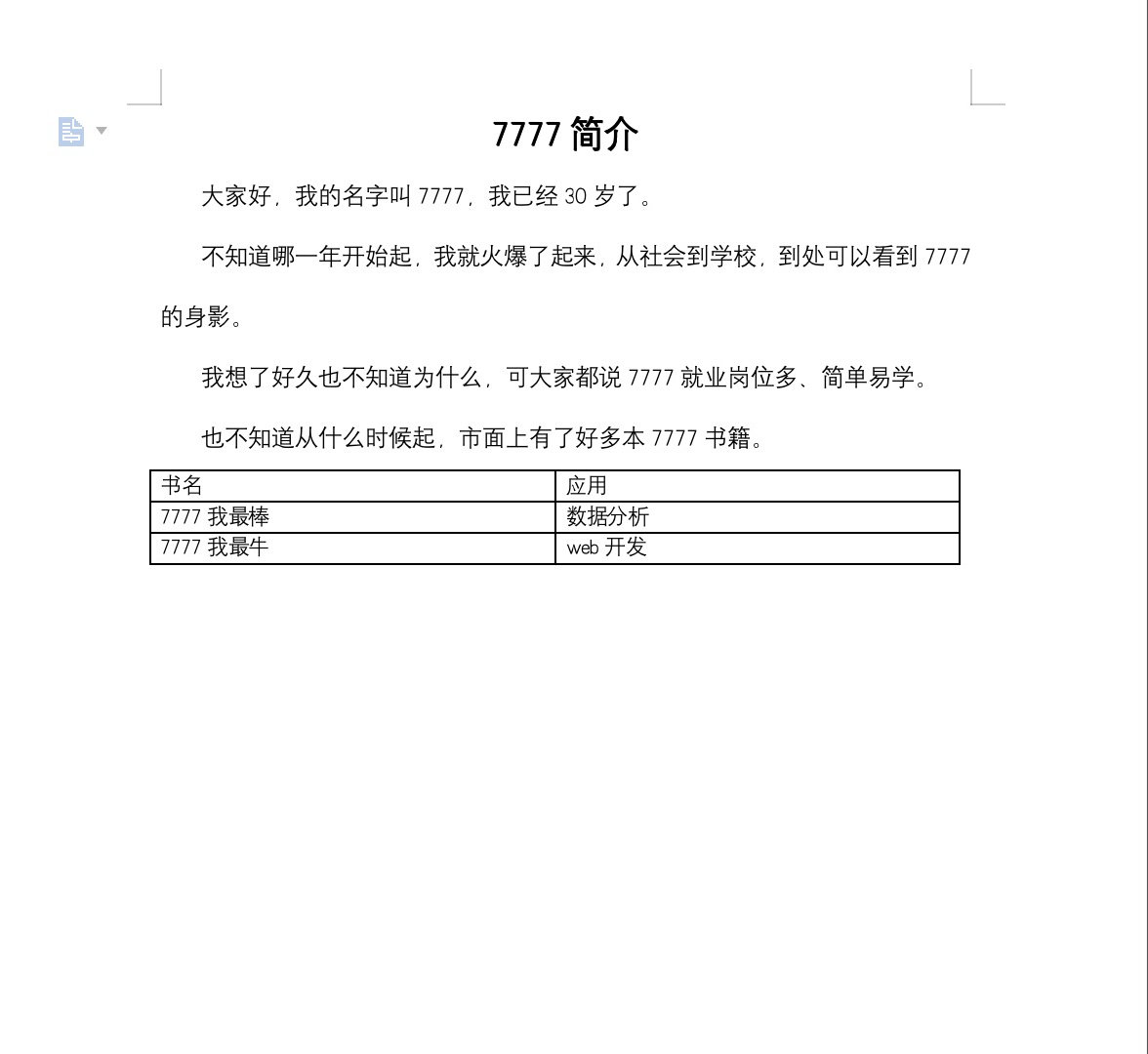
更多推荐



 12
12 0
0- 0


 已为社区贡献2条内容

所有评论(0)