
Spire.Doc实现libs方式导包,word文档内容替换,文件乱码,服务器上传相关的问题
一、开发过程中遇到的问题
1、如何引入Free Spire.Doc(开源)jar包
(引入包使用lib方式,maven私服会打包错误)


<dependency>
    <groupId>e-iceblue</groupId>
    <artifactId>spire.pdf.free</artifactId>
    <version>5.2.0</version>
    <scope>system</scope>
    <systemPath>${project.basedir}/src/main/resources/libs/Spire.Doc.jar</systemPath>
</dependency>
<build>
    <plugins>
        <!--   spring boot maven 打包插件  -->
        <plugin>
            <groupId>org.springframework.boot</groupId>
            <artifactId>spring-boot-maven-plugin</artifactId>
            <configuration>
                <fork>true</fork>
                <addResources>true</addResources>
                <includeSystemScope>true</includeSystemScope>
            </configuration>
            <executions>
                <execution>
                    <goals>
                        <goal>repackage</goal>
                    </goals>
                </execution>
            </executions>
        </plugin>
    </plugins>
</build>
***恭喜读者:已经可以使用:Spire.Doc
2、linux下document.loadFromFile("contractFile/劳动合同模板.docx")读取文件服务地址连接
(使用流读取的方式,先把服务器的docx文件下载服务器,然后在使用路径读取)
我的需求是:通过一个可访问的文档连接,读取文档并进行内容替换,并转化为pdf;
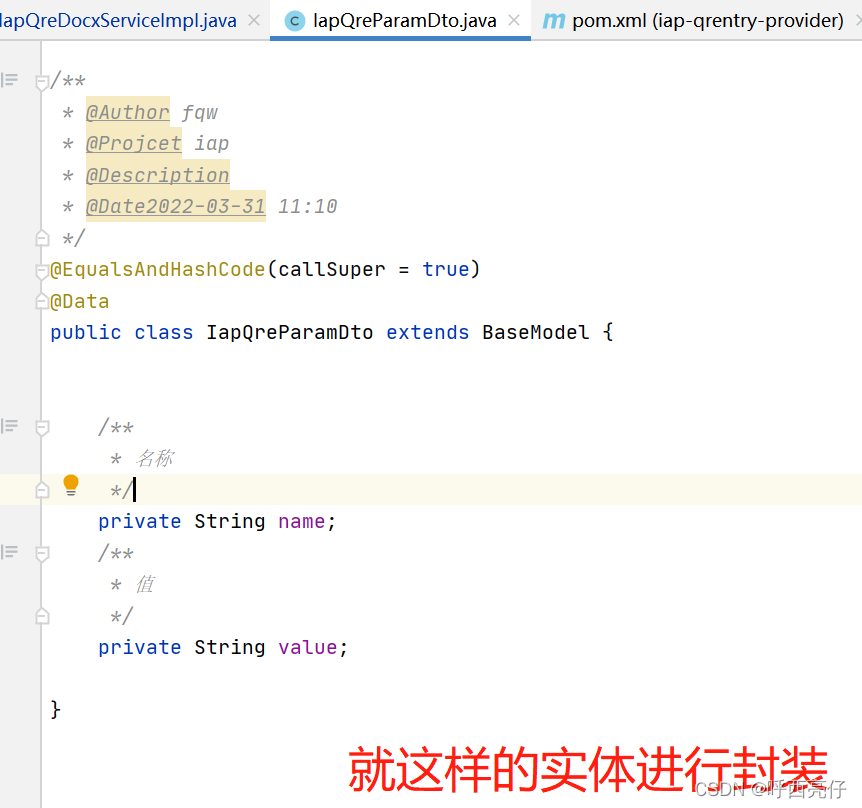
业务代码自己进行封装即可,我使用创建一个实体,封装的替换的name,替换value
a、业务部分根据实际情况开发:(下图是我封装的一个实体,使用List<IapQreParamDto>接收替换的内容)
b、使用流的方式读取文件URL:
urlPath参数指:服务器的文件url
****重要:文件名称如果存在空格,需要替换掉,否则会报400的错误
private String fileDown(String urlPath) throws MalformedURLException {
        // 要确保下面这个下载地址可以正常访问
        urlPath = urlPath.replaceAll(" ", "%20");
        // 下载文件保存位置
        String filePath = "contractFile/";
        URL url = new URL(urlPath);
        try {
            downloadFile(url,filePath);
        } catch (IOException e) {
            e.printStackTrace();
        }
        return filePath+"劳动合同模板.docx";
    }
public static void downloadFile(URL theURL, String filePath) throws IOException {
        File dirFile = new File(filePath);
        //文件路径不存在时,自动创建目录
        if(!dirFile.exists()){
            dirFile.mkdir();
        }
//        URLConnection connection = theURL.openConnection();
        HttpURLConnection connection = (HttpURLConnection) theURL.openConnection();
        //设置请求方式为"GET"
        connection.setRequestMethod("GET");
        //超时响应时间为5秒
        connection.setConnectTimeout(5 * 1000);
        connection.connect();
        DataInputStream in = new DataInputStream(connection.getInputStream());
        DataOutputStream out = new DataOutputStream(new FileOutputStream(filePath+"劳动合同模板.docx"));
        byte[] buffer = new byte[4096];
        int count = 0;
        while ((count = in.read(buffer)) > 0) {
            out.write(buffer, 0, count);
        }
        out.close();
        in.close();
    }
c、读取文档docx文档,并执行文本替换
 @Override
public String docxChange(String phone) throws Exception {

//urlPath指文件url
        String filePath = this.fileDown(urlPath);
        String retPath = "contractFile/XX劳动合同.pdf";
        try {
            //加载示例文档
            Document document = new Document();
    //        document.loadFromFile(filePath);
            document.loadFromFile("contractFile/劳动合同模板.docx");
            //使用新文本替换文档中的指定文本
            paramDtoList.stream().forEach(item -> {
                document.replace(item.getName(), item.getValue(), false, true);
            });
//这里存储的文件,windows环境下正常linux下有乱码,原因缺少字体
            document.saveToFile(retPath, FileFormat.PDF);
        } catch (Exception e) {
            throw new CommonException("docx转pdf错误", 500);
        }
        //这里是调用文件服务器上传的接口,,根据自己的项目情况使用,用不到的直接删除
        String moduleName="qrentry";
        String businessId="fqw";
        MultipartFile mulFileByPath = this.getMulFileByPath(retPath);
        ResponseData<IapUploadFileDto> uploadResponse = iapImUploadFileService.uploadFile(moduleName, businessId, mulFileByPath);
        //文件是否上传成功
        if (!uploadResponse.isSuccess()) {
            log.error("文件上传失败! fileName:{}  message:{}", uploadResponse.getMsg());
            throw new BusinessException("文件上传失败!");
        }
        return uploadResponse.getData().getId();
    }
3、linux使用document.saveToFile(retPath, FileFormat.PDF)乱码问题
(原因:linux服务缺少字体)
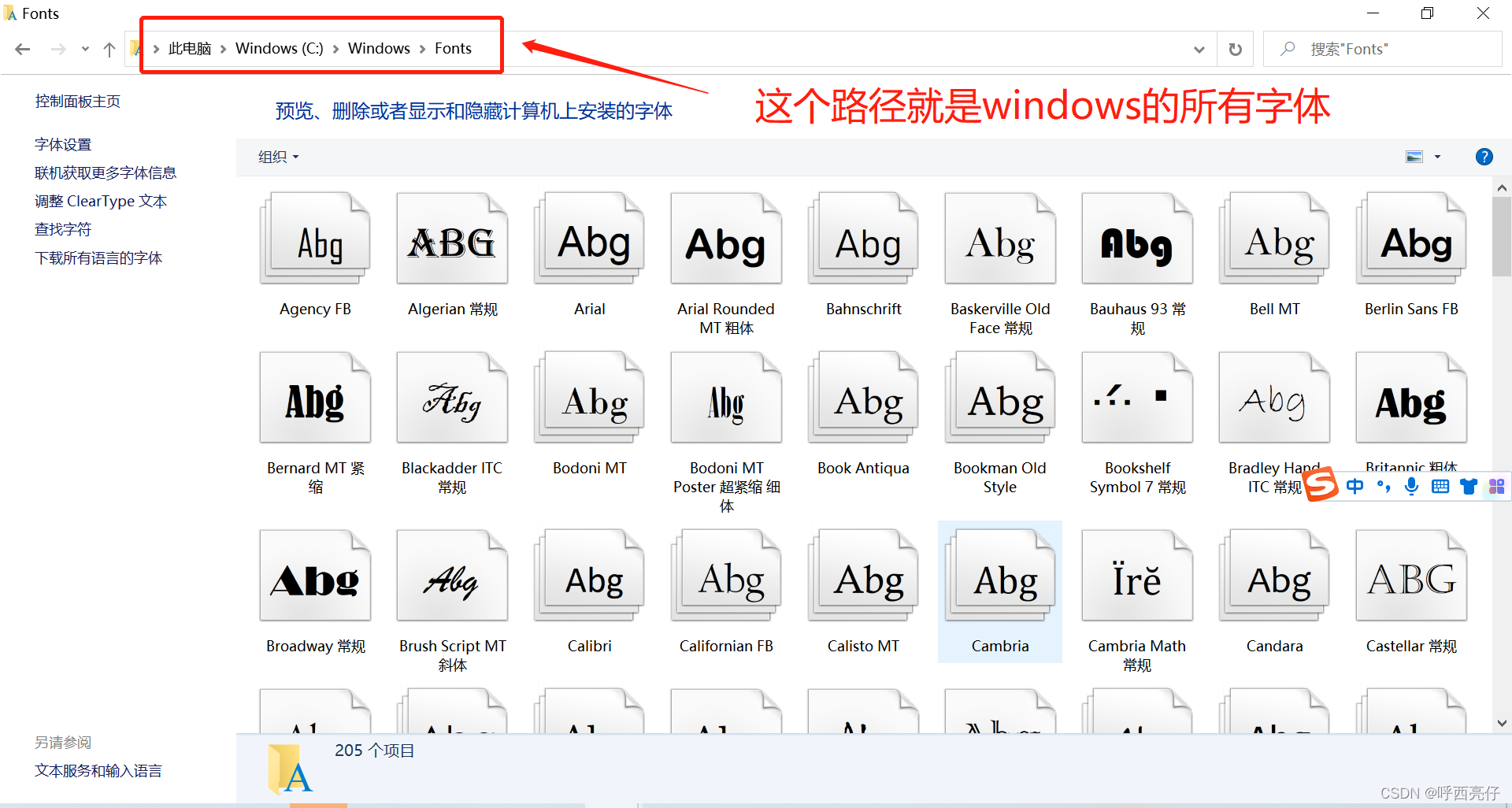
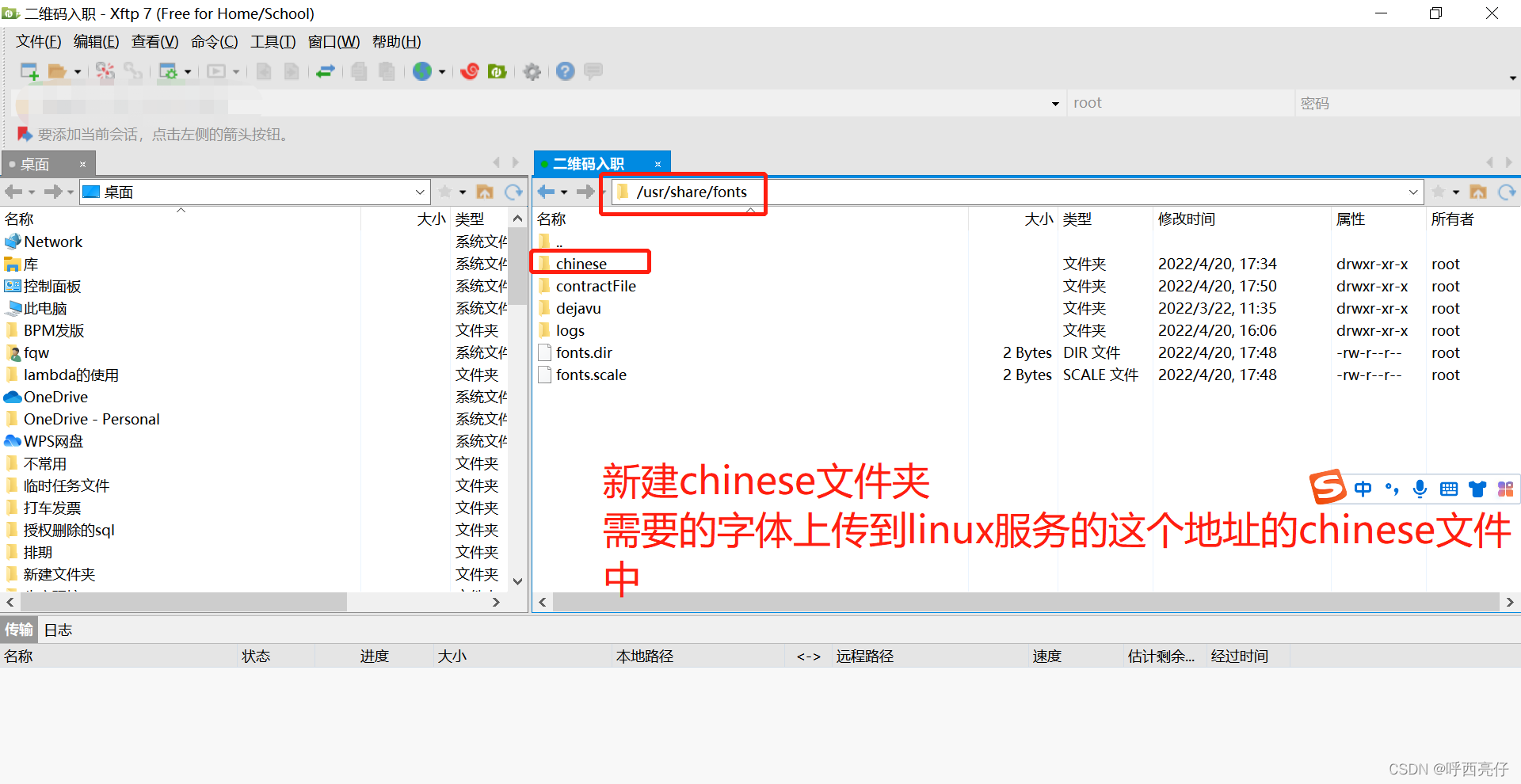
登录linux 服务器,刷新字体的缓存
需要进入到:/usr/share/fonts目录
执行:
[root@localhost fonts]# mkfontscale
[root@localhost fonts]# mkfontdir
[root@localhost fonts]# fc-cache
[root@localhost fonts]# fc-list :lang=zh
4、如何把存储的pdf文件上传至文件服务器
(根据实际情况,调用文件上传接口即可)
**:我的文件上传接口需要MultipartFile,所以通过路径读取pdf转化成MultipartFile(不懂的可以研究下MultipartFile 、FileItem之间的转换 )
****重要:factory.createItem("textField", ".pdf", true, file.getName());需要指定文件格式".pdf",或者其他格式,,否则会出现乱码
private static MultipartFile getMulFileByPath(String picPath) {
    File file = new File(picPath);
    FileItem fileItem = createFileItem(file);
    MultipartFile mfile = new CommonsMultipartFile(fileItem);
    return mfile;
}
private static FileItem createFileItem(File file)
{
    FileItemFactory factory = new DiskFileItemFactory(16, null);
    //这里的第二个参数,必须是{.pdf},上传的是pdf文件
    FileItem item = factory.createItem("textField", ".pdf", true, file.getName());
    int bytesRead = 0;
    byte[] buffer = new byte[8192];
    try {
        FileInputStream fis = new FileInputStream(file);
        OutputStream os = item.getOutputStream();
        while ((bytesRead = fis.read(buffer, 0, 8192)) != -1) {
            os.write(buffer, 0, bytesRead);
        }
        os.close();
        fis.close();
    } catch (IOException e) {
        e.printStackTrace();
    }
    return item;
}
更多推荐


 0
0 0
0- 0


 已为社区贡献2条内容

所有评论(0)