
Google Adwords目标客户匹配数据表格要求
# 指示:
# 目标客户匹配数据文件必须遵循特定的格式指南才能被接受。格式不正确可能会导致上传错误或匹配记录数量较少。
#
# 未散列(纯文本)格式指南:
# 文件必须是 CSV 格式
# 一个用户记录的所有标识符必须以逗号分隔。不同的用户记录必须由换行符分隔。它们不能用空格或分号分隔
# 标题必须是:电子邮件电话名字姓氏国家邮政编码(允许多个电子邮件电话和邮政列)
# 如果您希望 Google Ads 创建国家/地区和邮政编码匹配,您必须提供名字和姓氏
# 上传电话号码需要电话列标题名称。唯一的格式要求是包含国家/地区代码。
#
# 散列格式指南:
# 上述所有的
# 小写所有字符并删除电子邮件地址和姓名之前或之后的所有额外空格
# 电话号码在散列之前必须格式化为 E.164 https://en.wikipedia.org/wiki/E.164
#
# 特定领域指南:
# 请参阅此帮助中心文章以了解特定领域的要求:https://support.google.com/google-ads/answer/7475964
# Instructions:
# Customer Match data files must follow specific formatting guidelines in order to be accepted. Incorrect formatting can lead to an upload error or a low number of matched records.
#
# Un-hashed (Plain Text) Formatting Guidelines:
# Files must be in the CSV format
# All identifiers for one user record must be comma-separated. Different user records must be separated by a line break. They cannot be separated with a space or semicolon
# Headers must be: Email Phone First Name Last Name Country Zip (multiple email phone and postal columns are allowed)
# You must provide First Name and Last Name if you want Google Ads to create a Country and Zip match
# The Phone column header name is required to upload phone numbers. The only formatting requirement is to include country code.
#
# Hashed Formatting Guidelines:
# All of the above
# Lowercase all characters and remove all extra spaces before after or in between email addresses and names
# Phone numbers must be formatted as E.164 prior to hashing https://en.wikipedia.org/wiki/E.164
#
# Field Specific Guidelines:
# Please reference this help center article for field specific requirements: https://support.google.com/google-ads/answer/7475964
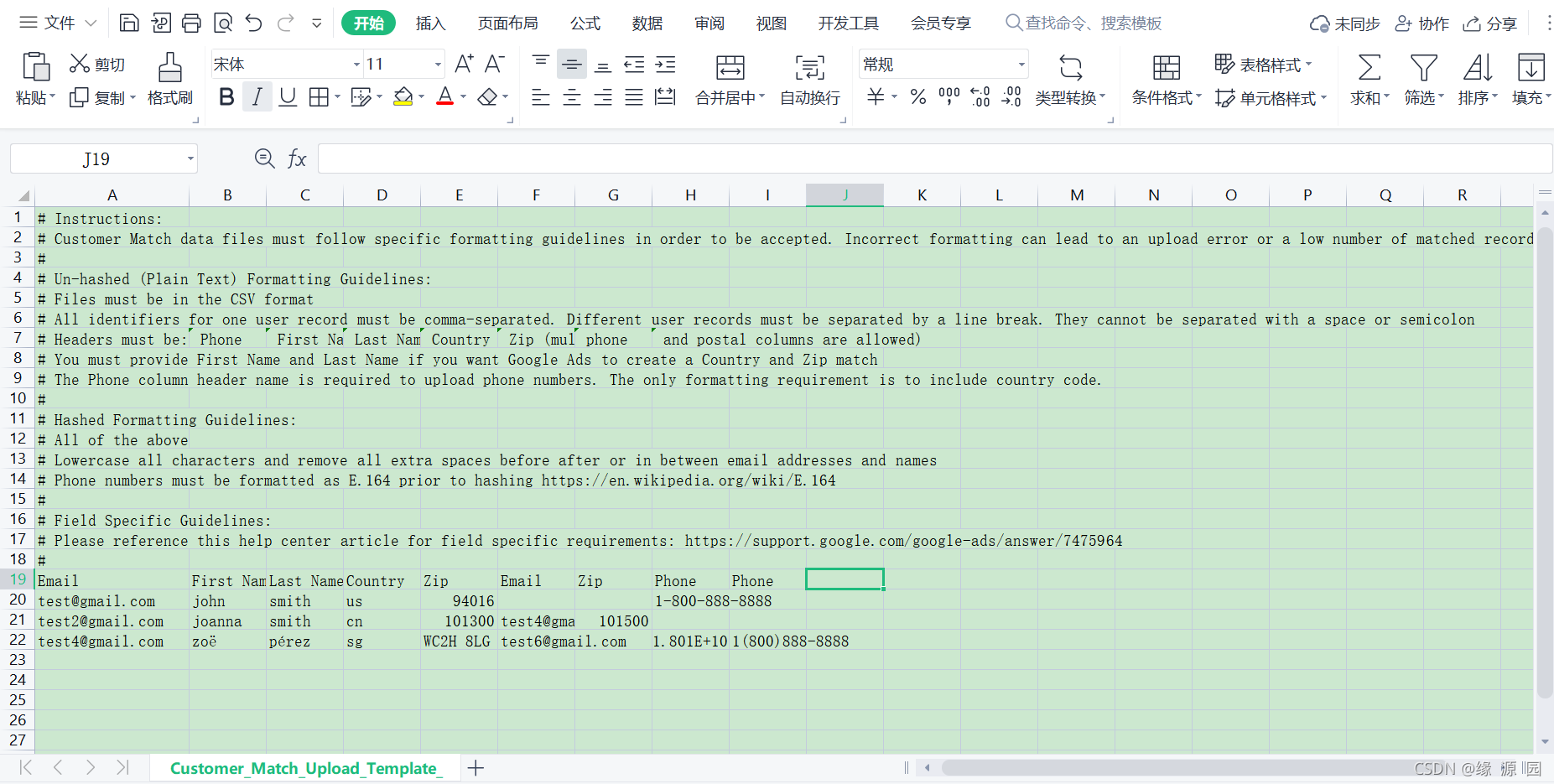
文件下载链接:Customer_Match_Upload_Template_-_Contact_Information(1).csv-搜索引擎文档类资源-CSDN下载
更多推荐

 0
0 0
0- 0


 已为社区贡献3条内容

所有评论(0)